

CrystalSound ✓
Isolate your voice, eliminate everything else.
Free + from $12/mo
Verdict
A quick read before you dig into the full page.
- Best if
- Isolate your voice, eliminate everything else
- Skip if
- Limited to specific apps compatibility
- Pick this when
- Locally operates
Considering ai|coustics instead? Compare side by side
Overview
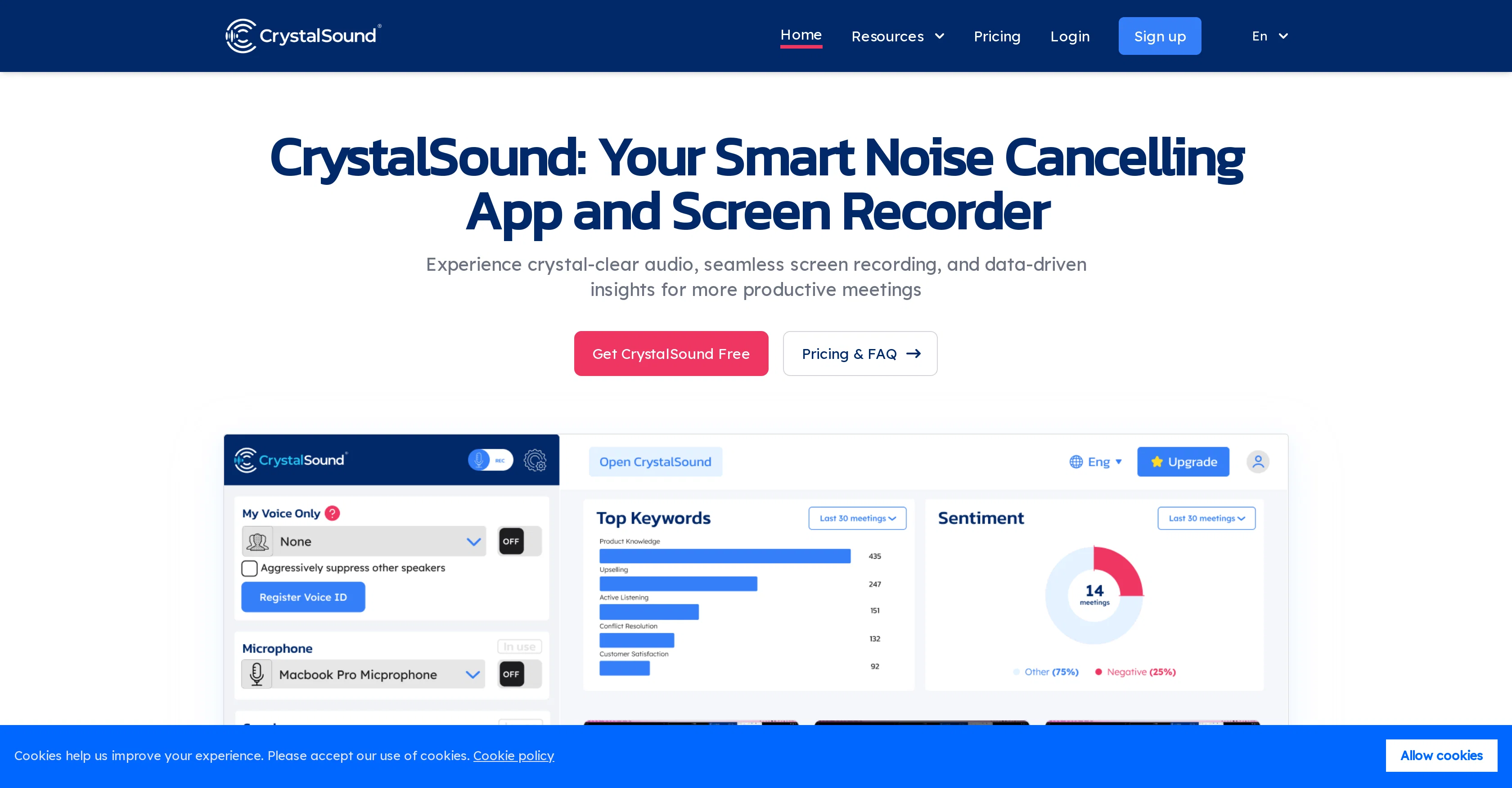
CrystalSound is a smart noise cancelling and screen recording application that provides solutions for challenges typically encountered during virtual meetings.
The application is built with innovative AI-driven noise cancelling technology which includes bi-directional noise cancellation, background voice suppression, microphone volume booster, and acoustic echo suppression.
These features help users focus during meetings by reducing distracting background noises. The recording capability captures screen and bidirectional audio, and offers cloud recordings that are easily shareable with automatic titles for easy retrieval.
It also provides a smart analysis of the recordings, generating meeting minutes, keywords, and performance insights, which could help improve productivity and communication.
Furthermore, CrystalSound simplifies the user experience by serving as a unified recording hub that integrates smoothly with different conferencing tools already in use.
This supports a more efficient workflow and a cohesive meeting experience. Users have reported a significant enhancement in their communication experience, particularly in noisy environments, through CrystalSound's comprehensive noise cancelling, ease of integration and deep neural network technology.
Access & connections
Where you can use CrystalSound.
Capabilities
What this tool accepts, produces, and is strongest at.
Input
- Audio
Output
- Audio
Supported features
- Denoise
Pros & cons
Pros
- Locally operates
- Highly privacy protective
- Compatible with multiple apps
- Enhances specific voice clarity
- User-friendly interface
- Easy installation
- Noise reduction in recordings
- Noise-free calls capability
Show 14 more
- Ideal for noisy environments
- Effective in group settings
- Improves transcription accuracy
- Facilitates easier editing
- Enhances listening experience
- Used for customer service
- Improves audio quality
- Tested with hours of audio
- Provides noise-free audio
- Amplifies user's voice
- Useful for industry professionals
- Valuable for frequent call users
- Positive testimonials
- Ideal for online meetings
Cons
- Not open-source
- No API available
- Local processing limits mobility
- Limited to specific apps compatibility
- No offline mode
- No multi-language support
- Non-customizable voice enhancement
- No automated background noise detection
Compare alternatives
Similar tools in the catalog — with a clear reason to open each one.
ai|coustics ✓
FreemiumHigh Quality Audio From Any Device, Anywhere
Why look Typically cheaper
Full comparison
Weet ✓
FreemiumRecord AI-powered video tutorials instantly.
Why look Typically cheaper
Full comparison
Cleanaudio ✓
Free TrialRemove background noise from audio and video with AI.
Free + from $16.99/mo
Full comparison
Denoisr ✓
Free TrialRemove background noise from recordings in seconds.
Why look Typically cheaper
Full comparison
SimpleClean ✓
Free TrialRemove background noise from any audio or video, free to preview.
Why look Typically cheaper
Full comparisonReleases 1
FAQ 12
What is CrystalSound - My Voice Only?
How does CrystalSound work to reduce background noise?
Which technology is used in CrystalSound to eliminate unwanted noise?
How can CrystalSound 'My Voice Only' be useful in my daily life?
Is it possible to use CrystalSound for video calls on Google Meet, Zoom or Teams?
Does CrystalSound assure the privacy of my conversations?
How does CrystalSound process audio data?
Can I use CrystalSound with communication apps other than the ones mentioned?
How do I install and operate CrystalSound?
What is the 'My Voice Only' premium feature in CrystalSound?
Is CrystalSound beneficial for customer service centers?
How effective is CrystalSound in noisy environments?
Related tools
Recommended

Adobe Audio Enhancer ✓
Free TrialClean up spoken audio with AI studio-quality filters.

Stratup.ai ✓
FreemiumInnovative idea generation for businesses.

LearningStudioAI ✓
Free TrialAI-powered authoring tool for effortless online course creation.

Stunning ✓
PaidBuild AI-powered websites in seconds

VenturusAI ✓
FreemiumBusiness idea analysis and reporting.

TutorAI ✓
FreemiumInstant knowledge on any topic