
Add Loved One to Photo ✓
AI that adds missing loved ones to photos.
Trial; then from $29.99/mo
Verdict
A quick read before you dig into the full page.
- Best if
- AI that adds missing loved ones to photos
- Skip if
- Relatively new with limited user data
- Pick this when
- Seamless photo integration
Considering Viyou AI Image Generator instead? Compare side by side
Overview
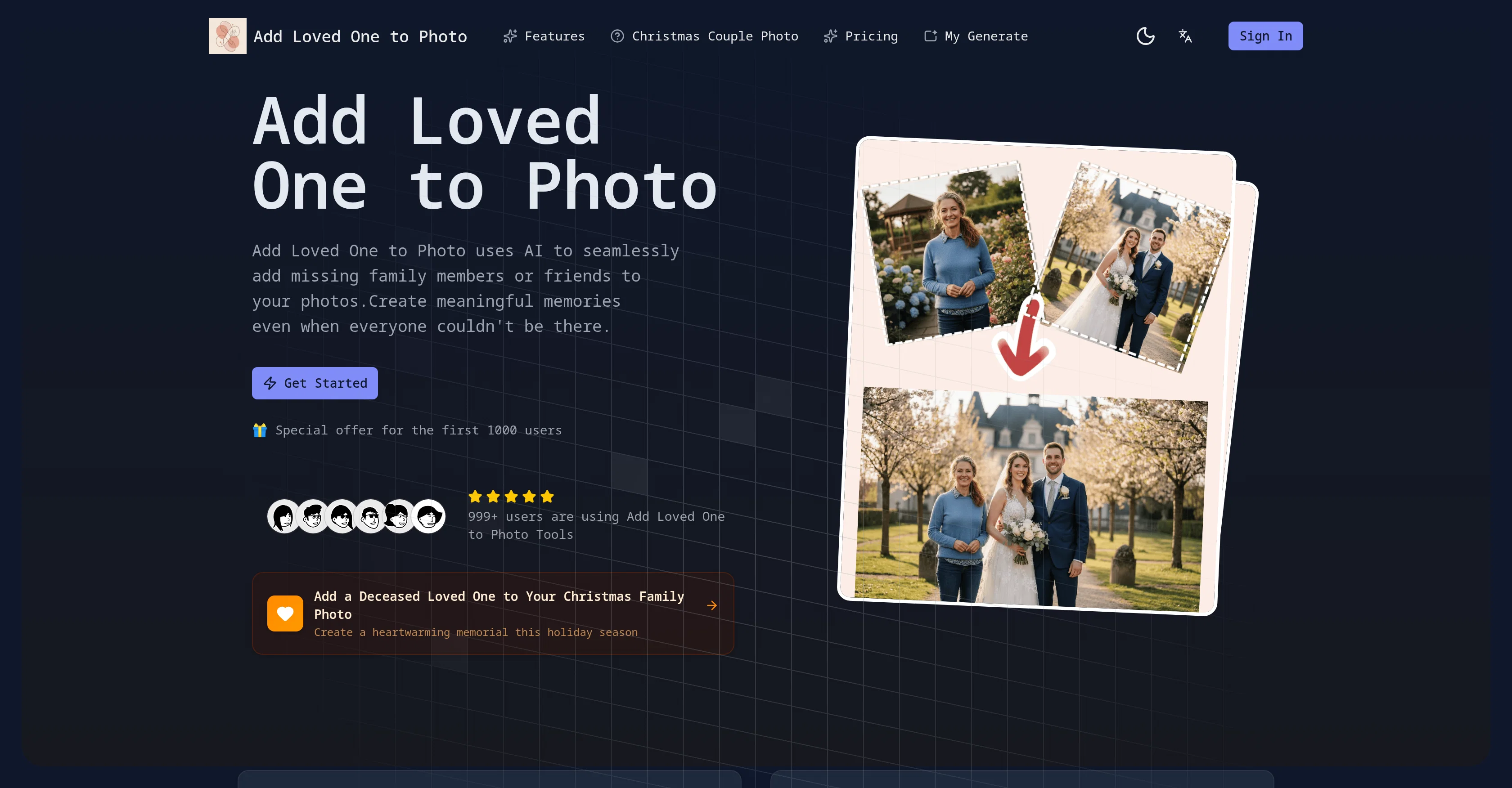
Add Loved One to Photo is an AI-driven tool that facilitates the addition of individuals into pre-existing photographs. This service is particularly useful for integrating individuals who couldn't be present at particular events, or adding deceased loved ones into important family photos, to create complete and meaningful memories.
The technology ensures a seamless integration process by adjusting lighting, perspective, and style to match the added person with the original photo.
The AI also adapts to the overall mood of the group by adjusting facial expressions for a natural look. To use this tool, users need to upload the group photo and the clear picture of the person they wish to add on the platform.
Based on the users' preference, they can also customize the aspect ratio of the output photo. The AI processes the inputs and generates a high-resolution photo that integrates the added person seamlessly with the background of the original picture.
The tool is committed to data privacy and maintains high standards of data security, ensuring user photos are never shared with third parties.
Access & connections
Where you can use Add Loved One to Photo.
Platforms
Capabilities
What this tool accepts, produces, and is strongest at.
Input
- Image
Output
- Image
Highlights
- SOTA
Supported features
- Image Edit
- Image Generation
- Realism
Pros & cons
Pros
- Seamless photo integration
- Matches lighting and perspective
- Fast processing time
- Simple user interface
- Suitable for professional use
- Adjusts facial expression
- Customizable aspect ratio
- High-resolution output
Show 36 more
- Secure data processing
- Respects emotional quotient
- No third party sharing
- Facilitates family reunions
- Assists in memory preservation
- Image restoration capability
- Enables social engagement
- Great for photographers
- Helpful for family historians
- Easy addition to photos
- Ideal for digital memorials
- Trusted by many families
- Widely loved tool
- Non-technical skills requirement
- Authentic-looking photos
- Background integration
- Trusted worldwide
- 10K+ happy users
- 50K+ photos created
- Used in wedding events
- Useful for family reunions
- Perfect for military families
- Old photos restoration
- Service offering for professionals
- Respects user privacy
- Maintains data security
- Facilitates complete memories
- Honors memory of loved ones
- Generates emotional impact
- Quick image generation
- Effective lighting adaptation
- Effective expression matching
- Offers image customizability
- Efficient data processing
- Ideal for Family events
- Creates high-quality images
Cons
- Requires clear reference image
- May not capture exact expressions
- Lighting adaptation limitations
- Processing time varies
- Cannot add multiple people
- No batch processing ability
- Specific aspect ratio customization
- Data privacy unclear
Show 2 more
- Prioritizes data privacy over functionality
- Relatively new with limited user data
Compare alternatives
Similar tools in the catalog — with a clear reason to open each one.

Viyou AI Image Generator ✓
FreemiumTransform text and images into stunning videos and visuals.
Free + from $39.99/yr
Full comparison
Img2Img AI ✓
FreemiumTransform any image with AI in seconds.
Why look Typically cheaper
Full comparison
Creen AI ✓
Paid40+ AI models for video, image and art. Free, no sign-up.
Why look Typically cheaper
Full comparison
Photoeditor ✓
PaidEnhanced image editing with object and text removal.
Why look Typically cheaper
Full comparison
Cleanup pictures ✓
FreemiumRemove unwanted elements from photos instantly.
Why look Typically cheaper
Full comparisonReleases 1
FAQ 12
How does Add Loved One to Photo work?
What steps do I have to follow to add a person to my photo using Add Loved One to Photo?
How accurate is the facial recognition feature of Add Loved One to Photo?
Is my data safe when I use Add Loved One to Photo?
Can I use Add Loved One to Photo to add deceased loved ones to my photos?
Does Add Loved One to Photo adjust the lighting conditions in the added image to match the original photo?
Can I use images from any era with Add Loved One to Photo?
Do I need to have any technical photography or editing skills to use Add Loved One to Photo?
Is the output quality of Add Loved One to Photo good enough for printing?
Does Add Loved One to Photo provide high-resolution images?
How long does it take to process a photo on Add Loved One to Photo?
Is there a limit to the number of people I can add to a photo in Add Loved One to Photo?
Related tools
Recommended

Notis ✓
Free TrialThe first WhatsApp assistant that runs on your ChatGPT and Claude subscriptions

freebeat AI ✓
FreemiumTurn Music & Ideas into Viral Videos In One Click

Claude ✓
FreemiumBuilding reliable, interpretable AI systems

MarketAlerts.ai ✓
FreemiumInvest smarter with AI on your side

Vertech Academy ✓
Free TrialPre-built AI study workflows that outperform raw ChatGPT prompts.

DeepReel ✓
PaidAI agent for Videos and Images