

AccurateScribe ✓
Convert audio and video to accurate text.
from $9.99/mo
Verdict
A quick read before you dig into the full page.
- Best if
- You are professionals and need: Transcribing interviews
- Skip if
- Limited batch processing capabilities
- Pick this when
- Transcribes 134+ languages
Considering Voicetype AI instead? Compare side by side
Overview
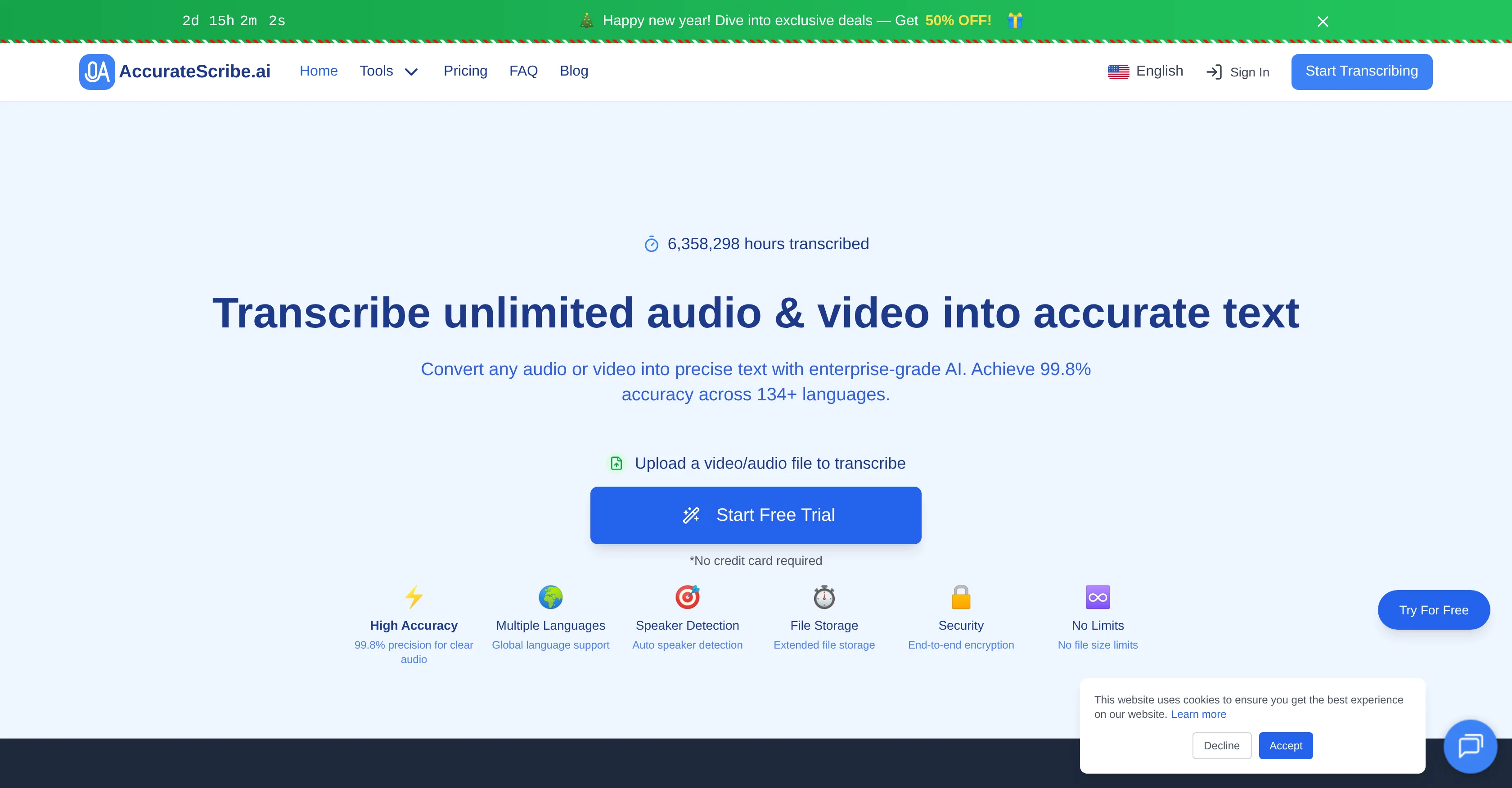
AccurateScribe.ai is an online AI-based tool designed for audio and video transcription. It offers the capability to transcribe content in over 134 languages with impressive precision.
Leveraging advanced AI, including Whisper's technology, it offers high-accuracy transcriptions, even with challenging audio conditions such as varied accents and background noise, thus making it suitable for professional, academic, and business purposes.
Utilizing built-in intelligence, it is capable of speaker identification which is helpful for transcribing meetings and interviews. It also presents an automatic translation feature for a wide array of languages while maintaining context.
AccurateScribe.ai ensures user data security with enterprise-grade end-to-end encryption and secure file handling. The platform allows for large file and batch processing, aiming to increase efficiency for large transcription projects.
Also, it includes a feature to export transcripts into various file formats like DOCX, PDF, TXT, and subtitle files (SRT, VTT), thus providing flexibility according to the needs of the project.
The tool also provides a speaker recognition feature that labels speakers in the transcript for multi-speaker files. AccurateScribie.ai employs enterprise-grade encryption for data security, and automatically deletes files after processing.
Best for
Short scenarios where AccurateScribe tends to shine.
-
Transcribing interviews
Best for Professionals
-
Creating subtitles for videos
Best for Students
-
Converting lectures into text
Best for Businesses
-
Generating transcripts for legal depositions
Best for Content creators
-
Documenting business meetings
Best for Journalists
-
Transcribing medical dictations
Best for Legal professionals
Example outputs 1
Sample generations and before/after results for AccurateScribe.
Access & connections
Where you can use AccurateScribe.
Platforms
Capabilities
What this tool accepts, produces, and is strongest at.
Input
- Video
- Audio
Output
- Text
Supported features
- Transcription
Pros & cons
Pros
- Transcribes 134+ languages
- Preserves conversation context
- Advanced speaker identification
- Manages large files
- End-to-end encryption
- Supports batch processing
- Customizable output formats
- Subtitle generation
Show 39 more
- Secures file handling
- Suitable for professional use
- Suitable for academic use
- Suitable for business use
- Noisy background transcription
- Highly accurate transcriptions
- Handles varied accents
- Translation to 134+ languages
- Transcribes long files
- Automatic deletion after processing
- Trusted by industry leaders
- Handles sizable transcription projects
- Exports in docx, pdf, txt, srt, vtt
- Applicable for multi-speaker situations
- Leverages Whisper's technology
- Auto-detect language
- Recognizes regional accents
- Transcribes files up to 10h
- Transcribes files up to 5GB
- Exports transcripts as subtitles
- Excellent for captions
- Handles multiple upload formats
- Fast processing time
- Transcribes low-quality and complex audio
- Audio enhancement feature
- Supports YouTube video transcription
- Unlimited transcription coverage
- Interactive editor for transcripts
- Supports medical and legal transcription
- Compatibility with Microsoft Word
- Cloud-based transcription
- Advanced voice analytics
- Real-time closed captioning
- Noise-cancellation transcription
- Screen reader-compatible files
- Integrates with Microsoft Word
- Transcribes English, Spanish, Chinese, etc.
- Multi-functional iOS, web, MS Store apps
- Offers free trial
Cons
- No free version
- No offline functionality
- Lacked real-time transcription
- Not adaptive to different industries
- Limited export options
- No integration with other applications
- Audio enhancement not automatic
- No manual speaker labelling
Show 2 more
- No specific legal or medical transcription
- Limited batch processing capabilities
Compare alternatives
Similar tools in the catalog — with a clear reason to open each one.

Voicetype AI ✓
Free TrialWrite 9x Faster with AI Speech to Text on all Apps
Why look Better for writing
Full comparison
Transcript LOL ✓
FreemiumUnlimited transcripts, summaries, 99.8% accuracy, speaker recognition, superfast
Why look Freemium alternative
Full comparison
TurboScribe ✓
Freemium🎯 3 free transcripts every day. 🔥 Unlimited transcription starting at $10/mo.
Why look Freemium alternative
Full comparison
RambleFix ✓
Paid⚡ Write by thinking aloud - emails, notes, articles, in your style.
Why look Typically cheaper
Full comparison
Paraspeech ✓
Free TrialPrivate dictation, cloud optional
Why look More privacy-focused
Full comparisonPeople also view
Tools that often show up alongside AccurateScribe in collections and comparisons.
Voicetype AI ✓
Free TrialWrite 9x Faster with AI Speech to Text on all Apps
TurboScribe ✓
Freemium🎯 3 free transcripts every day. 🔥 Unlimited transcription starting at $10/mo.
Transcript LOL ✓
FreemiumUnlimited transcripts, summaries, 99.8% accuracy, speaker recognition, superfast
RambleFix ✓
Paid⚡ Write by thinking aloud - emails, notes, articles, in your style.
Paraspeech ✓
Free TrialPrivate dictation, cloud optional
Recap Raven ✓
Free TrialTTRPG Discord bot that recaps, transcribes, GM prep notes and campaign memory

Realms of Shod ✓
Free TrialMultiplayer tools, AI notes, and knowledge-graph surfaces for TTRPG worlds and stories

Pulse by smallest.ai ✓
FreemiumWorld's fastest and most accurate speech-to-text.
Releases 1
Imported reviews 1
No no no. This is not what it claims to be. Yes there claim to be a free trial but free trial does not work at all. Its just a workaround.👎🏻
FAQ 12
What is AccurateScribe.ai?
What are the key features of AccurateScribe.ai?
Can AccurateScribe.ai transcribe in multiple languages?
How does AccurateScribe.ai handle speaker recognition?
Does AccurateScribe.ai work well for transcribing meetings and interviews?
What level of security does AccurateScribe.ai offer?
Can AccurateScribe.ai transcribe text even in noisy backgrounds?
Does AccurateScribe.ai offer translation services?
In what formats can I export transcriptions from AccurateScribe.ai?
Can AccurateScribe.ai handle large files and batch processing?
Who are the typical users of AccurateScribe.ai?
How does AccurateScribe.ai support file storage?
Related tools
Recommended

Recall ✓
FreemiumSummarize Anything, Forget Nothing!

Voila ✓
Free TrialSeamless AI assistant to help you create, write, brainstorm, and research.

ChatPlayground AI ✓
PaidThe #1 Platform for Comparing AI Models

Hedy AI ✓
FreemiumDominate every meeting with Hedy as your brilliant AI ally

Promtist AI ✓
FreeGenerate optimized prompts for better AI results.

Video Transcriber AI ✓
FreeTranscribe video to text online free