

Web scraping 2026 Rank: #763
WebCrawler API ✓
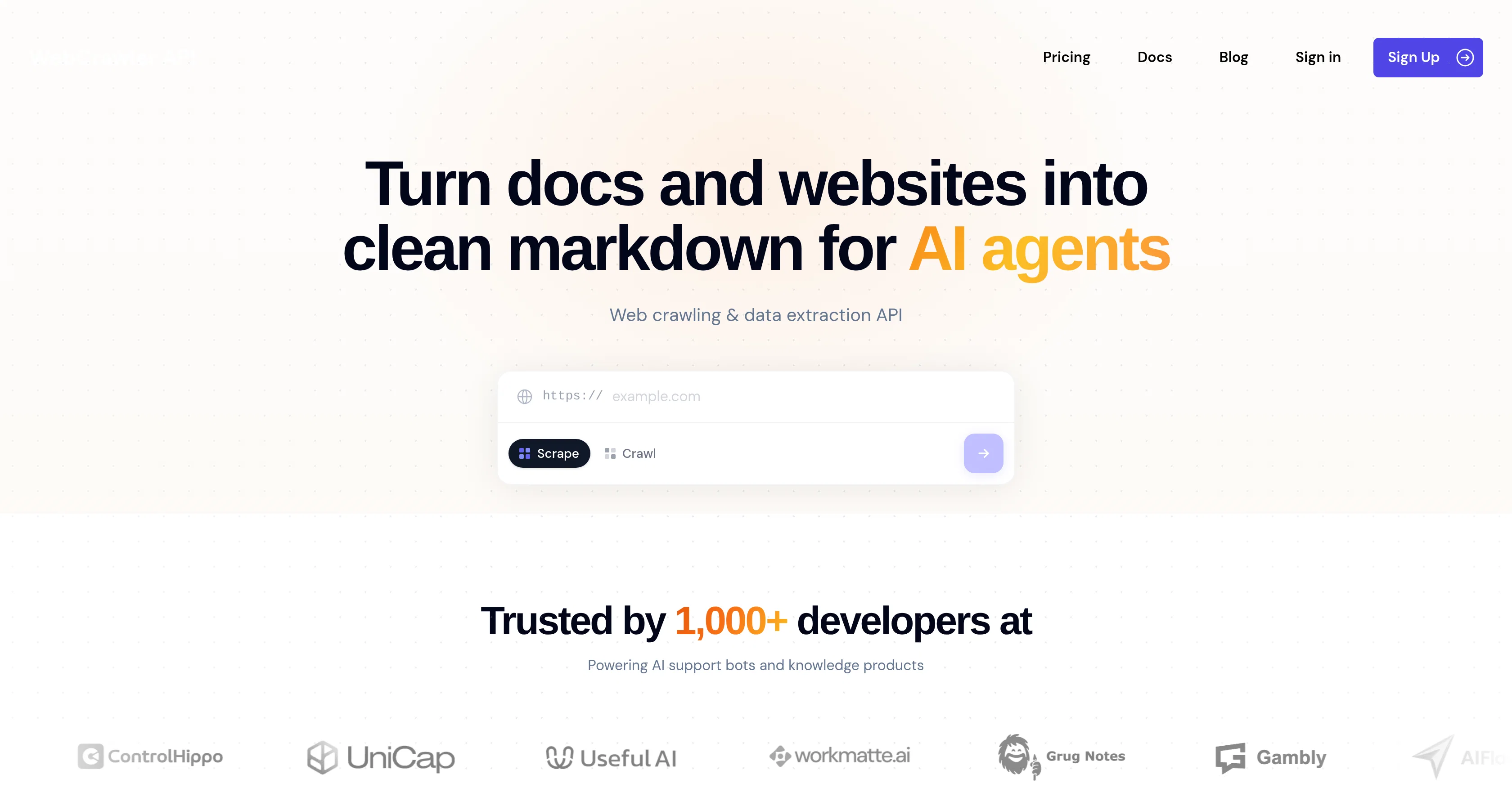
Turn docs and websites into clean markdown for AI agents
Verdict
A quick read before you dig into the full page.
- Best if
- Turn docs and websites into clean markdown for AI agents
- Skip if
- Limit on parallel requests
- Pick this when
- Turns documents into markdown
Considering FetchFox instead? Compare side by side
Overview
Webcrawlerapi is a data extraction tool designed to convert various online sources such as docs, help centers, and websites into clean markdown suitable for AI agents.
The tool is efficient in handling JavaScript, CAPTCHAs, and proxies automatically. Bulk of its usage is by AI support bots and knowledge products. It allows developers to integrate their software in a minute and is compatible with all major languages.
It's designed to facilitate AI teams with reliable data extraction.Users can extract clean markdowns from any page with menus, cookie banners, footers, ads and other unrelated content automatically removed.
The result is a clean and formatted markdown ready to be used with your AI agent. The tool has a caching function that speeds up the return time. To ensure up-to-date information, use the APIs change detection feature.
With this, users can set up a feed for any site and receive only changed pages, including full content, new additions, structural changes, and detailed diffs.
Webcrawlerapi handles infrastructure like proxies, retries, headless browsers, CAPTCHAs, anti-bot protection, JavaScript rendering automatically. Webcrawlerapi offers no-code integrations with various platforms allowing your team to use WebCrawlerAPI with the no-code tools already familiar with.
Also, it provides several pricing options, including a pay-per-request and a monthly subscription.
Access & connections
Where you can use WebCrawler API.
Platforms
Capabilities
What this tool accepts, produces, and is strongest at.
Input
- API
- Text
Output
- API
- Text
Highlights
- API
Supported features
- API
- Web browsing
- Automation
- Integrations
- Crawling & Scrapping
Pros & cons
Pros
- Turns documents into markdown
- Turns websites into markdown
- Markdown extraction feature
- Removes irrelevant elements
- Cleans structured markdown
- Smart caching system
- Change detection feature
- Handles scraping infrastructure
Show 38 more
- Handles retries
- Handles CAPTCHAs
- Anti-bot protection
- Javascript rendering
- Easy integration
- Compatible with major languages
- Pay-per-request usage option
- Monthly subscription option
- Works with no-code tools
- Automated data extraction
- Menu removal
- Banner removal
- Irrelevant content removal
- Fast page return
- Detailed diffs
- API key availability
- JavaScript handling
- CAPTCHA handling
- Proxy handling
- Scrapes help centers
- Can bypass cache
- No redundant API calls
- Automatic retries
- No manual tracking required
- Provides crawler usage statistics
- Separate pricing options
- Up-to-date information
- Trust from multiple developers
- Handles headless browsers
- No boilerplate
- No friction
- Unrelated content removal
- Residential proxies
- Rate limit handling
- Automatic bot bypass
- Fast path selection
- No-code integrations
- User-friendly for developers
Cons
- No free tier
- Limit on parallel requests
- Extra charge for prompts
- Not suitable for larger volumes
- No enterprise pricing details
- No credit card free trial
- Potential slow response times
- Limited no-code platform compatibility
Compare alternatives
Similar tools in the catalog — with a clear reason to open each one.


Ultimate Web Scraper ✓
FreemiumExtract data instantly: Grab text, images, emails & links from any website
Free + from $60
Full comparison
Octoparse ✓
FreemiumThe next generation of AI web scraping platform.
Free + from $83/mo
Full comparison
Browse AI ✓
FreemiumExtract and monitor web data without code.
Why look Better fit for coding
Full comparison
WebscrapeAi ✓
Free TrialAutomate web data collection without coding.
Why look Better fit for coding
Full comparison
Releases 1
FAQ 12
What is WebCrawlerAPI?
What does the markdown extraction feature in WebCrawlerAPI do?
How does WebCrawlerAPI ensure clean extraction of markdown from web pages?
Can WebCrawlerAPI work with my preferred coding language?
What elements does WebCrawlerAPI remove while extracting markdown from pages?
Can you explain how caching works on WebCrawlerAPI?
Does WebCrawlerAPI have any features to let me know of changes made on a web page?
How does WebCrawlerAPI effectively handle web scraping infrastructure?
Can you tell me more about the pricing plans of WebCrawlerAPI?
Is there a pay-per-request option on WebCrawlerAPI?
What type of payment options does the WebCrawlerAPI provide?
Does it offer any monthly subscription option?
Related tools
Recommended

AppDeploy ✓
FreeDeploy real apps directly from ChatGPT or Claude

XCrawl ✓
Free TrialExtract structured data from any website instantly.

Thea ✓
FreemiumAI study tools to master material, not just memorize it.

DeepSeek ✓
FreeUnravel the mystery of AGI with curiosity

Cursor ✓
FreemiumAI-powered IDE for faster coding

HumanizerFree.com ✓
FreeMake AI text undetectable to bypass detection tools.