

YouMind ✓
Where learning meets creation with AI agents.
Free + from $20/mo
Verdict
A quick read before you dig into the full page.
- Best if
- You are writers and need: Writing articles (e.g., a Steve Jobs article) using new boards
- Skip if
- Potentially overwhelming for newbies
- Pick this when
- Merges education with creation
Considering Blotato - AI Agent for Content Creation instead? Compare side by side
Overview



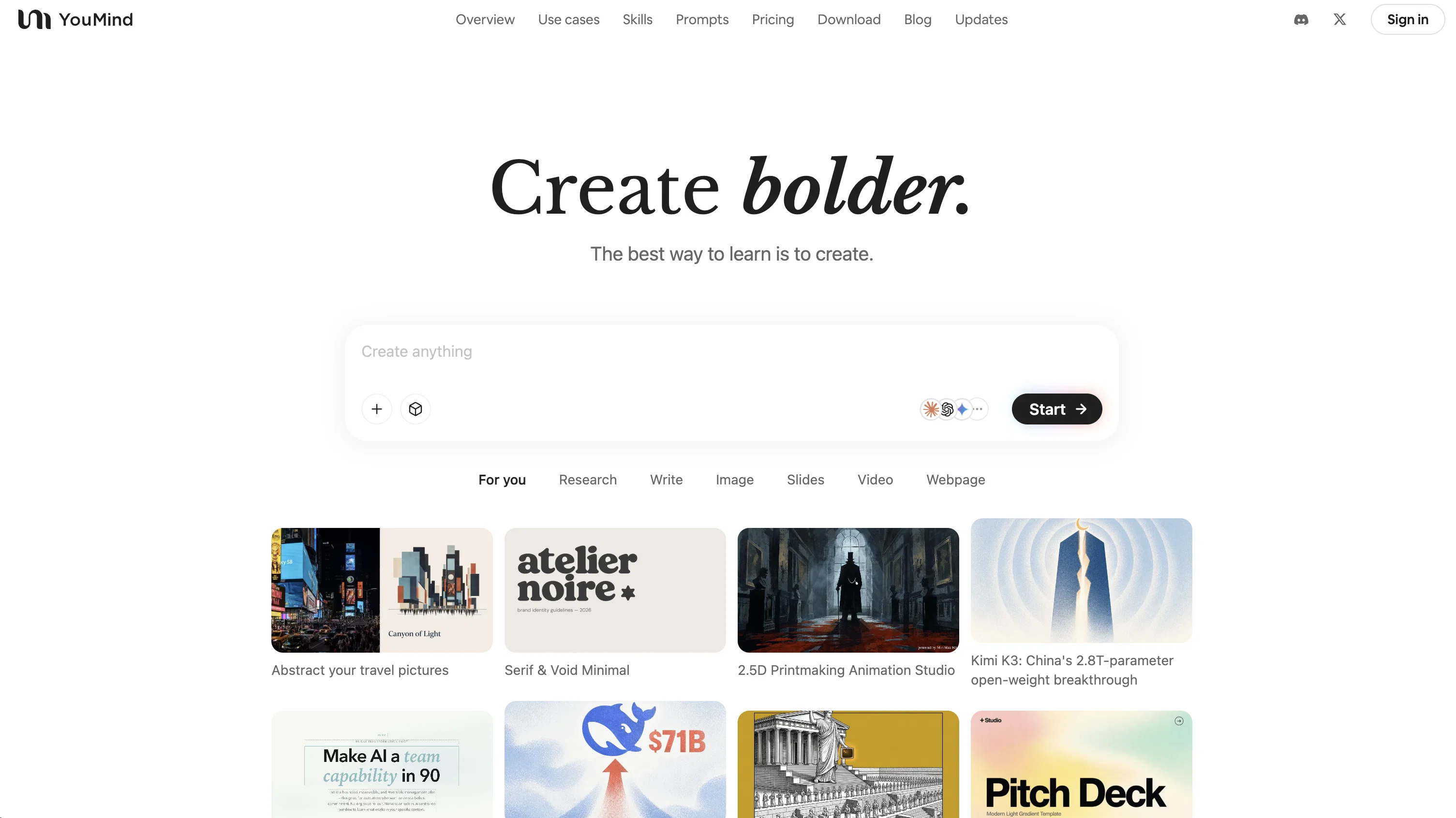
At its core, YouMind treats learning as the first step of creation. As you save articles, PDFs, videos, and audio, the system organizes your “Picks” (sources) alongside your “Craft” (writing and production). The AI learns from your highlights, notes, and curated snippets to become a long-term Thinking Partner—helping you synthesize complex material, spot patterns, and turn scattered inputs into coherent narratives.
YouMind offers a dual-mode AI experience tailored to different needs. **Ask Mode** is for clean, instant answers and quick exploration. **Agent Mode** is for deeper, multi-step work—reading, summarizing, outlining, writing, and iterating with you across an entire project. The workspace is centered around a “Board,” which separates source management from creation, letting you keep references organized without cluttering your output.
Multimodal creation is a key differentiator. A single collection of sources and drafts can be transformed into multiple formats: articles, slide-style content, 4K image covers, diagrams (SVG), and even podcast-like audio episodes. With features like **Audio Pod** and **Listen**, YouMind can turn your research or writing into narrated audio and multi-host dialogue—so your knowledge base becomes something you can consume on the go as well as publish.
Capture and organization work across platforms. With a browser extension and a full iOS app, you can save and annotate content anywhere, manage documents, and continue projects seamlessly between devices. For audio and video learning, YouMind can identify “Key Moments” from YouTube and podcasts, generate transcriptions, and help you preserve the parts that matter—without rewatching or relistening.
Publishing is built in. Any Board can be shared as a standalone webpage, allowing creators to present not only the final result, but also the curated sources and reasoning behind it. Audiences can subscribe to Boards for updates, making YouMind suitable for ongoing research series, content pipelines, and transparent knowledge creation.
Privacy is treated as a first principle: YouMind does not use your personal content—sources, queries, or AI outputs—for model training. Your materials and creations remain yours.
Whether you’re a writer, researcher, analyst, consultant, podcaster, YouTuber, or lifelong learner, YouMind is built to bridge curiosity and output—so learning naturally becomes creation, and creation feeds better learning.
Best for
Short scenarios where YouMind tends to shine.
-
Writing articles (e.g., a Steve Jobs article) using new boards.
Best for Writers
-
Adding Ghibli images or generating SVG diagrams to articles.
Best for Blogger
-
Using the Smart AI Browser Extension for reading, clipping, video-to-text, and AI chat.
Best for AI independent developers
-
Swiftly gathering materials, organizing thoughts, and aggregating notes on a board.
Best for Product Managers
-
Producing articles that receive good responses.
Best for Designers
-
Integrating source clipping, archiving, thought recording, and structured output to revolutionize creative workflows.
Best for Programmers
-
Replacing existing content collection, summarization, and organization tools like Readwise and Notion.
Best for Entrepreneurs
-
Applying the Feynman Learning Method for output-driven learning and enhanced understanding.
Best for VCs (Venture Capitalists)
Example outputs 1
Sample generations and before/after results for YouMind.
Access & connections
Where you can use YouMind, and what it plugs into.
Platforms
Integrations
Capabilities
What this tool accepts, produces, and is strongest at.
Input
- Tabular
- Image
- Text
- Video
- Audio
Output
- Code
- Audio
- Text
- Image
Highlights
- Agents
- MCP
Supported features
- Agents
- Assistant
- Search
- Citations
- Web browsing
- MCP
- Memory
- Image Edit
- Image Generation
- Video Generation
Show 6 more
- Slides
- Sound Creation
- Transcription
- Text Generation
- Writing
Pros & cons
Pros
- Merges education with creation
- Consolidates workflow in one place
- Generates personalized insights
- Integration with multiple learning tools
- Adapts to individual users' needs
- Transforms complex inputs into outputs
- Content planning and management
- Enhances content quality
Show 22 more
- Supports diverse media formats
- Assists in organization of ideas
- PDF, webpage, YouTube video processing
- Podcast, audio recording, office document processing
- Learning enhanced by interactivity
- Aids in idea confluence and transformation
- User-centric learning orientation
- Adaptive to creators, researchers, students
- Saves ideas and materials flexibly
- Single workspace for multiple tasks
- Improves script quality
- Ideal for YouTube video management
- Supports brainstorming processes
- Bridges gap between idea and implementation
- Content planning across various media types
- Improves workflow efficiency
- Can replace Readwise and Notion
- Employs Feynman Learning Method
- Effective for project-based management
- Facilitates insightful article creation
- Supports creative themes organization
- Materials collection beyond traditional tools
Cons
- Potentially overwhelming for newbies
- No offline mode available
- No Android app
- No Desktop app
- Pricing is the same as ChatGPT
Compare alternatives
Similar tools in the catalog — with a clear reason to open each one.

Blotato - AI Agent for Content Creation ✓
Free TrialMake 1 week of content in 1 minute
Why look Offers a public API
Full comparison
Yapper - AI Content Studio ✓
PaidAll AI content tools in one platform.
Why look Typically cheaper
Full comparison
ContentPod ✓
FreemiumThe everything app for content creation
Why look Typically cheaper
Full comparison
EVY - your AI co-creator ✓
FreemiumWork feels easy, with EVY. (Voice OS for Mac)
Free + from $19/mo
Full comparison
Sydium ✓
Free TrialLearns your voice and posts for you, on autopilot
Why look Offers a public API
Full comparison
People also view
Tools that often show up alongside YouMind in collections and comparisons.
Yapper - AI Content Studio ✓
PaidAll AI content tools in one platform.
ContentPod ✓
FreemiumThe everything app for content creation
Blotato - AI Agent for Content Creation ✓
Free TrialMake 1 week of content in 1 minute

UnMarkAI - Remove subtitles first. Translate video, d... ✓
Free TrialAI video translation with dubbing and lip-sync.
Sydium ✓
Free TrialLearns your voice and posts for you, on autopilot

Servo ✓
FreemiumTurn business confusion into clear messaging strategy.

SerpStep ✓
FreemiumEvidence-first page decisions for indie hackers

FlyingToast ✓
Free TrialAI social media on autopilot, in your brand voice
Releases 1
FAQ 12
What is YouMind's main function?
How does YouMind facilitate learning and creation?
What kind of content can users save within the YouMind app?
Can YouMind generate insights based on uploaded content?
How is YouMind tailored to individual users?
Is the content generated by YouMind editable?
How does YouMind integrate the entire workflow?
Who is YouMind ideal for?
How does YouMind transform complex inputs into outputs?
What integration features does YouMind offer?
Can YouMind assist in content curation?
How does YouMind enhance the learning process?
Related tools
Recommended
PromptFix ✓
FreemiumAI Prompt Optimizer & Analyzer

Recall ✓
FreemiumSummarize Anything, Forget Nothing!

Virlo ✓
PaidTurn short-form video data into viral content.

ApnaVikas – AI Soft Skills & Personality Coach ✓
PaidAI-powered personality insights for professional and personal growth.

Free Text-To-Speech ✓
FreeText transformed into customizable spoken output.

TheLibrarian.io ✓
Free TrialYour WhatsApp AI assistant for instant productivity.