

Coding vv2.0
Warp ✓
AI-powered terminal for faster software development
Free + from $22/mo
Verdict
A quick read before you dig into the full page.
- Best if
- You are software engineers and need: Generating commands with natural language
- Skip if
- Limited command suggestion
- Pick this when
- Built with Rust
Considering Cursor instead? Compare side by side
Overview
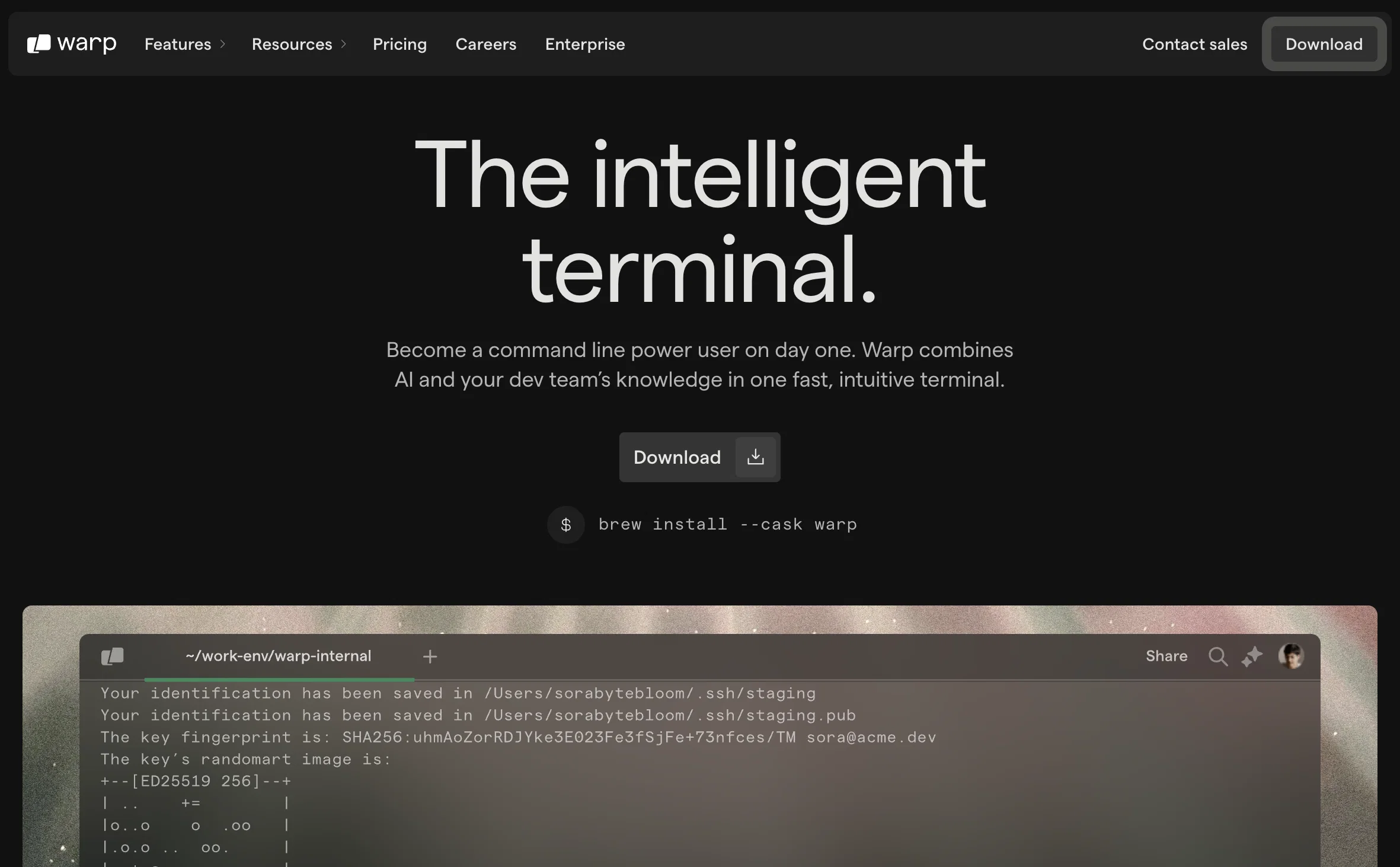
Warp is a Rust-based terminal designed with integrated AI features to enhance software development processes. It reimagines the conventional terminal by providing a combination of AI, collaborative tools, and reusable workflows.
Its AI function assists in suggesting appropriate commands and provides solutions to programming inquiries, while ensuring secure and private requests.
Warp equips teams with collaborative tools that enable knowledge sharing, including sharing of interactive notebooks with runnable commands. It has 'Warp Drive', a feature that allows users to organize difficult-to-remember commands for quick and effortless recall.
It also comes with custom themes catering to user's aesthetic preference with both light and dark modes available. Furthermore, it introduces modern editing features that enhance command generation, allowing text to be handled as in a Integrated Development Environment (IDE) with built-in smart completions.
Currently, Warp is available for MacOS and Linux platforms, with the Windows version in development. Overall, Warp aims to bring about increased efficiency and productivity to terminal workflows.
Best for
Short scenarios where Warp tends to shine.
-
Generating commands with natural language
Best for Software engineers
-
Explaining errors and troubleshooting
Best for DevOps engineers
-
Sharing repeatable runbooks with a team
Best for System administrators
-
Pair programming and live assistance
Best for Data scientists
Example outputs 1
Sample generations and before/after results for Warp.
Access & connections
Where you can use Warp.
Platforms
Capabilities
What this tool accepts, produces, and is strongest at.
Input
- Text
Output
- Text
Highlights
- Agents
Supported features
- Agents
- Integrations
- CLI
Pros & cons
Pros
- Built with Rust
- Terminal emulator
- Modern app design
- Feels like code editor
- Cursor positioning
- Selections and completion menus
- Converts natural language
- Executable shell commands
Show 37 more
- Blocks for quick scrolling
- Highlights and copies errors
- Backward-compatible with zsh, fish, bash
- Supports Dracula and Solarized themes
- DIY completion specs
- Highly customizable
- Theme creation and sharing
- Workflow creation and sharing
- Built-in coding assistance
- Interactive notebooks
- Collaborative tools
- Reusable workflows
- Command suggestions
- Data security
- Knowledge sharing function
- Warp Drive feature
- Organizes hard-to-remember commands
- Light and dark mode
- Integrated modern editing features
- Built-in smart completions
- Available for MacOS and Linux
- Private and secure requests
- Custom themes
- Text handling like IDE
- Increases efficiency and productivity
- Private collaboration tools
- Secure programming solutions
- Runnable shared commands
- Auto-generated theme palettes
- Fast boot times
- Separated command blocks
- Easy scrolling
- Error highlighting
- Command pasting
- Input and output privacy
- Optional app analytics and crash reports
- Account-level data encryption in transit and at rest
Cons
- Windows version still in development
- Specific to command line interface
- Dependent on Rust language
- Limited theme options
- Requires knowledge of CLI workflows
- No mobile support
- Highly customizable might confuse beginners
- Potential compatibility issues with non-supported shells
Show 1 more
- Limited command suggestion
Compare alternatives
Similar tools in the catalog — with a clear reason to open each one.

OnSpace.AI - No Code App Builder ✓
FreemiumBuild Apps with AI, No Code
Free + from $20/mo
Full comparison
Kilo Code ✓
Free TrialAI-powered coding assistant for VS Code
Why look Typically cheaper
Full comparison
Github Copilot ✓
FreemiumAI-powered coding assistant for faster development
Why look Typically cheaper
Full comparison
CodingFleet ✓
FreemiumAI wizard transforms instructions into code snippets.
Why look Typically cheaper
Full comparisonPeople also view
Tools that often show up alongside Warp in collections and comparisons.

Replit ✓
FreemiumAI redefines the software development lifecycle.

Programming Helper ✓
UnknownGenerate code from text descriptions instantly.
Github Copilot ✓
FreemiumAI-powered coding assistant for faster development

Cursor ✓
FreemiumAI-powered IDE for faster coding

Veo ✓
PaidGenerate high-quality, cinematic videos with AI.

TextFX ✓
FreeAI-powered tools to spark creative writing.

Pickle ✓
UnknownAI clones lip-sync to your voice in real-time calls.

NotebookLM ✓
FreemiumAI-powered note-taking and research assistant
Releases 2
Warp Preview is designed for users who want to explore and provide feedback on Warp’s newest and most experimental features.
In the news
Launch coverage and community mentions for Warp.
Imported reviews 2
Super solid enhanced cli environment. They were pretty early to the party. Worth checking out. I just need to cancel one of my two subscriptions and up the single one. Doh!
Warp is probably the best CLI on the Mac Platform, even better when you are in the middle of that complex linux string and you think How do I...just ask the AI and it will give you that answer you forget all those years ago.
FAQ 12
What is Warp AI?
How does Warp AI improve productivity?
What are the key features of Warp AI?
How does the AI Command Search in Warp AI work?
Can I customize Warp AI according to my preferences?
What are the system requirements for using Warp AI?
Which programming languages are supported by Warp AI?
What benefits does the Rust programming language offer in Warp AI?
Is Warp AI suitable for software developers?
How does Warp AI maintain privacy and security?
What is the Warp Drive feature in Warp AI?
How are command outputs presented in Warp AI?
Related tools
Recommended

Codeium ✓
FreemiumAI-powered code completion for 20+ languages

VenturusAI ✓
FreemiumBusiness idea analysis and reporting.

Qodo (Formerly Codium) ✓
FreemiumCode testing assistance through analyzed suggestions.

CodeMate ✓
FreemiumCode 10x faster with AI-powered search and navigation.

LearningStudioAI ✓
Free TrialAI-powered authoring tool for effortless online course creation.

TutorAI ✓
FreemiumInstant knowledge on any topic