

Vidvoi AI Voiceover Generator ✓
AI video voiceover without prompting
Free + from $39.99/mo
Verdict
A quick read before you dig into the full page.
- Best if
- AI video voiceover without prompting
- Skip if
- Limited languages support
- Pick this when
- Instant voiceover generation
Considering VoxSprint instead? Compare side by side
Overview
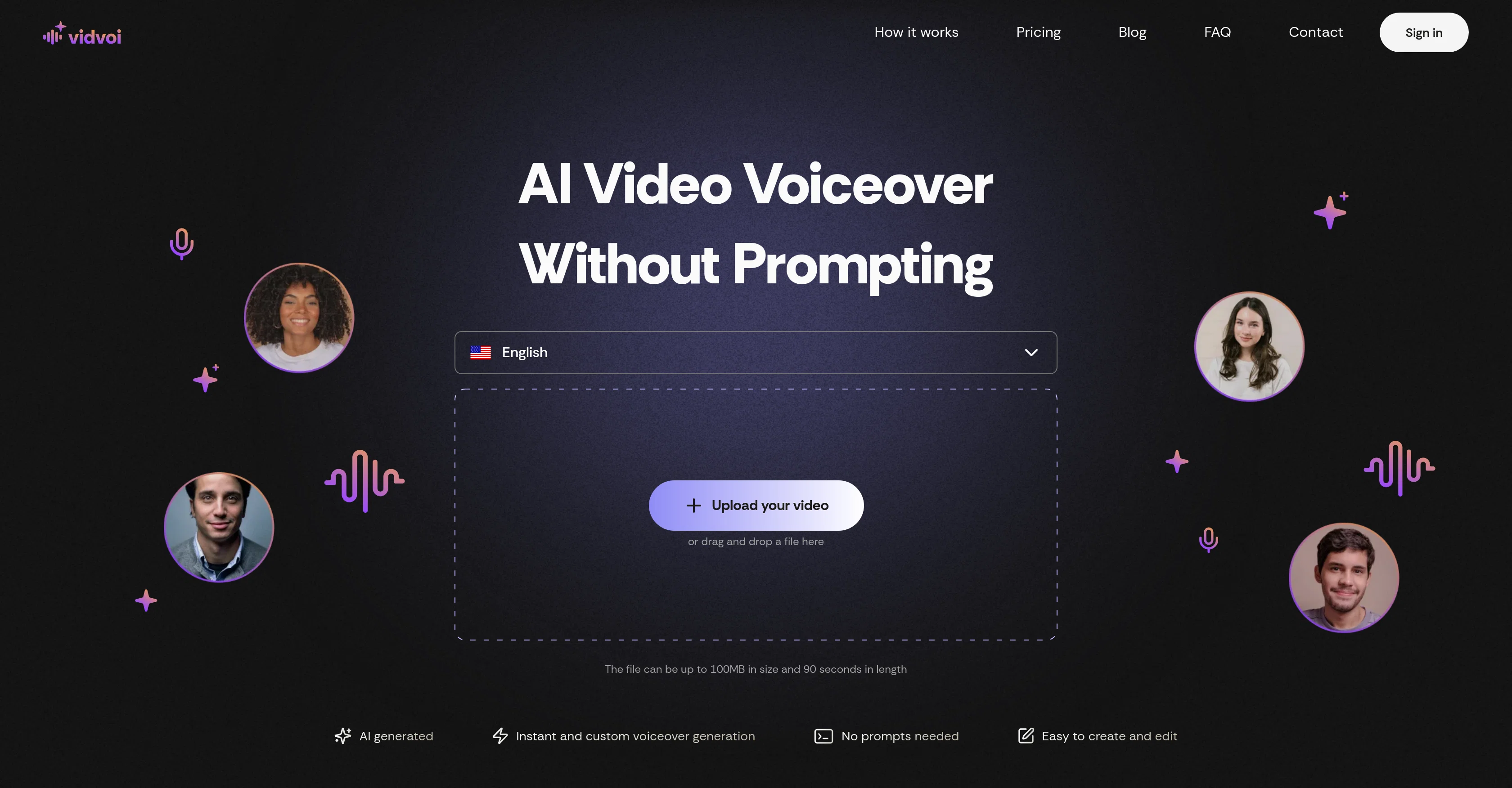
Vidvoi AI Voiceover Generator is a platform designed to create professional video voiceovers using artificial intelligence technology. Instead of requiring manual prompting and script writing, Vidvoi creates instant voiceovers that automatically align with your video content.
The tool is built to support a range of video types, including but not limited to faceless videos, product demonstrations, educational content, and marketing videos.
To use, simply upload a video file and Vidvoi generates a voiceover script perfectly in line with your content. You can then edit the script if desired, select from a range of unique voice styles, and download the video complete with the AI-generated voiceover.
Vidvoi is designed to be user-friendly, accessible, and requires no technical skills. It supports multiple languages and accommodates a variety of voice styles within each, allowing for seamless creation of multilingual content.
It accepts all common video file formats up to a specified size. It offers different plans including a free plan and a pro plan with extra features for heavy users.
Best for
Short scenarios where Vidvoi AI Voiceover Generator tends to shine.
-
AI video voiceover without prompting
Example outputs 1
Sample generations and before/after results for Vidvoi AI Voiceover Generator.
Access & connections
Where you can use Vidvoi AI Voiceover Generator.
Platforms
Capabilities
What this tool accepts, produces, and is strongest at.
Input
- Video
Output
- Video
Pros & cons
Pros
- Instant voiceover generation
- Automated script alignment
- Supports multiple video types
- User-friendly interface
- No technical skills required
- Supports multiple languages
- Variety of voice styles
- Accepts all common video formats
Show 19 more
- Free and pro plans
- Editable scripts
- Automated voiceover for faceless videos
- Ideal for product demonstrations
- Useful for educational content
- Great for marketing videos
- Upload size limit of 100MB
- Video length limit of 90 seconds
- Unique voices in each language
- Accommodates multilingual content creation
- Supports commercial use
- Faster processing in pro plans
- Watermark removal in pro plans
- 50 videos per month in pro
- Six unique voice styles in free
- Multimedia software tool
- Speech synthesis technology
- Automated Voiceover production
- Intuitive platform
Cons
- Limited to 90-second videos
- Limited voice style options
- No API integration
- No offline support
- Limited to 100MB file size
- Requires internet connection
- No technical support included
- Watermarked videos in free plan
Show 2 more
- Limited languages support
- Slow processing in free plan
Compare alternatives
Similar tools in the catalog — with a clear reason to open each one.

VoxSprint ✓
Free TrialCreate natural multilingual voiceovers and translate videos with cloned voices
Why look Typically cheaper
Full comparison
Spreadfilms AI ✓
PaidCreate unlimited brand-consistent videos with AI.
from $345/mo
Full comparison
ShotRio ✓
PaidCreate micro-dramas with AI-powered precision control.
Why look Typically cheaper
Full comparisonPeople also view
Tools that often show up alongside Vidvoi AI Voiceover Generator in collections and comparisons.
VoxSprint ✓
Free TrialCreate natural multilingual voiceovers and translate videos with cloned voices
Spreadfilms AI ✓
PaidCreate unlimited brand-consistent videos with AI.
ShotRio ✓
PaidCreate micro-dramas with AI-powered precision control.

PixVerse ✓
FreemiumCreate breath-taking videos with AI
KreadoAI ✓
Free TrialCreate AI-powered multilingual videos with digital avatars

KeywordSearch ✓
FreemiumDiscover and target YouTube audiences.

freebeat AI ✓
FreemiumTurn Music & Ideas into Viral Videos In One Click

AI YouTube Title Generator ✓
Free TrialGenerate eye-catching YouTube titles that boost views and engagement.
Releases 1
Imported reviews 2
Crazy stuff, it's so useful, i feel like a weight's been lifted off my shoulders. Real game changer 10/10
This good apps real help
FAQ 12
What is the Vidvoi AI Voiceover Generator?
How does the Vidvoi AI Voiceover Generator work?
What type of videos does Vidvoi support?
How can I edit the auto-generated voiceover script in Vidvoi?
What unique voice styles does Vidvoi offer?
Does Vidvoi require any technical skills to operate?
What languages does Vidvoi support?
What video file formats does Vidvoi accept?
What is the maximum video file size that Vidvoi can accommodate?
What is the maximum length of video that Vidvoi can handle?
What plans does Vidvoi offer?
What additional features are available in the Vidvoi Pro Plan?
Related tools
Recommended

Automateed ✓
Free TrialCreate eBooks effortlessly with Automateed, the AI-powered writing tool.
AI YouTube Title Generator ✓
Free TrialGenerate eye-catching YouTube titles that boost views and engagement.
freebeat AI ✓
FreemiumTurn Music & Ideas into Viral Videos In One Click

BotDojo ✓
UnknownThe Fastest Way to Build AI Agents

TurboScribe ✓
Freemium🎯 3 free transcripts every day. 🔥 Unlimited transcription starting at $10/mo.
KeywordSearch ✓
FreemiumDiscover and target YouTube audiences.