

Videotok ✓
Create viral TikToks and Reels with AI
from $19.95/mo
Verdict
A quick read before you dig into the full page.
- Best if
- Create viral TikToks and Reels with AI
- Skip if
- Limited script generation styles
- Pick this when
- Text to video transformation
Considering freebeat AI instead? Compare side by side
Overview
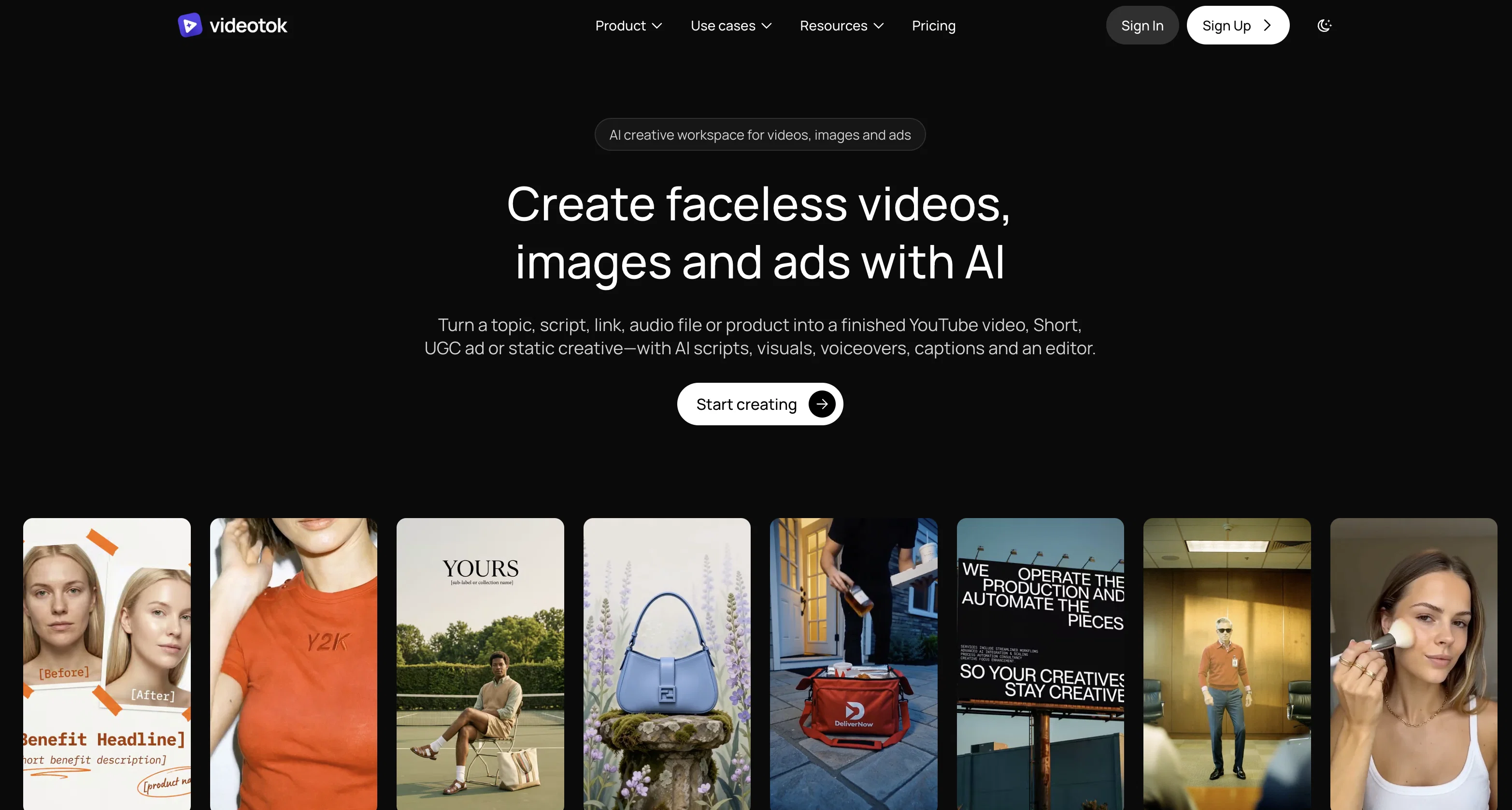
Videotok is a tool that allows for the creation of TikTok, Reels and Shorts-style videos using Artificial Intelligence. Its main selling point is its ability to develop these videos from text input.
The users simply provide a text and Videotok transforms it into a complete video product. This is facilitated through the tool's AI script generation capacity, which is capable of analyzing text input and translating it into scripts for viral videos.
In addition to this, Videotok also uses AI to generate voices, images, videos, GIFs, captions and effects, aiming to reduce manual intervention and save the user's time.
It also integrates automatic captions generation and auto-zoom features, enhancing the quality of the produced videos. Users can then further customize their videos by selecting their preferred voices, styles and content.
The tool is suitable for creating a range of video types such as explainer videos, social media clips, and educational content.
Access & connections
Where you can use Videotok, and what it plugs into.
Platforms
Integrations
Capabilities
What this tool accepts, produces, and is strongest at.
Input
- Text
Output
- Video
Supported features
- Image to prompt
Pros & cons
Pros
- Text to video transformation
- Automatic captions
- Auto-zoom feature
- Customized video styles
- Video customization options
- Reduces manual intervention
- Time saving
- Versatile content creation
Show 16 more
- Auto background music
- Added sound effects
- Ideal for viral videos
- Content suitable for TikTok, Reels, Shorts
- Affordable lifetime access
- Easy sign up process
- Fancy auto-generated templates
- Ideal for explainer videos
- Ideal for social media clips
- Automatic transitions
- Automatic captions
- Tool recommends audio sounds
- Affiliate program available
- SEO content production
- Free script generator tool
- Free image prompt generator
Cons
- Limited video style output
- No manual generation option
- Absence of multi-language support
- No collaborative functionality
- Lacks advanced customization options
- Limited script generation styles
- Fixed video format output
- Doesn't support 3D video
Show 2 more
- No offline availability
- Cannot import external content
Compare alternatives
Similar tools in the catalog — with a clear reason to open each one.

freebeat AI ✓
FreemiumTurn Music & Ideas into Viral Videos In One Click
Why look Freemium alternative
Full comparison
MagicLight ✓
FreemiumTransform text into captivating videos instantly.
Why look Freemium alternative
Full comparison

HeyGen ✓
FreemiumCreate AI spokesperson videos from text
Why look Freemium alternative
Full comparison

Seedance ✓
FreemiumMulti-shot video generation from text and image.
Why look Stronger for image work
Full comparisonReleases 1
FAQ 12
How does Videotok work?
What are the main features of Videotok?
How does Videotok generate videos from text input?
Can I choose my preferred voice and style on Videotok?
What types of videos can I create with Videotok?
Does Videotok add captions and effects automatically?
Can Videotok automatically generate videos, images, and GIFs?
What is the quality of AI-generated voices on Videotok?
Does Videotok add auto zooms to the videos?
Can Videotok help me save time while creating videos?
What is Videotok's AI script generation capacity?
How can I further customize my videos on Videotok?
Related tools
Recommended
RunComfy
UnknownCloud-based ComfyUI platform for AI art creation with fast GPUs and easy workflows.

Makereels.ai ✓
FreemiumAuto-generate and schedule engaging reels from text prompts

Genmo ✓
FreemiumCreate videos from text with AI.

Move AI ✓
Free TrialCapture 3D animations easily with AI motion capture.

VideoPoet ✓
UnknownConvert language models into video generators

Viddyoze ✓
Free TrialCreate incredible video content in seconds with AI.