

Motion graphics 2026 Rank: #2569
Vibe Motion ✓
AI motion graphics generator - VibeMotionAI
Verdict
A quick read before you dig into the full page.
- Best if
- AI motion graphics generator - VibeMotionAI
- Skip if
- Limited style presets
- Pick this when
- Chat-first interface
Considering TapVid instead? Compare side by side
Overview
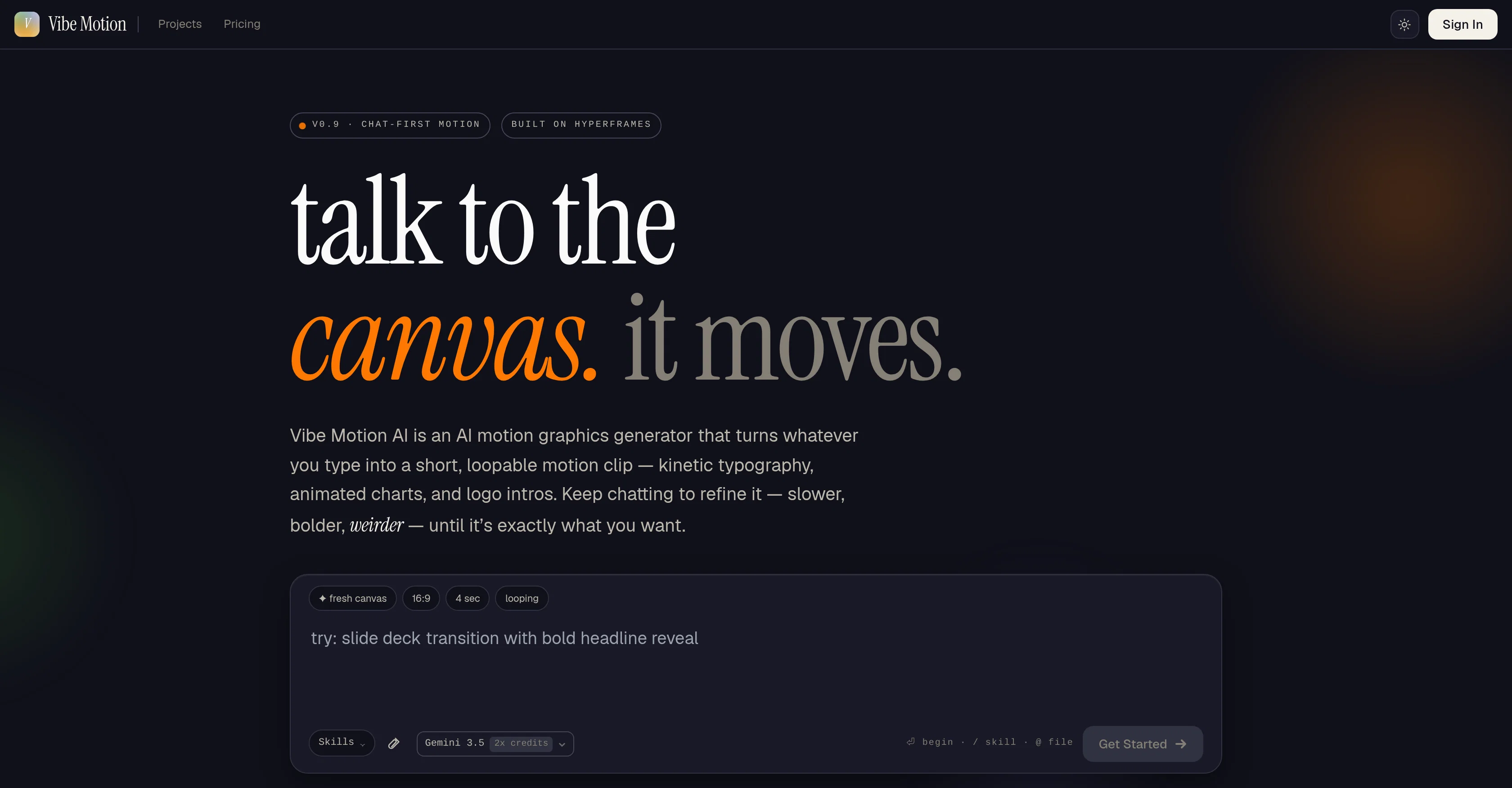
Vibe Motion AI is an innovative tool designed to create motion graphics via AI power. It takes inputs in the form of text, converts this into a variety of motion graphics media including but not limited to kinetic typography, animated charts, logo intros and more.
The tool serves as a much quicker and efficient alternative to traditional motion graphics software, leveraging artificial intelligence to simplify the process.
Its receptive approach allows for modifications at any point, letting users interactively refine the output by specifying changes in pace, intensity or novelty until achieving the desired result.
It operates on a loop and can transform whatever you type into a short, continually repeating motion graphic clip. Examples of its versatility include generating animated bar charts, revealing company logos, constructing step-by-step process flow animations, drawing out airplane flight paths, animating segments of a pie chart and highlighting product features with text callouts.
The product is user-friendly, encouraging users to 'chat' their way through the creation process to achieve an end product that completely satisfies their requirements.
Access & connections
Where you can use Vibe Motion.
Platforms
Capabilities
What this tool accepts, produces, and is strongest at.
Input
- Tabular
- Image
- Text
- Video
- Audio
Output
- Video
Supported features
- Visual Creation
- Video Generation
Pros & cons
Pros
- Chat-first interface
- Customizable motion clips
- Loopable motion graphics
- Detailed adjustment parameters
- Pre-configured templates
- Kinetic typography animation
- Interactive user interface
- Logo introduction design
Show 33 more
- Automated design process
- User-friendly interface
- Real-time output modifications
- Interactive design refinement
- Creative text commands
- Animated bar charts
- Presentation slides animation
- Process flow animations
- Flight path graphics
- Pie chart animations
- Product features highlight animation
- Text to video conversion
- Highly efficient tool
- Suitable for various projects
- Specifically made for motion
- Allows for creative commands
- Logo animation tool
- Text callouts functionality
- Quick motion graphic creation
- Alternative to After Effects
- Tailored output based on commands
- Editable speed and intensity
- Generates a variety of graphics
- User-driven customization
- Serves various user types
- Interactive charting animations
- Instructions via text prompts
- No motion software required
- Text instructions to motion
- Customizable presentation slides
- User-guided design process
- Step-by-step process flows
- Animation based on prompts
Cons
- Chat-first interface limits
- Limited template variety
- No import/export function
- No cross-platform support
- Limited customization options
- Not beginner friendly
- Limited style presets
- No collaboration features
Show 2 more
- No multi-language support
- No user guide/tutorial
Compare alternatives
Similar tools in the catalog — with a clear reason to open each one.

TapVid ✓
PaidTurn anything into motion videos instantly.
Why look Typically cheaper
Full comparison
Aura AI - AI Video Generator ✓
PaidAccess the most advanced AI video models.
from $19/mo
Full comparison
MorphLogo ✓
Free TrialStatic logo in, cinematic motion out.
Why look Typically cheaper
Full comparison
Vid2vid ✓
PaidRestyle footage, animate stills, and create cinematic clips.
from $19/mo
Full comparison
Viyou AI Kiss Generator ✓
Free TrialCreate personalized AI kiss images or videos in seconds.
Why look Typically cheaper
Full comparison
Music Video Generator ✓
PaidTurn your song into a cinematic, lyrics-driven music video
Why look Typically cheaper
Full comparisonReleases 1
FAQ 12
What is Vibe Motion AI?
What motion graphic outputs can Vibe Motion AI produce?
How does the chat-first interface work in Vibe Motion AI?
How can I provide instructions to Vibe Motion AI?
What customization options does Vibe Motion AI offer for animations?
How can I adjust the speed, style, and intensity of my animations on Vibe Motion AI?
What types of pre-configured templates does Vibe Motion AI offer?
Can Vibe Motion AI create animated bar charts?
How does Vibe Motion AI streamline the process of creating motion graphics?
Is Vibe Motion AI suitable for educational purposes?
Can Vibe Motion AI be used for logo introductions?
How can Vibe Motion AI be used for content creation by marketers?
Related tools
Recommended

Vidu AI Video Generator ✓
FreemiumTransform text and images into high-quality AI videos.

Whacka ✓
Free TrialTurn ideas into real apps from your phone.

HappySeeds ✓
FreemiumTurn ideas into AI-powered apps instantly.

Make-it ✓
FreeTurn ideas into physical devices with AI.

Wellsent — Your forms, filled and filed. ✓
PaidAI fills out your PDF forms — then notarizes them by video

Riffkit ✓
Free TrialTurn a viral TikTok into your own video