

Trial; then from $9/mo
Verdict
A quick read before you dig into the full page.
- Best if
- Build your enterprise CRM at AI speed
- Skip if
- Complex customization
- Pick this when
- Open Source CRM
Considering Lightfield instead? Compare side by side
Overview
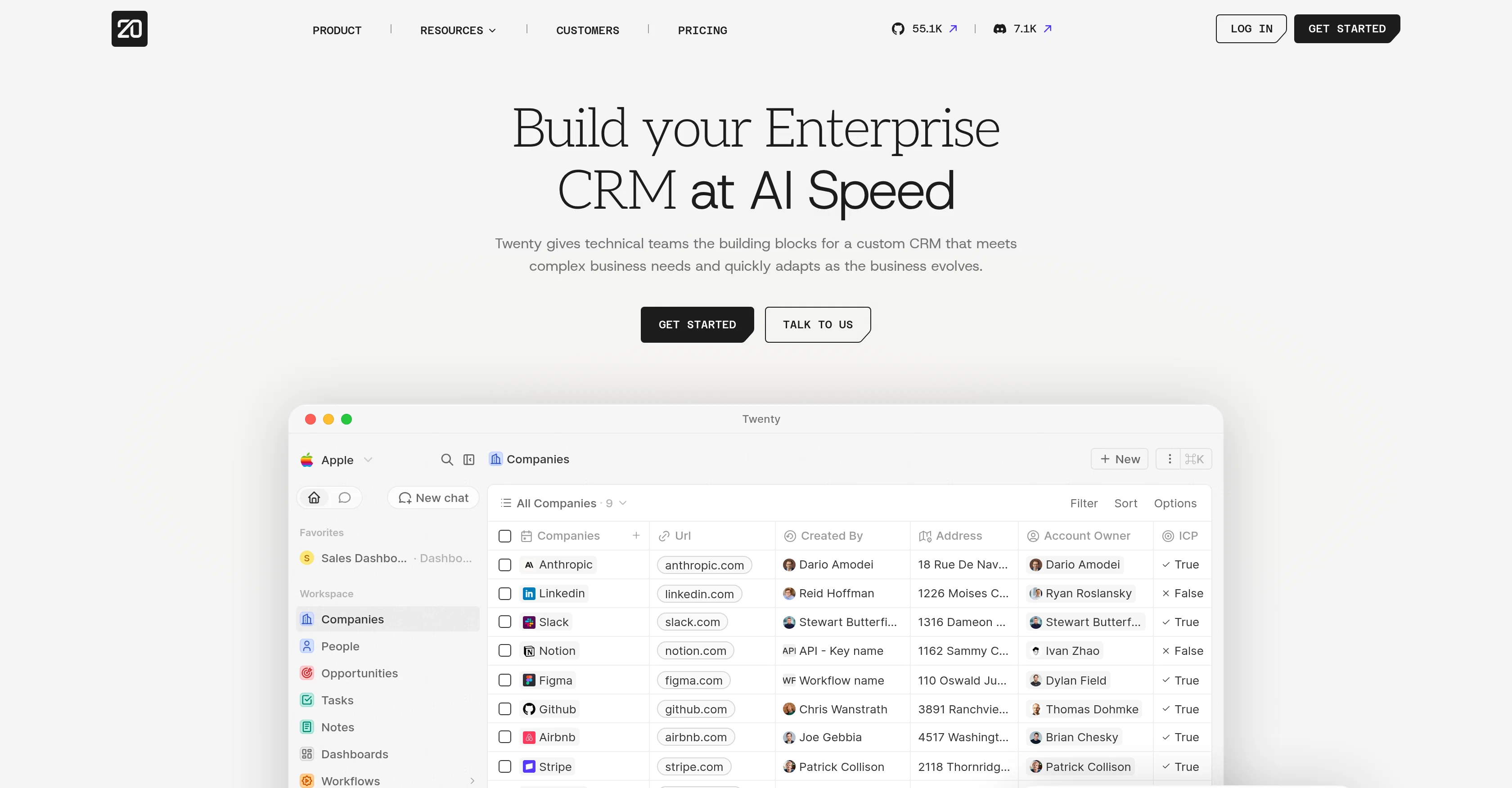
Twenty is an Open Source Customer Relationship Management (CRM) tool designed to cater to the unique and complex needs of modern teams. It is modular and flexible to ensure it scales with a business's growth and quickly adapts as the business evolves.
Twenty empowers technical teams to build a custom CRM by providing essential building blocks which include workspace and dashboard management, contact and opportunity tracking, task and note creation, and workflow customization.
Furthermore, Twenty allows businesses to form relationships between various categories of data. This means businesses can create consistent, organized, and interconnected data collection, assisting in efficient and insightful decision making.
Crucially, as an open-source tool, Twenty encourages community modifications and improvements to perpetually enhance the tool and keep it relevant. All these features combined make Twenty an effective CRM solution that can be used to manage sales, customer service, and marketing processes.
Access & connections
Where you can use Twenty, and what it plugs into.
Platforms
Integrations
Capabilities
What this tool accepts, produces, and is strongest at.
Input
- API
- Tabular
- Text
Output
- Tabular
- API
- Text
Pros & cons
Pros
- Open Source CRM
- Scales with business growth
- Adapts to business evolution
- Custom CRM building
- Workspace and dashboard management
- Contact and opportunity tracking
- Task and note creation
- Workflow customization
Show 22 more
- Data relationship formation
- Organized, interconnected data collection
- Facilitates efficient decision making
- Community modifications and improvements
- Sales, customer service, and marketing management
- Modular and flexible design
- Handles complex business needs
- Allows self-hosted instances
- Cuts down CRM costs
- Real-time data updating
- Built-in patterns, shortcuts, and layouts
- Familiar, modern interface
- Enhances operational efficiency
- Composable CRM and internal apps
- Reduced vendor risk
- No forced migrations
- Normal-like developer experience
- Local setup and live testing
- No proprietary tooling
- Production-grade building blocks
- Tool familiar to GTM teams
- Scaffolding launch-ops CRM
Cons
- Requires technical expertise
- Community modifications inconsistency
- Open-source security risks
- Complex customization
- Potential for data disorganization
- Dependent on community improvements
- No mention of analytics features
- No specified integration options
Show 1 more
- Unspecified scalability limits
Compare alternatives
Similar tools in the catalog — with a clear reason to open each one.

Lightfield ✓
Free TrialAI CRM that remembers everything and does the work for you.
Why look Offers a public API
Full comparison
Delegate ✓
Free TrialAI Agents driving Net Revenue Retention increases in B2B Companies
Free + from $699/mo
Full comparison



Releases 1
FAQ 12
What is Twenty?
How does Twenty support business scalability?
Can I add my customizations to Twenty's CRM?
Does Twenty provide contact and opportunity tracking functionalities?
What is workflow customization in Twenty?
Can Twenty manage marketing processes?
Is Twenty a good tool for sales management?
Can I integrate Twenty CRM into my existing business processes?
How does Twenty facilitate data organization and relationship formation?
Can Twenty be used for customer service management?
How user-friendly is the Twenty dashboard?
Can I track tasks and create notes using Twenty?
Related tools
Recommended

GetLogit ✓
FreemiumArtificial intelligence, available for everyone.

ChatGPT ✓
FreemiumAsk anything, create anything, and move from idea to action.

Notis ✓
Free TrialThe first WhatsApp assistant that runs on your ChatGPT and Claude subscriptions

freebeat AI ✓
FreemiumTurn Music & Ideas into Viral Videos In One Click

Jason AI ✓
PaidAI-powered assistant for B2B sales outreach

DeepSeek ✓
FreeUnravel the mystery of AGI with curiosity