

Text to speech 2026 Rank: #168
TextaVoice - Free Text to Speech ✓
Convert text to speech with human-like AI voices.
Verdict
A quick read before you dig into the full page.
- Best if
- Convert text to speech with human-like AI voices
- Skip if
- Limited voice customization
- Pick this when
- High-quality audio output
Considering ElevenLabs instead? Compare side by side
Overview
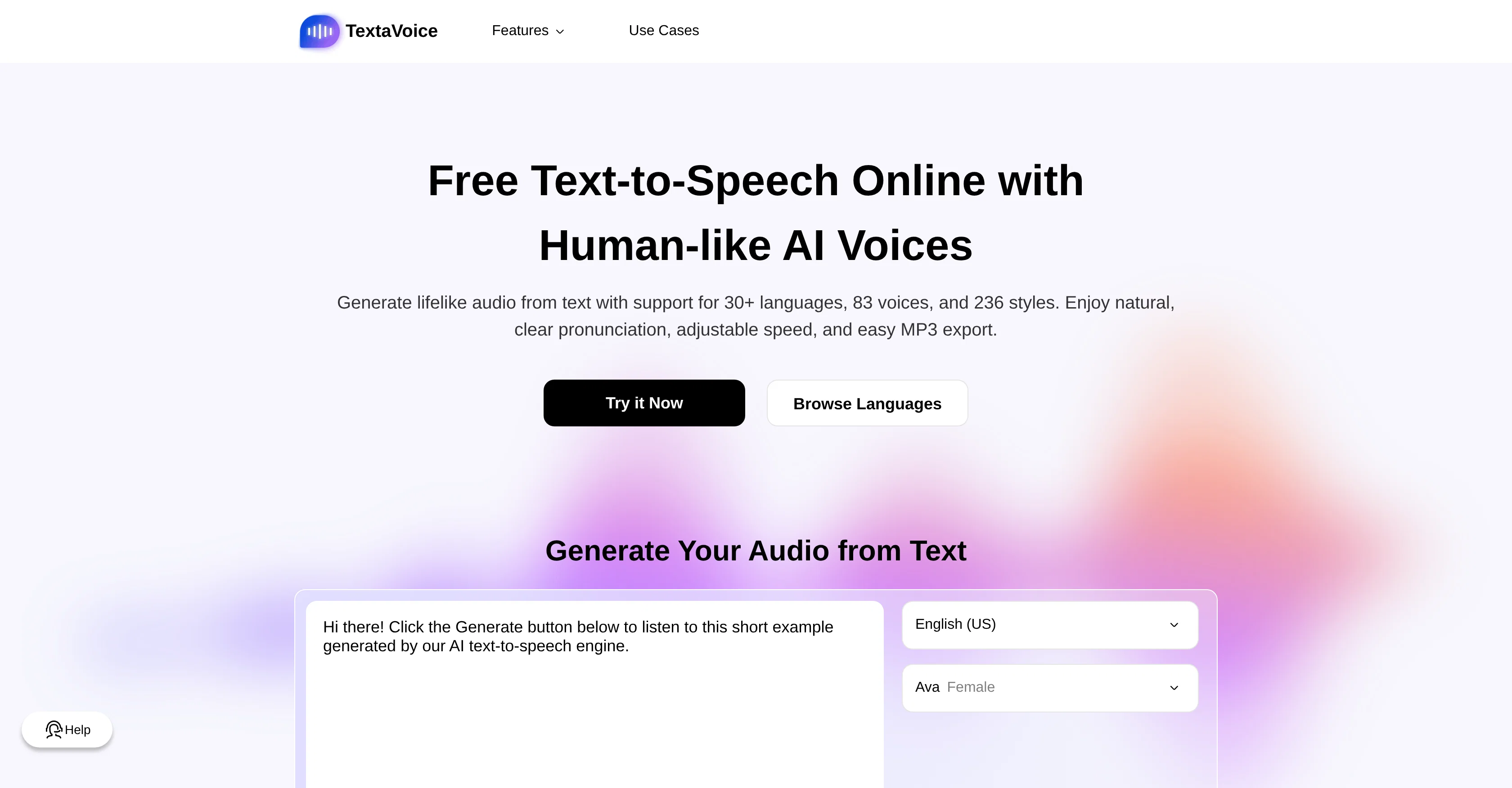
This AI tool is a text-to-speech converter that transcribes inputted text into high-quality audio, which can be downloaded as an MP3 file. With support for over 30 languages, it provides a variety of voice options, thus producing lifelike audio that closely resembles human speech.
The tool's advanced settings allow the user to adjust the speed, tone, and emotion of the generated speech, providing flexibility to meet specific needs.
The AI engine has the ability to switch seamlessly between languages, pronouncing words authentically without a 'foreign accent'. Commercial use of the generated audio is permissible, and the tool guarantees protection for the text processed, adhering to strict privacy standards for safe and confidential text-to-speech conversion.
The converter has numerous potential use cases, which include professional podcast creation, video voiceovers, audiobook production, productivity enhancement, focus and retention improvement in learners, and enhancement of e-learning and corporate training platforms through the addition of AI narration.
Access & connections
Where you can use TextaVoice - Free Text to Speech.
Platforms
Capabilities
What this tool accepts, produces, and is strongest at.
Input
- Text
Output
- Audio
Supported features
- TTS
- Translation
- Styling
- Realism
- Education
Pros & cons
Pros
- High-quality audio output
- MP3 download
- Supports 30+ languages
- Variety of voice options
- Resembles human speech
- Adjustable speed and tone
- Allows emotion adjustment in speech
- Seamless language switching
Show 39 more
- Authentic pronunciation regardless of language
- Commercial use of audio allowed
- Strict privacy standards
- Confidential text-to-speech conversion
- Potential use cases across industry
- Ideal for podcast creation
- Applicable for video voiceovers
- Could be used in audiobook production
- May enhance productivity
- Facilitates learning through auditory aid
- Enhances e-learning and corporate training platforms
- Offers lifelike, natural-sounding speech
- Features smooth pacing and rich emotion
- Easy MP3 export
- Fast text to MP3 conversion
- No royalties for commercial use
- No attribution required for commercial use
- Enterprise-grade data protection
- Generates immersive storytelling
- Multilingual content support
- Supports better focus and comprehension
- Aids in better long-term retention
- Supports affordable dubbing
- Facilitates consistent brand voice
- Mulitasks and improves focus
- Can absorb information more effectively
- Can deliver accessible learning
- Convert long text to audio
- Support up to 2,000 characters per conversion
- Unlimited number of generations
- Unlimited number of downloads
- Supports multiple speaking styles
- Supports both male and female voices
- Fully licensed audio for commercial use
- No usage limits
- Integrated text editor
- Unlimited audio generation and MP3 downloads
- Aids global accessibility of content
- No registration, limits, or payments required
Cons
- Only MP3 audio output
- No document upload support
- Limited to 2000 characters
- No mobile application
- Not Open Source
- Limited voice customization
- No offline capabilities
- No voice recording option
Compare alternatives
Similar tools in the catalog — with a clear reason to open each one.

ElevenLabs ✓
FreemiumCreate lifelike AI voices for compelling storytelling.
Why look Offers a public API
Full comparison

VoiSpark ✓
FreemiumCreate human-like voices for content with AI
Why look Better for writing
Full comparison


Releases 1
Imported reviews 1
Awesome tool and fully free!! thank you Singapore!
FAQ 12
What languages are supported by the Free Text to Speech TTS Converter?
Can you adjust the speed of the speech with the Free Text to Speech TTS Converter?
Can the Free Text to Speech TTS Converter change the emotion of the speech?
Does the Free Text to Speech TTS Converter accurately pronounce words in different languages?
Is it possible to use the audio generated from the Free Text to Speech TTS Converter for commercial purposes?
Does the Free Text to Speech TTS Converter protect the text data processed?
What are some potential uses for the Free Text to Speech TTS Converter?
Can I download the audio generated as an MP3 file?
How do I adjust the tone of the speech in the Free Text to Speech TTS Converter?
Is the Free Text to Speech TTS Converter suitable for e-learning?
Which industries can benefit from the Free Text to Speech TTS Converter?
What is the quality of the generated speech by the Free Text to Speech TTS Converter?
Related tools
Recommended

Voice-Generator.com ✓
FreeGenerate AI voice for anything you want.

Movie Maker Gemini ✓
FreeGenerate watermark-free AI videos with your Gemini key

AppDeploy ✓
FreeDeploy real apps directly from ChatGPT or Claude

Lyric Remix Studio ✓
FreeAI-powered music generation, transcription, and album art

Supernormal App ✓
FreemiumThe AI assistant app that turns meetings into completed work

DeepSeek ✓
FreeUnravel the mystery of AGI with curiosity