

Text-Gen ✓
Generate ideas and content with AI-powered writing assistance.
Verdict
A quick read before you dig into the full page.
- Best if
- You are obsidian users and need: Generating ideas for notes
- Skip if
- Limited integration with other tools
- Pick this when
- Generates ideas, titles, summaries, outlines and paragraphs
Considering Voila instead? Compare side by side
Overview
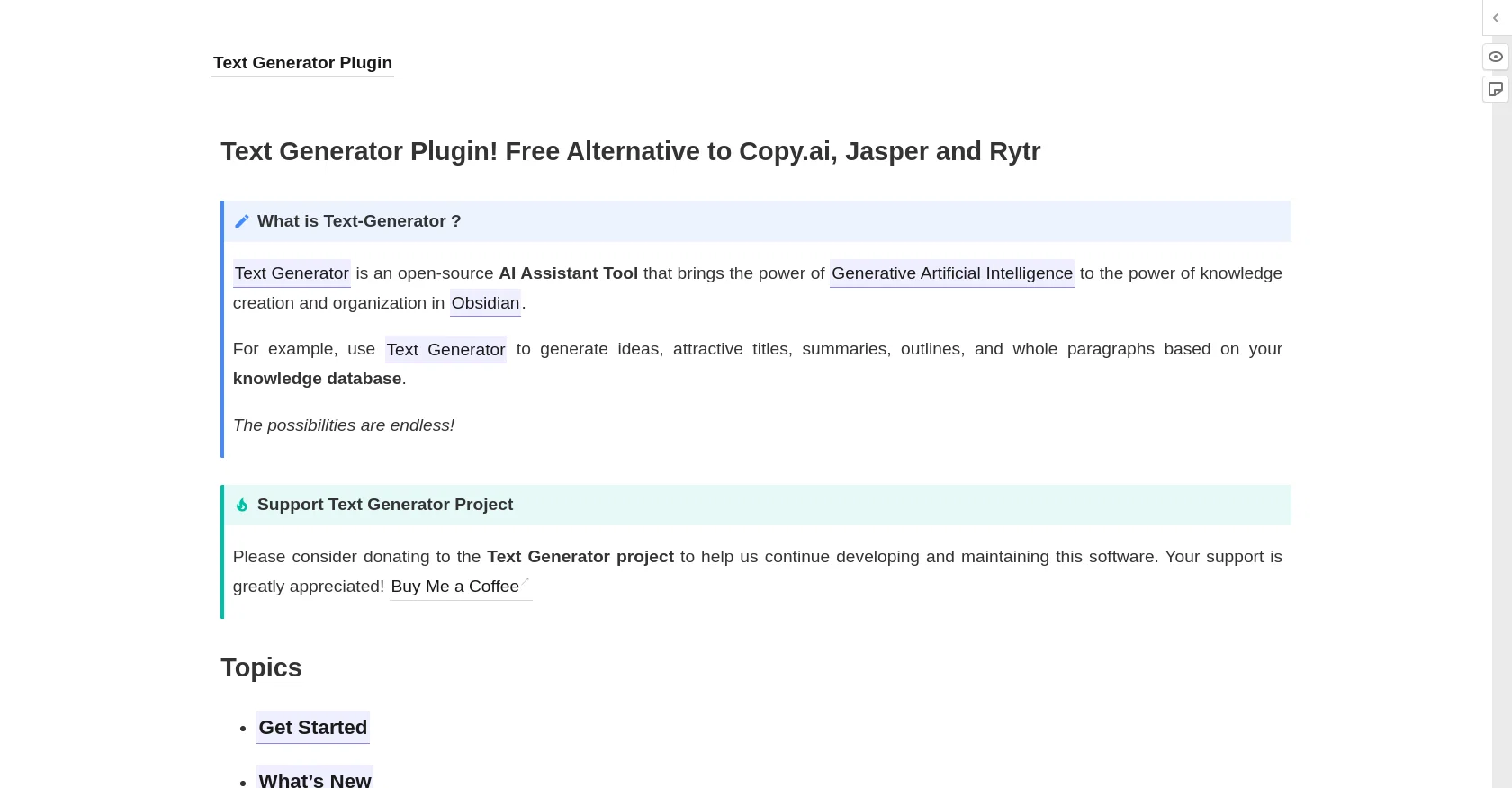
The Text Generator Plugin is an open-source AI assistant tool that utilizes the power of Generative Artificial Intelligence to organize information in Obsidian.
With this plugin, users can generate ideas, titles, summaries, outlines, and whole paragraphs based on their knowledge database. The tool functions as a free alternative to other AI-based writing tools like Copy.ai, Jasper, and Rytr.
The plugin is compatible with Obsidian, a knowledge management system, and aids in the creation and organization of knowledge.The Text Generator Plugin offers endless possibilities and features.
It allows users to donate to support the Text Generator Project and provides information on how to get started, frequently asked questions, new updates, features, context considerations, commands, frontmatter configuration, templates, auto-suggest, and template packages.
The plugin also provides special thanks to the Plugin Developer Docs and open-source plugins like Obsidian-plugins-galore and Quickadd, who provided code to aid in developing the tool.Overall, the Text Generator Plugin is a useful and efficient writing tool that can assist in the creation of content by generating ideas, titles, summaries, and paragraphs using AI-powered technology.
It is ideal for individuals who use Obsidian to manage their knowledge database and want to streamline their content creation process.
Best for
Short scenarios where Text-Gen tends to shine.
-
Generating ideas for notes
Best for Obsidian users
-
Creating attractive titles
Best for Note-takers
-
Summarizing notes
Best for Writers
-
Outlining content
Best for Researchers
-
Generating paragraphs
Best for Students
-
Enhancing note-taking with AI-driven templates
Best for Knowledge workers
Example outputs 1
Sample generations and before/after results for Text-Gen.
Access & connections
Where you can use Text-Gen, and what it plugs into.
Platforms
Integrations
Capabilities
What this tool accepts, produces, and is strongest at.
Input
- Text
Output
- Text
Pros & cons
Pros
- Open-source
- Generates ideas, titles, summaries, outlines and paragraphs
- Compatible with Obsidian
- Offer donations to support
- Provides getting started information
- FAQ section
- Regular updates
- Features a context considerations section
Show 7 more
- Offers commands
- Frontmatter configuration
- Provides templates
- Auto-suggest feature
- Shares new template packages
- Code aid from open-source plugins
- Aids in knowledge creation and organization
Cons
- Only compatible with Obsidian
- Dependent on external plugins
- No dedicated customer support
- Limited to text generation
- Relies on user donations
- No multi-language support
- No mobile app version
- Potential open-source security issues
Show 2 more
- Requires installation of Obsidian
- Limited integration with other tools
Compare alternatives
Similar tools in the catalog — with a clear reason to open each one.

Voila ✓
Free TrialSeamless AI assistant to help you create, write, brainstorm, and research.
Free + from $6/mo
Full comparison
Werd - Vibe Write with Multi-agent AI ✓
Free TrialVIBE WRITE With Multi-agent AI
Why look Higher community rating
Full comparison
Sudowrite ✓
Free TrialAI writing partner for faster, more creative storytelling
Free + from $10.00/mo
Full comparison
RewriteBar ✓
Free TrialRewrite. Refine. Accelerate. — AI productivity for every macOS app. 🚀
Why look Offers a public API
Full comparisonPeople also view
Tools that often show up alongside Text-Gen in collections and comparisons.
Werd - Vibe Write with Multi-agent AI ✓
Free TrialVIBE WRITE With Multi-agent AI
Voila ✓
Free TrialSeamless AI assistant to help you create, write, brainstorm, and research.
Sudowrite ✓
Free TrialAI writing partner for faster, more creative storytelling

Rizz! Keyboard ✓
FreeAI-powered creative responses in your iPhone keyboard.
RewriteBar ✓
Free TrialRewrite. Refine. Accelerate. — AI productivity for every macOS app. 🚀

Skywork ✓
Free Trial10 tasks in 1 hour, not 10 hours

Pismo ✓
PaidNative AI writing assistant for Windows, MacOS and iOS

Merchant Floor | Blog Writer ✓
FreemiumWrite smarter. Publish faster.
Releases 1
FAQ 12
What is the Text-Gen Plugin?
How does Text-Gen Plugin work?
What features does the Text-Gen Plugin offer?
What is the link between Text-Gen Plugin and Obsidian?
How does Text-Gen Plugin help with knowledge management?
How does Text-Gen Plugin generate ideas and titles?
Is Text-Gen Plugin really similar to Copy.ai, Jasper, and Rytr?
How can I donate to support the Text Generator project?
Where can I find information on how to get started with Text-Gen Plugin?
Where can I find the frequently asked questions about Text-Gen Plugin?
What is considered context in the Text-Gen Plugin?
How can I use commands in the Text-Gen Plugin?
Related tools
Recommended

CreativAI ✓
FreemiumWrite up to 10x faster with AI

RubyGPT ✓
Free TrialAI writing assistant for all your creative needs.

Findsight ✓
FreeCompare non-fiction ideas from multiple sources.

ProMind ✓
FreemiumAI-powered content generation for social media and coding.

VenturusAI ✓
FreemiumBusiness idea analysis and reporting.

Mindsmith ✓
FreemiumPlatform for building and sharing eLearning content