

Podcast editing 2026 Rank: #2972
StudioEditor.io ✓
Record, edit, and export audio free in your browser.
Verdict
A quick read before you dig into the full page.
- Best if
- Record, edit, and export audio free in your browser
- Skip if
- Potentially costly for high-volume users
- Pick this when
- Online audio recorder
Considering AutoPod instead? Compare side by side
Overview



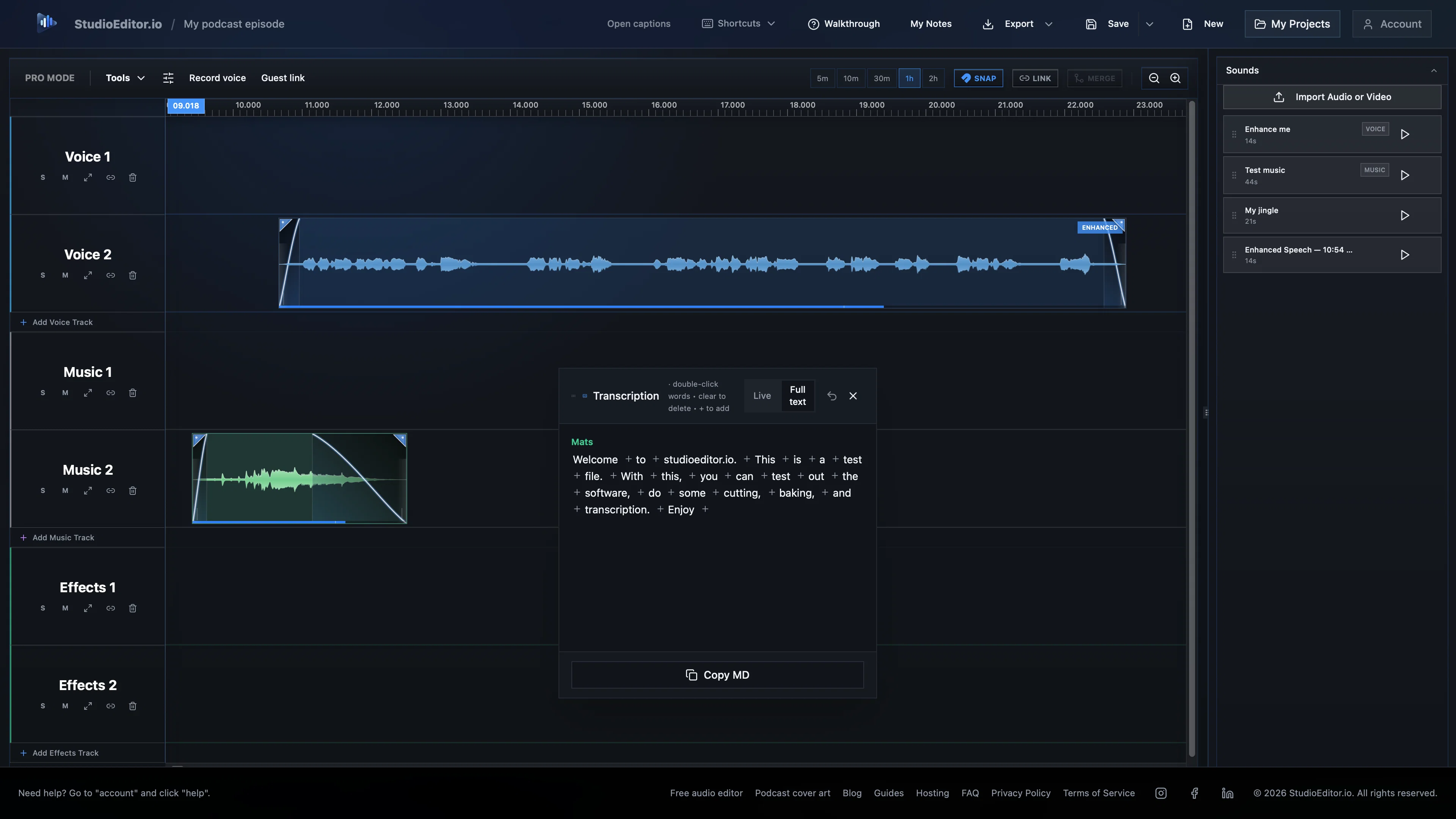
Optional credit-based features add text-based editing, speech cleanup and leveling, pause and filler-word removal, profanity detection and censoring, transcription and subtitles. StudioEditor can also generate titles, descriptions, show notes, chapters, key takeaways, quotes, guest introductions, newsletters, social posts, polls, SEO keywords and tags. Autofinish runs multiple processing tools at once, reducing technical work so creators can focus on their content.
StudioEditor is the perfect fit for podcasters, creators, educators, interviewers, journalists and media professionals - from beginners to seasoned professionals.
- Audio Recording
- Audio Editing
- Audio Enhancement
- Automatic Speech Tightening
- Autoduck & Automix
- Transcription
- Subtitles
- Ai Assistant
- Ai Subtitle Generator — Automatically Detect, Generate, And Translate Subtitles In Minutes. Upload A Video And Get Perfectly Timed Subtitles With Full Editing Control.
- Podcast Summary
- Automatic Speaker Labels For Meetings, Interviews, Podcasts, And Panels
- Translates Any System Audio (youtube, Tv, Podcasts)
- Download Your Audio Files
Access & connections
Where you can use StudioEditor.io.
Platforms
Capabilities
What this tool accepts, produces, and is strongest at.
Input
- Text
- Audio
Output
- Audio
- Text
Pros & cons
Pros
- Online audio recorder
- Intuitive interface
- Podcast creation tool
- Direct browser exports
- Timeline editing feature
- Audio enhancement tools
- Transcription feature included
- Subtitle feature included
Show 24 more
- Multi-format transcription exports
- Episode description generator
- No software downloads needed
- Online audio editor
- Processing credits with account
- Comprehensive audio content creation
- Excellent for learners.
- Advanced features available
- Browser-based, no installation
- AutoDuck for audio mixing
- Auto Enhance for voice
- Tightens long audio gaps
- Summary generation for podcasts
- Supports SRT, VTT formats
- Supports PDF, Word formats
- Music and speech mixing
- Direct editing of transcripts
- Professional grade editing accessible
- Summary and description generation
- Auto mixing of effects
- Credits for audio processing
- Advanced feature without complexity
- Audio polishing tools
- Ideal for podcasters, educators
Cons
- Requires account creation
- Limited free processing credits
- Internet connection dependency
- No offline functionality
- May have processing delays
- No advanced user interface
- Limited export formats
- Potentially costly for high-volume users
Compare alternatives
Similar tools in the catalog — with a clear reason to open each one.

AutoPod ✓
Free TrialAutomate video podcast editing in Premiere Pro
Free + from $29/mo
Full comparison
Cleanvoice AI ✓
FreemiumRemove filler sounds and polish your audio effortlessly.
Free + from $11
Full comparison
Snipd ✓
Freemium5-minute AI summaries of your favorite podcasts
Why look Higher community rating
Full comparison

Podsqueeze ✓
FreemiumGenerate podcast content with one click
Why look Better for writing
Full comparison
WhisperTranscribe ✓
FreemiumPodcast, blog, social media content generation.
Why look Better for writing
Full comparisonReleases 1
FAQ 12
What is StudioEditor?
How does StudioEditor work?
What are the main features of StudioEditor?
What is AutoDuck feature in StudioEditor?
What is the function of Auto Enhance in StudioEditor?
How do I record audio in StudioEditor?
Does StudioEditor provide transcription and subtitles?
Can I save my work-in-progress projects on StudioEditor?
What is the purpose of processing credits in StudioEditor?
How does StudioEditor enhance audio quality?
Can I generate a podcast summary using StudioEditor?
Does StudioEditor support audio file export?
Related tools
Recommended

GetLogit ✓
FreemiumArtificial intelligence, available for everyone.

ChatGPT ✓
FreemiumAsk anything, create anything, and move from idea to action.

Notis ✓
Free TrialThe first WhatsApp assistant that runs on your ChatGPT and Claude subscriptions

freebeat AI ✓
FreemiumTurn Music & Ideas into Viral Videos In One Click

Jason AI ✓
PaidAI-powered assistant for B2B sales outreach

DeepSeek ✓
FreeUnravel the mystery of AGI with curiosity