

Video captions 2026 Rank: #2273
SnapSubtitles ✓
AI video captions where your video never leaves the browser.
Verdict
A quick read before you dig into the full page.
- Best if
- AI video captions where your video never leaves the browser
- Skip if
- Free version includes watermark
- Pick this when
- Word-level timing accuracy
Considering Captioner.io instead? Compare side by side
Overview
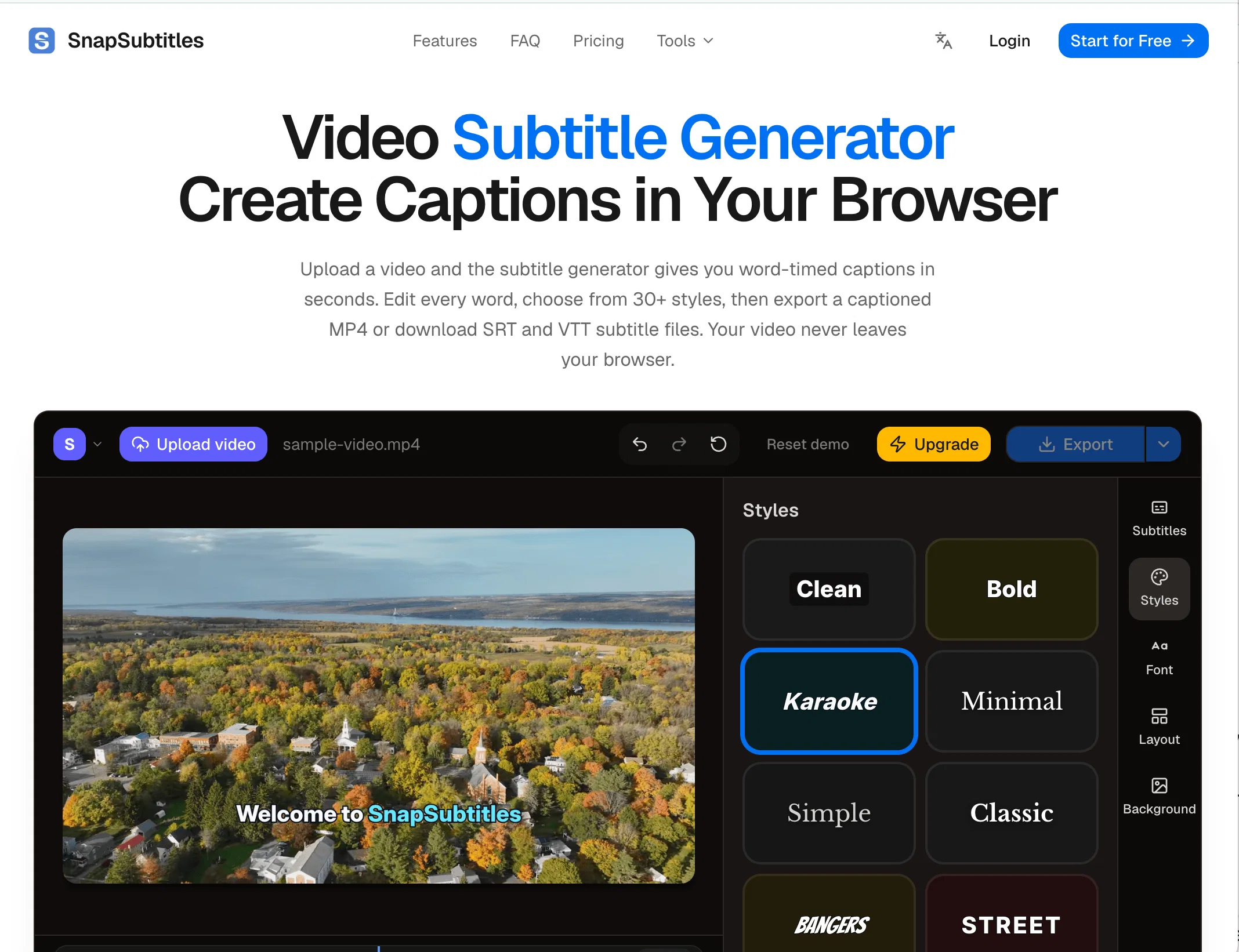
SnapSubtitles is an online video subtitle generator that uses artificial intelligence to generate captions for videos uploaded by users. The AI technology works with word-level timing for accuracy and is equipped with auto-detection that covers several languages.
It also allows for every generated word to stay editable, ensuring the quality of the subtitles. Users can simply upload a video and have the tool transcribe the audio.
Once transcribed, the tool permits users to edit any words, adjust start and end times down to the millisecond, split or merge caption cues, and choose from over 30 built-in styles.
All these changes are reflected instantly on the video preview. Once finalized, users have the option to download a captioned MP4 file or export SRT and VTT subtitle files.
To protect the users privacy and data, SnapSubtitles operates entirely within the users browser and does not upload video data to its servers. It also doesn't have server-side file storage, meaning all video data is gone from memory once the user closes their tab.
This utility is useful for a wide range of uses, such as generating subtitles for YouTube videos, making educational material accessible, and adding captions to social media content.
- Ai-powered Transcription With Word-level Timing
- 30+ Animated Caption Styles
- Export Captioned Mp4 Locally Via Webcodecs
- Srt And Vtt Subtitle File Downloads
- Privacy-first: Only Audio Sent For Transcription
- Real-time Video Preview With Captions
- Precision Timeline Editor With Split/merge
- Auto Language Detection For Dozens Of Languages
- Undo/redo Editing With Local Auto-save
- Free Tier With Watermark, Paid For Hd/no Watermark
Access & connections
Where you can use SnapSubtitles.
Platforms
Capabilities
What this tool accepts, produces, and is strongest at.
Input
- Video
Output
- Video
- Text
Highlights
- Local
Supported features
- Runs Locally
Pros & cons
Pros
- Word-level timing accuracy
- Auto-detection for languages
- Every word stays editable
- Preview changes instantly
- Exports MP4, SRT, VTT files
- Operates entirely within browser
- No video data upload
- No server-side file storage
Show 34 more
- Over 30 built-in styles
- Supports YouTube, schools, social media
- Client-side data wiping
- Supports video editing
- Allows for word adjustments
- Lets users split cues
- Permits merging caption cues
- Precise time adjustments
- Visual content stays private
- Captions saved locally
- Supports MP4, WebM, MOV
- Generates captions in seconds
- 30+ caption styles
- Full visual customization
- Used by YouTube creators
- Boosts watch time
- Expands reach to non-native speakers
- Facilitates educational accessibility
- Supports social media marketers
- Compatible with silent-autoplay feeds
- Supports educators
- Supports course creators
- Helps hearing-impaired students
- Assists non-native speakers
- Supports Journalists and Newsrooms
- For Freelance Video Editors
- Takes videos up to 1080p
- Supports videos up to 60 minutes
- H.264 rendering in Chrome/Edge
- Extends save up to 300 transcription minutes per day
- Free plan available
- Pro plan offers HD exports
- Max plan supports longer videos
- Provides local saved custom styles
Cons
- No mobile app
- Requires robust internet connection
- Limited video formats
- Requires Google Chrome or Edge
- Limited to 1080p videos
- Video length restrictions
- Free version includes watermark
- Possible language limitations
Show 1 more
- Audio must be clear
Compare alternatives
Similar tools in the catalog — with a clear reason to open each one.

Captioner.io ✓
Free TrialAdd accurate, multilingual subtitles to videos - fast, right in your browser.
Why look Typically cheaper
Full comparison
RenderCut ✓
Free TrialAdd stylish subtitles to short videos instantly.
Free + from $15/mo
Full comparison
Animaker Subtitles ✓
FreemiumGenerate subtitles for videos with AI in one click.
Free + from $15/mo
Full comparison


Releases 1
FAQ 12
What languages does SnapSubtitles support?
Can I use SnapSubtitles to generate subtitles for YouTube videos?
Does SnapSubtitles process videos on its servers?
How does SnapSubtitles protect user data and privacy?
What file types does SnapSubtitles support for exporting subtitles?
Is there a real-time editing feature in SnapSubtitles?
What styles are available in SnapSubtitles for captions?
Can I edit the timing of each subtitle on SnapSubtitles?
Can SnapSubtitles generate captions for educational content?
Can I split or merge caption cues in the editor of SnapSubtitles?
Does SnapSubtitles work with all browsers?
How accurate is the AI technology used by SnapSubtitles?
Related tools
Recommended

StemSplitterAI ✓
FreemiumSplit any song into stems and custom backing tracks online.

SodaMarketing ✓
PaidTurn any product URL into viral ad campaigns.

Presentation Agent ✓
Free TrialTurn documents into narrated video presentations instantly.

MagicSlides.app AI PPT Maker ✓
FreemiumCreate Stunning PPTs in Seconds with the AI PPT Maker

GetLogit ✓
FreemiumArtificial intelligence, available for everyone.

Thea ✓
FreemiumAI study tools to master material, not just memorize it.