
SketchImage ✓
Transform sketches into breathtaking images.
Trial; then from $14.99/mo
Verdict
A quick read before you dig into the full page.
- Best if
- You are artists and need: Transforming rough sketches into detailed and artistic images
- Skip if
- Limited to sketch-based input
- Pick this when
- Transforms sketches into images
Considering Draw3D instead? Compare side by side
Overview
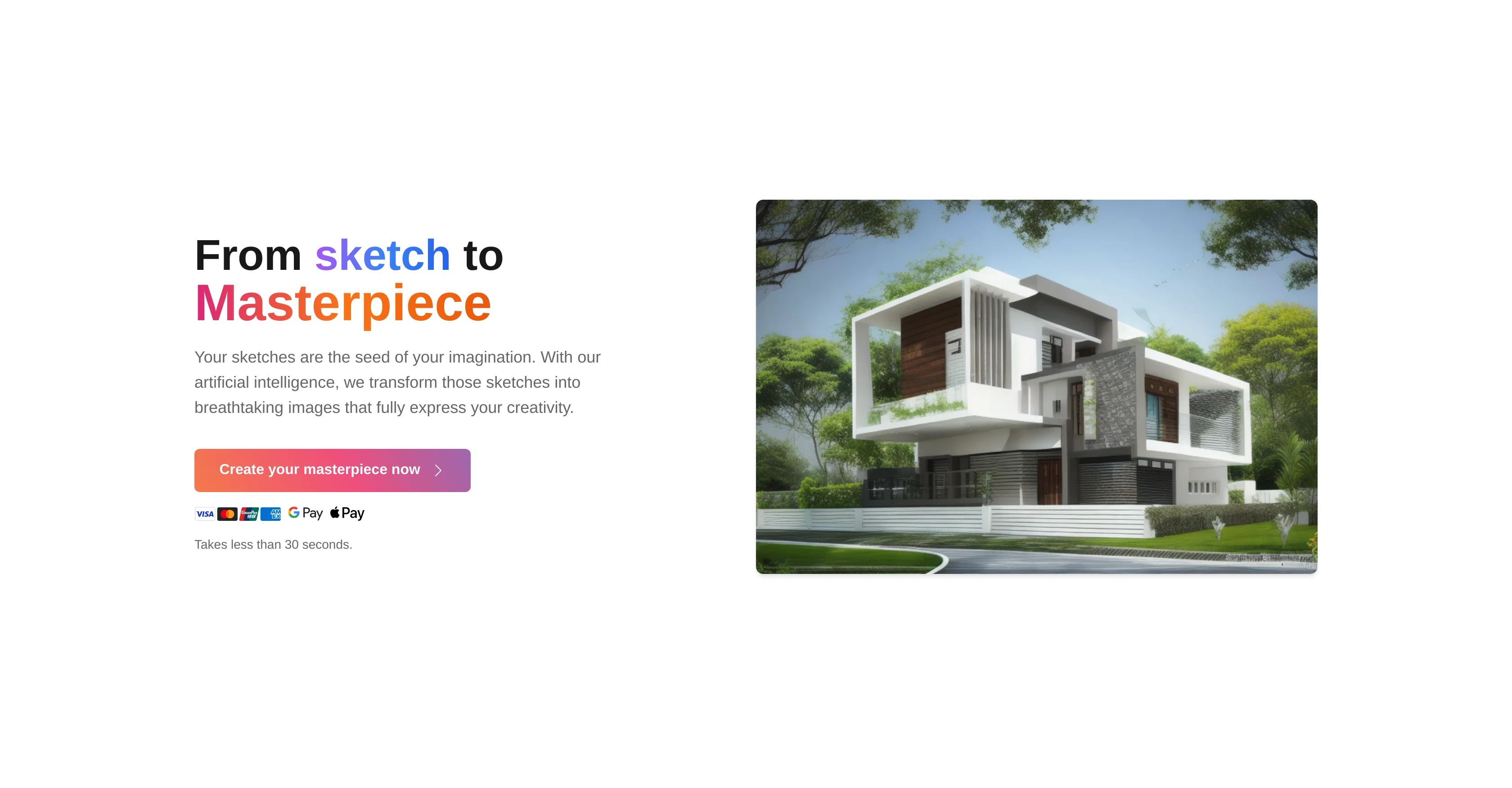
SketchImage.AI is an AI-powered tool designed to transform simple sketches into elaborate, finely-detailed images. The application leverages artificial intelligence technology to interpret and enhance user-generated sketches, subsequently converting them into visually striking images.
Its advanced algorithms understand the sketches input by users and accurately recreate them into appealing designs that embody the user's creativity. SketchImage.AI strives to foster user creativity and delivers an intuitive, user-friendly interface enabling its users to create their masterpieces seamlessly.
While the tool does not impose any restrictions on the types of sketches users can input, it is essential to note that the quality and level of detail in the output might vary based on the complexity and quality of the input sketch.
Overall, SketchImage.AI presents an innovative avenue for users to bring their imagination to life by transforming their simple sketches into full-fledged imagery.
Best for
Short scenarios where SketchImage tends to shine.
-
Transforming rough sketches into detailed and artistic images.
Best for Artists
Example outputs 1
Sample generations and before/after results for SketchImage.
Access & connections
Where you can use SketchImage.
Platforms
Capabilities
What this tool accepts, produces, and is strongest at.
Input
- Image
Output
- Image
Pros & cons
Pros
- Transforms sketches into images
- Quick processing time
- Useful for creatives
- Time-saving tool
- Effective for idea communication
- Precise sketch interpretations
- Efficient for quick image creation
- Impressive image enhancement
Show 8 more
- User-friendly interface
- Promotes user creativity
- No restrictions on sketch types
- Handles varying sketch complexity
- Facilitates digital art creation
- User-generated content friendly
- Intuitive creation process
- Caters to varying output quality
Cons
- Limited to sketch-based input
- Interpretation accuracy varies
- Dependent on input quality
- No offline usage
- No multi-platform support
- Image quality inconsistency
- Lack intensive editing features
- No batch processing
Show 1 more
- No manual adjustment options
Compare alternatives
Similar tools in the catalog — with a clear reason to open each one.

Draw3D ✓
FreemiumTransform sketches and 3D blockout into photorealistic images.
Why look Typically cheaper
Full comparison
Freepik Sketch to Image ✓
FreemiumEnvision and sketch any image, AI transforms it into art in real time.
Why look Typically cheaper
Full comparison
RenderAI ✓
FreemiumTransform Sketches into 4K+ photorealistic renderings with AI
Why look Typically cheaper
Full comparison
Doodle Lab - AI Art Generator ✓
FreemiumCreate artistic images autonomously.
Free + from $33
Full comparison
NVIDIA Canvas ✓
UnknownTurn simple brushstrokes into realistic images with AI.
No pricing
Full comparison
SketchAI ✓
FreemiumTransforming sketches into AI photos.
Why look Typically cheaper
Full comparisonPeople also view
Tools that often show up alongside SketchImage in collections and comparisons.
SketchAI ✓
FreemiumTransforming sketches into AI photos.
RenderAI ✓
FreemiumTransform Sketches into 4K+ photorealistic renderings with AI
NVIDIA Canvas ✓
UnknownTurn simple brushstrokes into realistic images with AI.
Freepik Sketch to Image ✓
FreemiumEnvision and sketch any image, AI transforms it into art in real time.
Draw3D ✓
FreemiumTransform sketches and 3D blockout into photorealistic images.
Doodle Lab - AI Art Generator ✓
FreemiumCreate artistic images autonomously.

PaperClaw ✓
Free TrialMake publication-ready scientific figures with AI.

MojoMake - AI Image to Video Generator ✓
FreemiumUse every top AI model and 100+ effects in one account.
Releases 1
FAQ 12
What is SketchImage.AI?
How does SketchImage.AI work?
How long does it take SketchImage.AI to render an image from a sketch?
Is SketchImage.AI efficient for artists and creators?
Can SketchImage.AI interpret any sketch?
How does SketchImage.AI enhance my sketches?
What is the user interface of SketchImage.AI like?
Does SketchImage.AI restrict the type of sketches I can input?
How does the quality of my sketch affect the output of SketchImage.AI?
What kind of AI technology does SketchImage.AI use?
What is the efficiency of SketchImage.AI's interpretation of sketches?
Does SketchImage.AI help in creating digital art?
Related tools
Recommended

LearningStudioAI ✓
Free TrialAI-powered authoring tool for effortless online course creation.

Photo AI ✓
PaidCreate beautiful AI photos and videos of real people

Imagetocaption.ai ✓
Free TrialGenerated captions for social media images

PostPerfect ✓
FreemiumAutomated social media posts.

Typpo ✓
FreemiumCreate videos as you speak using AI.

GPTExcel ✓
FreemiumGenerate spreadsheet formulas with AI