

Personal assistant 2026 Rank: #2317
Siri AI ✓
Truly helpful AI that's centered around you.
Verdict
A quick read before you dig into the full page.
- Best if
- Truly helpful AI that's centered around you
- Skip if
- Limited cross-platform compatibility
- Pick this when
- Seamless integration with Apple ecosystem
Considering Notis instead? Compare side by side
Overview
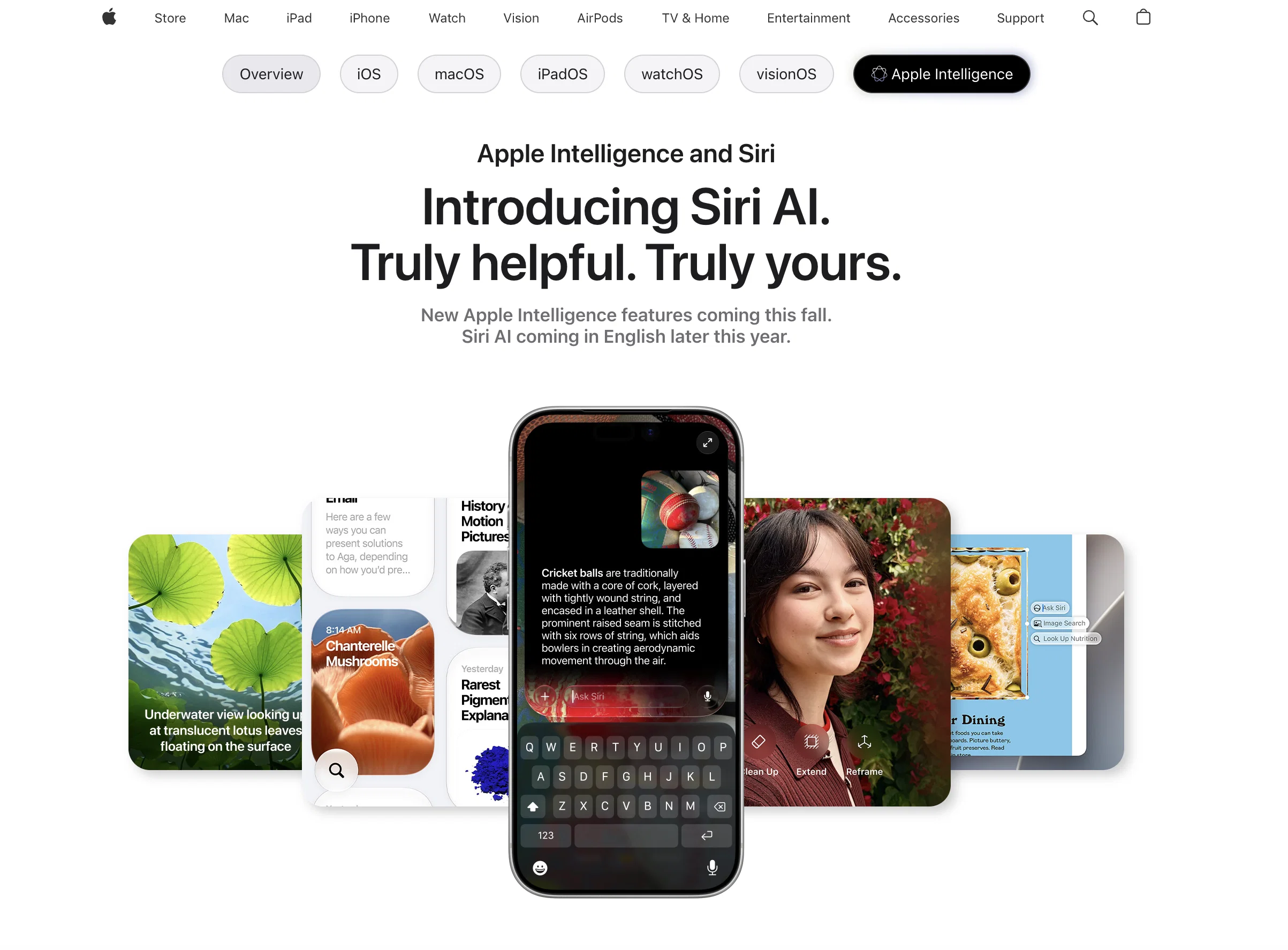
Apple Intelligence and Siri AI represent the next generation of assistant tools provided by Apple. These technologies are integrated into the Apple ecosystem providing a seamless and distinct user experience in devices running iOS, iPadOS, macOS, watchOS, and visionOS.
The upgraded Siri AI acts as a powerful and personalized AI assistant, offering the ability to respond to open-ended questions and contribute to work or creative project brainstorming, backed up with natural, conversational interaction.
It understands personal context, making it capable of providing relevant answers, locating emails buried in inboxes, retrieving memories captured in photos, and recalling details from notes.
Siri AI can also perform actions in various apps like Messages, Music, Reminders, and more based on your current activity, streamlining tasks such as message editing and playlist updating.
Enriched with vast online information, Siri AI can provide detailed insights into any topic, from facts to recipes and travel recommendations. A dedicated Siri app brings all your Siri conversations together, allowing for ongoing interaction across devices.
Users can pin conversations for easy access and begin new conversations also. An added feature allows users to customize Siri's voice, adjusting the expressivity and pace according to their preference.
Access & connections
Where you can use Siri AI.
Capabilities
What this tool accepts, produces, and is strongest at.
Input
- Tabular
- Image
- Text
- Video
- Audio
Output
- Audio
- Video
- Text
- Image
Supported features
- Assistant
Pros & cons
Pros
- Seamless integration with Apple ecosystem
- Responds to open-ended questions
- Contributes to brainstorming
- Understands personal context
- Can locate specific emails
- Retrieves memories from photos
- Recalls details from notes
- Performs actions in various apps
Show 39 more
- Adjusts actions based on user's activity
- Enriched with online information
- Provides detailed topical insights
- Dedicated Siri app
- Allows cross-device interaction
- Conversations can be pinned
- Customizable voice expressivity and pace
- Integrated with iOS, iPadOS, macOS, watchOS, visionOS
- Travel recommendations
- Recipe assistance
- Message editing tool
- Playlist manager in Music
- Visual Intelligence in camera
- Natural language processing
- Email sorting ability
- Photo retrieval and note recall
- Action automation in apps
- Online Information Retrieval ability
- Conversational interaction
- Expressivity and pace control
- Integrated Apple Intelligence
- Richer answers
- Natural back-and-forth conversations
- Ability to brainstorm
- CarPlay integration
- Personalization
- Contextual Understanding
- Voice customization
- Task streamlining
- Interactive Siri app
- Allows conversation pinning
- Visual Intelligence on Mac and iPad
- Image search
- Spatial Reframing and Extend for photos
- CarPlay provides information hands-free
- Visual Intelligence for real-world objects
- Visual Intelligence for onscreen content
- Siri mode in Camera
- Ask Siri about real-world objects
Cons
- Apple ecosystem exclusivity
- No multilingual support mentioned
- Limited voice customization
- Possibly overwhelming for non-tech-savvy
- Potentially intense data usage
- iOS-dependent for best functionality
- Privacy concerns with contextual understanding
- Dependent on active internet connection
Show 2 more
- Limited cross-platform compatibility
- Potential for voice recognition errors
Compare alternatives
Similar tools in the catalog — with a clear reason to open each one.

Notis ✓
Free TrialThe first WhatsApp assistant that runs on your ChatGPT and Claude subscriptions
Free + from $13/mo
Full comparison
Alice - AI Automation App ✓
Free TrialStop chatting. Start doing.
Why look Offers a public API
Full comparison



Releases 1
FAQ 12
What improvements does Siri AI bring to Apple devices?
How does Siri AI support brainstorming processes?
In what ways does Siri AI understand personal context?
How does Siri AI locate emails in my inbox?
What actions can Siri AI perform in apps such as Messages, Music, and Reminders?
Can Siri AI update playlists and edit messages?
What kind of insights can Siri AI provide from online information?
What is the purpose of the dedicated Siri app?
Can I pin Siri AI conversations for easy access?
How do I customize the voice of Siri AI?
In what ways does Siri AI facilitate cross-device interactions?
Where can I control Siri AI's expressivity and pace?
Related tools
Recommended

DocsToAudio ✓
FreemiumAI Document to Audio Converter & Voice Cloning

GetLogit ✓
FreemiumArtificial intelligence, available for everyone.

ChatGPT ✓
FreemiumAsk anything, create anything, and move from idea to action.

Automateed ✓
Free TrialCreate eBooks effortlessly with Automateed, the AI-powered writing tool.

Recall ✓
FreemiumSummarize Anything, Forget Nothing!

Suno ✓
FreemiumMake music at the speed of your ideas.
