

SheetMagic ✓
Supercharge Google Sheets with AI and web scraping
from $19/mo
Verdict
A quick read before you dig into the full page.
- Best if
- You are ecommerce businesses and need: Write bulk product descriptions or ad copy
- Skip if
- Limited support resources
- Pick this when
- Web scraping abilities
Considering SheetAI App - AI For Sheets instead? Compare side by side
Overview
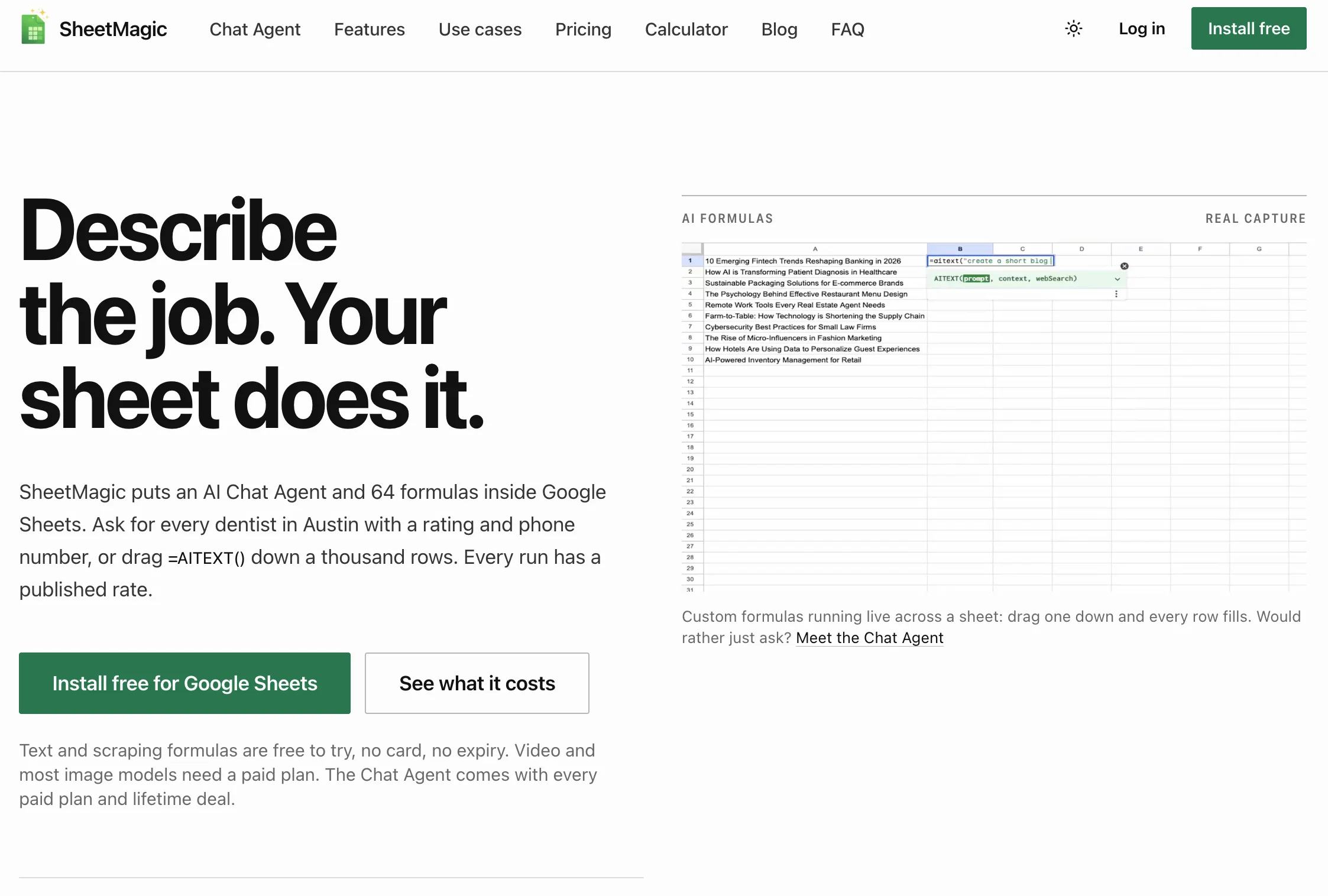
SheetMagic is an AI tool that combines the functionality of Google Sheets with comprehensive data scraping and AI capabilities. It empowers users to generate AI content and AI images directly within their spreadsheets.
SheetMagic also enables users to perform broad-based web scraping to fetch live data from websites and search engine result pages. The versatile tool can help in data analysis, allowing users to summarize content, classify data, and categorize information.
Additionally, it helps users clean up their lists, extract key information, and organize their data more efficiently. The tool has found use cases across several domains such as e-commerce, marketing, advertising, and SEO.
Users can create bulk product descriptions or ad copies or scrape search results and generate similar SEO-optimized content. SheetMagic also aids in creating personalized sales emails, enriching lead lists and scraping websites to extract specific information.
A stand-out feature is its ability to automate OpenAI's GPT models within Google Sheets without the need for coding or hiring a developer. In addition, the tool supports team collaboration and works across languages.
SheetMagic, however, requires users to attach their own OpenAI API key.
Best for
Short scenarios where SheetMagic tends to shine.
-
Write bulk product descriptions or ad copy
Best for Ecommerce businesses
-
Scrape top search results and generate SEO content
Best for Marketing teams
-
Create mass customized sales emails and enrich lead lists
Best for Sales teams
-
Scrape websites and extract specific information using AI
Best for SEO specialists
-
Generate unique datasets or content for programmatic SEO
Best for Content creators
Example outputs 1
Sample generations and before/after results for SheetMagic.
Access & connections
Where you can use SheetMagic, and what it plugs into.
Platforms
Integrations
Capabilities
What this tool accepts, produces, and is strongest at.
Input
- Tabular
Output
- Tabular
Supported features
- Crawling & Scrapping
Pros & cons
Pros
- Web scraping abilities
- Live data fetching
- Data analyzing features
- Content summarization
- Data classification tool
- Data categorization tool
- Data cleaning tool
- Efficient data organization
Show 34 more
- Useful for e-commerce
- Useful for marketing
- Useful for advertising
- Useful for SEO
- Bulk product description creation
- Bulk ad copy creation
- Search results scraping
- Generates SEO-optimized content
- Personalized sales email creation
- Lead list enrichment
- Specific info web scraping
- No need for coding
- No need for developers
- Supports team collaboration
- Works in all languages
- Unlimited web scraping
- Streamlines Google Workspace tasks
- Easy to use
- No coding required
- Bulk data summarization
- Data collection and extraction
- Affordable API usage
- Scraping features
- Detailed extraction info
- Compatible with GPT models
- Extensive scraping functions
- Saves from manual tasks
- Auto task automation
- Quick setup
- Unlimited scraping
- User-friendly interface
- Meta title scraping
- Meta description scraping
- Organized data table creation
Cons
- Setup guide needed
- Limitations on scraping functions
- Only compatible with Google Sheets
- No built-in API
- No offline usage
- Charges for API usage
- No free version
- Limited support resources
Compare alternatives
Similar tools in the catalog — with a clear reason to open each one.

SheetAI App - AI For Sheets ✓
FreemiumAI with brain power inside Google Sheets
Why look Freemium alternative
Full comparison
Sourcetable — AI spreadsheet & data analyst ✓
FreemiumAI spreadsheet & data analyst. 10x your productivity.
Why look Freemium alternative
Full comparison
TabTabTab ✓
FreemiumTurn Google Sheets into your personal research assistant.
Why look Freemium alternative
Full comparison
Grist ✓
FreemiumBuild complex spreadsheet workflows with AI in minutes.
Why look Freemium alternative
Full comparison
ChatGPT in Google Sheets ✓
Free TrialChatGPT in Google Sheets: Automate insights from your data.
Why look Typically cheaper
Full comparison
Numerous ✓
Free TrialAI-powered plugin to automate spreadsheet tasks
Why look Typically cheaper
Full comparisonPeople also view
Tools that often show up alongside SheetMagic in collections and comparisons.
SheetAI App - AI For Sheets ✓
FreemiumAI with brain power inside Google Sheets
Numerous ✓
Free TrialAI-powered plugin to automate spreadsheet tasks

SheetyAI ✓
FreeAI-powered spreadsheet formula generator

SheetsGPT ✓
FreemiumTransform sheets with AI-powered formulas

SheetSavvy AI ✓
FreemiumSave hours on repetitive spreadsheet tasks with AI.

Sheeter ✓
PaidGenerate complex Excel formulas with ease
TabTabTab ✓
FreemiumTurn Google Sheets into your personal research assistant.
Sourcetable — AI spreadsheet & data analyst ✓
FreemiumAI spreadsheet & data analyst. 10x your productivity.
Releases 1
Imported reviews 1
this is a banger tool
FAQ 12
What is SheetMagic?
How does SheetMagic integrate with Google Sheets?
What functionality does SheetMagic provide related to data scraping?
Can SheetMagic generate AI content and images within a spreadsheet?
How does SheetMagic assist in data analysis, classification, and categorization?
How can SheetMagic help in cleaning and organizing data?
What role can SheetMagic play in e-commerce, marketing, advertising, and SEO domains?
How does SheetMagic automate OpenAI's GPT models within Google Sheets?
Can SheetMagic support team collaboration?
Does SheetMagic work in multiple languages?
Why do users need to attach their own OpenAI API key to use SheetMagic?
How can SheetMagic help to create bulk product descriptions and ad copies?
Related tools
Recommended

pdfAssistant.ai ✓
Free TrialYour 24/7 AI-powered PDF processing assistant.

Stunning ✓
PaidBuild AI-powered websites in seconds

FounderPal ✓
Free TrialGenerate a perfect marketing strategy in 5 minutes

PrometAI ✓
FreemiumTurn ideas into viable reality with AI business plan generator.

Limecube ✓
FreemiumTransforming the way websites are created with AI.

Deep Dive Research Assistant ✓
FreemiumAI-powered research assistant for diverse content analysis.