

Videos 2026 Rank: #1145
SeeVido | AI Video Generator ✓
Turn photos and text into smooth AI videos.
Trial; then from $7.99/mo
Verdict
A quick read before you dig into the full page.
- Best if
- Turn photos and text into smooth AI videos
- Skip if
- Limited to JPEG, PNG, WEBP
- Pick this when
- Generates dynamic videos
Considering freebeat AI instead? Compare side by side
Overview
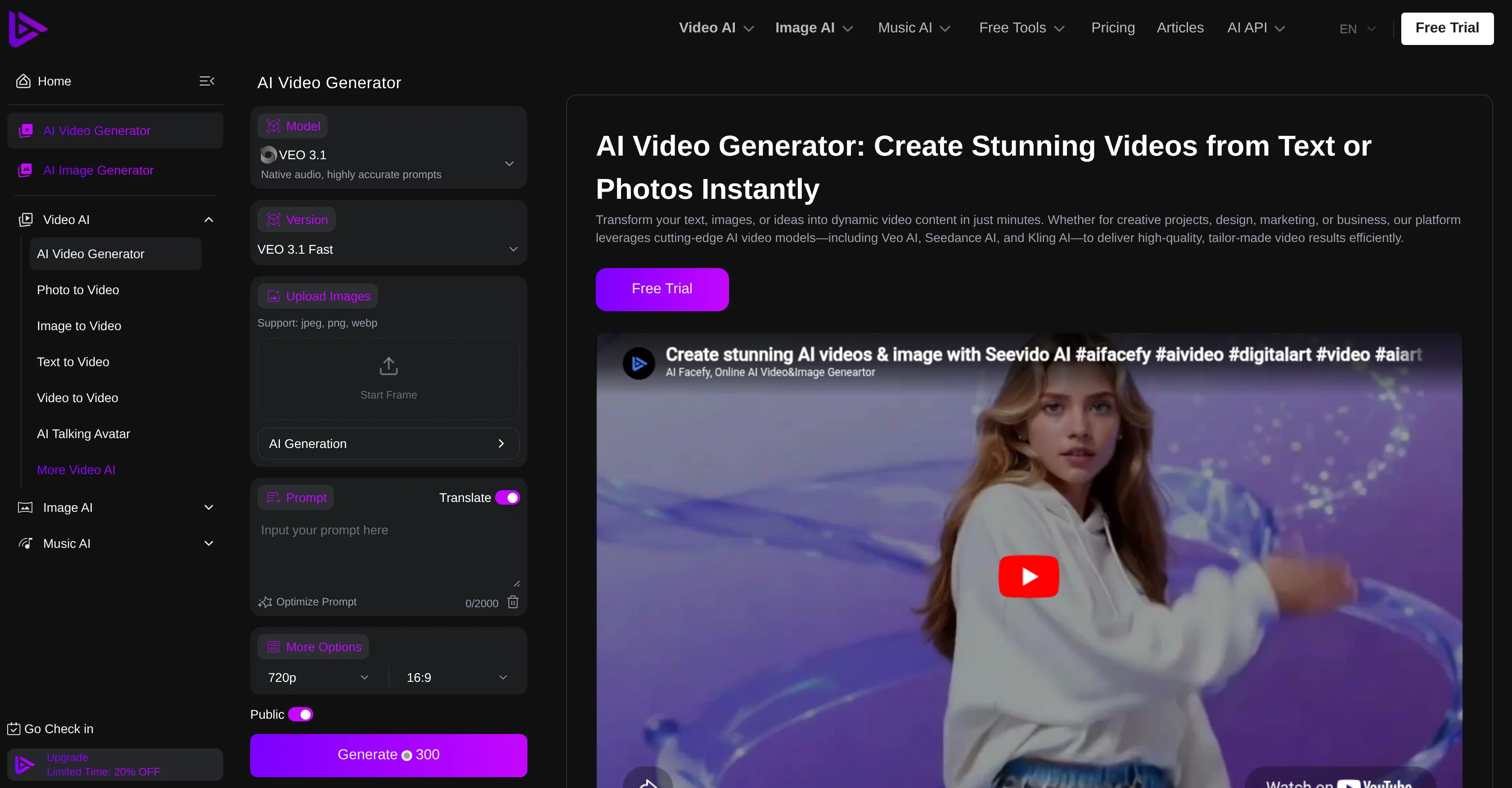
SeeVido AI is a proficient video generator tool that uses artificial intelligence to create dynamic videos from texts or images. This platform is designed to fit a variety of needs such as creative projects, design, marketing, or business.
It includes AI video models like Veo AI, Seedance AI, and Kling AI, that work together to deliver high-quality, custom-made video results efficiently.
This tool supports various types of video outcomes, including realistic motion, stylized animation, and abstract visuals. The AI Video Generator also enables editing based on text prompts or explicit instructions, making it ideal for creating or modifying videos.
It can also handle batch video production, creating multiple videos simultaneously, useful for large-scale projects. One of the tool's key features is that it maintains structure, timing, and style, providing professional results with consistent visuals.
It creates videos with coherent scenes and smooth transitions which are appealing to the eye and ready for any platform. It also offers functionality for creatives, e-commerce sites, and content creators by facilitating the rapid production of video shorts, explainers, ads, and promos.
Moreover, the AI tool is user-friendly, enabling users to craft videos effortlessly by describing what they need in layman's terms while maintaining a consistently high quality.
Access & connections
Where you can use SeeVido | AI Video Generator.
Platforms
Capabilities
What this tool accepts, produces, and is strongest at.
Input
- Image
- Text
Output
- Video
Highlights
- API
Supported features
- Video Generation
- Video Edit
- API
- Styling
- Realism
- Automation
- Social Media
Pros & cons
Pros
- Generates dynamic videos
- Creates videos from text/images
- Various video outcomes
- Batch production feature
- Maintains video style consistency
- Realistic motion of videos
- Stylized animation display
- Abstract visuals usage
Show 40 more
- Editing using text prompts
- Coherent scenes in videos
- Smooth video transitions
- Good for creatives
- E-commerce friendly
- Rapid video shorts production
- Excellent for ads/explainers
- User-friendly operation
- Produces high-quality videos
- Efficient operation of models
- Able to modify videos
- Ideal for large projects
- Ready videos for any platform
- Custom-made video results
- Aids in design tasks
- Useful for marketing
- Applicable for businesses
- Contributes to creative projects
- Transforms photos to videos
- Supports text to video
- Aids in automated video production
- Allows video animation
- Consistently high quality
- Accepts explicit instructions
- Professional result replication
- Image to video conversion
- Video description input
- Native audio support
- Fast upload feature
- Supports jpeg, png, webp
- Creates video shorts
- Generates explainers
- Ad creation option
- Prompt translate
- Optimize prompt feature
- Public Generate300 support
- Stunning videos from text/photos
- Versatile video generation
- Text-driven editing & creation
- Quality and cohesion maintenance
Cons
- Doesn't support 4K resolution
- Limited video editing features
- Single language interface
- Potential consistency issues
- Limited to JPEG, PNG, WEBP
- Overreliance on text prompts
- Lacks real-time video preview
- No multi-platform App
Show 2 more
- No mention of offline functionality
- No integration with other tools
Compare alternatives
Similar tools in the catalog — with a clear reason to open each one.

freebeat AI ✓
FreemiumTurn Music & Ideas into Viral Videos In One Click
Why look Typically cheaper
Full comparison
MagicLight ✓
FreemiumTransform text into captivating videos instantly.
Free + from $8.4/mo
Full comparison



Seedance ✓
FreemiumMulti-shot video generation from text and image.
Why look Stronger for image work
Full comparisonReleases 1
FAQ 12
What is SeeVido AI?
How does SeeVido AI create videos from text or images?
What are the different AI models used by SeeVido AI?
What types of video outcomes does SeeVido AI support?
What editing features are available in SeeVido AI?
How does SeeVido AI handle batch video production?
How does SeeVido maintain video style consistency?
How user-friendly is SeeVido AI for non-technical users?
Can SeeVido AI create videos from text prompts?
How efficient is SeeVido AI in creating multiple videos simultaneously?
Can SeeVido AI create videos for e-commerce and marketing purposes?
Can I use SeeVido AI for creating explainer videos and video shorts?
Related tools
Recommended

ChatGPT ✓
FreemiumAsk anything, create anything, and move from idea to action.

Automateed ✓
Free TrialCreate eBooks effortlessly with Automateed, the AI-powered writing tool.

Notis ✓
Free TrialThe first WhatsApp assistant that runs on your ChatGPT and Claude subscriptions

ElevenLabs ✓
FreemiumCreate lifelike AI voices for compelling storytelling.

Synthesia ✓
FreemiumCreate AI videos from text in minutes.

leania.ai ✓
Free TrialMRI scan for Businesses: Find What to Cut, Replace, Automate with AI