

AI adoption support 2026 Rank: #2964
Section Coach ✓
Personalized AI coaching for every employee.
Price needs confirmation
Verdict
A quick read before you dig into the full page.
- Best if
- Personalized AI coaching for every employee
- Skip if
- No offline learning access
- Pick this when
- Scales across organization's workforce
Considering Section HQ instead? Compare side by side
Overview
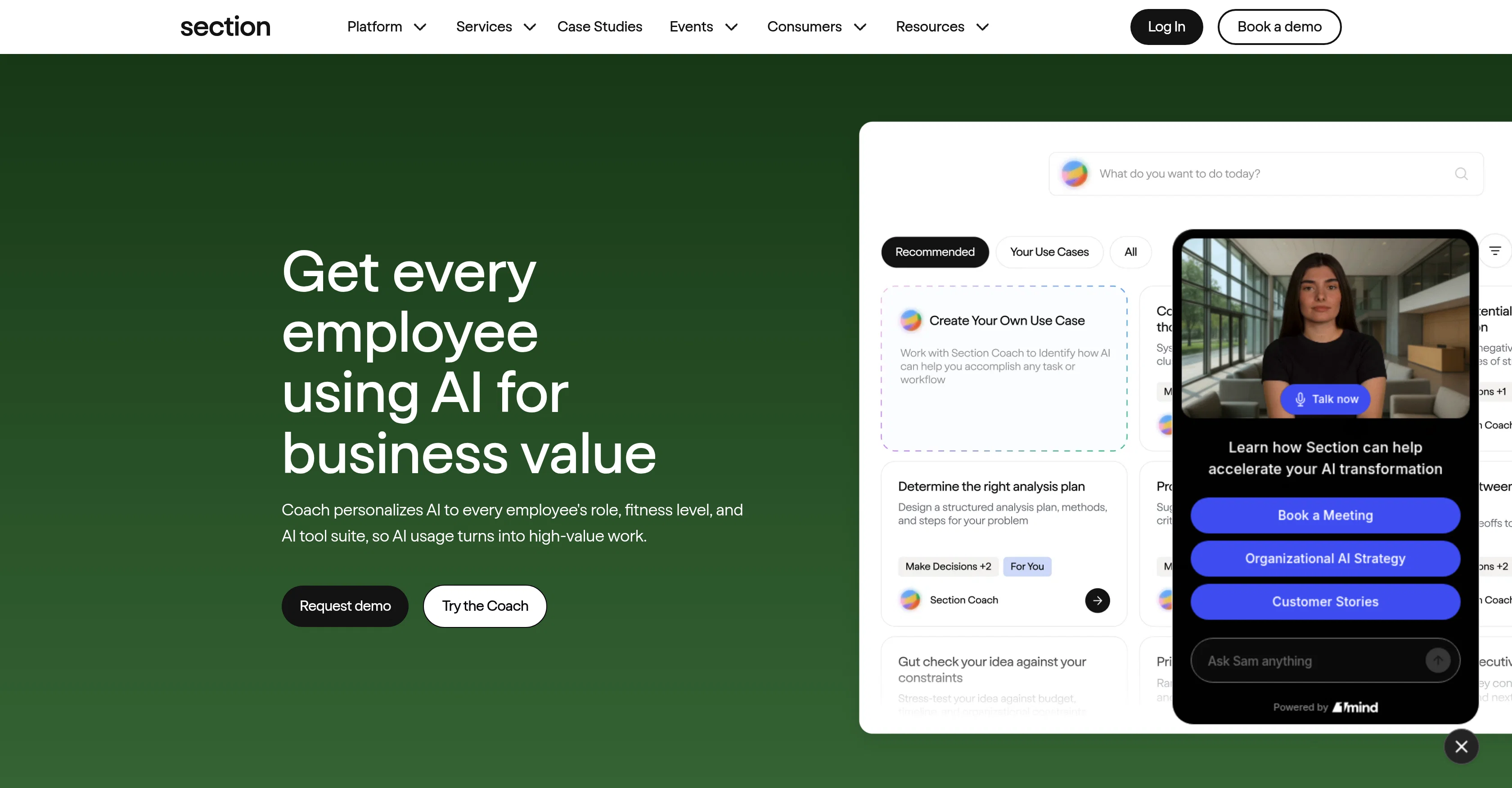
Section Coach is a personalized AI coaching tool designed to scale across an organization's workforce. Its primary function is to facilitate the building of real skills, habits, and measurable proficiency in AI use.
The tool is positioned as a 'command center' for Heads of AI, providing an overview for measuring, guiding, and scaling the adoption of AI within the organization.
Through the Section Coach interface, employees and teams within an organization can get personalized AI coaching relevant to their role. One of the functionalities displayed is an interactive 'Brainstorming Buddy' for generating marketing ideas from concept to launch, indicating the potential for workflow automation and increased productivity using the platform.
The tool respects diversity in AI suitability by personalizing the coaching to each employee's role, fitness level, and AI tool suite. It ensures that the AI usage translates into productive, high-value work.
The tool aims to tailor AI skill-building to every employee's role and proficiency level, focusing on its practical application. Beyond the initial adoption, Section Coach provides continuous learning opportunities by helping employees stay current with new AI capabilities, irrespective of changes in the landscape of AI technology.
The ultimate goal is to convert AI novice into skilled users who can tag 'AI powers my work'. Moreover, it supports an interactive, hands-on learning approach, prioritizing practice over passive training.
Access & connections
Where you can use Section Coach.
Platforms
Capabilities
What this tool accepts, produces, and is strongest at.
Input
- Text
Output
- Text
Pros & cons
Pros
- Scales across organization's workforce
- Facilitates real skill development
- Promotes habit formation
- Command center feature
- Promotes workflow automation
- Increases productivity
- Continuous learning opportunities
- Converts novices into skilled users
Show 14 more
- Interactive, hands-on learning approach
- Brainstorming Buddy for marketing
- Supports high-value work creation
- Live demo availability
- Workflow automation services
- Interactive user interface
- Colorful guide icons
- Encourages daily high-value work
- Adapts to industry context
- Interactive and hands-on-keyboard coaching
- Tailored training for individual
- Role and level based personalization
- Supports agentic workflow building
- Virtual event opportunities
Cons
- Lack of advanced level training
- No mobile application
- No multilingual support
- May not cater to all roles
- Doesn't offer individualized progress tracking
- Lacks live customer support
- Dependent on employee initiative
- No offline learning access
Show 1 more
- Doesnt allow user-generated content
Compare alternatives
Similar tools in the catalog — with a clear reason to open each one.




Releases 1
FAQ 12
What is Section Coach?
How does Section Coach help in building AI skills?
What type of coaching does Section Coach offer?
How does Section Coach personalize coaching for each employee?
Can Section Coach be used for workflow automation?
What role does Section Coach play for Heads of AI?
How does Section Coach support diversity in AI usage?
How can Section Coach increase productivity in an organization?
What does Section Coach's interface look like?
How does Section Coach contribute to continuous learning?
What is the 'Brainstorming Buddy' in Section Coach?
How does Section Coach adapt to shifts in the AI tech landscape?
Related tools
Recommended

Kick ✓
FreemiumAccounting software that does the work for you

Supernormal App ✓
FreemiumThe AI assistant app that turns meetings into completed work

Macky ✓
FreemiumAI-executed, consultant-certified engagements for SMEs.

HappySeeds ✓
FreemiumTurn ideas into AI-powered apps instantly.

SimplePath ✓
Free TrialDescribe your business, get a website instantly.

plori ✓
FreemiumAn AI agent with its own computer.