

Scroll animations 2026 Rank: #156
Scrollsequence ✓
Build immersive scroll-driven digital experiences.
Verdict
A quick read before you dig into the full page.
- Best if
- Build immersive scroll-driven digital experiences
- Skip if
- Costly for video generations
- Pick this when
- Generates 2D, 3D, vector animations
Considering Mironik instead? Compare side by side
Overview



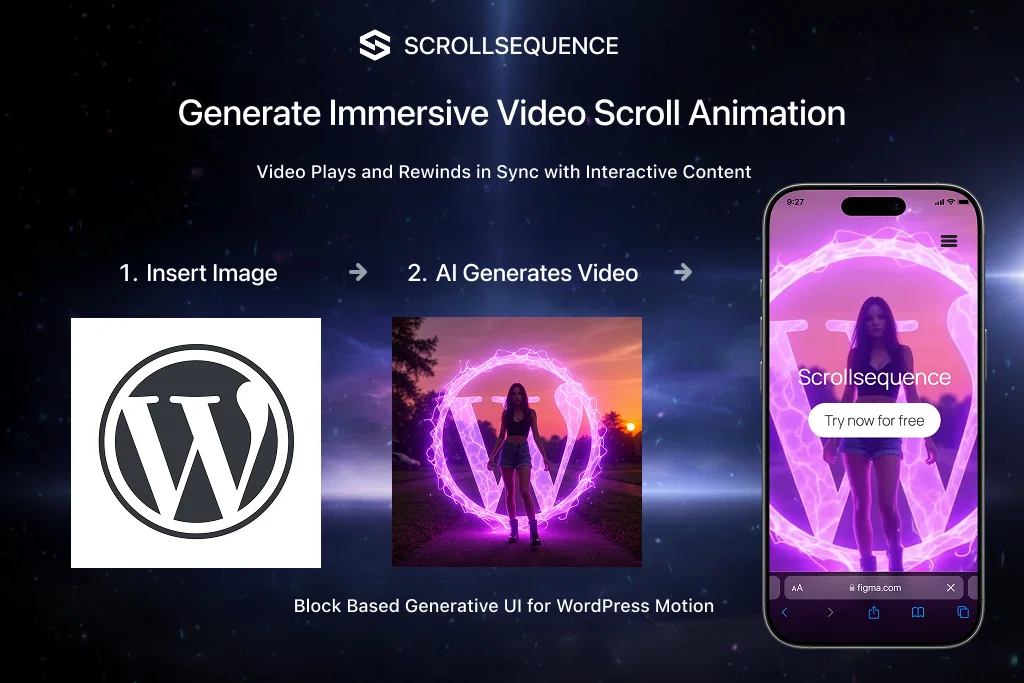
Scrollsequence is a tool that provides a platform for enhancing digital experiences by creating immersive, dynamic, and interactive animations for web content.
It offers functionalities to customize viewer experiences by integrating a scrollbar-based timeline that adjusts video sequences to users' scroll speed.
The tool utilizes a specific engine that offers unique spatial motion analysis, syncing with HTML content to detect 3D depth and movement, thus effectively locking text to video elements.Scrollsequence is not limited to 3D animations only, it enables the animation of 2D and vector graphics, thus providing a versatile environment.
This tool contains an AI integrated system to aid in the formation of stunning scroll-synced animations. It is also capable of generating media, content, and animations using a minimal number of commands or prompts.
It is geared towards simplifying and expediting the animation design process by avoiding unnecessary switching between design tools. Further, this tool offers smooth workflow transitions, thus fostering effective visual storytelling and converting static web pages into interactive stories.
It can be directly incorporated into CMS platforms like WordPress, allowing users to animate sequences, blocks, or entire sections in the Gutenberg editor.
Additionally, Scrollsequence embraces user feedback in its development process, offering Beta testers special benefits like free access to new features and requested AI credits for testing and feedback provision.
Best for
Short scenarios where Scrollsequence tends to shine.
-
Build immersive scroll-driven digital experiences.
Example outputs 1
Sample generations and before/after results for Scrollsequence.
Access & connections
Where you can use Scrollsequence, and what it plugs into.
Platforms
Integrations
Capabilities
What this tool accepts, produces, and is strongest at.
Input
- Image
- Text
- Video
Output
- Code
- Video
- Text
- Image
Highlights
- API
- Open Source
- Use code TAAFT
- Save $19.99
Supported features
- API
- Open Source
- Visual Creation
- Video Edit
- 3D Generation
- Image Generation
- Automation
- Styling
- Integrations
- Social Media
Pros & cons
Pros
- Generates 2D, 3D, vector animations
- Scroll-synced animations
- Synchronizes pixels frame-by-frame
- Spatial motion analysis
- Allows multiple linked animations
- Integrates with Gutenberg editor
- No need for asset swapping
- Generates interactive narratives
Show 39 more
- Minimal command usage
- Workflow smooth transitions
- Direct incorporation into WordPress
- Beta users influence development
- Credits provided for beta testing
- Simplifies animation design process
- Scrollbar-based timeline adjustment
- Syncs with HTML content
- Customizable viewer experiences
- Analyze 3D depth and movement
- Locks text to video elements
- Generating media and content animations
- Handles various types of animation
- Generative motion capabilities
- Interactive web content capabilities
- Visual storytelling enhancement
- CMS Integration
- WordPress compatibility
- HTML content syncing
- Feedback-based development
- Scroll Speed Adjustment
- Media Generation
- Workflow Transition
- Beta Testing privileges
- Unique spatial motion analysis
- Expedites Animation Design Process
- Supports Media Generation
- Comes with smooth workflows
- Embraces User Feedback
- Versatile animation environment
- Generates Digital Experiences
- Simplify Animation Process
- Detect 3D depth and movement
- Directly animate in Gutenberg
- Animation from minimal prompts
- Real-time results on Gutenberg editor
- Locked Text to Video
- Vector Graphic Animation Capabilities
- Immersive Scroll-driven Digital Experiences
Cons
- Limited integrations
- Dependent on scroll speed
- Limited spatial motion analysis
- No non-WordPress CMS support
- Costly for video generations
- Requires CMS expertise
- Unclear pricing model
- Credits necessary for operations
Compare alternatives
Similar tools in the catalog — with a clear reason to open each one.

Mironik ✓
FreemiumBuild with AI, refine with visual editor.
Why look Typically cheaper
Full comparison
Sayscroll ✓
Free TrialThe AI Teleprompter that scrolls as you speak
Why look Typically cheaper
Full comparison
Cinematic Slideshow Studio ✓
FreemiumDrop in photos, get a cinematic film in minutes.
Why look Typically cheaper
Full comparison
GoEnhance ✓
FreemiumTransform videos into different anime styles, enhance and upscale images.
Why look Typically cheaper
Full comparisonPeople also view
Tools that often show up alongside Scrollsequence in collections and comparisons.
Sayscroll ✓
Free TrialThe AI Teleprompter that scrolls as you speak
Mironik ✓
FreemiumBuild with AI, refine with visual editor.
GoEnhance ✓
FreemiumTransform videos into different anime styles, enhance and upscale images.

Comicory ✓
FreemiumTurn stories into comic panels.
Cinematic Slideshow Studio ✓
FreemiumDrop in photos, get a cinematic film in minutes.

GetLogit ✓
FreemiumArtificial intelligence, available for everyone.

Denovo ✓
FreemiumTurn your idea into a real business in minutes.

DeepSeek ✓
FreeUnravel the mystery of AGI with curiosity
Releases 1
Imported reviews 2
Scrollsequence is a game-changer for interactive storytelling! Smooth animations, intuitive setup, and impressive control over scrolling sequences make it perfect for engaging web experiences. Highly recommend for designers and developers looking to elevate their sites. 🙌
You can charge clients $$$$ for landing pages done in minutes using this plugin.
FAQ 12
What does Scrollsequence do?
How does Scrollsequence work?
What is the significance of the scroll-sync feature in Scrollsequence?
What types of animations can be created using Scrollsequence?
How can I link multiple animations using Scrollsequence?
How can I integrate Scrollsequence directly in the Gutenberg editor?
Does Scrollsequence require any advanced 3D studios for animation creation?
How can Scrollsequence transform static product pages into interactive ones?
What were the experiences of early users of Scrollsequence?
What benefits do Beta users of Scrollsequence get?
How can Scrollsequence improve user experience of a website?
What is spatial motion analysis in Scrollsequence?
Related tools
Recommended

Notis ✓
Free TrialThe first WhatsApp assistant that runs on your ChatGPT and Claude subscriptions

CodeRabbit ✓
Free TrialEnhanced code review for improved workflow and quality.

remio: Your Personal ChatGPT ✓
FreemiumGet Tailored Answer with Your Personal ChatGPT

Rocket ✓
FreemiumThink It. Type It. Launch It.

The Influencer AI ✓
Free TrialCreate your own consistent AI influencer in minutes.

UGC Maker AI ✓
FreemiumSmart AI Ad Creative Platform, Effortlessly Create Viral Images and Videos
