

Teleprompter 2026 Rank: #2562
Sayscroll ✓
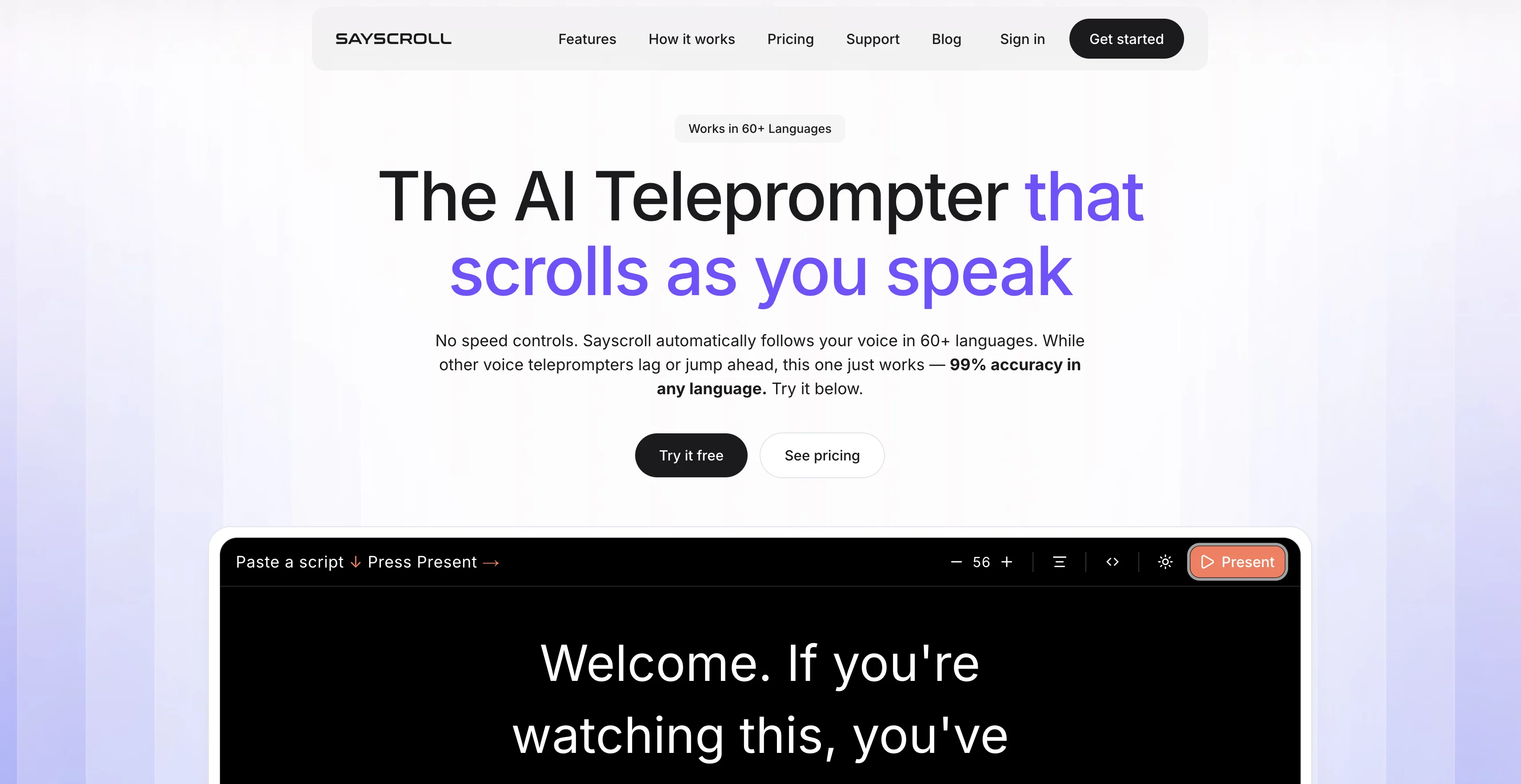
The AI Teleprompter that scrolls as you speak
Verdict
A quick read before you dig into the full page.
- Best if
- The AI Teleprompter that scrolls as you speak
- Skip if
- Subscription required for full features
- Pick this when
- Supports 60+ languages
Overview

Sayscroll is a browser-based AI teleprompter that follows your voice automatically. Unlike traditional teleprompters that run on a fixed scroll speed you have to adjust, Sayscroll uses real-time speech recognition to track your words as you say them and keep your place centered on screen.
If you improvise or go off script, it waits, then locks back on the moment you return. It supports 60+ languages, including scripts that mix languages, with 99% tracking accuracy.
No install, usage-based pricing.
Access & connections
Where you can use Sayscroll.
Platforms
Capabilities
What this tool accepts, produces, and is strongest at.
Input
- Text
- Audio
Output
- Text
Highlights
- No Signup
Supported features
- STT
- Mobile Companion
- No Signup
Pros & cons
Pros
- Supports 60+ languages
- Browser-based
- Teleprompter that Follows your voice
- Handles speaker's speed variations
- Recovers alignment post improvisation
- Supports mixed language scripts
- High recognition accuracy
- Useful for various professions
Show 37 more
- Customizable text size
- Customizable paragraph alignment
- Reading controls provided
- Black or white backgrounds
- No installation needed
- Script data stays local
- Audio streamed for transcription
- Real-time speech recognition
- Optimized for content creation
- Helpful for public speaking
- Flexible for live presentations
- Teleprompter that scrolls as you speak
- Useful for educators
- Supports YouTube content creators
- Waiting mode when off-script
- Supports multilingual scripts
- 99% accurate voice tracking
- Usage-based monthly hours
- Offers horizontal and vertical mirroring
- Keeps your script aligned
- Responsive to silence
- Adaptable for creators and speakers
- Pricing according to live mic time
- Works with mixed-language scripts
- Ideal for video recording
- Appropriate for multi-section scripts
- Favorable reviews from users
- Lights up spoken words
- Optimized for teleprompter use
- Automatically pauses during silence
- Tracking accuracy in mixed languages
- No character limit in subscription
- Offers free demo with limitations
- Protection of script data
- Supports professional beam-splitter teleprompter screens
- Convenient cancellation policy
- Adjustable text size and column width
Cons
- Dependent on internet connection
- Browser-based only
- Limited free version (500 words)
- No offline functionality
- Subscription required for full features
- No API for integration
Releases 1
FAQ 12
What is Sayscroll?
🛠️ 1
tool
wrote:
Sayscroll is a browser-based AI teleprompter that follows your voice automatically. Unlike traditional teleprompters that run on a fixed scroll speed you have to adjust, Sayscroll uses real-time speech recognition to track your words as you say them and keep your place centered on screen. If you improvise or go off script, it waits, then locks back on the moment you return. It supports 60+ languages, including scripts that mix languages, with 99% tracking accuracy. No install, usage-based pricing.
How does Sayscroll work?
🛠️ 1
tool
wrote:
Your microphone audio is transcribed in real time and matched word-by-word against your script. Spoken words light up and the text scrolls so the active word stays in the middle of the screen.
In what languages can Sayscroll operate?
🛠️ 1
tool
wrote:
Sayscroll supports more than 60 languages. You can even use mixed-language scripts - Some of these include English, Spanish, French, German, Swedish, and a host of others.
Is Sayscroll right for me?
🛠️ 1
tool
wrote:
Sayscroll is built for creators, presenters, educators, podcasters and public speakers. Whether you're recording a YouTube video, delivering a keynote, teaching a course or hosting a webinar, Sayscroll keeps your script perfectly aligned with your voice
How is Sayscroll different from traditional teleprompters?
🛠️ 1
tool
wrote:
Traditional teleprompters require manual speed adjustment. Sayscroll follows your voice automatically.
What happens if the speaker goes off script?
🛠️ 1
tool
wrote:
Nothing — that's the point. The prompter pauses while you improvise and automatically locks back on when you return to your text, even if you re-read an earlier sentence or skip ahead to a later section.
What customization options does Sayscroll offer?
🛠️ 1
tool
wrote:
Sayscroll offers a range of customization options for user convenience, including Adjustable text size and column width, paragraph alignment, black or white background, fullscreen, plus horizontal and vertical mirroring for professional beam-splitter teleprompter screens.
Which platform is Sayscroll built for?
🛠️ 1
tool
wrote:
Sayscroll runs in your browser, but you can add it to your iPhone or Android home screen for a one-tap, full-screen experience — no App Store or Play Store download needed
How secure is user's data with Sayscroll?
🛠️ 1
tool
wrote:
Sayscroll does not require any kind of installation, and importantly, the user's script data stays on their device. Only the audio is streamed real time for transcription and immediately discarded, ensuring a high level of data safety.
How does Sayscroll align to the speaker's pace?
How does Sayscroll assist YouTube content creators?
Can educators use Sayscroll in their teaching material preparation?
Related tools
Recommended

MagicSlides.app AI PPT Maker ✓
FreemiumCreate Stunning PPTs in Seconds with the AI PPT Maker

GetLogit ✓
FreemiumArtificial intelligence, available for everyone.

ChatGPT ✓
FreemiumAsk anything, create anything, and move from idea to action.

Automateed ✓
Free TrialCreate eBooks effortlessly with Automateed, the AI-powered writing tool.

Notis ✓
Free TrialThe first WhatsApp assistant that runs on your ChatGPT and Claude subscriptions

CodeRabbit ✓
Free TrialEnhanced code review for improved workflow and quality.