

ScoutUX ✓
Catch UX issues before your users do
Free + from $20/mo
Verdict
A quick read before you dig into the full page.
- Best if
- Catch UX issues before your users do
- Skip if
- Limited to website interfaces
- Pick this when
- Identifies UX issues pre-impact
Considering UserTesting instead? Compare side by side
Overview
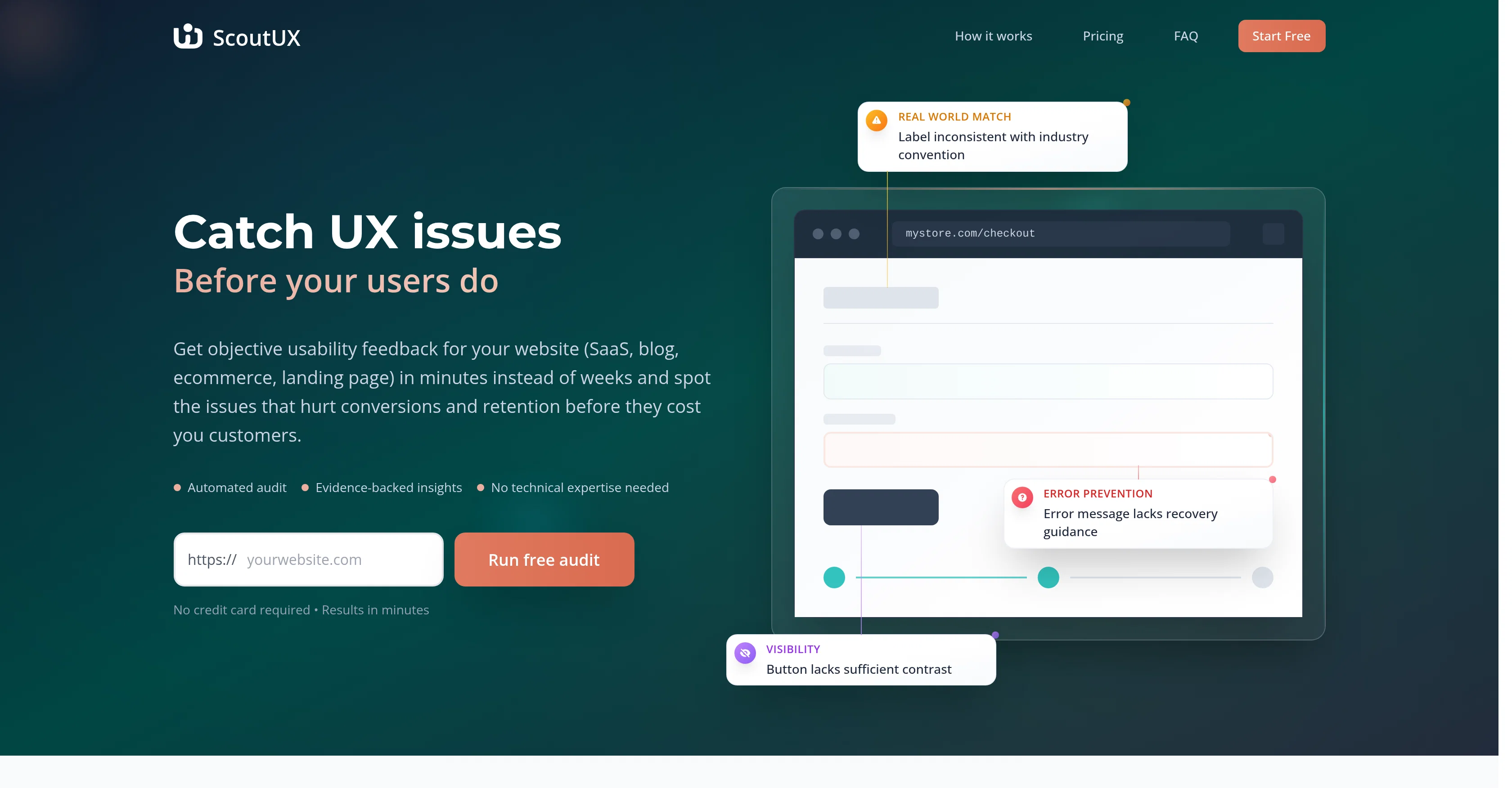
ScoutUX is an AI-powered tool designed to identify and highlight user experience (UX) issues on websites, applications and interfaces before they impact the end-users.
Its primary utility lies in providing rapid, objective usability feedback to aid the timely rectification of problems that could negatively affect conversions and customer retention.
The tool uses an 'automated audit' to explore the tested site, closely emulating the actions of a real human user. This includes tasks such as clicking, scrolling, and typing.
After the audit process, it offers a comprehensive report, which includes usability issue identification, and improvement suggestions, providing actionable insights based on established usability principles.
The analysis by ScoutUX is based on Nielsen's 10 Usability Heuristics for User Interface Design, considered as an industry-standard framework, trusted and adopted by many Fortune 500 companies.
ScoutUX is designed to be useful across organizations for roles like product managers, designers, developers, quality assurance professionals, founders and marketers who aim to improve user experience.
It should be noted that ScoutUX, while fast and powerful, is intended as a first-line defensive tool against usability issues, and should not be seen as a substitute for comprehensive user research.
Best for
Short scenarios where ScoutUX tends to shine.
-
Catch UX issues before your users do
Example outputs 1
Sample generations and before/after results for ScoutUX.
Access & connections
Where you can use ScoutUX.
Platforms
Capabilities
What this tool accepts, produces, and is strongest at.
Input
- Tabular
- Text
Output
- Text
Highlights
- Agents
Supported features
- Agents
Pros & cons
Pros
- Identifies UX issues pre-impact
- Offers rapid usability feedback
- 'Automated audit' feature
- Emulates human user actions
- Comprehensive post-audit report
- Includes actionable improvement suggestions
- Analysis based on Nielsen's Heuristics
- Role-specific utility across organizations
Show 27 more
- Tool for developers, marketers, founders
- First-line defensive tool against UX issues
- Increases conversion and retention
- Spot issues that hurt conversions
- Works for SaaS, app, website
- Results in minutes
- Error identification and prevention
- Tests across desktop and mobile
- Visually represented insights
- Usability issue visualization
- Heuristic violation identification
- Option for specific task testing
- Analyzes key areas naturally
- Records every site interaction
- Usability principles for suggestions
- Free basic plan available
- Option for faster processing
- Option for more reports
- Optimized for maximum business growth
- Beneficial for Product Managers, Designers
- Boosts conversion rates
- Pre-launch validation for products
- Design validation for designers
- UX testing automation for developers
- Cancellation at any time
- Can work with screenshots analysis
- No need for long-term commitments
Cons
- Limited to Nielsen's heuristics
- Not for comprehensive research
- No real user feedback
- Lacks manual testing options
- No specific task testing
- Limited to website interfaces
- Usability focus, not functionality
- No live user tracking
Show 2 more
- Requires published site for analysis
- No direct integration with development tools
Compare alternatives
Similar tools in the catalog — with a clear reason to open each one.
People also view
Tools that often show up alongside ScoutUX in collections and comparisons.

UserTesting ✓
Free TrialUncover hidden UX insights with AI-powered data analysis

Maskerade ✓
UnknownWatch AI personas navigate your product.

Floto ✓
FreemiumGet AI design feedback directly in Figma.

CatDoes ✓
Free TrialAI agent that builds anything you describe.

Bytesalt ✓
Free TrialAI QA Tester

Bulker ✓
FreemiumAI user research in seconds, not weeks.

GPT Trainer ✓
FreemiumAI Voice and Text Agents with No-Code

Business Idea Generator AI ✓
FreeGenerate innovative business ideas with AI
Releases 1
FAQ 12
What is the main goal of ScoutUX?
How does ScoutUX identify UX issues?
What activities does ScoutUX perform during an 'automated audit'?
What does the comprehensive report provided by ScoutUX include?
How is ScoutUX's analysis based on Nielsen's 10 Usability Heuristics?
Who can benefit from using ScoutUX in an organization?
Can ScoutUX replace comprehensive user research?
How does ScoutUX contribute to conversion rate optimization?
In what ways does ScoutUX offer usability feedback?
How long does an automated audit by ScoutUX take?
Is there any technical expertise required to use ScoutUX?
Is ScoutUX useful for testing both websites and apps?
Related tools
Recommended

Paraflow ✓
FreemiumTurn ideas into well-defined product specs instantly.

1UI ✓
PaidGenerate pixel-perfect UI designs with AI in seconds.

TheLibrarian.io ✓
Free TrialYour WhatsApp AI assistant for instant productivity.

AI Software Cost Estimator ✓
FreeNo more guesswork: get AI-powered software cost estimates in minutes

OnSpace.AI - No Code App Builder ✓
FreemiumBuild Apps with AI, No Code

Whiteboard by Athena AI ✓
FreemiumVisualize your ideas and share with your team