
Brainstorming vv1.1.4
Whiteboard by Athena AI ✓
Visualize your ideas and share with your team
Free + from $5.99/mo
Verdict
A quick read before you dig into the full page.
- Best if
- Visualize your ideas and share with your team
- Skip if
- No offline mode available
- Pick this when
- Real-time collaboration
Considering Ideamap - Brainstorm and Mindmap AI instead? Compare side by side
Overview





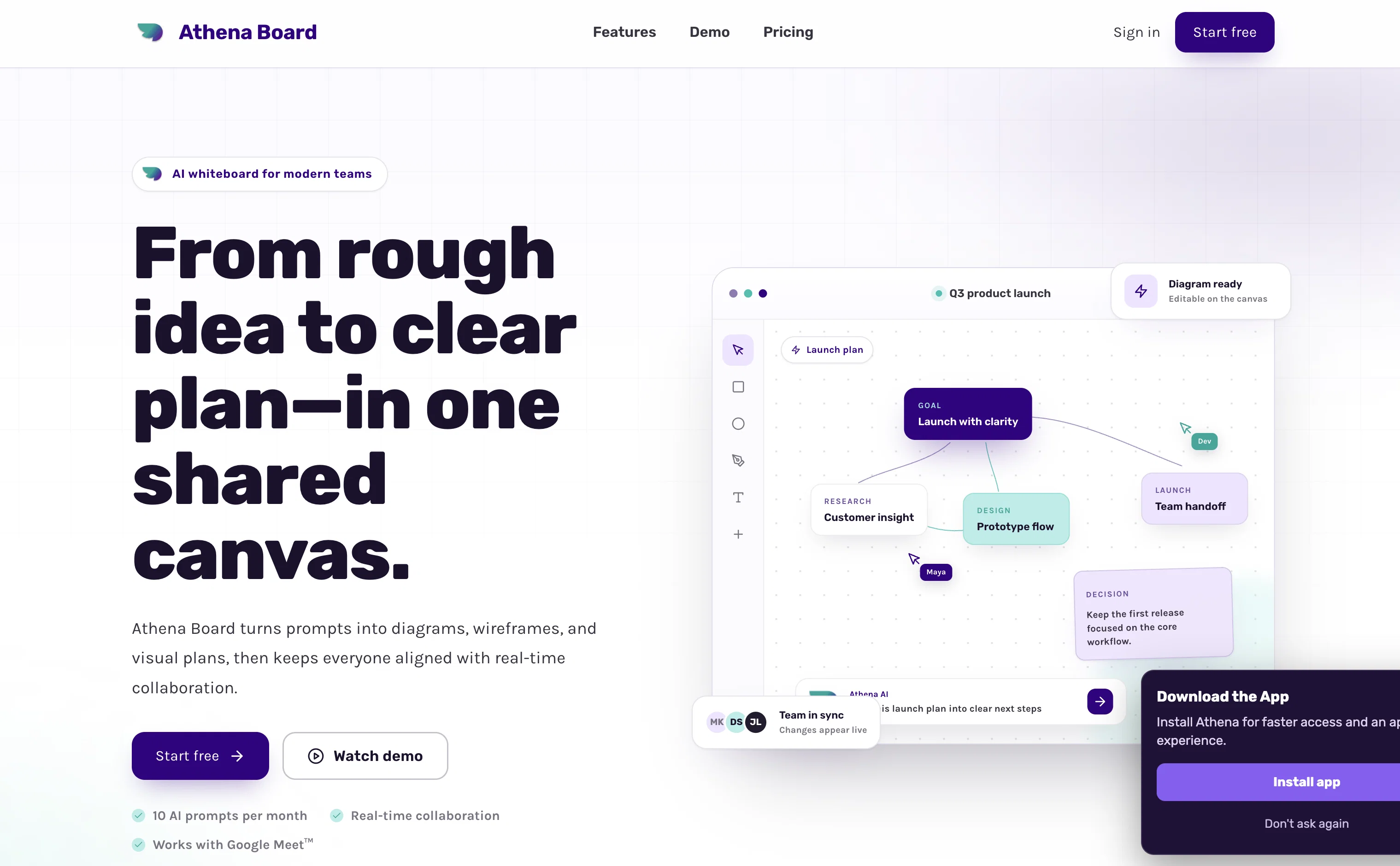
Describe your concept, and watch as AI instantly generates flowcharts, wireframes, mind maps, or UI prototypes—ready in seconds. Perfect for entrepreneurs, digital teams, and anyone turning ideas into actionable designs.
✨ Key Features
🚀 Prototyping & Wireframing
Speed to MVP: Instantly create UI wireframes, app structures, and interactive prototypes.
Drag-and-Drop Simplicity: Customize designs effortlessly with intuitive editing tools.
Built for Teams: Streamline pitching, UX design, and product development with collaborative workflows.
📊 Diagrams on Demand
Simplify Complexity: Transform technical concepts, data, or scientific ideas into flowcharts, architectural diagrams, LaTeX worksheets, and more—directly on your whiteboard.
🌐 Seamless Collaboration
Google Meet Integration: Launch the wireframe tool within Google Meet™. Collaborate in real time without switching apps.
Live Multi-User Editing: Multiple participants can edit designs simultaneously, with updates visible instantly.
🎨 UI Component Library
Design Freedom: Add buttons, text fields, images, and more. Customize colors, fonts, shadows, and borders.
Pre-Built Templates: Jumpstart projects with templates for web pages, mobile apps (iOS/Android), and dashboards.
🖱️ Interactive Prototyping
Presentation Mode: Showcase wireframes for reviews with clickable demos.
Annotation Tools: Highlight areas, add comments, and gather feedback directly on designs.
🌟 Why Teams Love AI Whiteboard
From Brainstorming to Execution: Keep workflows unified and efficient.
No Learning Curve: Intuitive interface for designers and non-designers alike.
Professional Results, Zero Delays: Perfect for agile teams and fast-paced environments.
Turn Concepts into Reality—Start Free Today!
Ideal for: Startups, product managers, UX designers, educators, and remote teams.
Integrations: Google Meet™, with more coming soon!
- Wireframe
- Mockup
- Diagrams
- Latex Worksheet
- Webpage Preview
- Real-time Collaboration
Best for
Short scenarios where Whiteboard by Athena AI tends to shine.
-
Visualize your ideas and share with your team
Example outputs 1
Sample generations and before/after results for Whiteboard by Athena AI.
Access & connections
Where you can use Whiteboard by Athena AI.
Capabilities
What this tool accepts, produces, and is strongest at.
Input
- Code
- Tabular
- Image
- Text
- Audio
Output
- Audio
- Tabular
- API
- Text
- Image
Highlights
- Agents
- API
- Use code TAAFT
- 20% OFF
Supported features
- Agents
- API
Pros & cons
Pros
- Real-time collaboration
- Geographical location irrelevant
- Diverse digital writing resources
- Supports multiple users
- Organized presentation of content
- Integrates with other apps
- Enhances remote learning
- User-friendly interface
Show 10 more
- Boosts productivity
- Promotes creative thinking
- Fosters effective team communication
- Suits businesses and educators
- Online brainstorming tool
- Facilitates note-taking and planning
- Handwritten notes to text
- Aids online meeting experiences
- Advances remote work capabilities
- Equipped with sticky notes
Cons
- No offline mode available
- Lack of advanced drawing tools
- Does not support 3D modeling
- Dependent on stable internet connection
- Integration issues with some apps
- No native apps for mobiles
Compare alternatives
Similar tools in the catalog — with a clear reason to open each one.

Ideamap - Brainstorm and Mindmap AI ✓
FreemiumBoost your creativity with AI-powered brainstorming.
Free + from $7/mo
Full comparison
Creative Minds Think Alike ✓
UnknownUnleash creativity through skills and collaboration.
No pricing
Full comparison
Stormz ✓
FreemiumSupercharge brainstorming with AI-powered features
Free + from $10/mo
Full comparison
Prototext ✓
FreeFree AI-powered brainstorming and content management app
Why look Fully free option
Full comparison

People also view
Tools that often show up alongside Whiteboard by Athena AI in collections and comparisons.
Ideamap - Brainstorm and Mindmap AI ✓
FreemiumBoost your creativity with AI-powered brainstorming.

CodeRabbit ✓
Free TrialEnhanced code review for improved workflow and quality.

VenturusAI ✓
FreemiumBusiness idea analysis and reporting.

Reggi ✓
FreeDecode restaurant DNA with AI.

myAIninja ✓
Free TrialAI-powered content creation for social media, 10x faster

IdeaPicker ✓
FreemiumIdeaPicker - Generate startup ideas with AI by scanning Reddit for pain

Gift Genie AI ✓
FreeFind perfect gifts instantly with AI

Gemini Code Assist ✓
FreemiumBuild code faster with AI assistance.
Releases 6
Hey Athena users! ✨ We're excited to announce a powerful new integration: Athena AI Design is now available on Canva! 🎨
We've brought the power of AthenaBoard directly to your favorite design platform. "Athena AI Design" looks beautiful on Canva and is ready for you to explore.
Current Features on Canva:
- High Quality Image Generation: Get Canva-certified high-quality images directly within your designs.
- Diagram and Flowchart Generation: Create stunning diagrams and flowcharts with ease.
Here's how to try it for free:
- Login to Canva.com
- Go to the "Apps" section
- Search for "Athena"
- Install "Athena AI Design"
What's Next?
We are actively working on porting more AthenaBoard features to Canva, including:
- Wireframe templates recommendation
- Editable diagrams and flowcharts
- LaTeX worksheet generation
- Sticky notes
Get ready to enhance your designs with Athena AI!
🏆 Join our monthly AI Agent Building Contest! Showcase your creativity and win from a pool of $2 000 in prizes! Sign up now at https://athenaboard.ai/agents
Hey Athena users! ✨ We’re excited to announce some powerful new features and improvements designed to make your experience even better!
AthenaBoard:
Sticky Notes: Jumpstart collaboration with the new sticky notes conversation starter on AthenaBoard and collaborative whiteboard! 🚀
AthenaChat:
Mobile Responsiveness: The main chatbot's conversation starter is now more responsive on mobile devices.📱
General:
File Handling: Resolved the issue with .text file handling. ✅
File Uploads: You can now upload files in PDF, TXT, CSV, and XLSX formats. 📂
🏆 Join our monthly AI Agent Building Contest! Showcase your creativity and win from a pool of $2000 in prizes! Sign up now at https://athenaboard.ai/agents
Hey Athena users! ✨ We’re excited to announce some powerful new features and improvements designed to make your experience even better!
AthenaBoard:
Sticky Notes Conversation Starter: Jumpstart collaboration with the new sticky notes conversation starter! ✨
Optimized Wireframe Asset Recommendations: Access more assets with improved accuracy for smoother wireframing. 🚀
AthenaChat:
Improved Mobile Responsiveness: Enjoy a more responsive main chatbot experience on your mobile devices. 📱
File Uploads for Agents: Agent creators and owners can now add PDF, TXT, CSV, and XLSX files to their agents. 📁
Redesigned Conversation Starters: Athena and Agent conversation starters have a fresh new look! 🎨
Admin Access to Agent History: Admins now have access to the complete history of agent interactions. 🕵️♀️
Hey Athena users! ✨ We’re excited to announce some powerful new features and improvements designed to make your experience even better!
Here’s what’s new on AthenaBoard (Whiteboard) and AthenaChat:
Multi-Document Visualizations: You can now upload PDF, XLSX, CSV, and text files to generate visualizations like mind maps, diagrams, pie charts, and sequence diagrams based on your documents. 📊✨
Faster Agents: We’ve boosted the speed of our AI Agents for quicker responses! 🚀
Copy to Clipboard: A ”Copy to Clipboard” button has been added to all messages for easy sharing and saving. ✅
AI Response to Speech: Athena can now speak her responses to you! 🗣️
Improved Chat UI: We’ve made enhancements to the chat user interface for a smoother and more intuitive experience. 💯
🏆 Join our monthly AI Agent Building Contest! Showcase your creativity and win from a pool of $2000 in prizes! Sign up now at athenaboard.ai/agents
Hey Athena users! ✨ We’re excited to announce some powerful new features and improvements designed to make your experience even better!
Now powered by Google Gemini 2.5 Pro ⚡️
Our multimodal engine is now powered by Google Gemini 2.5 Pro. It is the leading model for reading audio and image inputs.
Diagram generation is now powered by DeepSeek V3.1 (0324) 🚀
DeepSeek V3.1 is the leading model for coding tasks. We are leveraging it to generate the Mermaid diagrams. ✨📊
New feature on the regular Athena Chat:
⏰ Task Reminders: Never Forget Again!
🧠 Athena now remembers everything you tell her!
✅ Simply prompt: ”Remind me about my tasks” to get a personalized list of your outstanding to-dos.
Imported reviews 12
Very good and useful for educational purposes or collaborative teamwork
I am able to do a lot with the whiteboard.
Very useful and powerful
very powerfull tool
Beautiful and smart whiteboard tool
Great experience.... great app...
Whiteboard by Athena Ai is an excellent tool to demonstrate your creativity with ease. #AI #AthenaAI #Whiteboard
Its an amazing collaborative tool and I would recommend it to anyone who works with flowcharts, diagrams, and workflows. Great way to ideate and brainstorm digitally and Athena AI as done a great job developing this tool.
simple to use!
Great whiteboard tool with inbuilt AI that helped me with designing
Whiteboard by Athena Ai is a tool that I have many functions to design a website or a product for example. It's very easy to use. I highly recommend it for teamwork and industry who want to have a structure about their idea
This AI app is seriously next level — it’s not just about spitting out text anymore. It gives you smart suggestions, creates links based on your needs, designs clean layouts, and even shows you how to get somewhere with navigation guides. Plus, it adds visuals and modular sections that make everything way easier to read and use.
I’ve been searching for the perfect digital whiteboard, and Athena AI Whiteboard might just be it! Not only is it an excellent tool for designing and creating ideas, but the AI integration takes it to a new level. Features like instant diagram generation, real-time collaboration, and easy integration with other apps make it a powerhouse for teams, educators, and anyone who needs to visualize complex projects👏🏼. Highly recommend checking it out! #AI #Whiteboard #DigitalCollaboration #Brainstorming #EdTech #AthenaAI
FAQ 12
What is Whiteboard by Athena AI?
🛠️ 4
tools
🙏 12
karma
wrote:
Whiteboard by Athena AI is an AI-enabled tool designed to enhance collaborative work in a digital environment. Its function is to facilitate the sharing and refining of ideas in real-time, independent of geographical location.
How does Athena AI make collaborative work easier?
🛠️ 4
tools
🙏 12
karma
wrote:
Athena AI simplifies collaborative work by providing an array of resources such as digital markers, highlighters, text tools, and sticky notes. It supports real-time interaction, meaning teams can work together on the same project regardless of where they are located. Additionally, it can translate handwritten notes into text and present content in an organized way.
What are the features of Athena AI?
🛠️ 4
tools
🙏 12
karma
wrote:
Athena AI offers features like digital markers, highlighters, text tools, sticky notes, and AI technology that can translate handwritten notes into text. It supports multi-user interaction, app integration, real-time interaction, and presents content in a clear and organized way.
Can multiple users use Athena AI at the same time?
🛠️ 4
tools
🙏 12
karma
wrote:
Yes, Athena AI supports multi-user functionality, allowing teams or groups to interact seamlessly on the same project, regardless of their location.
What are the benefits of using Athena AI for brainstorming sessions?
🛠️ 4
tools
🙏 12
karma
wrote:
Using Athena AI for brainstorming sessions can bring forth a variety of benefits. Digital tools for creating sticky notes, text tools, digital markers, and highlighters make the creative process easier. Furthermore, the AI recognises handwriting and translates it into text, facilitating clear and efficient communication of ideas.
Can Athena AI turn handwritten notes into text?
🛠️ 4
tools
🙏 12
karma
wrote:
Yes, a distinctive feature of Athena AI is its ability to translate handwritten notes into text, thus eliminating the challenges of interpreting unclear handwriting.
Can Athena AI be integrated with other apps?
🛠️ 4
tools
🙏 12
karma
wrote:
Yes, Athena AI has the capability to integrate with numerous other apps and platforms such as Google Meet™, enhancing the experience of virtual presentations, tutorials, and remote learning.
What tools does Athena AI provide for illustrations?
🛠️ 4
tools
🙏 12
karma
wrote:
Athena AI provides digital markers, highlighters, and text tools for illustrations. These tools make it easier to visualize and express ideas visually in a collaborative digital environment.
Is Athena AI user-friendly?
🛠️ 4
tools
🙏 12
karma
wrote:
Yes, Athena AI is designed to be user-friendly. It aims to replicate the ease and simplicity associated with a physical whiteboard, promoting a comfortable and seamless user experience.
Can Athena AI be used for remote learning?
🛠️ 4
tools
🙏 12
karma
wrote:
Yes, Athena AI can be used for remote learning. Its array of tools and capabilities, along with the ability to integrate with numerous apps and platforms, augments the experience of online education.
Is it possible to present content in a clean, organized manner with Athena AI?
🛠️ 4
tools
🙏 12
karma
wrote:
Yes, Athena AI presents content in a clean, organized manner. It has an AI capability to translate handwritten notes into text, ensuring clear interpretation and presentation of ideas.
How does Athena AI foster creative thinking?
🛠️ 4
tools
🙏 12
karma
wrote:
Athena AI fosters creative thinking by providing various tools for brainstorming sessions, planning, note-taking, and illustrating concepts. Its AI-enabled features and real-time interaction support make brainstorming and idea generation more effective.
Related tools
Recommended

TheLibrarian.io ✓
Free TrialYour WhatsApp AI assistant for instant productivity.

Smarter ChatGPT by Athena AI ✓
FreemiumAI assistant that gets your tasks done. Smarter than ChatGPT.

Thea ✓
FreemiumAI study tools to master material, not just memorize it.

Automateed ✓
Free TrialCreate eBooks effortlessly with Automateed, the AI-powered writing tool.

Mind Map Wizard ✓
FreemiumGenerate mind maps with AI: free, no sign-up, no ads

remio: Your Personal ChatGPT ✓
FreemiumGet Tailored Answer with Your Personal ChatGPT