

Videos 2026 Rank: #459
Scenes AI ✓
Turn any idea into professional video in minutes.
Verdict
A quick read before you dig into the full page.
- Best if
- Turn any idea into professional video in minutes
- Skip if
- Limited platform optimisation
- Pick this when
- Swift video transformation
Considering freebeat AI instead? Compare side by side
Overview
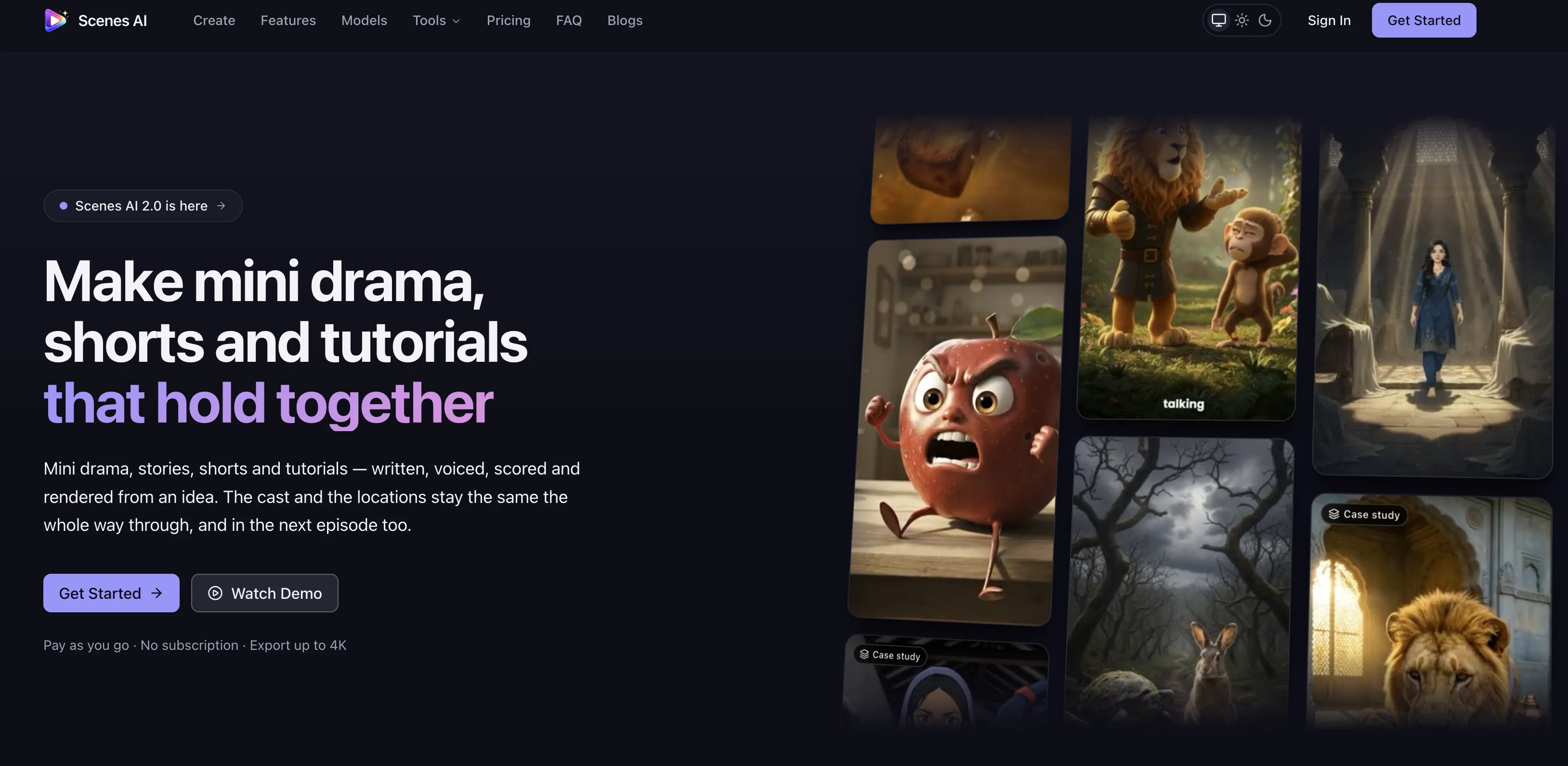
Scenes AI is an AI-powered video generation platform that turns any idea into a professional video output. The platform's functionality ranges from drafting a script to visual generation and final rendering, ensuring consistency in characters, style, and sound.
The generative process is simple and intuitive, starting with a plain-language prompt describing the purpose, intended audience, tone and desired duration of the video.
Following the prompt provision, Scenes AI's AI engine takes over and begins the various phases of video creation. These phases include prompt analysis, script writing, and scene breakdown.
The first preview of the AI-generated script is then provided for user approval or further editing. Following this approval, the AI proceeds to generate visuals and audio, once again pausing for review before the final rendering steps.
The final video product can be exported as an MP4, optimized for various platforms like YouTube, TikTok, Instagram, and LinkedIn. The service supports aspect ratios of 16:9, 9:16, or 1:1 and allows for duration settings ranging from 15 seconds up to 5 minutes.
Another unique aspect of Scenes AI is its capacity to maintain style continuity, making it ideal for series creators. Users can generate an entire season in one sitting with consistent characters, styles, and sound across all episodes.
Moreover, Scenes AI offers choices among six distinct visual styles, catering to various brand aesthetics.
Best for
Short scenarios where Scenes AI tends to shine.
-
Turn any idea into professional video in minutes.
Example outputs 1
Sample generations and before/after results for Scenes AI.
Access & connections
Where you can use Scenes AI, and what it plugs into.
Platforms
Capabilities
What this tool accepts, produces, and is strongest at.
Input
- Image
- Text
Output
- Video
Highlights
- Agents
Supported features
- Agents
Pros & cons
Pros
- Swift video transformation
- Automated script writing
- Automated visual generation
- Automated voiceover
- Automated rendering
- Maintains creative control
- Allows consistent characters
- Maintains consistent style
Show 41 more
- Maintains consistent sound
- Multiple platform project creation
- Auto-exports videos
- Generates entire season content
- Multiple visual styles
- Suitable for any team size
- Generates professional videos
- Intuitive and simple process
- Generates video from plain prompt
- Consistent video across episodes
- Export video as MP4
- Optimized for multiple platforms
- Supports various aspect ratios
- Allows duration settings
- Offers six distinct visual styles
- Ensures style continuity
- Script approval before generation
- Storyboard review step
- Approves voiceover and music
- Exports up to 1080p resolution
- Facilitates single-project video creation
- Outfit and mannerism consistency
- Brands aesthetics
- Prompt analysis
- Multi-platform native
- Voice and sound continuity
- Episodic content creation
- Scheduling and planning
- Automated content creation
- Detailed scene breakdown
- User-friendly interface
- Multi-platform optimization
- Scene setting
- MP4 rendering
- Clear voice synthesis
- Music scoring
- Teams collaboration features
- Generates story arc
- One-click social publish
- Flexible visual styles change
- Fast first export time
Cons
- Limited to 5 minutes videos
- Payment per second of video
- Specific aspect ratios only
- Approval required at every stage
- Limited visual style options
- No editing skills training
- Only MP4 export format
- Limited platform optimisation
Compare alternatives
Similar tools in the catalog — with a clear reason to open each one.

freebeat AI ✓
FreemiumTurn Music & Ideas into Viral Videos In One Click
Why look Offers a public API
Full comparison
MagicLight ✓
FreemiumTransform text into captivating videos instantly.
Free + from $8.4/mo
Full comparison
Seedance ✓
FreemiumMulti-shot video generation from text and image.
Why look Stronger for image work
Full comparisonPeople also view
Tools that often show up alongside Scenes AI in collections and comparisons.
Seedance ✓
FreemiumMulti-shot video generation from text and image.
MagicLight ✓
FreemiumTransform text into captivating videos instantly.

Kaiber Superstudio ✓
Free TrialAI Video Generation

HeyGen ✓
FreemiumCreate AI spokesperson videos from text
freebeat AI ✓
FreemiumTurn Music & Ideas into Viral Videos In One Click

D-ID ✓
FreemiumCreate AI-generated videos with ease

ResearchMonkey AI | YouTube Summarizer ✓
Free TrialSave Hours of Research in Seconds with 40+ AI Tools

OutlierKit ✓
PaidEnter one channel, see the entire niche.
Releases 1
FAQ 12
How does Scenes AI maintain character continuity in series creation?
Can Scenes AI support video creation for large marketing teams?
How does Scenes AI use text prompts to create videos?
What different visual styles does Scenes AI offer?
How does the aspect ratio selection work in Scenes AI?
How does Scenes AI automate script writing?
What platforms does Scenes AI support for video exports?
Can I generate an entire season of content using Scenes AI?
How can Scenes AI be used for digital marketing?
How does Scenes AI streamline the video creation process using AI?
Does Scenes AI allow for creativity control during the video creation process?
How does Scenes AI save time in the video creation process?
Related tools
Recommended

Wan Video ✓
UnknownAI creative platform that lowers creative barriers.

Whacka ✓
Free TrialTurn ideas into real apps from your phone.

Movie Maker Gemini ✓
FreeGenerate watermark-free AI videos with your Gemini key

AIReel ✓
Free TrialGenerate AI videos & images from image or text prompt.

DeepSeek ✓
FreeUnravel the mystery of AGI with curiosity

BestPhotoAI ✓
FreemiumCreate amazing AI photos instantly