
Video to prompt 2026 Rank: #1613
Reverse Prompt | Video to Prompt ✓
Turn images and videos into AI prompts.
Verdict
A quick read before you dig into the full page.
- Best if
- Turn images and videos into AI prompts
- Skip if
- Limited to specific formats
- Pick this when
- Supports various media types
Considering Reel to Prompt instead? Compare side by side
Overview
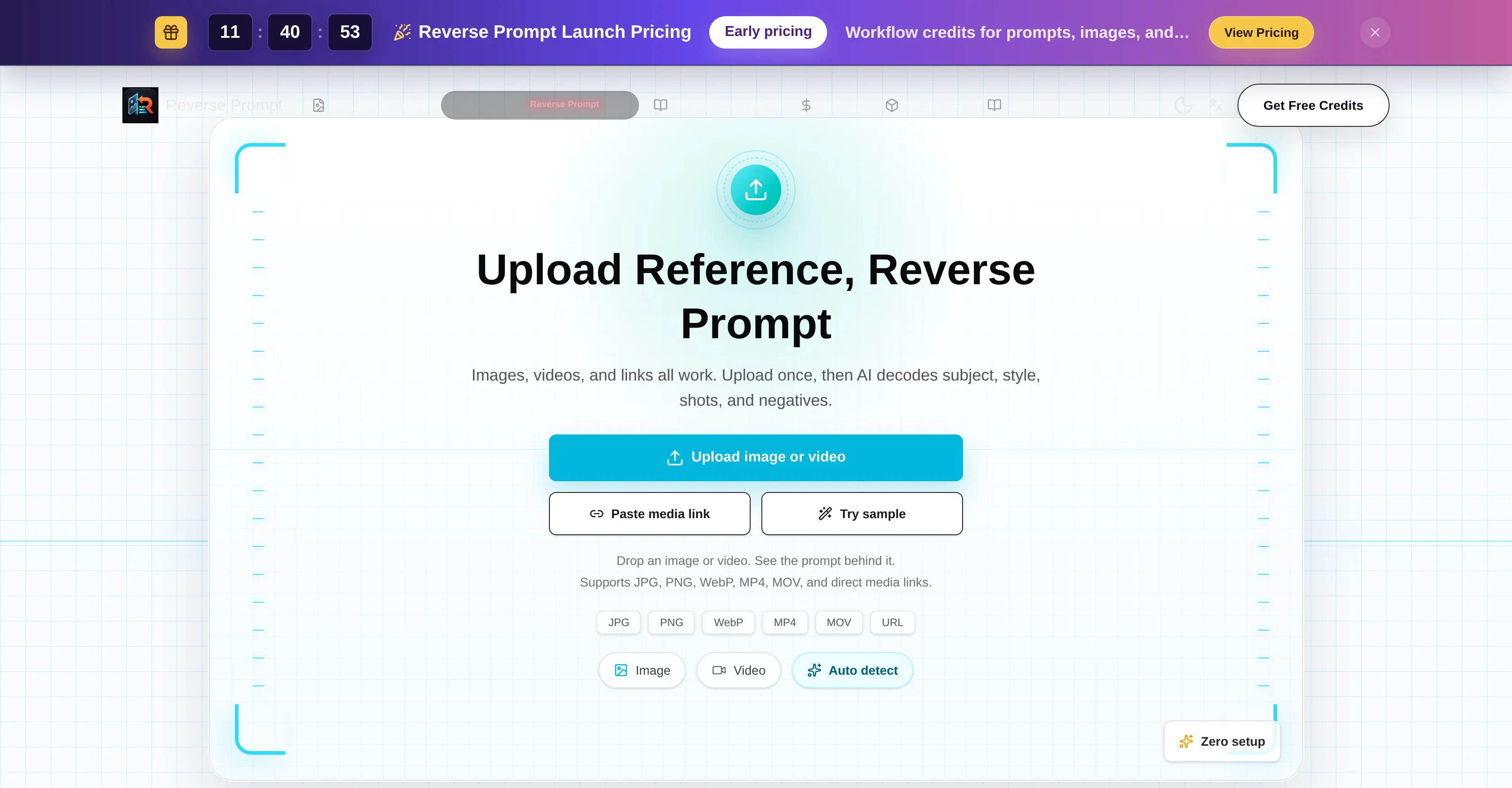
The Video to Prompt Generator is an AI tool designed for reverse engineering of reference videos. It allows users to upload various media, including images, videos, and direct media links, and supports numerous formats such as JPG, PNG, WebP, MP4, MOV.
The AI behind this tool deciphers various aspects including subject, style, shots, and negatives, essentially providing a reverse-prompt of the media.
Not limited to videos, it includes functionality to reverse-engineer image prompts as well. By deconstructing videos into structured elements like reusable video prompts, shot structure, key frames, negative prompts, and image prompts, it offers valuable insights that can benefit creators in various fields.
This tool finds application in diverse creative workflows, helping turn videos or images into structured prompts that can be utilized with AI services like Midjourney, Stable Diffusion, ChatGPT, ComfyUI among others.
Being automated and requiring zero setup, this tool simplifies the process of dissecting and understanding media content. It allows for the potential reuse and repurposing of media elements, offering a unique strategy for content creation.Please note that terms of service and privacy policy apply to usage of this tool.
Access & connections
Where you can use Reverse Prompt | Video to Prompt.
Platforms
Capabilities
What this tool accepts, produces, and is strongest at.
Input
- Image
- Video
Output
- Text
Supported features
- Text Generation
- Image to prompt
- Image Understanding
Pros & cons
Pros
- Supports various media types
- Supports numerous formats
- Deciphers subject, style, shots
- Deciphers negatives
- Reverse-engineer images functionality
- Video elements dissection
- Video repurposing and reuse
- Automated setup
Show 29 more
- Video prompt generation
- Key frames extraction
- Negative prompts extraction
- ChatGPT integration
- Midjourney integration
- Stable Diffusion integration
- ComfyUI integration
- Structured Data Extraction
- Automated Content Generation
- Creative Workflow Tools
- Multimedia Formats Support
- Content Reutilization
- Automated Media Analysis
- Image To Text Conversion
- No setup required
- Editable prompts generation
- In-depth media analysis
- Motion description extraction
- Shot direction extraction
- Composition and lighting analysis
- Reverse Prompt showcase
- Prompt Editing and Reuse
- Clear natural-language prompts
- Model ready prompts
- Prompt language for style, composition, subject detail
- Structured prompt parts and negative prompts
- Turn images into structured text prompts
- Detailed media data extraction
- Extracts camera movement, pacing, visual style
Cons
- Not open source
- No free trial
- Limited to specific formats
- No offline version
- Doesn't support live links
- No manual controls
- Mandatory registration
- Potential data privacy issues
Show 2 more
- May produce inaccurate prompts
- May not support high resolution
Compare alternatives
Similar tools in the catalog — with a clear reason to open each one.

Reel to Prompt ✓
FreeConvert Instagram Reels into ready-to-use AI prompts.
Why look Fully free option
Full comparison
Vid2Prompt ✓
Free TrialTurn any video into actionable prompts and insights.
Why look Typically cheaper
Full comparison
VideoInPrompt ✓
PaidExtract prompts. Generate AI images and videos.
Why look Typically cheaper
Full comparison
BeatMotion ✓
Free TrialTurn text into songs and music videos instantly.
Free + from $24/mo
Full comparison
Vdoo AI | Video Generator ✓
Free TrialTurn any image into AI video. No watermark, 10+ models, free.
Why look Typically cheaper
Full comparison
Flaq AI | Image to Video ✓
PaidAnimate any image with AI in seconds.
Why look Typically cheaper
Full comparisonReleases 1
FAQ 12
What is the Video to Prompt Generator?
How does the Video to Prompt Generator work?
What media formats does the Video to Prompt Generator support?
Can I use the Video to Prompt Generator with images as well as videos?
What kind of insights can the Video to Prompt Generator provide?
What AI services can the Video to Prompt Generator work with?
How automated is the Video to Prompt Generator?
Can I use the Video to Prompt Generator for repurposing media elements?
What are the terms of service and privacy policy for the Video to Prompt Generator?
Can the Video to Prompt Generator reverse engineer image prompts?
Is it possible to extract key frames using the Video to Prompt Generator?
Can the Video to Prompt Generator help me extract negative prompts?
Related tools
Recommended

AirMusic ✓
Free TrialAI music generator and music video creator in one platform.

ImaginPrompt ✓
FreemiumConvert any image into AI prompts instantly.

freebeat AI ✓
FreemiumTurn Music & Ideas into Viral Videos In One Click

Claude ✓
FreemiumBuilding reliable, interpretable AI systems

Meshy ✓
FreemiumTurn text and images into production-ready 3D models with AI in seconds.

NextDoor AI ✓
Free TrialPick a template. Make a picture.