

ProShots ✓
Create professional AI headshots in seconds.
Free + from $3.99
Verdict
A quick read before you dig into the full page.
- Best if
- You are professionals and need: Creating professional headshots without a photographer
- Skip if
- Limited location options
- Pick this when
- Generates realistic headshots
Considering MyPicNow instead? Compare side by side
Overview
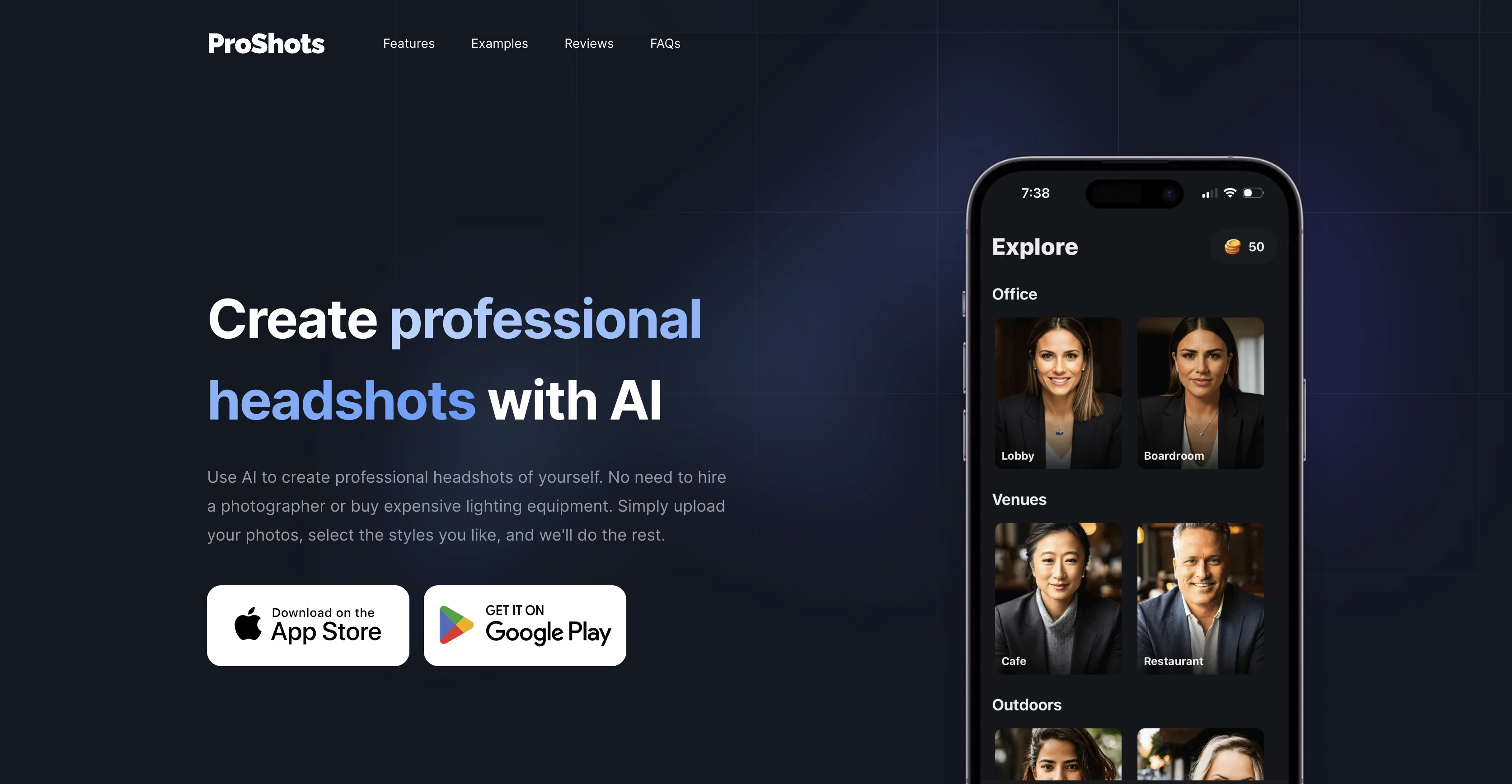
ProShots is an AI-based tool used to generate professional headshots. Using ProShots, users can select a preferred location, pose, and attire for their headshots.
This tool takes this information and generates a realistic headshot at the user's convenience. The need for hiring a professional photographer or purchasing expensive lighting equipment is eliminated.
The process involves uploading photos, selecting the styles users prefer, and letting the tool generate the headshots. ProShots offers a variety of locations, poses, and attire to choose from, allowing users to create multiple images to their liking.
These images can be saved in high-resolution quality. It ensures user privacy by clarifying queries regarding the handling of uploaded photos. ProShots is available for download on both iOS and Android platforms.
The time taken to generate images and refund policies, if any, can be found in the FAQs section. It offers a unique approach to creating professional-looking headshots using artificial intelligence.
Best for
Short scenarios where ProShots tends to shine.
-
Creating professional headshots without a photographer
Best for Professionals
Example outputs 1
Sample generations and before/after results for ProShots.
Access & connections
Where you can use ProShots.
Capabilities
What this tool accepts, produces, and is strongest at.
Input
- Tabular
- Image
Output
- Image
Pros & cons
Pros
- Generates realistic headshots
- Doesn't require photography equipment
- Multiple location options
- Flexible pose and attire selection
- High-resolution image saving
- Addresses common FAQs
- Privacy-focused
- Active social media presence
Show 7 more
- Positive user feedback
- Doesn't require photography knowledge
- Option to create multiple images
- Downloadable
- Customizable to individual style
- Quick headshot generation
- Simplified photo uploading process
Cons
- Limited pose options
- Cannot customize attire
- Restricted to professional scenario
- Limited location options
- No direct sharing options
- Can't adjust image resolution
- No batch processing
- FAQs lack technical detail
Show 2 more
- Dependent on quality of uploads
- No refund policy
Compare alternatives
Similar tools in the catalog — with a clear reason to open each one.

BetterPic | AI Headshots ✓
PaidStudio-quality (4K) portfolio, from $35 in under 60 minutes
Why look Higher community rating
Full comparison
AI Headshots ✓
PaidTransform selfies into professional headshots instantly.
from $19.99
Full comparison
Eltima AI Headshot Generator ✓
Free TrialGenerate professional headshots with AI templates.
Why look Higher community rating
Full comparisonPeople also view
Tools that often show up alongside ProShots in collections and comparisons.
AI Headshots ✓
PaidTransform selfies into professional headshots instantly.

PhotoGuruAI ✓
PaidCreate professional AI headshots in seconds

MyPicNow ✓
PaidBest AI Headshot Generator

Headshotpro ✓
PaidAI-generated professional headshots in minutes.
Eltima AI Headshot Generator ✓
Free TrialGenerate professional headshots with AI templates.
BetterPic | AI Headshots ✓
PaidStudio-quality (4K) portfolio, from $35 in under 60 minutes

Multiverse AI ✓
PaidTransform selfies into professional AI headshots
Anyvids ✓
FreemiumAny idea to video, made simple.
Releases 1
FAQ 12
What is ProShots?
How does ProShots use AI to create headshots?
Do I need any specific equipment to use ProShots?
What are the image requirements for ProShots?
How many images can I create with ProShots?
Can I choose the location for my headshot using ProShots?
How do I choose the type of pose and attire on ProShots?
Can I save the generated headshots in high resolution using ProShots?
What type of feedback has ProShots received from users?
How does ProShots handle user uploaded photos?
What is the expected time to generate a headshot on ProShots?
Where can I download ProShots?
Related tools
Recommended

Stunning ✓
PaidBuild AI-powered websites in seconds

Stratup.ai ✓
FreemiumInnovative idea generation for businesses.

ProPhotos ✓
PaidAI-powered headshots to upgrade your professional image.

Photo AI ✓
PaidCreate beautiful AI photos and videos of real people

MagicSlides.app AI PPT Maker ✓
FreemiumCreate Stunning PPTs in Seconds with the AI PPT Maker

PostPerfect ✓
FreemiumAutomated social media posts.