

Portrait Studio Pro ✓
Affordable, professional portraits generated.
from $19
Verdict
A quick read before you dig into the full page.
- Best if
- You are entrepreneurs and need: Creating professional headshots for LinkedIn profiles
- Skip if
- Limited to headshots only
- Pick this when
- Affordable professional portraits
Considering MyPicNow instead? Compare side by side
Overview
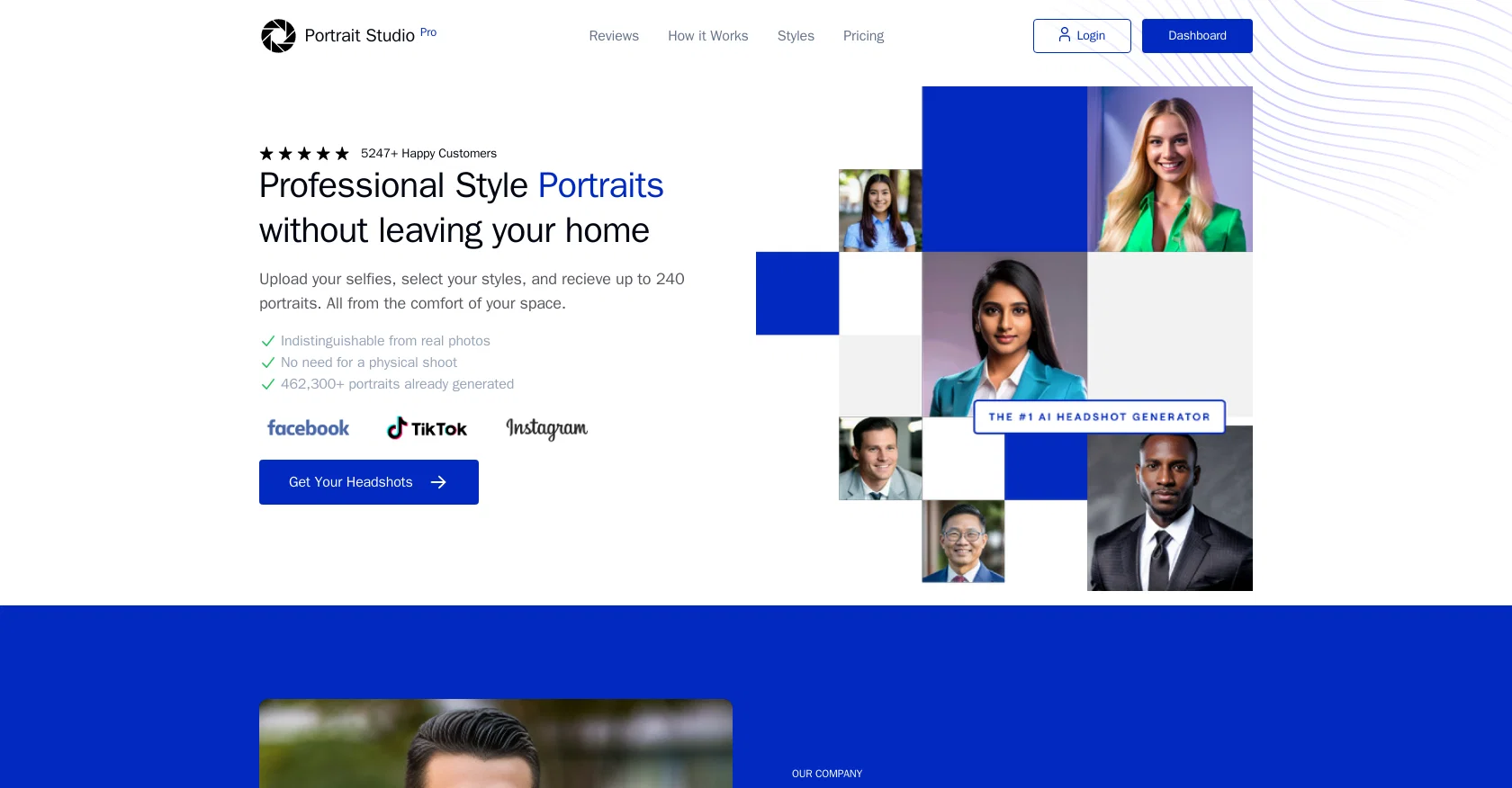
Portrait Studio Pro is an AI tool that offers an affordable and convenient solution for creating professional portraits. Users can upload their own photos and the AI engine will generate pixel-perfect business photos, eliminating the need for a physical photo shoot.
The tool promises indistinguishable results from real photos.The process is simple: users upload their selfies and select their preferred styles. The AI technology then generates over 120+ headshots for each team member, offering a wide range of backdrops and clothing options to choose from.The tool provides different pricing options based on the number of headshots and styles desired.
Users can choose between Standard, Advanced, and Premium packages, all with a quick 2-hour turnaround time.Privacy and security are important considerations with Portrait Studio Pro.
The AI-guided model uses input photos to render the headshots, but the photos are deleted from the servers within 7 days. Users retain full ownership and commercial license over their photos.Customer reviews highlight the impressive results and seamless experience.
The tool has been used by satisfied customers in various professional roles, including Chief Product Officers and Chief Financial Officers.Overall, Portrait Studio Pro is a user-friendly and cost-effective AI tool that allows individuals and teams to create high-quality professional portraits without the need for a physical photoshoot.
Best for
Short scenarios where Portrait Studio Pro tends to shine.
-
Creating professional headshots for LinkedIn profiles
Best for Entrepreneurs
-
Generating business portraits for company websites
Best for Job seekers
-
Producing headshots for marketing materials
Best for Business professionals
-
Updating professional images without a physical photoshoot
Best for Real estate agents
Example outputs 1
Sample generations and before/after results for Portrait Studio Pro.
Access & connections
Where you can use Portrait Studio Pro.
Platforms
Pros & cons
Pros
- Affordable professional portraits
- Personal photo upload option
- 120+ generated headshots
- Variety of styles/backdrops
- Range of clothing options
- Different pricing packages
- Quick 2-hour turnaround
- Strong privacy measures
Show 18 more
- Full ownership of photos
- Commercial license grant
- User-friendly experience
- High customer satisfaction
- No need for physical shoots
- Up to 240 portraits
- Up to 6 unique locations
- Crisp, high definition photos
- Matching photos for teams
- Easy team creation process
- Traditional and modern styles
- Intuitive platform interface
- Photos deleted in 7 days
- Refund options available
- Secure payment methods
- Supports JPG, PNG, BMP, TIFF
- US-based cloud storage
- Convenient from home
Cons
- Limited style options
- Depends on quality of selfies
- Potential exaggeration of makeup
- No immediate data deletion
- No offline operation
- Unable to pose postures
- Possible uniformity in output
- Limited to headshots only
Show 2 more
- Specific feature enhancements missing
- Less customizability in clothing options
Compare alternatives
Similar tools in the catalog — with a clear reason to open each one.

PhotoGuruAI ✓
PaidCreate professional AI headshots in seconds
Why look Typically cheaper
Full comparison
BetterPic | AI Headshots ✓
PaidStudio-quality (4K) portfolio, from $35 in under 60 minutes
Why look Higher community rating
Full comparison
AI Headshots ✓
PaidTransform selfies into professional headshots instantly.
from $19.99
Full comparison
Eltima AI Headshot Generator ✓
Free TrialGenerate professional headshots with AI templates.
Why look Typically cheaper
Full comparisonPeople also view
Tools that often show up alongside Portrait Studio Pro in collections and comparisons.
AI Headshots ✓
PaidTransform selfies into professional headshots instantly.
PhotoGuruAI ✓
PaidCreate professional AI headshots in seconds

MyPicNow ✓
PaidBest AI Headshot Generator

Headshotpro ✓
PaidAI-generated professional headshots in minutes.
Eltima AI Headshot Generator ✓
Free TrialGenerate professional headshots with AI templates.
BetterPic | AI Headshots ✓
PaidStudio-quality (4K) portfolio, from $35 in under 60 minutes

Multiverse AI ✓
PaidTransform selfies into professional AI headshots

Anyvids ✓
FreemiumAny idea to video, made simple.
Releases 1
Imported reviews 2
Cero realistic, error in generation, you can do it same an better with a free model.
Not accepted all picture format, not option to edit or improve it.
I´m expecting much more for 20 USD for 15 AI images.
I don´t recommended at all.
👍👍👍👍👍👍
FAQ 12
What is Portrait Studio Pro?
How does Portrait Studio Pro work?
How many headshots can Portrait Studio Pro generate?
What are the different pricing options available on Portrait Studio Pro?
How secure is Portrait Studio Pro?
What happens to my photos after they are uploaded to Portrait Studio Pro?
What is the turnaround time for Portrait Studio Pro?
Who retains ownership and commercial license over the photos on Portrait Studio Pro?
What are the different styles that I can select on Portrait Studio Pro?
What kind of photos should I upload for the best results on Portrait Studio Pro?
Where is my data stored on Portrait Studio Pro?
Can I get a refund on Portrait Studio Pro?
Related tools
Recommended

Dreamwave ✓
Free TrialRated the #1 AI headshot generator for studio-quality (4K) professional headshots.

Photo AI ✓
PaidCreate beautiful AI photos and videos of real people

LearningStudioAI ✓
Free TrialAI-powered authoring tool for effortless online course creation.

VenturusAI ✓
FreemiumBusiness idea analysis and reporting.
WriteHuman ✓
Free TrialUndetectable and private content generation.

AISuitUP ✓
PaidGenerated professional headshots for online profiles.