
AI Carousels Cheat Sheets
Create pro LinkedIn carousels in seconds, no design skills needed.
Verdict
A quick read before you dig into the full page.
- Best if
- Create pro LinkedIn carousels in seconds, no design skills needed
- Skip if
- Not suitable for complex infographics
- Pick this when
- Professional quality outputs
Considering FGenEds instead? Compare side by side
Overview
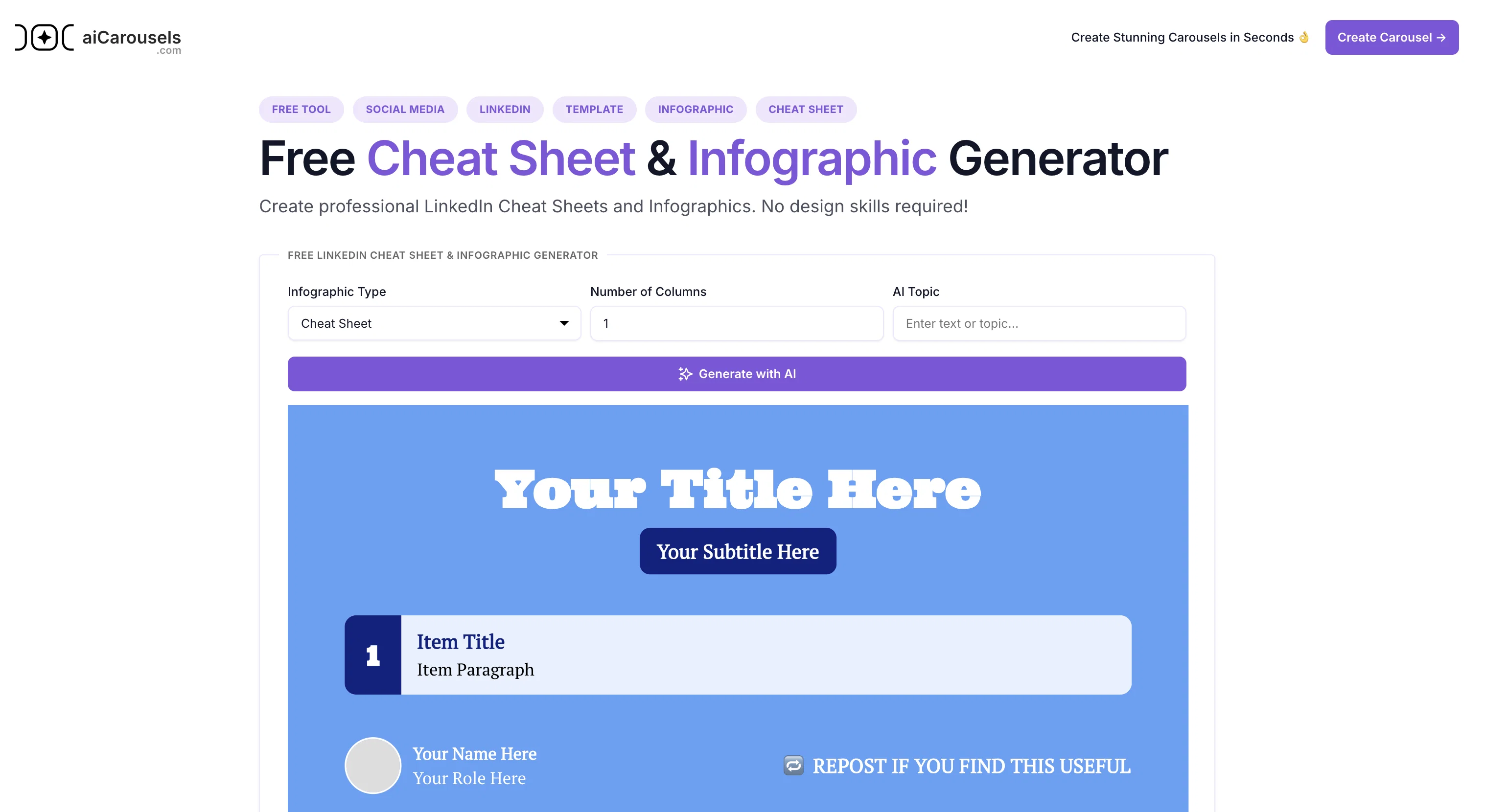
The AI Cheat Sheet & Infographic Generator is a user-friendly tool designed to produce professional-quality cheat sheets and infographics designed for LinkedIn.
The tool is specifically purposed to provide an enhanced, visually appealing form of conveying information. Essential for both individuals and companies who want to simplify complex information visually, the tool offers a variety of customizable templates that organizes information in a structured and engaging manner.
The available templates include Listicle, Do's and Don'ts, and Problem-Solution formats. Users can customize these templates to accommodate their personal or corporate branding needs.
There are customization options for fonts, colors, design settings and styles. Each template is designed to deliver information in a concise and impactful way.
This tool provides an avenue to increase engagement by attracting more views and shares and thus increasing profile visibility. It is also an efficient solution for those with no design skills since it offers a seamless design process.
Additionally, the AI Cheat Sheet & Infographic Generator at aiCarousels.com is free to use, fostering easy accessibility.
Access & connections
Where you can use AI Carousels Cheat Sheets, and what it plugs into.
Platforms
Capabilities
What this tool accepts, produces, and is strongest at.
Input
- Image
- Text
Output
- Image
Pros & cons
Pros
- Professional quality outputs
- Customizable templates
- Multiple template formats
- No design skills required
- Increases engagement and visibility
- Free to use
- Custom fonts and colors
- Seamless design process
Show 34 more
- Effective information visualization
- Creates Listicle formats
- Creates Do's and Don'ts formats
- Creates Problem-Solution formats
- Flexible design settings and styles
- Concise and impactful presentation
- Supports personal and corporate branding
- Boosts LinkedIn profile visibility
- Highly user-friendly
- Ideal for simplifying complex information
- Promotes more views and shares
- Efficient for non-designers
- Generates pro LinkedIn cheat sheets
- Optimized for LinkedIn content
- Provides quick tips
- Ideal for visually appealing infographics
- Boosts understanding with visuals
- Eases application of personalized styles
- Offers clear guidance on best practices
- Showcases problems and their solutions
- Completely free tool with no hidden costs
- No sign-up required
- Ability to edit text directly
- Option to add more items
- Multiple font pairing options
- Background style customization
- Color Palette customization
- Background image search
- Downloadable outputs
- Built-in tutorial on how to use
- No hidden costs
- Works well with Instagram cheat sheets
- CV builder available
- International language support
Cons
- Only for LinkedIn
- Limited template designs
- No offline version
- No multi-language support
- Can't import own templates
- Not suitable for complex infographics
- No editing after saving
- Can't collaborate with others
Show 2 more
- No in-built tutorial
- Limited customization options
Compare alternatives
Similar tools in the catalog.

Releases 1
Imported reviews 1
This is an awesome tool for creating content very fast. I use it daily for my LinkedIn posts. However, you need to be crystal clear about what you actually want from it. Superb tool!
FAQ 12
What is the AI Cheat Sheet & Infographic Generator?
Can the AI Cheat Sheet & Infographic Generator be used for platforms other than LinkedIn?
What types of templates does the AI Cheat Sheet & Infographic Generator provide?
Can I customize the templates in the AI Cheat Sheet & Infographic Generator?
What customization options does the AI Cheat Sheet & Infographic Generator offer?
Can I change the text color and fonts in the AI Cheat Sheet & Infographic Generator?
What benefits does the AI Cheat Sheet & Infographic Generator offer to users with no design skills?
How can the AI Cheat Sheet & Infographic Generator help improve LinkedIn profile visibility?
Is the AI Cheat Sheet & Infographic Generator really free to use?
Is there a sign-up requirement to use the AI Cheat Sheet & Infographic Generator?
What types of content can be created using the AI Cheat Sheet & Infographic Generator?
Does the AI Cheat Sheet & Infographic Generator support Instagram designs?
Related tools
Recommended

Wix AI Website Builder ✓
FreemiumAI-powered websites, instantly ready for business.

AI Blaze ✓
FreemiumYour personal AI copilot. Write & improve text, answer questions, and more.

Gurubase ✓
Free TrialShortcut search for tech resources and answers.

Kin - Personal AI Advisors ✓
FreePrivacy-first & designed your for mind, and life at work

PrometAI ✓
FreemiumTurn ideas into viable reality with AI business plan generator.

BypassGPT.co ✓
PaidHumanize AI text to bypass detection tools.