

Courses v1.2.0 2026 Rank: #747
PersonWise ✓
Create AI courses learners can talk to and embed anywhere
Verdict
A quick read before you dig into the full page.
- Best if
- Create AI courses learners can talk to and embed anywhere
- Skip if
- Limited course management features
- Pick this when
- Generates complete digital-human courses
Considering LearningStudioAI instead? Compare side by side
Overview


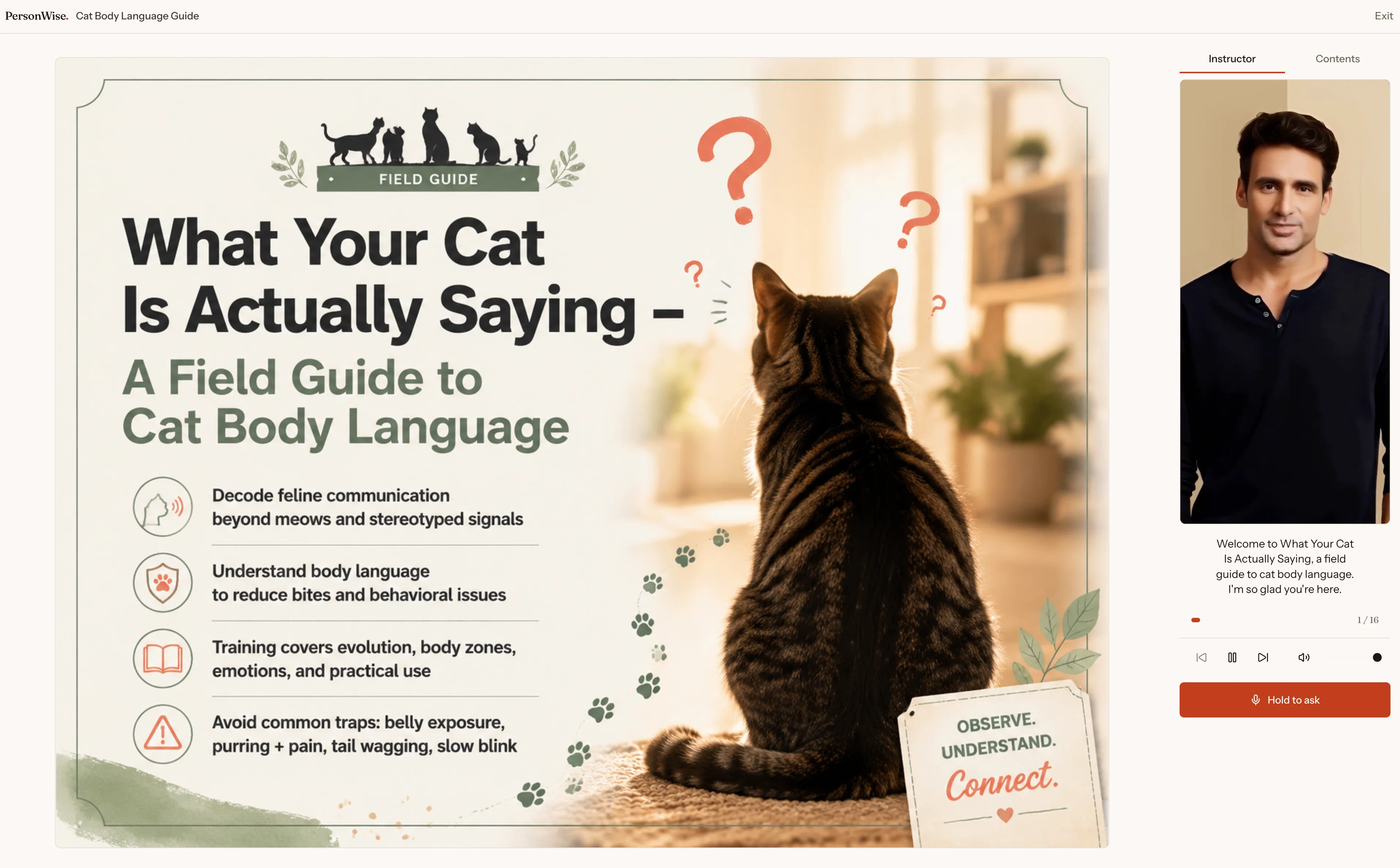
Your deck was the easy part — someone still has to present it. PersonWise takes over that last mile. Bring your own PowerPoint — every slide and speaker note stays exactly as written — or start from a single topic and get designer-grade pages generated for you.
Either way the result is a course that presents itself: a digital-human instructor delivers it, and learners can interrupt with voice questions and get answers grounded in your own content.
Publish by link or embed the course on any website with a YouTube-like player. A complete course, in 10 languages, in as little as 15 minutes. Team plans add assignments, completion tracking, and learner evidence.
- Digital-human Presenter
- Complete Ai Course Generation
- Real-time Grounded Voice Q&a
- Embeddable Interactive Player
- Designer-grade Slide Generation
- Built-in Assessments
- 10-language Course Creation
- Team Assignments And Completion Tracking
Best for
Short scenarios where PersonWise tends to shine.
-
Create AI courses learners can talk to and embed anywhere
Example outputs 1
Sample generations and before/after results for PersonWise.
Access & connections
Where you can use PersonWise.
Platforms
Capabilities
What this tool accepts, produces, and is strongest at.
Input
- Tabular
- Image
- Text
Output
- Audio
- Video
- Text
- Image
Highlights
- SOTA
- Agents
Supported features
- Teaching Humans
- Agents
Pros & cons
Pros
- Generates complete digital-human courses
- One-line input for course creation
- Designer-grade slides
- Live voice Q&A sessions
- Inbuilt assessments
- Interactive learner environment
- Editability at every step
- Provides course management features
Show 13 more
- Tracks course completion
- Assigns courses to seats
- Exports learner evidence
- Allows creation of demo courses
- Everything generated from single topic
- Producing comprehensive courses
- Automated research
- Automated narration
- Automated page design
- Ensures learner engagement
- Suitable for teams
- Encourages self-learning
- Fosters interactive learning
Cons
- Limited to one-line input
- No manual narration option
- No customization beyond editing
- Cannot add personal research
- Courses tied to original topic
- Lack of learner interaction options
- Limited course management features
- Cannot design course layout
Show 1 more
- No real-time learner assessment
Compare alternatives
Similar tools in the catalog — with a clear reason to open each one.

LearningStudioAI ✓
Free TrialAI-powered authoring tool for effortless online course creation.
Why look Typically cheaper
Full comparison
Mindsmith ✓
FreemiumPlatform for building and sharing eLearning content
Why look Typically cheaper
Full comparison
AiCoursify ✓
PaidBuild your online course in minutes with AI.
Why look Higher community rating
Full comparison
CraftedCourses.io ✓
PaidCreate and Share High-Quality Online Courses in Minutes
Why look Typically cheaper
Full comparison
Mexty ✓
FreemiumAI-native interactive learning platform with LMS and SCORM
Why look Typically cheaper
Full comparison
AI Course Creator ✓
FreemiumAI-powered course creation in minutes.
Why look Typically cheaper
Full comparisonPeople also view
Tools that often show up alongside PersonWise in collections and comparisons.
CraftedCourses.io ✓
PaidCreate and Share High-Quality Online Courses in Minutes
Mindsmith ✓
FreemiumPlatform for building and sharing eLearning content
Mexty ✓
FreemiumAI-native interactive learning platform with LMS and SCORM
LearningStudioAI ✓
Free TrialAI-powered authoring tool for effortless online course creation.
AiCoursify ✓
PaidBuild your online course in minutes with AI.
AI Course Creator ✓
FreemiumAI-powered course creation in minutes.

Draft Dash - AI Article Writer with Real Sources ✓
FreemiumGenerate SEO-optimized articles with real-time research and fact-checking.

CreateUpon ✓
Free TrialCreate expert courses at the speed of thought.
Releases 3
- Bring Your Own PPT — upload the deck you already have and get an interactive course: slides and speaker notes stay exactly as written, and the deck no longer needs a presenter.
- Learners can interrupt the digital-human instructor with voice questions and get answers grounded in your own slides and notes.
- Start from one typed line or from an existing deck — a complete course is ready in as little as 15 minutes.
- Full right-to-left Arabic interface now live at personwise.ai/ar.
- A much better mobile experience for creating and editing courses on the go.
- New mobile-only Autopilot mode that finishes course production and notifies you when it is ready.
- New narrated PowerPoint exports with a digital-human presenter on every slide.
FAQ 12
What is PersonWise?
How does PersonWise turn a topic into a full course?
How does the AI presenter in PersonWise work?
What are the course management features of PersonWise?
How do the live voice Q&A sessions work in PersonWise?
How can I edit the course content in PersonWise?
How does PersonWise help in fostering an engaging learning environment?
Can I create a demo course using PersonWise? How?
Does PersonWise also help in tracking course completion?
What is the quality of page design offered by PersonWise?
Can users control their digital courses in PersonWise?
How does the PersonWise course creation start with just a one-line input?
Related tools
Recommended

freebeat AI ✓
FreemiumTurn Music & Ideas into Viral Videos In One Click

Grok ✓
FreemiumConversational AI for understanding the universe.

Whacka ✓
Free TrialTurn ideas into real apps from your phone.

X-Pilot AI ✓
FreemiumTurn Documents into Accurate Video Course Series

HappySeeds ✓
FreemiumTurn ideas into AI-powered apps instantly.

JBOX ✓
Free TrialTurn one prompt into a full-stack app.