
PDFToMP3 ✓
Transform PDFs into easy-listening MP3s.
Trial; then from $2
Verdict
A quick read before you dig into the full page.
- Best if
- Transform PDFs into easy-listening MP3s
- Skip if
- Complex math translation inaccuracies
- Pick this when
- Transforms PDF to MP3
Considering ElevenLabs instead? Compare side by side
Overview
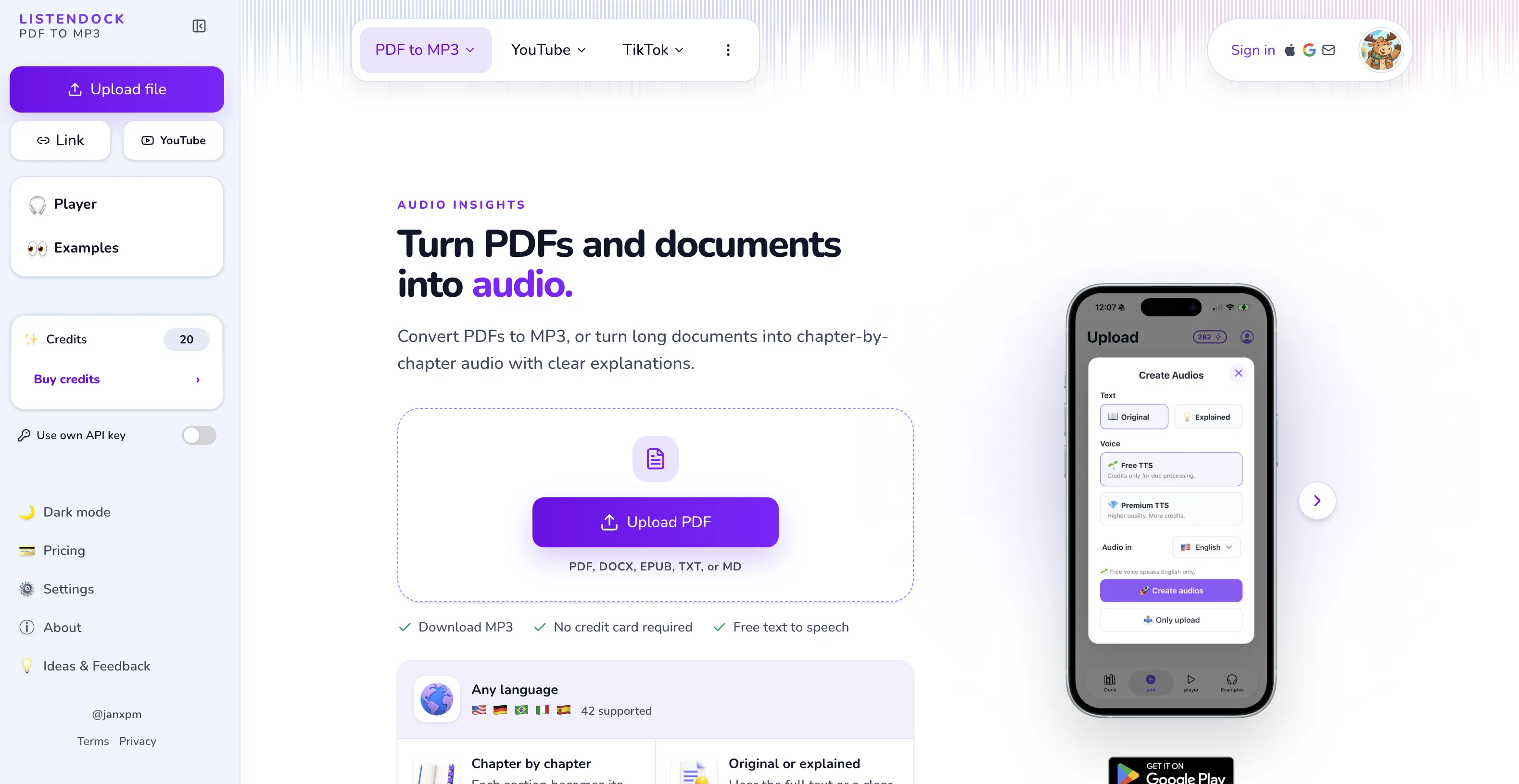
PDFToMP3 is an AI-based tool designed to transform text from PDFs into MP3 format, providing an audio version of the content. The core application of the tool is to aid in learning while on the move, such as during commuting, exercising, or performing daily chores.
PDFToMP3 operates by giving users the choice to upload their selected PDFs which the AI then converts into easy-to-understand, listener-friendly MP3s.
This tool is particularly beneficial for digesting complex or technical books and documents and is capable of handling texts involving maths, translating them into a format ideal for auditory learning.
In addition, PDFToMP3 offers a unique feature where it presents a summary after each chapter in the audio format. This reinforces the comprehension and absorption of the provided information.
Hence, PDFToMP3 offers a practical solution for continuous learning, specifically catering to individuals who wish to capitalize on their time effectively while conducting other activities.
Access & connections
Where you can use PDFToMP3.
Platforms
Capabilities
What this tool accepts, produces, and is strongest at.
Input
- Text
Output
- Audio
Pros & cons
Pros
- Transforms PDF to MP3
- Facilitates on-the-move learning
- Handles technical documents
- Translates mathematical texts
- Provides chapter summaries
- Improves comprehension
- Boosts multitasking abilities
- Supports accessibility
Show 12 more
- Promotes time management
- Enables portable learning
- Simplifies complex content
- Ideal for auditory learners
- Effective for commute learning
- General document processing
- Useful for accelerated learning
- Easy to upload PDFs
- Creates listener-friendly formats
- Aids in E-learning
- Helps you stay updated
- Sign in with Google
Cons
- No offline mode
- No multi-language support
- Complex math translation inaccuracies
- No rewind or repeat option
- No adjustable audio speed
- No text-highlight while reading
- No ability to choose voices
- Limited to PDFs only
Show 1 more
- No sentence pause adjustment
Compare alternatives
Similar tools in the catalog — with a clear reason to open each one.

ElevenLabs ✓
FreemiumCreate lifelike AI voices for compelling storytelling.
Why look Offers a public API
Full comparison

VoiSpark ✓
FreemiumCreate human-like voices for content with AI
Why look Better for writing
Full comparison
Free Text-To-Speech ✓
FreeText transformed into customizable spoken output.
Why look Fully free option
Full comparison

Releases 1
Imported reviews 1
There is no way to tell how good this AI Text to MP3 service is without paying up front. Maybe it's good, maybe it's not.
Related tools
Recommended

Mindsmith ✓
FreemiumPlatform for building and sharing eLearning content

AcademicGPT ✓
FreemiumAI-powered academic writing assistant.

Unreal Speech ✓
Free TrialCheapest Text-to-Speech API

Eightify
UnknownAI-powered YouTube video summarizer extracting key ideas for quick content assessment.

Transcript LOL ✓
FreemiumUnlimited transcripts, summaries, 99.8% accuracy, speaker recognition, superfast

Beeyond AI ✓
Free TrialBeeyond AI: Unlock 50+ AI tools under one subscription