

PDF To Brainrot AI ✓
Transform PDFs into addictive TikTok-style videos.
Free + from $9.9
Verdict
A quick read before you dig into the full page.
- Best if
- You are students and need: Transforming textbooks and study materials into engaging videos for students
- Skip if
- May oversimplify complex topics
- Pick this when
- Converts any PDF topic
Considering PDF to Video AI instead? Compare side by side
Overview
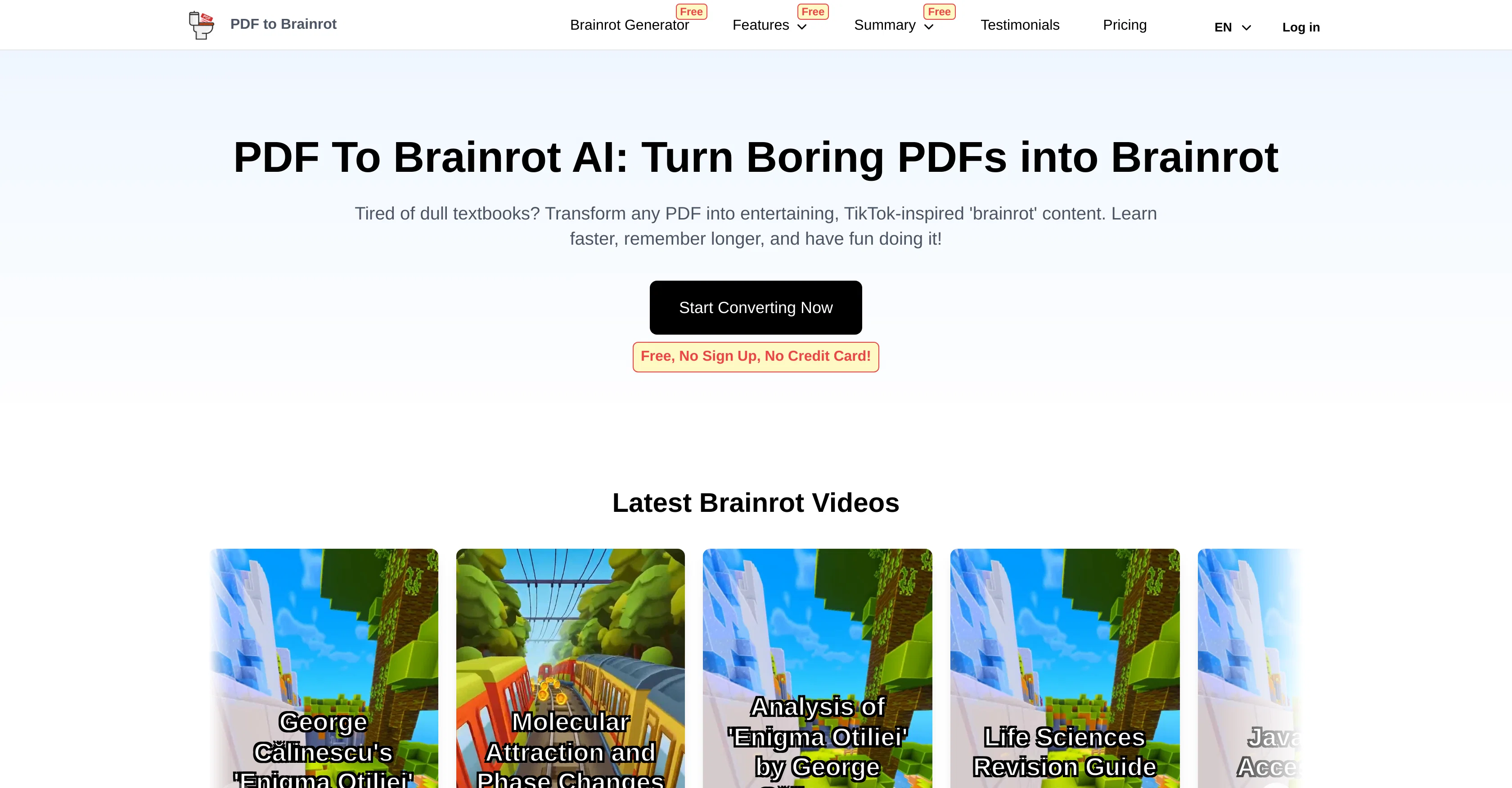
PDF To Brainrot AI is a tool designed to convert PDFs into 'brainrot' content, which are TikTok-style videos that make learning engaging, fun, and memorable.
This tool is suitable for any PDF topic, be it academic textbooks, research papers, or creative writing, making it an ideal choice for students, educators, and lifelong learners.
Its quick conversion process turns PDF content into easily digestible snippets in seconds. The unique 'brainrot' format blends education with entertainment, fostering better retention and recall of the material.
The converted content is easily accessible on a variety of devices, allowing for learning on the go. Beyond PDFs, this tool also converts any text into 'brainrot' content.
Users can copy-paste text from various sources, which is then transformed into engaging videos. PDF To Brainrot's technology takes complex material, whether it's formulas or historical events, and condenses it into format recognisable to today's internet generation.
The tool also allows for customization with voice and narration variety, background music or video addition, and preference specifications for video creation.
Furthermore, it provides multiple video types, such as the unconventional 'Brainrot mode', the interactive 'Quiz mode', or the simple 'Raw mode'. In addition to improving learning outcomes for individual students, this tool can be utilized for professional and corporate training, making it a versatile solution for different learning needs.
Best for
Short scenarios where PDF To Brainrot AI tends to shine.
-
Transforming textbooks and study materials into engaging videos for students
Best for Students
-
Creating training materials and presentations for professionals
Best for Teachers
-
Turning lecture notes and web articles into memorable social media-style clips
Best for Lifelong learners
Example outputs 1
Sample generations and before/after results for PDF To Brainrot AI.
Access & connections
Where you can use PDF To Brainrot AI, and what it plugs into.
Platforms
Integrations
Capabilities
What this tool accepts, produces, and is strongest at.
Input
- Tabular
- Text
Output
- Video
Pros & cons
Pros
- Converts any PDF topic
- Quick conversion process
- Content suitable for multiple devices
- Text to 'brainrot' feature
- Transforms complex material
- Customizable voice and narration
- Customizable background music/video
- Multiple video types offered
Show 33 more
- Useful for corporate training
- TikTok-style educational videos
- Enhances learning retention
- Converts directly to digestible videos
- Suitable for any subject matter
- Non-PDF text conversion
- User-preference specification in videos
- Access on any device
- Ideal for students, educators, lifelong learners
- Interactive 'Quiz mode' content
- Unconventional 'Brainrot mode' content
- Plain 'Raw mode' content
- Perfect for online learning environments
- Creates sharable eLearning content
- Converts dense academic texts
- Fast content creation
- Turns study material social media-friendly
- Combines entertainment with education
- Transforms lecture notes into videos
- Makes learning enjoyable
- Professional training material creation
- Variety in video types
- User-friendly interface
- Flexible tool for various learning needs
- Creates engaging training materials
- Interactive learning experience
- Dynamic and interesting presentations
- Engaging team-building quizzes
- Upload own background music or video
- Unique and engaging content creation
- Transforms static PDFs into videos
- Bite-sized, memorable content
- Turns academic material into memorable format
Cons
- Limited customization options
- Doesn't support multilingual conversion
- Conversion accuracy varies
- May oversimplify complex topics
- No offline functionality
- Dependant on internet speed
- Limited background options
- Possible copyright issues
Show 2 more
- Unpredictible learning outcome
- No own media input
Compare alternatives
Similar tools in the catalog — with a clear reason to open each one.

PDF to Video AI ✓
FreeTurn PDFs into professional explainer videos in minutes.
Why look Fully free option
Full comparison
Brainrot Shorts ✓
FreemiumCreate viral AI brainrot videos in minutes.
Free + from $15.00/mo
Full comparisonPeople also view
Tools that often show up alongside PDF To Brainrot AI in collections and comparisons.
PDF to Video AI ✓
FreeTurn PDFs into professional explainer videos in minutes.
Brainrot Shorts ✓
FreemiumCreate viral AI brainrot videos in minutes.

Mindsmith ✓
FreemiumPlatform for building and sharing eLearning content

Mind Map Wizard ✓
FreemiumGenerate mind maps with AI: free, no sign-up, no ads

Manus ✓
FreemiumTurn your thoughts into actions with AI

leania.ai ✓
Free TrialMRI scan for Businesses: Find What to Cut, Replace, Automate with AI

Hedy AI ✓
FreemiumDominate every meeting with Hedy as your brilliant AI ally

GitPage AI Website Builder ✓
PaidBuild a website in minutes, not days.
Releases 1
Imported reviews 1
Not what I expected. The roblocks stuff. When you say PDF to video, I was expecting whatever the PDF says there would be an animation or cartoon or something visually animated going on.
FAQ 12
What is the main functionality of PDF To Brainrot AI?
Can PDF To Brainrot AI convert any type of PDF document?
How quickly does PDF To Brainrot AI convert documents?
What is the 'brainrot' format?
Can I access content converted by PDF To Brainrot AI on different devices?
Does PDF To Brainrot AI only convert PDFs?
How can I customize my content with PDF To Brainrot AI?
What are the different video types provided by PDF To Brainrot AI?
Can PDF To Brainrot AI be used for corporate training?
What makes PDF To Brainrot AI beneficial for students?
How does PDF To Brainrot AI handle complex academic material?
What control do I have over the voice and narration in PDF To Brainrot AI?
Related tools
Recommended

Thea ✓
FreemiumAI study tools to master material, not just memorize it.
Mind Map Wizard ✓
FreemiumGenerate mind maps with AI: free, no sign-up, no ads
leania.ai ✓
Free TrialMRI scan for Businesses: Find What to Cut, Replace, Automate with AI
Manus ✓
FreemiumTurn your thoughts into actions with AI
Mindsmith ✓
FreemiumPlatform for building and sharing eLearning content
Columns ✓
FreemiumAutomate clear insights from any data