

Organize with AI ✓
AI photo organizer that speaks your language
from $20
Verdict
A quick read before you dig into the full page.
- Best if
- AI photo organizer that speaks your language
- Skip if
- Requires installation
- Pick this when
- Semantic search
Considering Kive instead? Compare side by side
Overview
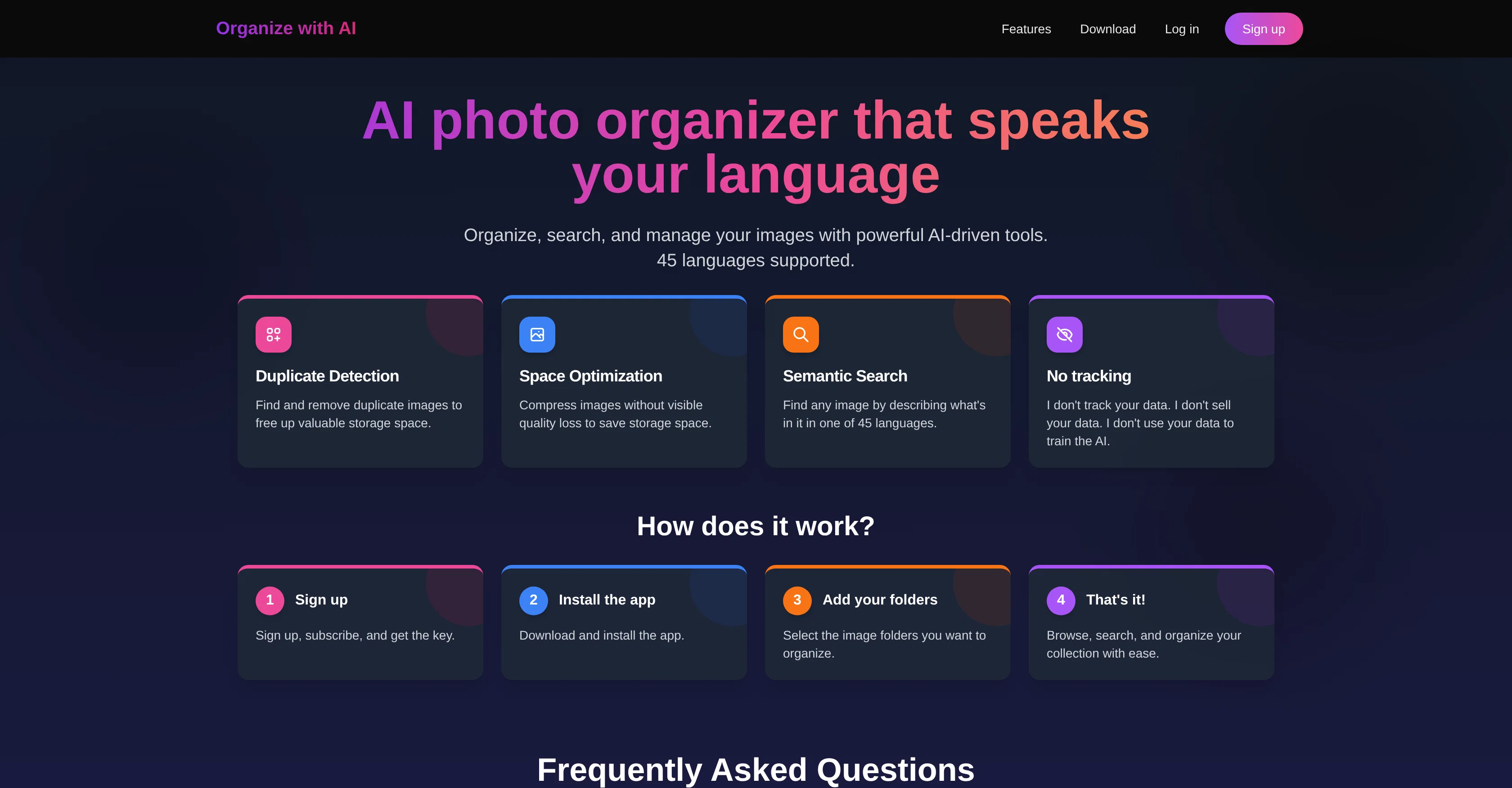
- Semantic search: Describe what's in your images and find them quickly. Just type in "blurred photos" or "screenshot" and be ready to delete stuff in dozens!
- Multi-language support: You can search in 45 languages.
- Image search: Select an image and find similar ones.
- Duplicate detection: The app automatically finds semantic duplicates - images that are similar but not exactly the same. Then, you decide what to delete and what to keep.
- Space optimization: Compress images without any visible compromise on their quality.
- Copy to clipboard: Copy the image to the clipboard with a single click to share it with others.
- Minimal system footprint: The app uses little to no system resources. The images are indexed remotely, so the app won't slow your computer or drain your battery.
To use the app, simply buy and download it. All major systems - macOS, Windows, Linux - are supported.
The privacy of your data is important to me. The images are used only for generating semantic vectors that are stored on your computer. I don't track you, sell your data, or use it for AI training.
Best for
Short scenarios where Organize with AI tends to shine.
-
AI photo organizer that speaks your language
Example outputs 1
Sample generations and before/after results for Organize with AI.
Access & connections
Where you can use Organize with AI, and what it plugs into.
Platforms
Integrations
Capabilities
What this tool accepts, produces, and is strongest at.
Input
- Image
- Text
- Video
Output
- Image
- Video
Pros & cons
Pros
- Semantic search
- Multi-language support
- Duplicate image detection
- Space optimization
- Image compression
- High data privacy
- User data security
- User-friendly
Show 37 more
- 45 languages supported
- Efficient folder management
- Doesn't track user data
- Simple sign-up process
- Easy installation process
- No apparent quality loss when compressing
- Optimizes storage resources
- Empowers user to organize images
- Empowers user to search images
- Empowers user to manage images
- No online necessity
- Supports user language
- No selling of user data
- Free storage space with duplicate detection
- Browse image collection ease
- Easy-to-follow instructions
- Non-intrusive application
- Efficient key subscription process
- Data is not tracked
- Data is not sold
- Support contact available
- Highly versatile tool
- Ensures data ownership protection
- Digital storage conservation
- Drives efficient image management
- Supports semantic description search
- Saves valuable storage space
- Enable composite search of images
- Respects user's language choice
- Optimizes data management
- Subscribe and get key feature
- Automates image organization
- Privacy commitment
- Data integrity preservation
- Image search by description
- Removes redundant images
- Enables autonomous image organization
Cons
- Requires installation
- Sign-up needed
- No offline functionality
- No noted API support
- Image folder based, no individual
Compare alternatives
Similar tools in the catalog — with a clear reason to open each one.

Tagbox ✓
FreemiumMagically organize your creative assets with AI
Why look Freemium alternative
Full comparison
ImageSorter ✓
FreeSort and organize images with AI-powered drag-and-drop
Why look Fully free option
Full comparison
AI Keywording ✓
PaidAI-powered image keywording in seconds
Why look Typically cheaper
Full comparison
Keep It Shot ✓
FreemiumAI-powered screenshot organization for Mac users.
Why look Freemium alternative
Full comparison
T-Rex Label ✓
UnknownOne-click image annotation automation
Why look Higher community rating
Full comparisonPeople also view
Tools that often show up alongside Organize with AI in collections and comparisons.
Tagbox ✓
FreemiumMagically organize your creative assets with AI
T-Rex Label ✓
UnknownOne-click image annotation automation

Kive ✓
FreemiumOrganize visual inspiration with AI
Keep It Shot ✓
FreemiumAI-powered screenshot organization for Mac users.
ImageSorter ✓
FreeSort and organize images with AI-powered drag-and-drop
AI Keywording ✓
PaidAI-powered image keywording in seconds

Realms of Shod ✓
Free TrialMultiplayer tools, AI notes, and knowledge-graph surfaces for TTRPG worlds and stories

InstantMind ✓
Free TrialAI-powered mind maps from any content, instantly.
Releases 1
FAQ 12
What is Organize with AI?
How does semantic search work in Organize with AI?
How many languages does Organize with AI support in semantic search?
What is the process to install and use Organize with AI?
Does Organize with AI have the feature to detect and remove duplicate images?
Can Organize with AI help in saving storage space?
How does Organize with AI ensure my data privacy?
Is my data used for AI training in Organize with AI?
Can I compress images without compromising quality using Organize with AI?
What steps does Organize with AI take to ensure user data security?
Can I use Organize with AI to manage my image folders?
What does the sign-up process for Organize with AI entail?
Related tools
Recommended

The Drive AI ✓
FreemiumAI agents to organize files

Notis ✓
Free TrialThe first WhatsApp assistant that runs on your ChatGPT and Claude subscriptions

GPTExcel ✓
FreemiumGenerate spreadsheet formulas with AI

Beeyond AI ✓
Free TrialBeeyond AI: Unlock 50+ AI tools under one subscription

Trickle Magic Canvas ✓
FreemiumTurn your ideas into live apps and websites with AI.

JudeAI ✓
PaidAI assistant for real estate pros