

AI workspace 2026 Rank: #1832
Nya AI ✓
All-in-one AI workspace for teams and individuals.
Free + from $9/mo
Verdict
A quick read before you dig into the full page.
- Best if
- All-in-one AI workspace for teams and individuals
- Skip if
- Self-hosting could be complex
- Pick this when
- All-in-one workspace
Considering Klyra AI instead? Compare side by side
Overview
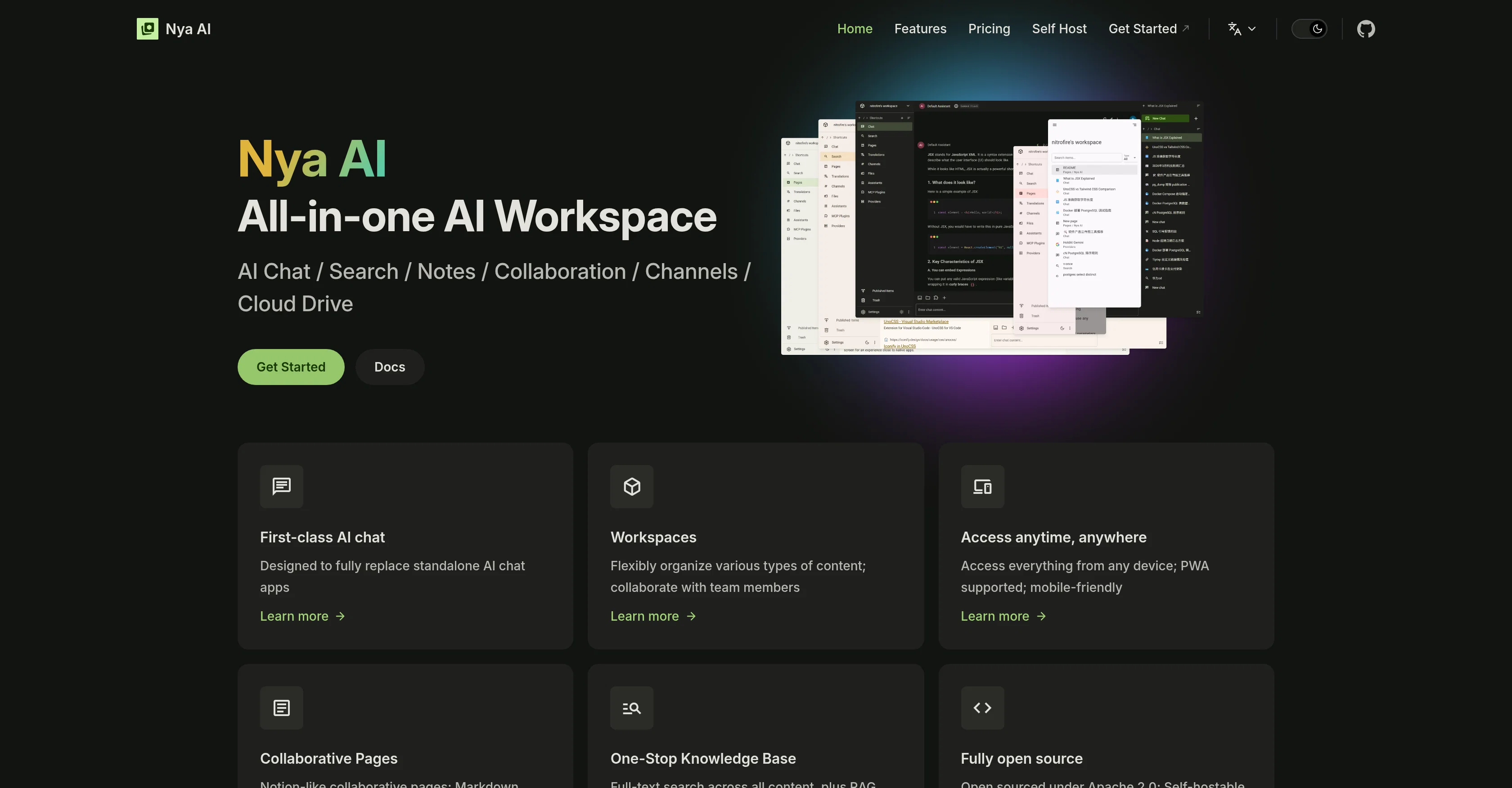
Nya AI is an all-in-one AI workspace that offers various features to facilitate remote work and collaboration. One of its main features is a first-class AI chat, designed to replace standalone AI chat applications with its improved capabilities.
In addition to AI-Powered chats, it provides workspaces to flexibly organize varied kinds of content and allows for streamlined collaboration with team members.
Another important feature of Nya AI is its accessibility. Users can access the platform from any device, making it suitable for remote and flexible work arrangements.
The workstation is built to be mobile-friendly and even supports Progressive Web Apps (PWA), promoting user convenience. One of its unique aspects is it offers Notion-like collaborative pages which come with version control, markdown support, and AI integration, enabling easier and efficient group work.
Moreover, Nya AI incorporates a one-stop knowledge base that enables full-text search across all content. For developers and tech-savvy users, the platform is fully open source and self-hostable under the Apache 2.0 license and its code is accessible on GitHub for transparency and further customization options.
It can therefore accommodate more specific needs of various teams and individual users. Overall, Nya AI is known for its comprehensive AI-driven workspace tools designed to foster collaboration and organization in professional scenarios.
Access & connections
Where you can use Nya AI, and what it plugs into.
Platforms
Capabilities
What this tool accepts, produces, and is strongest at.
Input
- Text
- Tabular
Output
- Text
- Code
- Tabular
Highlights
- Open Source
- Local
Supported features
- Assistant
- Team Collaboration
- Docs
- Instant file search
- Open Source
- Runs Locally
- Mobile Companion
Pros & cons
Pros
- All-in-one workspace
- Accommodates remote work
- Streamlined team collaboration
- Accessible on any device
- Mobile-friendly
- Supports Progressive Web Apps
- Offers Notion-like pages
- Version control on pages
Show 7 more
- Markdown support
- One-stop knowledge base
- Full-text search across content
- Open Source
- Self-hostable
- Apache 2.0 license
- Code accessible on GitHub
Cons
- No dedicated mobile app
- Open-source requires tech proficiency
- Self-hosting could be complex
- Dependent on internet connectivity
- Markdown requires learning curve
- Limited chatbot personalization options
- No offline version
- No data security specifications
Show 2 more
- Lacks detailed usage analytics
- No enterprise-grade support
Compare alternatives
Similar tools in the catalog — with a clear reason to open each one.


Liminary ✓
Free TrialStop hunting for things you know you saved.
Free + from $29/mo
Full comparison
OpenClaw OS ✓
UnknownGenerate interactive apps instantly with live data.
Why look Higher community rating
Full comparison
SoWork ✓
FreemiumYour Smart Virtual Office for Remote Teams
Why look Typically cheaper
Full comparison

Oreate AI ✓
Free TrialThe All-in-one AI workspace that makes everyone a pro
Why look Typically cheaper
Full comparisonReleases 1
Imported reviews 1
Perfect one-stop knowledge base for individuals/teams!
FAQ 12
What is Nya AI?
What does the AI chat feature in Nya AI offer?
How does Nya AI support remote work and collaboration?
Is Nya AI available for any device?
Why is Nya AI mobile-friendly and PWA supported?
What are the features of Nya AI's collaborative pages?
How is Nya AI's Notion-like interface beneficial for users?
What is the markdown support in Nya AI?
What is the role of AI integration in Nya AI?
What is Version Control in Nya AI?
What is the purpose of the one-stop knowledge base in Nya AI?
How does the full-text search feature in Nya AI work?
Related tools
Recommended

globalize.now ✓
FreemiumMake your app multilingual in minutes

Rocket ✓
FreemiumThink It. Type It. Launch It.

ZeroTwo ✓
FreemiumGo Beyond Answers
Skymel LEGATO - Autonomous Agent Design & Deployment ... ✓
Free TrialFrom prompt to tested production agents in hours.

Himedia AI Video Generator ✓
Free TrialCreate any AI Videos, Images and Music - No creative limits

Alma by Olivares.AI ✓
PaidThe workspace where memory, agents and creative studios share one canvas.