

NoteGPT ✓
AI-powered notes for 10x learning efficiency.
from $6.92/mo
Verdict
A quick read before you dig into the full page.
- Best if
- You are students and need: Summarize YouTube videos and create timestamped transcripts
- Skip if
- Difficulty in handling complex content
- Pick this when
- Improves learning efficiency
Considering Vertech Academy instead? Compare side by side
Overview
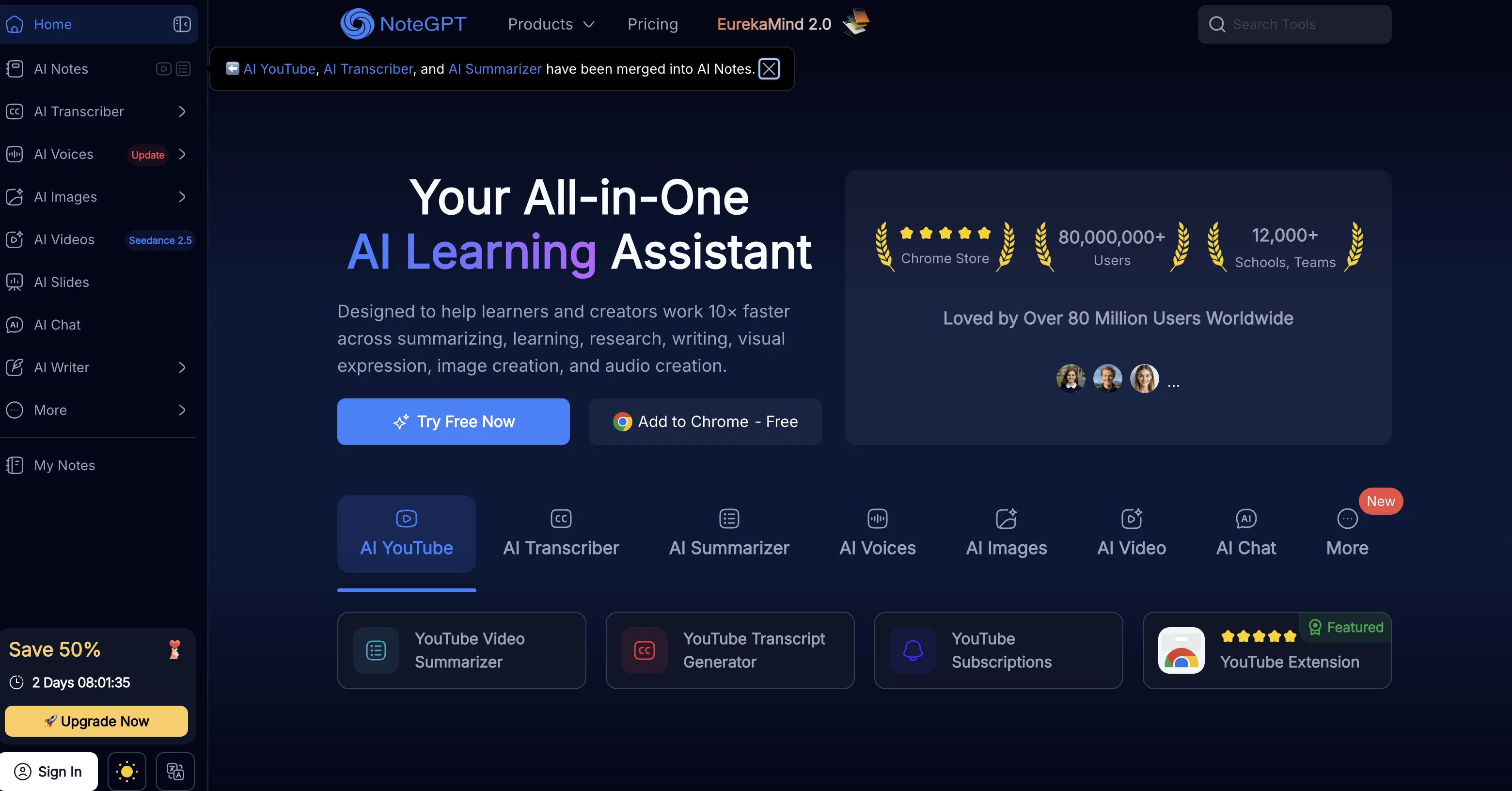
NoteGPT is an AI tool designed to improve learning efficiency by using advanced AI technology to create notes and summarize text and videos. It is equipped with multiple features such as a Smart Tab that helps collect and summarize links, YouTube Summary, Article Summary, and AI text summarizer which can effortlessly summarize lengthy videos, articles, and texts.
It also integrates with platforms like Quizlet and Cram for instant access to flashcards and has a timestamp feature for tracking videos. NoteGPT offers a powerful AI Assistant to enhance comprehension of video content through providing detailed explanations for each segment.
For video contents, it offers an automated snapping feature for capturing key information while watching. For organizational convenience, NoteGPT includes a feature to manage notes with folders and an AI flashcards library.
Collaboration is made easy through generating shareable links with embedded screenshots, notes, summaries, and timestamped transcripts. Its extension is available in the chrome web store, making it accessible for users.
NoteGPT is a comprehensive tool for convenient, efficient, and smart learning.
Best for
Short scenarios where NoteGPT tends to shine.
-
Summarize YouTube videos and create timestamped transcripts
Best for Students
-
Summarize PDFs, articles, and books for quick insights
Best for Researchers
-
Generate notes and flashcards for efficient studying
Best for Educators
-
Create mind maps to visualize ideas and organize research
Best for Professionals
-
Generate presentations quickly for meetings or lectures
Best for Creators
-
Solve math problems with step-by-step explanations and solution videos
Best for Students
Example outputs 1
Sample generations and before/after results for NoteGPT.
Access & connections
Where you can use NoteGPT, and what it plugs into.
Platforms
Integrations
Capabilities
What this tool accepts, produces, and is strongest at.
Input
- Tabular
- Text
Output
- Tabular
- Text
Supported features
- Inpainting
Pros & cons
Pros
- Improves learning efficiency
- Smart Tab feature
- YouTube Summary
- Article Summary
- Integration with Quizlet, Cram
- Instant flashcards access
- Video timestamp tracking
- Automated snapping feature
Show 24 more
- Notes management with folders
- Collaborative shareable links
- Chrome extension availability
- Knowledge library for learning
- Detailed explanations for video content
- Screenshots,notes,summaries in links
- Text Summarization
- Video Summarization
- Study Aid
- Efficient Learning
- Content Management
- Youtube Video Summarizer
- Web/Article Summarizer
- Podcast Summarizer
- PDF Summarizer
- Flashcards Generating and Saving
- 1-click Quizlet, Cram extraction
- Notes Managing with Folders
- Notes Sharing with Friends
- NoteGPT chrome extensions
- Real-Time Automatic Transcription
- 1 - Click Snapshoting
- Prompt Customization
- Good for Multilingual Learners
Cons
- Only available as Chrome extension
- Difficulty in handling complex content
- Slow service on free plan
- No transcript feature for non-video content
- Dependent on other platforms (Quizlet, Cram)
- No offline function available
- No multi-lingual support
- Needs Google account for login
Show 1 more
- No inbuilt privacy for shared notes
Compare alternatives
Similar tools in the catalog — with a clear reason to open each one.

Vertech Academy ✓
Free TrialPre-built AI study workflows that outperform raw ChatGPT prompts.
Free + from $29/mo
Full comparison
Findsight ✓
FreeCompare non-fiction ideas from multiple sources.
Why look Fully free option
Full comparison
Learn Earth ✓
FreemiumAI-First Adaptive Learning Platform
Why look Freemium alternative
Full comparison
PhotoSolve ✓
FreemiumScan, solve, and learn from any question.
Why look Freemium alternative
Full comparisonPeople also view
Tools that often show up alongside NoteGPT in collections and comparisons.
Vertech Academy ✓
Free TrialPre-built AI study workflows that outperform raw ChatGPT prompts.
PhotoSolve ✓
FreemiumScan, solve, and learn from any question.

LearnGPT ✓
FreeLearn any topic with AI-powered guidance
Learn Earth ✓
FreemiumAI-First Adaptive Learning Platform

Justlearn ✓
UnknownAI-powered fluency at your fingertips.
Findsight ✓
FreeCompare non-fiction ideas from multiple sources.

Lingle ✓
Free TrialLanguage learning that listens, remembers, and adapts.

Knogra ✓
FreeChart the whole subject. One scene at a time.
Releases 1
Imported reviews 12
An excellent tool for transcribing YouTube videos without subtitles.
Nice tool! It helped me finish my homework efficiently.
In consulting, efficiency matters. NoteGPT helps me grasp complex reports quickly and turn them into polished presentations. I especially value the visual note feature
NG is a game-changer! It summarizes YouTube videos and documents in seconds, saving me so much time. An absolute must-have tool.
This tool has many features, but I think the best one is the YouTube video summarizer.
I love using NoteGPT; I use it to transcribe YouTube videos, and it saves me a lot of time.
I realy like this tool, it covers many of the things i need.
This is the most powerful tool I used.There are at least 50 tools I can try!
I tried it out, and it's a great YouTube video learning tool.
Why isn't such a useful tool rated 5 stars?
Really amazing tool! Soooo much function to use, easy and good.
Had a bad experience - the product says it can do a lot but I couldn't get a single summary - tried youtube videos, blog URLs, and a PDF - the system was stuck on 'loading'. Their support team on discord also wasn't helpful.
FAQ 12
What is NoteGPT?
What are the key features of NoteGPT?
How does the AI text summarizer of NoteGPT work?
What platforms does NoteGPT integrate with for flashcards?
How does the timestamp feature of NoteGPT work?
What is the AI Assistant by NoteGPT and what does it do?
How can I manage my notes with NoteGPT?
Can I share my notes using NoteGPT?
Is there a chrome extension for NoteGPT?
How does the YouTube Summary feature of NoteGPT work?
Can I use NoteGPT for Podcast and Article summarizations?
What does the Smart Tab feature in NoteGPT do?
Related tools
Recommended

LearningStudioAI ✓
Free TrialAI-powered authoring tool for effortless online course creation.

Knowee AI - Chrome Extension ✓
UnknownYour AI sidekick for homework and essays.

VenturusAI ✓
FreemiumBusiness idea analysis and reporting.

TutorAI ✓
FreemiumInstant knowledge on any topic

Scisummary ✓
Free TrialCutting-edge scientific articles summarization.

Agentgpt ✓
FreemiumDeploy autonomous AI Agents effortlessly in your browser.