

mymind ✓
Remember everything. Organize nothing.
Free + from $6.99/mo
Verdict
A quick read before you dig into the full page.
- Best if
- You are designers and need: Saving and organizing research materials for researchers
- Skip if
- No collaboration features
- Pick this when
- Private and secure
Considering Pinster AI instead? Compare side by side
Overview
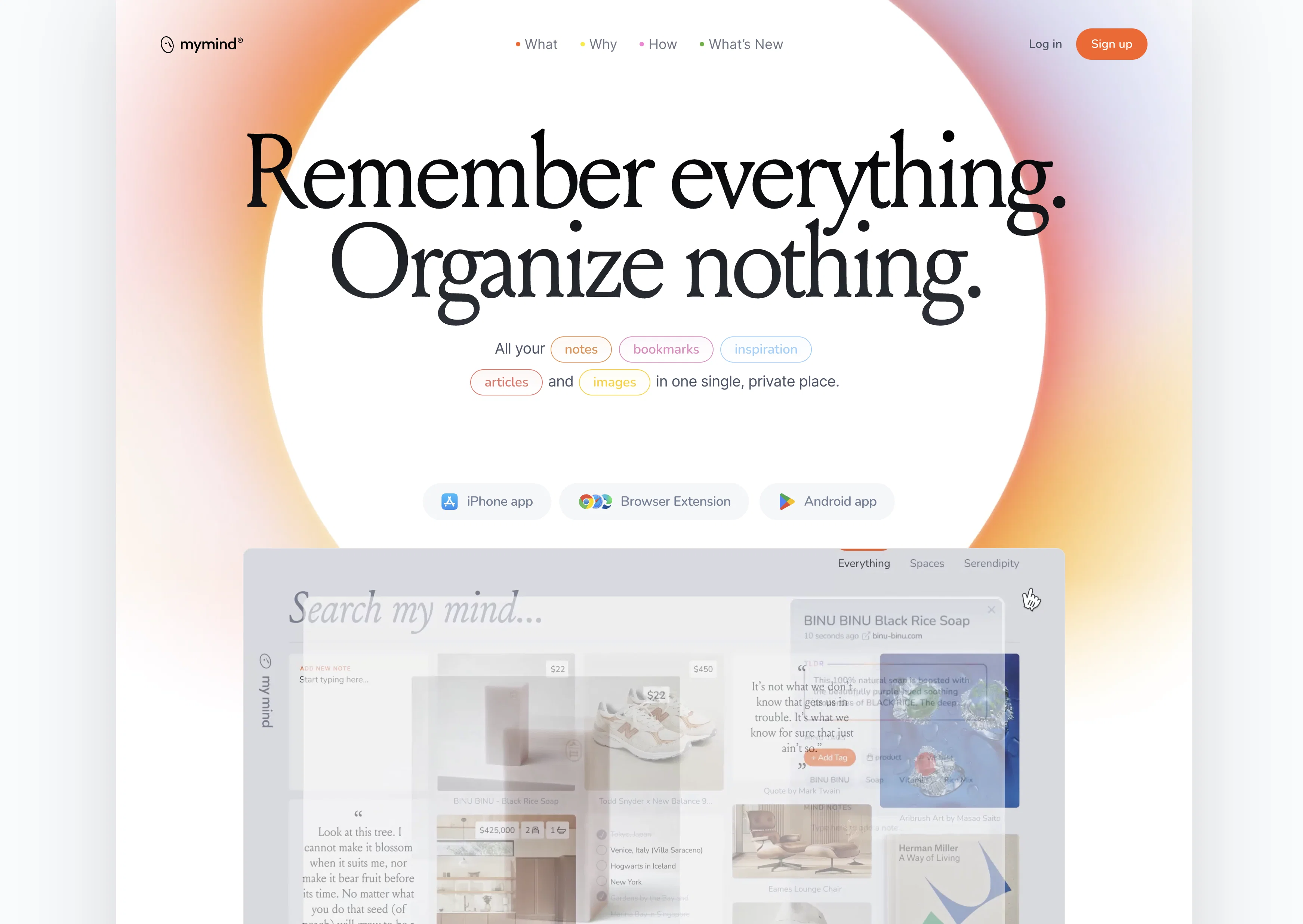
Unlike traditional bookmarks, no link looks the same in mymind. Everything is visualized in the most beautiful and useful way possible, with relevant information and visual cues to help you find what you need when you need it.
It functions a bookmarking tool, notes app, todo app, reading app, visual database and mood boarding tool all in one. Even better, it’s 100% private, meaning: no ads, no tracking, no social feeds or pressure.
Best for
Short scenarios where mymind tends to shine.
-
Saving and organizing research materials for researchers
Best for Designers
-
Creating visual moodboards for designers
Best for Writers
-
Collecting quotes and highlights for writers
Best for Marketers
-
Managing resources and references for developers
Best for Researchers
-
Remembering important information and inspiration for everyone
Best for Developers
Example outputs 1
Sample generations and before/after results for mymind.
Access & connections
Where you can use mymind.
Platforms
Pros & cons
Pros
- Private and secure
- Free from social features
- No time wasted on categorizing
- Automatically tags and categorizes
- Stores a variety of content
- Intuitive design
- Visual bookmarking approach
- Promises no tracking
Show 22 more
- No ads
- Saves data from various sources
- Privacy-first approach
- Simple, beautiful design
- Compatible with several platforms
- iOS app available
- Android app available
- Browser extension available
- MacOS app available
- Supports saving of highlights
- Enabled for instant moodboards
- Allows project organization
- Promotes less time with tools
- User-focused approach
- Supports user freedom on data
- Categorizes for you with AI
- Includes Reading Mode
- Frictionless saving & retrieval
- Create Smart Spaces for collections
- AI content summaries
- Visual mood search
- Clean, distraction-free Notes editor
Cons
- No collaboration features
- No social features
- Lacks multi-user support
- No vanity metrics
- No folder system
- No integrations with external tools
Compare alternatives
Similar tools in the catalog — with a clear reason to open each one.

Pinster AI ✓
FreemiumAI-powered bookmarks: save, organize, and explore.
Free + from $9.99/mo
Full comparison
Cokeep Extension ✓
FreeAI-powered note-taking and knowledge management
Why look Fully free option
Full comparison
Cokeep ✓
FreemiumAI-driven collaborative bookmark management for teams
Why look Typically cheaper
Full comparisonPeople also view
Tools that often show up alongside mymind in collections and comparisons.
Pinster AI ✓
FreemiumAI-powered bookmarks: save, organize, and explore.

Hoarder ✓
UnknownSave and automatically tag your digital treasures.

Deja-Vu ✓
FreeAI-powered productivity tool for Chrome
Cokeep Extension ✓
FreeAI-powered note-taking and knowledge management
Cokeep ✓
FreemiumAI-driven collaborative bookmark management for teams

Statim ✓
FreePharmaceutical intelligence unified in one workspace.

Fabric ✓
FreemiumYour self-organizing digital workspace.

Cluing ✓
FreemiumWhere agents and humans learn, build, and ship
Releases 1
Imported reviews 1
Tested teh application. Saved 5 recipes. Three of them recognized as recipes. Two of them lost in translation. Other example. Saved three pages about company valuation. Two of them recognized. One lost in translation. Can't afford these kinds of tools ...
FAQ 12
What is mymind?
What are the main features of mymind?
What can I store on mymind?
How does the AI feature in mymind work?
How secure is my data on mymind?
Is mymind free to use?
How does mymind ensure privacy?
How can I search for my saved material in mymind?
Can I save images and videos on mymind?
Can mymind analyze and tag web pages?
What is visual bookmarking in mymind?
Do I need to organize my notes in mymind?
Related tools
Recommended

Hyperis ✓
FreemiumOrganized task prioritization.

LearningStudioAI ✓
Free TrialAI-powered authoring tool for effortless online course creation.

VenturusAI ✓
FreemiumBusiness idea analysis and reporting.

Mindsmith ✓
FreemiumPlatform for building and sharing eLearning content

Recall ✓
FreemiumSummarize Anything, Forget Nothing!

TutorAI ✓
FreemiumInstant knowledge on any topic