

Medeo ✓
Make great videos by chatting with AI.
Trial; then from $28/mo
Verdict
A quick read before you dig into the full page.
- Best if
- You are content creators and need: Generate explainer videos
- Skip if
- Limited export formats options
- Pick this when
- Intricate video processing
Considering freebeat AI instead? Compare side by side
Overview
Medeo is an AI-enhanced video editing platform that offers a range of features to simplify the video creation process. The platform's AI-driven capabilities facilitate complex video processing tasks, making it a valuable tool for content producers of all levels of expertise.
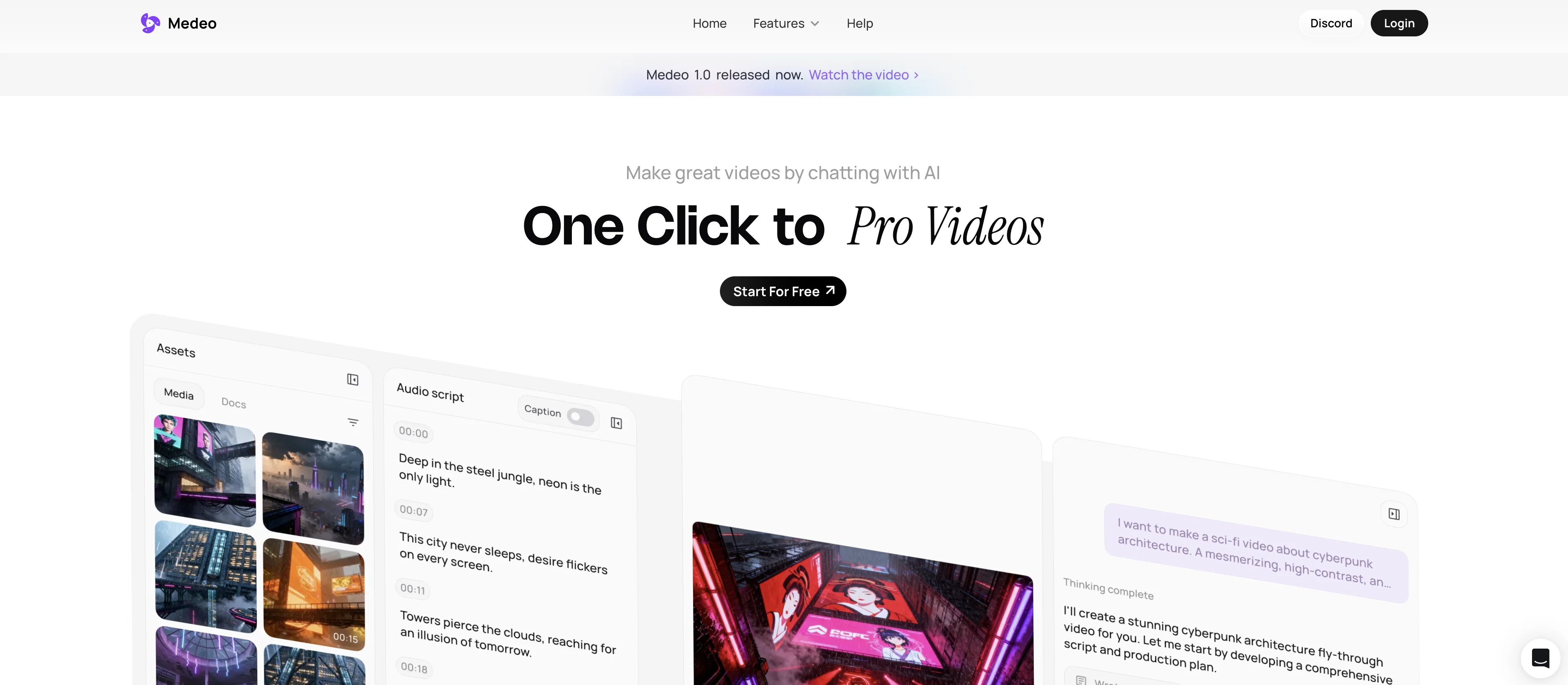
Medeo's distinguishing feature is its innovative chat-based creation and editing system. Users can instruct the AI by typing text commands, enabling a seamless and intuitive workflow to generate and alter videos.
Commands may include prompts like 'Make this part faster' or 'Change the music', which the AI executes with precision providing instant changes in the video edit.
The platform also offers character consistency, allowing users to generate characters in new contexts, yet maintaining a visually coherent character identity.
Medeo caters to a broad scope of video production needs, including but not limited to marketing, education, and animation. The platform grants users access to an extensive library of assets, such as stock images, videos, and AI voices, and also allows users to upload their custom files and text.
Medeo's interface enables users to intuitively modify and synchronize sounds, subtitles, and visual elements. Export options provide flexibility, allowing for varying aspect ratios to accommodate different viewing platforms.
Best for
Short scenarios where Medeo tends to shine.
-
Generate explainer videos
Best for Content creators
-
Create anime short films or MVs
Best for Marketing professionals
-
Convert blogs, images, URLs, or scripts into videos
Best for Social media managers
-
Produce B-roll footage
Best for Video producers
-
Make PPT videos
Best for Educators
-
Create videos from ideas
Best for Businesses
Example outputs 1
Sample generations and before/after results for Medeo.
Access & connections
Where you can use Medeo, and what it plugs into.
Platforms
Integrations
Capabilities
What this tool accepts, produces, and is strongest at.
Input
- Image
- Text
- Video
Output
- Video
Highlights
- SOTA
- Agents
Supported features
- Agents
- Image Generation
- Image Edit
- Video Edit
- Video Generation
- Video Understanding
- Video Avatars
- Styling
- TTS
- Music Generation
Show 1 more
- Sound Creation
Pros & cons
Pros
- Intricate video processing
- Converts scripts to videos
- Transforms gaming content
- B-Roll Generator
- Convert slides to video
- Supportive Discord channel
- High level of customization
- Chat-based editing
Show 23 more
- Instant video changes
- Character consistency
- Broad scope production
- Stock images access
- Custom file upload
- Audio synchronization
- Subtitle modification
- Exports in different ratios
- Text command controls
- Educational explainer creation
- URL to video conversion
- Idea to video conversion
- Script to video conversion
- Blogs to video conversion
- Minecraft gaming content conversion
- Subway Surfers gaming content conversion
- Visual elements adjustment
- Export flexibility
- Aspect ratios variety
- Visual track control
- All-in-one assets
- Drag and drop feature
- Project export options
Cons
- Limited editing features
- Chat commands may be inefficient
- Complexity in maintaining character consistency
- No offline version
- Lack of advanced editing options
- Dependent on high-quality internet connection
- Limited export formats options
- May not support 4K editing
Compare alternatives
Similar tools in the catalog — with a clear reason to open each one.

freebeat AI ✓
FreemiumTurn Music & Ideas into Viral Videos In One Click
Why look Typically cheaper
Full comparison
MagicLight ✓
FreemiumTransform text into captivating videos instantly.
Why look Typically cheaper
Full comparison
Seedance ✓
FreemiumMulti-shot video generation from text and image.
Why look Typically cheaper
Full comparisonPeople also view
Tools that often show up alongside Medeo in collections and comparisons.
Seedance ✓
FreemiumMulti-shot video generation from text and image.
MagicLight ✓
FreemiumTransform text into captivating videos instantly.

Kaiber Superstudio ✓
Free TrialAI Video Generation

HeyGen ✓
FreemiumCreate AI spokesperson videos from text
freebeat AI ✓
FreemiumTurn Music & Ideas into Viral Videos In One Click

D-ID ✓
FreemiumCreate AI-generated videos with ease

ResearchMonkey AI | YouTube Summarizer ✓
Free TrialSave Hours of Research in Seconds with 40+ AI Tools

OutlierKit ✓
PaidEnter one channel, see the entire niche.
Releases 1
Imported reviews 1
I'm giving it two stars because it does do an ok job on videos but I would NOT recommend this. The "free trial" gives you 80 credits. It's not even enough to make a 60 second video so you can't really "trial" anything. I then spent $35 to make a 60 second video and I did two edits to it and I only have 451 credits left for the month.
Until the costs come down, this is not feasible.
FAQ 12
What is Medeo?
How can Medeo convert blogs into videos?
Can Medeo transform gaming content into videos?
What games are supported by Medeo for transformation into videos?
What is the AI-based conversation feature in Medeo?
Can I convert slides into videos using Medeo?
How does the B-Roll Generator feature work in Medeo?
How efficient is Medeo in handling video editing?
What kind of support does Medeo offer to users?
What is the role of the Discord channel in Medeo?
What are the details available in the 'Help' section of Medeo?
Can I adjust the speed of my video in Medeo?
Related tools
Recommended

Aiter.io | Paste a URL. Ship a Campaign That Sounds L... ✓
FreemiumAI marketing that sounds like you, not everyone else.

Notis ✓
Free TrialThe first WhatsApp assistant that runs on your ChatGPT and Claude subscriptions

What-A-Prompt ✓
FreeSupercharge your ChatGPT prompts for better results.

COACH ✓
FreeAI-powered career development platform built by career experts.

CreateAiCourse ✓
PaidSimplify course creation with the best AI Course Creator.

myAIninja ✓
Free TrialAI-powered content creation for social media, 10x faster