What-A-Prompt ✓
Supercharge your ChatGPT prompts for better results.
Verdict
A quick read before you dig into the full page.
- Best if
- You are aI enthusiasts and need: Generating AI value reports for companies
- Skip if
- Limited documentation
- Pick this when
- Seven different settings
Considering PrompTessor instead? Compare side by side
Overview
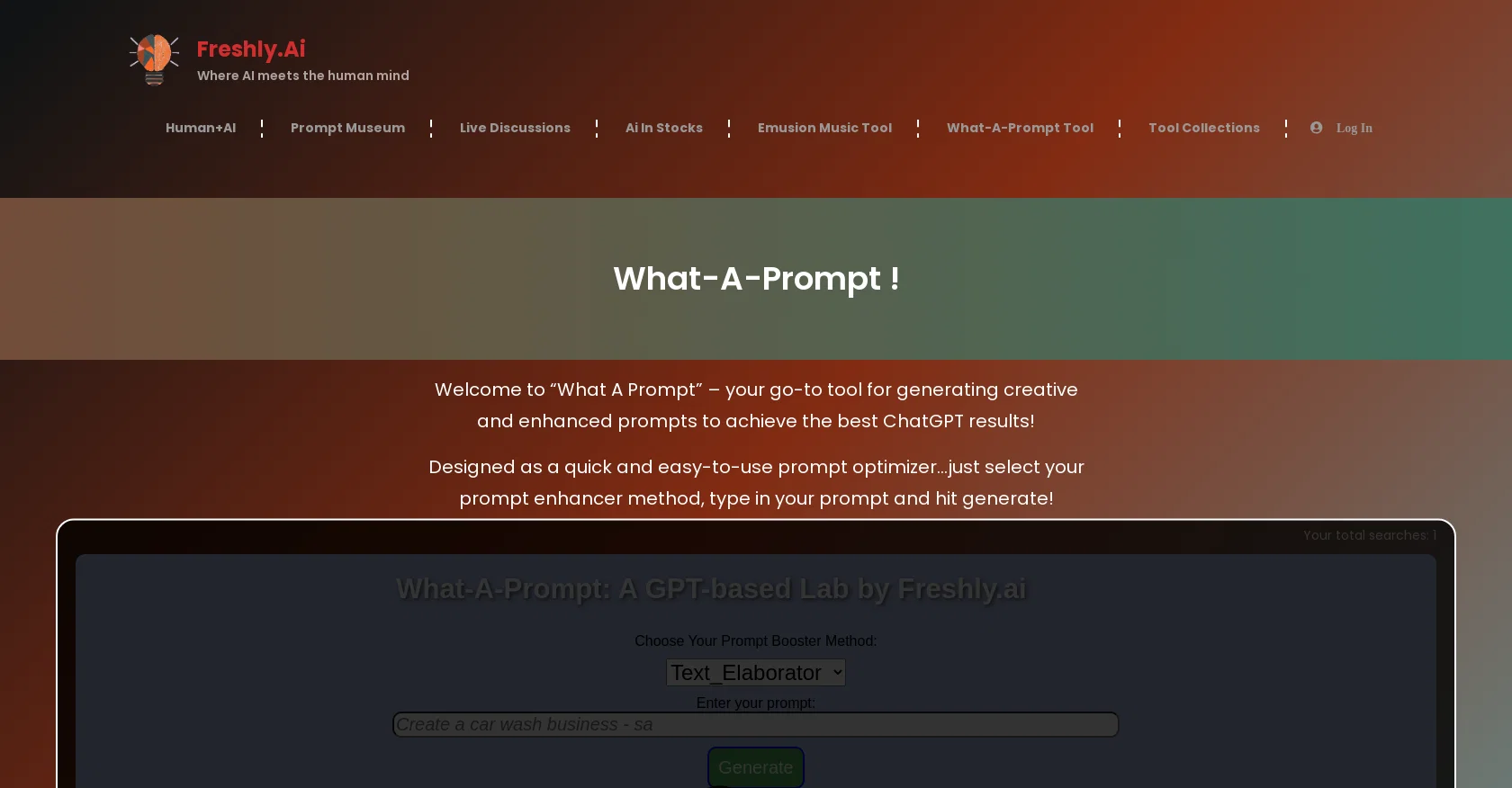
What-A-Prompt is an AI tool designed to optimize prompts and improve the results obtained using ChatGPT. It offers seven different settings or methods to enhance prompts creatively.
The settings include a simple text enricher, an enhancer for text-to-image generators, a prompt Wolfe setting for a “crazy cool” perspective, and others for visual enhancements.
Additionally, the tool offers a Test_RunGPT setting so users can sample their output before submitting it to ChatGPT. What-A-Prompt is quick and easy to use.
Users simply select the desired prompt enhancer method and type in their prompt to generate optimized results. To use What-A-Prompt, visitors must join the Freshly.ai community either as a free or premium member.
This website was launched to showcase the latest AI capabilities and limitations, providing resources and inspiration to the AI community. In addition to What-A-Prompt, the website offers several other AI tools, a prompt museum, and a forum for prompts and AI dreams.
Freshly.ai also provides human and AI contributions, Emusion music tool, and resources for AI competence reporting. The website is active on various social media platforms like Facebook, Twitter, and LinkedIn.
Overall, What-A-Prompt is an AI tool designed to generate creative and enhanced prompts, mainly for use in ChatGPT. With its various settings, it strengthens the visual and contextual aspects of prompts to produce better and more varied ChatGPT results .
Best for
Short scenarios where What-A-Prompt tends to shine.
-
Generating AI value reports for companies
Best for AI enthusiasts
-
Optimizing prompts for better results with ChatGPT
Best for Prompt engineers
-
Exploring AI-generated art and industry developments
Best for Content creators
-
Learning advanced prompt engineering techniques
Best for Business professionals
-
Accessing a library of AI-optimized prompts
Best for AI researchers
Example outputs 1
Sample generations and before/after results for What-A-Prompt.
Access & connections
Where you can use What-A-Prompt, and what it plugs into.
Platforms
Integrations
Capabilities
What this tool accepts, produces, and is strongest at.
Input
- Text
Output
- Text
Pros & cons
Pros
- Seven different settings
- Prompt testing feature
- Easy to use
- Community membership
- Effective with ChatGPT
- Creatively enhances prompts
- Visual enhancements option
- Contextual enhancements option
Show 7 more
- Caters to differing styles
- Option for scientific prompts
- Distort visual outputs
- Optimized results
- Active on social media
- Capability showcase offerings
- Membership benefits
Cons
- Membership required
- Limited to seven settings
- No API
- Not open source
- No offline use
- Lacks visual interface
- Not cross-platform
- Dependent on ChatGPT
Show 2 more
- No multi-language support
- Limited documentation
Compare alternatives
Similar tools in the catalog — with a clear reason to open each one.

PrompTessor ✓
FreemiumAI Prompt Workspace for Better AI Results
Why look Higher community rating
Full comparison
OctiAI Prompts ✓
PaidOne-Click Expert Prompts for ChatGPT & Midjourney — No Skills Needed
Why look Stronger for image work
Full comparisonPeople also view
Tools that often show up alongside What-A-Prompt in collections and comparisons.
PrompTessor ✓
FreemiumAI Prompt Workspace for Better AI Results

OnlyPrompts ✓
Free TrialAutomate 37,000+ tasks with 150,000+ prompts
OctiAI Prompts ✓
PaidOne-Click Expert Prompts for ChatGPT & Midjourney — No Skills Needed

Prompt Engine ✓
PaidGet the perfect prompt for any AI task

Prompty App ✓
FreemiumUnlock AI's potential with expertly crafted prompts.

PromptPerfect ✓
FreemiumAI Prompt Generator and Optimizer

AI Prompt Generator by God of Prompt ✓
PaidGenerate powerful AI prompts in one click

GetSpiced ✓
FreemiumAI-powered mentoring for entrepreneurs and creators.
Releases 1
Imported reviews 2
Finally, a prompt optimizer that makes sense, adding power to my own words.
Easy to expand details, easy to go deeper and to get exactly what I need to squeeze out incredible results with ChatGPT. The Prompt_Enhancer setting is something serious. Thanks guys, keep on providing excellent AI tools!
I believe in anything that saves me time.
What-A-Prompt pimps my prompts.
The Prompt_Enhancer setting is very powerful.
Bonus, you get some fun settings for text-to-image, like the Text_Visions and Max_Visual settings.
The www.Freshly.ai website overall is a gem for the AI community.
FAQ 12
What is What-A-Prompt?
How does What-A-Prompt enhance prompts for ChatGPT?
How can I use What-A-Prompt?
What are the seven different settings in What-A-Prompt?
What is the Test_RunGPT setting in What-A-Prompt?
What other AI features does Freshly.ai website offer apart from What-A-Prompt?
Do I need to join Freshly.ai community to use What-A-Prompt?
How can What-A-Prompt help me in producing better ChatGPT results?
Can What-A-Prompt also improve text-to-image generators?
Are What-A-Prompt settings designed to enhance visual aspects of prompts?
How do MaxVisual and VisDistort settings of What-A-Prompt work?
What is the Prompt_Wolfe setting in What-A-Prompt?
Related tools
Recommended

LearningStudioAI ✓
Free TrialAI-powered authoring tool for effortless online course creation.

VenturusAI ✓
FreemiumBusiness idea analysis and reporting.

GPTExcel ✓
FreemiumGenerate spreadsheet formulas with AI

TutorAI ✓
FreemiumInstant knowledge on any topic

Stunning ✓
PaidBuild AI-powered websites in seconds

AI Course Creator ✓
FreemiumAI-powered course creation in minutes.