

Videos 2026 Rank: #1343
MaxVideoAI ✓
Professional AI video, minus the hassle.
from $0.13
Verdict
A quick read before you dig into the full page.
- Best if
- Professional AI video, minus the hassle
- Skip if
- Limited payment options
- Pick this when
- Multiple engine options
Considering freebeat AI instead? Compare side by side
Overview
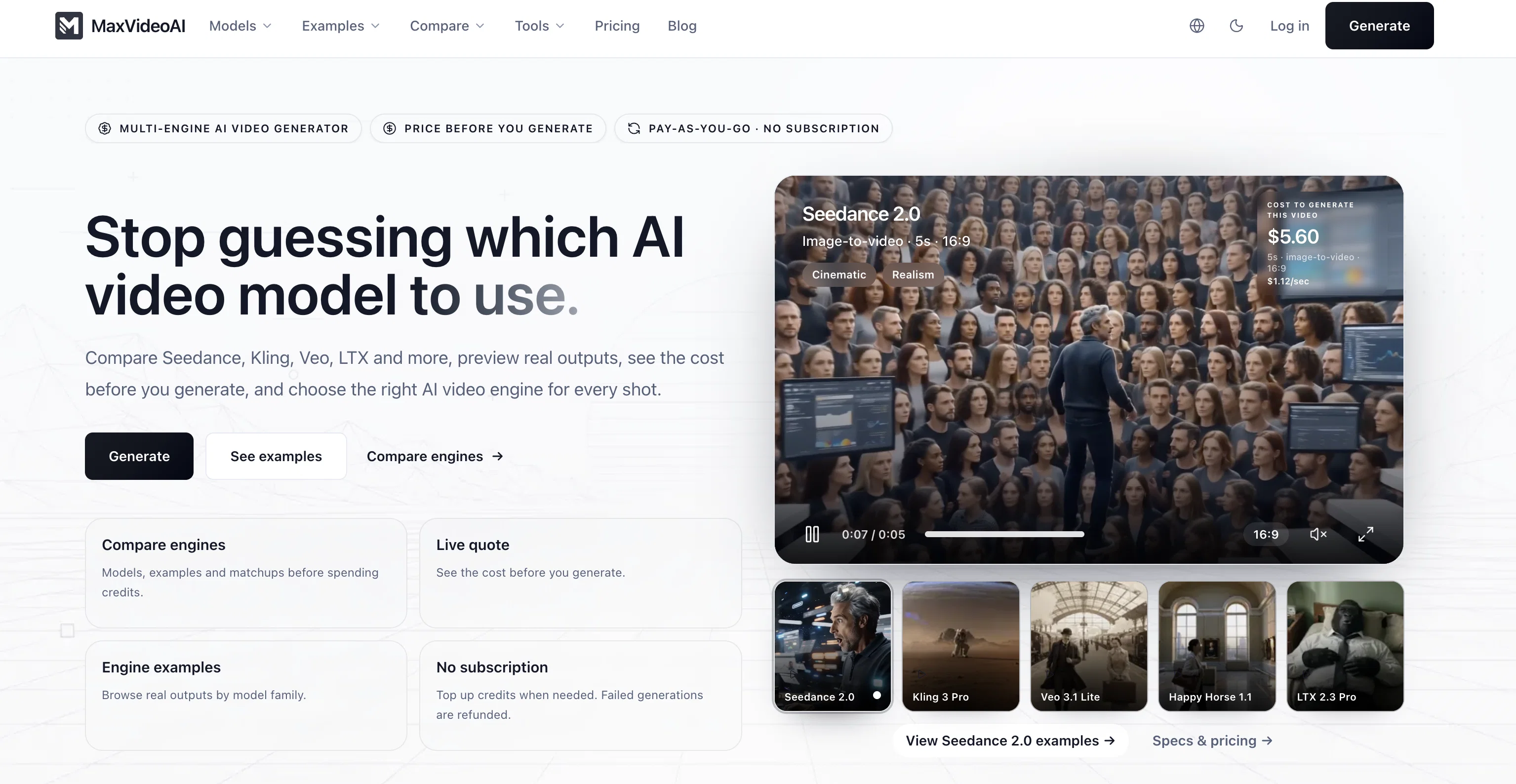
MaxVideoAI is a cutting-edge tool for creating AI generated videos using multiple engines in a unified workspace. It provides an array of engine options such as Sora 2, Veo 3, Pika, and others, to cater different user requirements for diverse projects.
Individual engines template descriptions suggests that they can be used to create cinematic 8-second TV commercials in 16:9 with sound, replicate soft and expressive features of a character, generate a global look of an elegant thriller on a rainy night, etc.
MaxVideoAI comes with a 'Pay-as-you-go' feature offering transparent pricing which lets users view the price before generating the video. It even supports 4K upscaling and iterative renders.
Moreover, MaxVideoAI also includes facilities such as audio enabling, live pricing preview, option to clone settings and real time progress monitoring.
One key attribute is the automatic refund for failed renders thus keeping user's investment secure. Furthermore, the tool offers an independent hub work environment, with single-view controls where prompts can be tweaked, outputs reviewed, and queue monitored without leaving the screen.
It also has in-built wallet for transactions, job history and gallery for keeping the team aligned. MaxVideoAI indeed provides an all in-one workspace for professional AI video creation.
Access & connections
Where you can use MaxVideoAI.
Platforms
Capabilities
What this tool accepts, produces, and is strongest at.
Input
- Tabular
- Image
- Text
- Video
Output
- Audio
- Video
- Image
Highlights
- SOTA
Supported features
- Image Generation
- Lip Sync
- Sound Creation
- Video Edit
- Video Generation
Models
Text
Image
Audio
Video
Pros & cons
Pros
- Multiple engine options
- Pay-as-you-go system
- Live price preview
- Audio enabling
- One-view controls
- Automatic refunds
- Failures secured
- Workspace consistency
Show 42 more
- Text-to-video
- Image-to-video
- Engine-specific controls
- Transparent pricing
- Model templates
- 4K upscaling
- Internal job history
- Image upload
- Batch queuing
- Real-time monitoring
- Output Comparison
- Download deliverables
- Shareable job links
- Wallet-first billing
- No subscription needed
- Credits don't expire
- Monitored latency
- Fallback measures
- Manual prompt tweaking
- Job status feed
- Built-in wallet
- Itemised receipts
- Supports multiple templates
- Sora 2 support
- Veo 3.1 support
- Pika support
- Iterative renders
- Independent hub workspace
- Composer tool
- Gallery review rail
- Team alignment tools
- Engine routing tracking
- Queue health tracking
- Global look generation
- Character feature replication
- Cinematic commercials creation
- Lock best take
- Download thumbnails and metadata
- Clone setting options
- Asset reuse facility
- Theme specific engines
- Refresh prompt without leaving
Cons
- No API integration
- No subscription option
- No offline use
- Limited payment options
- Lacks collaborative features
- No in-built templates
- No storage for videos
- Dependent on Internet speed
Compare alternatives
Similar tools in the catalog — with a clear reason to open each one.

freebeat AI ✓
FreemiumTurn Music & Ideas into Viral Videos In One Click
Why look Freemium alternative
Full comparison
MagicLight ✓
FreemiumTransform text into captivating videos instantly.
Why look Freemium alternative
Full comparison

HeyGen ✓
FreemiumCreate AI spokesperson videos from text
Why look Freemium alternative
Full comparison

Seedance ✓
FreemiumMulti-shot video generation from text and image.
Why look Stronger for image work
Full comparisonReleases 1
FAQ 12
What is MaxVideoAI?
How does MaxVideoAI work?
What engines does MaxVideoAI work with?
How can I compare outputs across different engines in MaxVideoAI?
How does text-to-video or image-to-video work in MaxVideoAI?
What are the engine-specific options available in MaxVideoAI?
How does the live price chip in MaxVideoAI work?
How can I use the gallery rail for side-by-side comparisons in MaxVideoAI?
What is the job feed in MaxVideoAI and how does it work?
How does the queue system work in MaxVideoAI?
What does an independent work environment in MaxVideoAI look like?
What do I get once the video render is locked-on in MaxVideoAI?
Related tools
Recommended

TheLibrarian.io ✓
Free TrialYour WhatsApp AI assistant for instant productivity.

ElevenLabs ✓
FreemiumCreate lifelike AI voices for compelling storytelling.

Wan Video ✓
UnknownAI creative platform that lowers creative barriers.

Stratup.ai ✓
FreemiumInnovative idea generation for businesses.

Business Idea Generator AI ✓
FreeGenerate innovative business ideas with AI

Stockimg AI ✓
PaidGenerated images and text for design ease.