

MakeShot AI ✓
Easy AI video and image creator for pros.
from $25/mo
Verdict
A quick read before you dig into the full page.
- Best if
- Easy AI video and image creator for pros
- Skip if
- Subscription only no pay-per-use
- Pick this when
- Integrates three distinct engines
Considering freebeat AI instead? Compare side by side
Overview
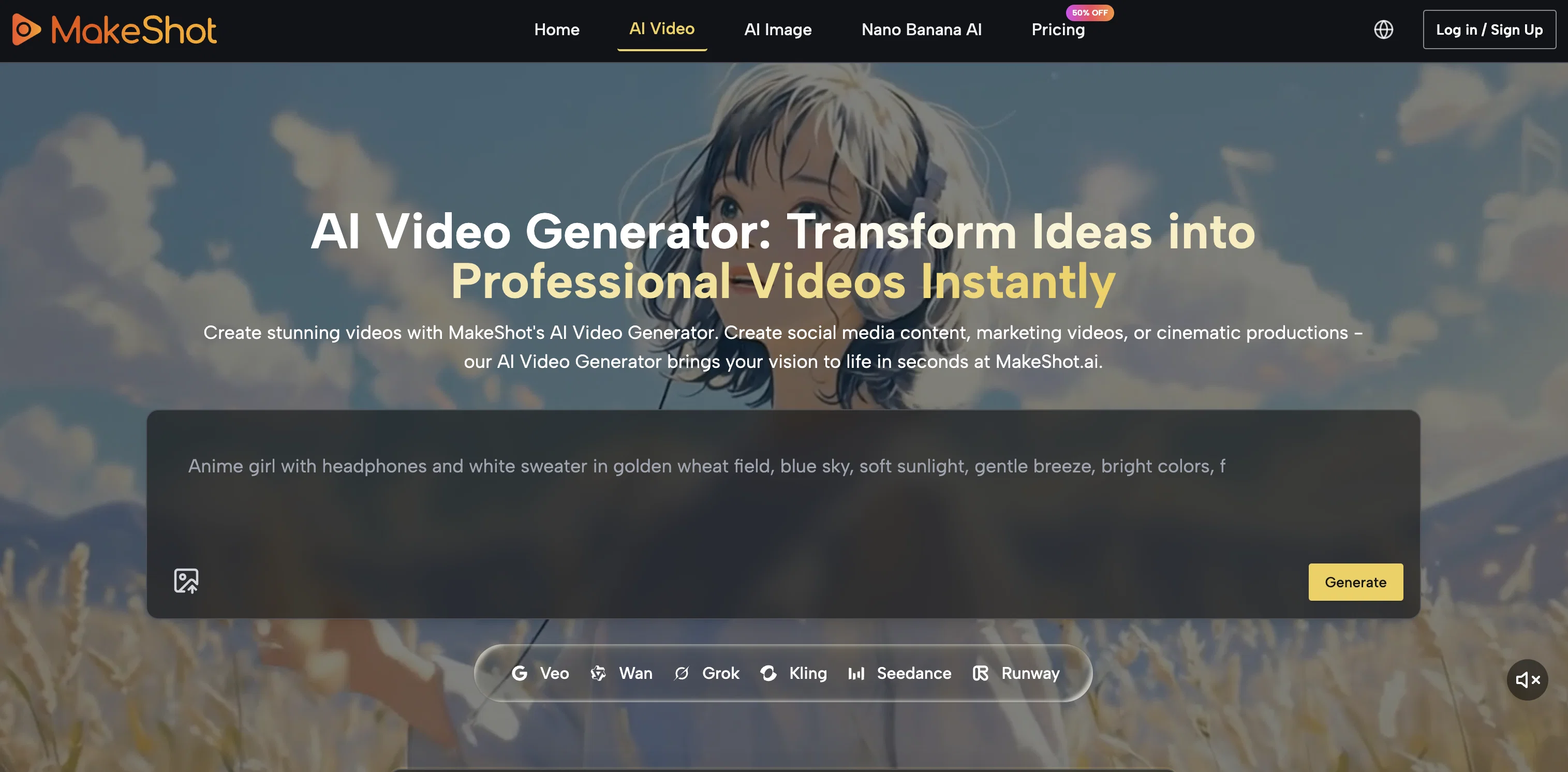
MakeShot is an integrated AI content studio designed to create professional-grade video and image content. It harbours innovative AI technologies named Veo 3, Sora 2, and Nano Banana that work in cohesion to ensure smooth content management and creation.
Its capabilities include generating shots that highlight details in motion for wildlife and nature enthusiasts. MakeShot provides professional prompts that serve as inspiration for content creators such as intricate details of a prehistoric era or creating a surreal office scene.
From generating a medium shot of a diver surrounded by marine life to a panoramic bottom-to-top view of a colossal Renaissance woman figure, the platforms versatility is endless.
Users have the freedom to recreate cinematic shots with ease, such as a low-angle view of a medieval castle or a twilight beach scene. MakeShot is also equipped to create photorealistic time-lapse videos of various scenes like a home renovation project.
Given its range of capabilities, MakeShot is an optimal choice for social media content creation. With the help of Veo 3 for engaging video content and Nano Banana for image content, users can create viral content for platforms like TikTok, Instagram and YouTube.
Best for
Short scenarios where MakeShot AI tends to shine.
-
Easy AI video and image creator for pros.
Example outputs 1
Sample generations and before/after results for MakeShot AI.
Access & connections
Where you can use MakeShot AI, and what it plugs into.
Platforms
Integrations
Capabilities
What this tool accepts, produces, and is strongest at.
Input
- Tabular
- Image
- Text
Output
- Video
- Image
Highlights
- SOTA
Supported features
- Video Generation
- Sound Creation
- Realism
- Styling
Pros & cons
Pros
- Integrates three distinct engines
- Veo 3 native audio generation
- Sora 2 cinematic storytelling
- Nano Banana hyper-realistic images
- Multiple reference image support
- 8-second optimized video length
- Frame control precision capability
- Character consistency across scenes
Show 42 more
- Up to 4 reference images
- Ultra-high resolution output capability
- Architectural precision rendering
- Complex environment handling
- Lightning-fast generation speed
- Bold creative interpretations
- Experimental concept generation
- Natural motion physics simulation
- Time-lapse video creation
- Photorealistic detail generation
- Commercial use rights included
- Professional film quality output
- Broadcast-ready content creation
- Structural accuracy in generation
- Large-scale composition handling
- High-volume workflow support
- Automatic audio synchronization
- Seamless transition capability
- Emotional resonance in content
- Realistic light behavior
- Atmospheric effects generation
- Innovative visual solutions
- Production efficiency optimization
- Quick iteration capability
- Artistic versatility range
- Consistent quality maintenance
- Brand differentiation tools
- Panoramic view generation
- Complex geometry handling
- Natural physics simulation
- Ambient sound generation
- Multiple model access
- Credit rollover system
- Professional grade precision
- Narrative flow excellence
- Visual storytelling capabilities
- Hyper-realistic texture rendering
- Creative boundary pushing
- Rapid prototyping support
- Cinematic composition tools
- Advanced scene understanding
- Multi-engine unified platform
Cons
- Requires separate credits for models
- No API access mentioned
- Credit system expires monthly
- Limited to 8-second videos
- No batch processing capability
- Subscription only no pay-per-use
- No custom model training
- No video editing features
Show 1 more
- Credits don't cover audio
Compare alternatives
Similar tools in the catalog — with a clear reason to open each one.

freebeat AI ✓
FreemiumTurn Music & Ideas into Viral Videos In One Click
Why look Freemium alternative
Full comparison
MagicLight ✓
FreemiumTransform text into captivating videos instantly.
Why look Freemium alternative
Full comparison
HeyGen ✓
FreemiumCreate AI spokesperson videos from text
Why look Freemium alternative
Full comparison
Seedance ✓
FreemiumMulti-shot video generation from text and image.
Why look Typically cheaper
Full comparisonPeople also view
Tools that often show up alongside MakeShot AI in collections and comparisons.
Seedance ✓
FreemiumMulti-shot video generation from text and image.
MagicLight ✓
FreemiumTransform text into captivating videos instantly.

Kaiber Superstudio ✓
Free TrialAI Video Generation
HeyGen ✓
FreemiumCreate AI spokesperson videos from text
freebeat AI ✓
FreemiumTurn Music & Ideas into Viral Videos In One Click

D-ID ✓
FreemiumCreate AI-generated videos with ease

ResearchMonkey AI | YouTube Summarizer ✓
Free TrialSave Hours of Research in Seconds with 40+ AI Tools

OutlierKit ✓
PaidEnter one channel, see the entire niche.
Releases 1
FAQ 12
What is MakeShot AI?
Can MakeShot AI generate both images and videos?
How diverse are the genres that MakeShot AI can adapt to?
Can MakeShot AI create slow-motion shots and time-lapses?
Is MakeShot AI good for creating content for advertising campaigns?
Does MakeShot AI support the generation of brand assets?
How does MakeShot AI Video Generator & Image Creator help in maintaining a consistent posting schedule?
What AI engines does MakeShot platform integrate?
Can MakeShot AI create scenes with nuanced animation, texture and atmospheric effects?
Can MakeShot AI assist in creating product demos?
Does MakeShot AI cater to professional requirements?
How can MakeShot AI help me respond to market trends swiftly and effectively?
Related tools
Recommended

DeepReel ✓
PaidAI agent for Videos and Images

Mimetic Labs ✓
Free TrialTransform ideas into printable 3D models with AI.

Automateed ✓
Free TrialCreate eBooks effortlessly with Automateed, the AI-powered writing tool.

Programming Helper ✓
UnknownGenerate code from text descriptions instantly.

CodeRabbit ✓
Free TrialEnhanced code review for improved workflow and quality.

remio: Your Personal ChatGPT ✓
FreemiumGet Tailored Answer with Your Personal ChatGPT