

Lyric videos 2026 Rank: #2337
LyricMV ✓
Turn Your Songs Into Stunning Videos
Verdict
A quick read before you dig into the full page.
- Best if
- Turn Your Songs Into Stunning Videos
- Skip if
- Limited to 3 template styles
- Pick this when
- Supports multiple audio formats
Considering LyricEdits instead? Compare side by side
Overview


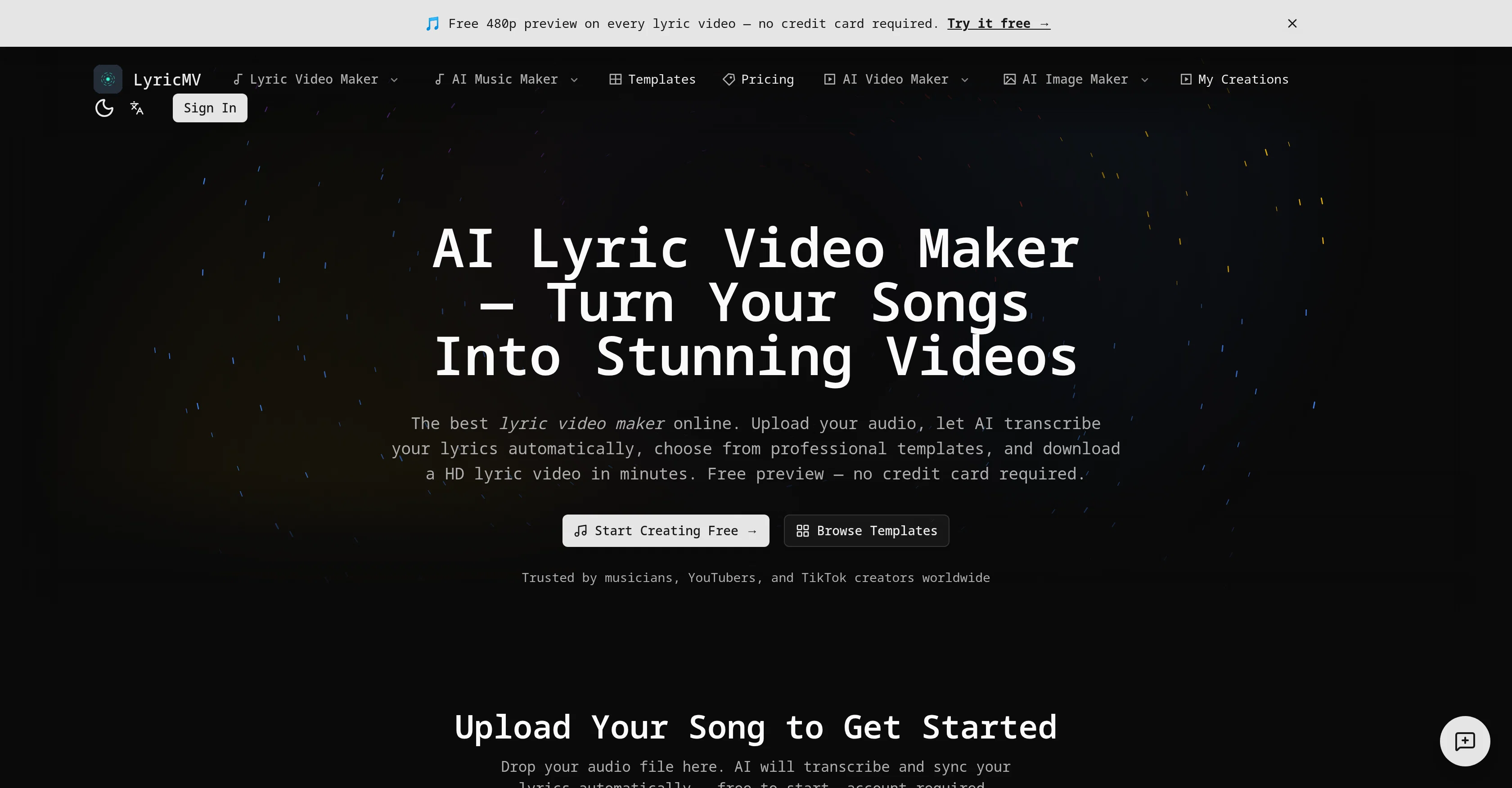
LyricMV is an AI powered lyric video maker tool that helps creators, from musicians to YouTubers, to produce professional-grade lyric videos. The user just needs to upload their music file which can be in various formats like MP3, WAV, FLAC, or M4A.
Then, using OpenAI's Whisper technology, the tool automatically transcribes the audio content into lyrics. These transcriptions are not always 100% accurate, so the user can further review and edit the transcriptions.
In addition to transcription, the tool also synchronizes the lyrics with the music, providing the exact timestamps for each word. After these preliminary steps, the user can choose from a set of pre-established templates for their lyric video.
The available themes range from 'Deep Shadow' which provides a karaoke-style layout, 'Classic CD' featuring a split-panel layout with a rotating CD disc, and 'Pro Vinyl' which gives a vinyl record visualization.
Each template is fully rendered at a high broadcast quality. After customizing, the user can preview their lyric video in 480p. Once satisfied, they can render the video in 1080p+ quality and download it in the MP4 format, ready to be uploaded to social platforms.
A notable feature of the tool is that there are no watermarks on the videos in the paid plans.
Best for
Short scenarios where LyricMV tends to shine.
-
Turn Your Songs Into Stunning Videos
Example outputs 1
Sample generations and before/after results for LyricMV.
Access & connections
Where you can use LyricMV.
Platforms
Capabilities
What this tool accepts, produces, and is strongest at.
Input
- Audio
Output
- Video
Supported features
- Transcription
- STT
- Video Generation
- Video Edit
- Styling
- Social Media
Pros & cons
Pros
- Supports multiple audio formats
- 500MB max file size
- Integrated timeline editor
- Three video templates
- Preview option at 480p
- MP4 final download format
- Broadcast quality output
- No watermarks on paid plans
Show 21 more
- Commercial rights on creations
- Precise lyric synchronization
- User-friendly interface
- High-quality video rendering
- Efficient error correction
- Optimized for social media
- Private and secure processing
- Designed for various users
- Support for major audio formats
- User editable transcriptions
- Audio and lyrics synchronization
- Pre-established lyric video templates
- High quality video previews
- Final video in 1080p+
- No watermarks in paid plans
- Facilitates online content creation
- Karaoke-style template option
- Visual waveform editor
- 1080p+ HD video export
- Multi-language support
- Professional templates
Cons
- Only three templates available
- 500MB maximum audio upload
- Limited preview at 480p
- Limited format output to MP4
- Potential transcription inaccuracies
- No support for live editing
- No API available
- Limited to 3 template styles
Show 2 more
- Accuracy dependent on whisper tech
- No support for bulk uploads
Compare alternatives
Similar tools in the catalog — with a clear reason to open each one.

LyricEdits ✓
FreemiumCreate lyric videos with AI in minutes. No editing skills required.
Why look Freemium alternative
Full comparison
Lyric Video Studio ✓
FreemiumSync your sound, elevate your lyrics with AI-powered video creation.
Why look Freemium alternative
Full comparison
Music Video Generator ✓
PaidTurn your song into a cinematic, lyrics-driven music video
Why look Typically cheaper
Full comparison
Heart Melody ✓
FreemiumTurn your story into a personalized AI song.
Why look Freemium alternative
Full comparisonPeople also view
Tools that often show up alongside LyricMV in collections and comparisons.
LyricEdits ✓
FreemiumCreate lyric videos with AI in minutes. No editing skills required.
Lyric Video Studio ✓
FreemiumSync your sound, elevate your lyrics with AI-powered video creation.
Music Video Generator ✓
PaidTurn your song into a cinematic, lyrics-driven music video
Heart Melody ✓
FreemiumTurn your story into a personalized AI song.

Thea ✓
FreemiumAI study tools to master material, not just memorize it.

Suno ✓
FreemiumMake music at the speed of your ideas.

Melody Genie ✓
Freemium175+ artist styles write your lyrics, four music engines sing them

freebeat AI ✓
FreemiumTurn Music & Ideas into Viral Videos In One Click
Releases 1
Imported reviews 1
One thing we kept noticing with AI music:
Great songs were being generated… but most of them still looked like demos when shared online.
We built LyricMV to help turn AI-generated music into something that actually feels publishable — cinematic lyric videos with synced visuals, emotional pacing, and short-form friendly formats.
Would love feedback from the AI music community 👀
FAQ 12
What is LyricMV?
How does LyricMV use OpenAI Whisper for audio to lyric transformation?
What are the main features of LyricMV?
What file formats does LyricMV support for audio upload?
How much is the maximum file size that can be uploaded on LyricMV?
What are the three templates provided by LyricMV for lyric video creation?
How does LyricMV ensure the privacy and security of the uploaded content?
What is the quality of the free preview provided by LyricMV?
In what format can the final output be downloaded?
What are the capabilities of LyricMV's timeline editor?
What tasks can LyricMV handle automatically?
How do the paid plans of LyricMV differ from the free version?
Related tools
Recommended
Melody Genie ✓
Freemium175+ artist styles write your lyrics, four music engines sing them

D-ID ✓
FreemiumCreate AI-generated videos with ease
Thea ✓
FreemiumAI study tools to master material, not just memorize it.

AI Lawyer ✓
Free TrialInstant legal advice and document creation at your fingertips

AcademicGPT ✓
FreemiumAI-powered academic writing assistant.
Suno ✓
FreemiumMake music at the speed of your ideas.