

Manga colorization 2026 Rank: #3031
Kyukoma AI Manga Colorizer ✓
Colorize black-and-white manga panels instantly with AI.
Verdict
A quick read before you dig into the full page.
- Best if
- Colorize black-and-white manga panels instantly with AI
- Skip if
- Limited model choices
- Pick this when
- Colorizes manga and comics
Considering Watashi Colorizer instead? Compare side by side
Overview
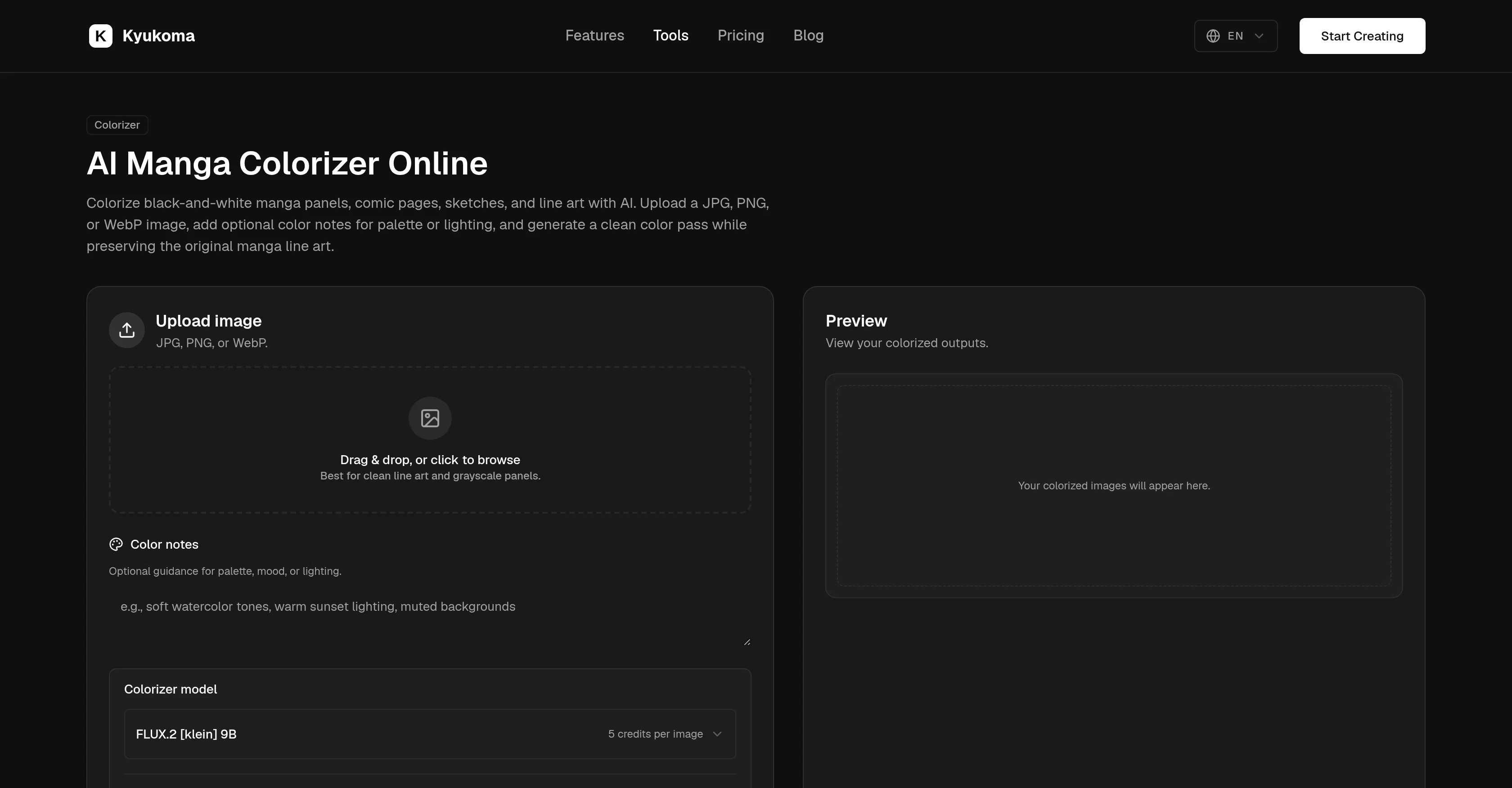
Kyukoma AI Manga Colorizer is an online tool designed to colorize black-and-white manga panels, comic pages, grayscale scans, sketches, and clean line art into prestigious colorized images while maintaining the visibility of original ink lines.
It is specifically created for creators to generate a quick color pass for page polishing, palette testing, or panel sharing purposes. Kyukomas Manga Colorizer accepts JPG, PNG, or WebP image uploads, and allows users to include optional color notes for palette, mood, or lighting directions, which guides the AI without requiring a long prompt.
Users can mention specific character colors, mood, lighting, background palette, or style direction, and then select a colorizer model to preview the output before committing to download.
This simple workflow makes it easy for users to generate and download the desired colorized images. Additionally, the tool also provides an option to guide colors with notes and select from a range of colorizer models depending upon the user's artistic preferences and the credits they wish to spend per image.
An integrated preview function also allows for reviewing the colorized image in the preview area before downloading it.
Access & connections
Where you can use Kyukoma AI Manga Colorizer.
Platforms
Capabilities
What this tool accepts, produces, and is strongest at.
Input
- Text
- Image
Output
- Image
Supported features
- Image Edit
Pros & cons
Pros
- Colorizes manga and comics
- Supports JPG, PNG, WebP
- Optional color notes
- Model selection for colorization
- Preview before download
- Can guide colors
- Offers multiple colorizer models
- Supports different artistic preferences
Show 34 more
- Integrated preview function
- Easy for page polishing
- Useful for palette testing
- Helpful for panel sharing
- Maintains original ink lines
- Quick color pass generation
- Time-saving tool
- Artists and creators focused
- Specific character colors input
- Mood specification
- Lighting direction input
- Background palette customization
- Style direction input
- Simple step workflow
- Best for clean line art
- Best for grayscale panels
- Optimizes contrast preservation
- Highly customizable
- Option to select spending
- Download colorized images
- Works with grayscale scan
- Suitable for web design
- Fine arts application
- Graphic novels use
- Useful for storyboarding
- Used in digital media
- Facilitates visual arts
- Flexible to user preferences
- Aligns with input creativity
- Provides palette consistency
- Clean and clear output
- Broad manga toolset compatible
- Input and prompt choices
- Specific character color specification
Cons
- Limited to JPG, PNG, WebP
- No API provided
- Limited model choices
Compare alternatives
Similar tools in the catalog — with a clear reason to open each one.

Watashi Colorizer ✓
Free TrialBulk colorize manga and webtoon chapters with perfect consistency.
Why look Typically cheaper
Full comparison
Manga Colorizer ✓
FreemiumTurn black-and-white manga into full-color chapters.
Free + from $14.9/mo
Full comparison


MangaAI.me ✓
Free TrialTurn your story into manga pages instantly.
Why look Typically cheaper
Full comparison
AnimePhotoGen ✓
FreemiumTurn any photo into anime art instantly.
Why look Typically cheaper
Full comparisonReleases 1
FAQ 12
What is Kyukoma AI Manga Colorizer?
Does Kyukoma AI Manga Colorizer work with color notes?
Can I preview my colorized image with Kyukoma AI Manga Colorizer?
What file formats are compatible with Kyukoma AI Manga Colorizer?
Does Kyukoma AI Manga Colorizer support batch processing?
Can I customize the colorization on Kyukoma AI Manga Colorizer?
How does Kyukoma AI Manga Colorizer maintain the visibility of original ink lines?
Is there an option to guide colors with notes in Kyukoma AI Manga Colorizer?
What are the different colorizer models offered by Kyukoma?
Can I review my colorized image before downloading it on Kyukoma?
What are the credits required per image on the Kyukoma AI Manga Colorizer?
Can Kyukoma AI Manga Colorizer preserve the original manga line art?
Related tools
Recommended

GetLogit ✓
FreemiumArtificial intelligence, available for everyone.

Suno ✓
FreemiumMake music at the speed of your ideas.

ElevenLabs ✓
FreemiumCreate lifelike AI voices for compelling storytelling.

freebeat AI ✓
FreemiumTurn Music & Ideas into Viral Videos In One Click

DeepSeek ✓
FreeUnravel the mystery of AGI with curiosity

PixVerse ✓
FreemiumCreate breath-taking videos with AI