

Manga Colorizer ✓
Turn black-and-white manga into full-color chapters.
Free + from $14.9/mo
Verdict
A quick read before you dig into the full page.
- Best if
- Turn black-and-white manga into full-color chapters
- Skip if
- Limited languages for translation
- Pick this when
- Manga-specific design
Considering Watashi Colorizer instead? Compare side by side
Overview
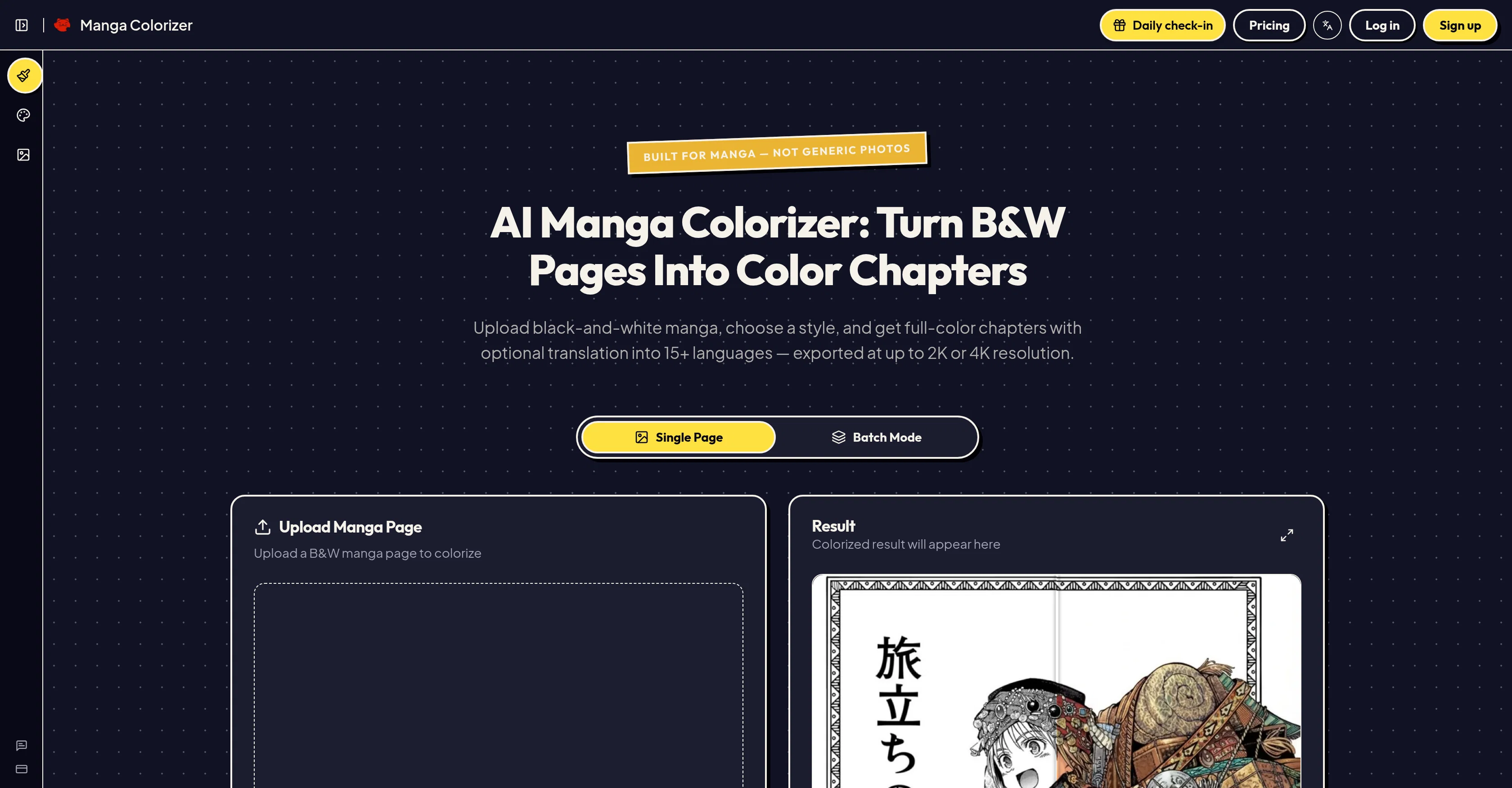
MangaColorizer is an AI tool specifically designed for manga and comics. It works to colorize black-and-white manga pages, providing high-resolution color pages.
The user uploads a black-and-white page, chooses a desired style, and the tool delivers a vivid, color result while keeping every line and panel intact.
The AI recognizes and handles manga line aspects such as art, panel layouts, and character structures effectively due to the use of image models like Nano Banana Pro on top of Gemini.
This ensures a clean fill in large flat areas, retaining detail and the original composition, even at high resolutions. MangaColorizer also includes an AI-powered text detection feature for manga translation.
It replaces speech bubbles, narration boxes, and sound effects with translated text in 15+ languages, preserving the original artwork. This feature is designed to provide a seamless reading experience, mirroring a professionally localized edition more so than a simple overlay option.
MangaColorizer is beneficial to manga fans looking for colorized raw chapters, indie creators trying color editions, or scanlation teams augmenting their workflow.
The tool centralizes the colorizing, translating, and reading process in a single accessible workflow, with results available for both sharing and downloading.
Access & connections
Where you can use Manga Colorizer.
Platforms
Capabilities
What this tool accepts, produces, and is strongest at.
Input
- Tabular
- Image
Output
- Text
- Image
Supported features
- Automation
- Image Edit
- Image Understanding
- Inpainting
- Styling
- Team Collaboration
- Translation
- Upscaling
Pros & cons
Pros
- Manga-specific design
- High resolution coloring
- Art preservation
- Line and panel intact
- Effective on large areas
- Retains original composition
- Text detection for translation
- Translates 15+ languages
Show 31 more
- Preserves original artwork
- Single workflow system
- Results for sharing and downloading
- User-guided color style
- Specific Manga algorithms
- Batch mode processing
- Supports PNG, JPG, WEBP
- Language selection for translation
- 2K or 4K resolution output
- Built-in reader service
- Private sharing option
- Supports raw manga chapters
- Quick colorization for prototyping
- Fits into scanlation workflow
- Mood matching color presets
- Clean processing on rough pages
- Translation included in process
- Ability to tweak results
- Downloadable high-resolution pages
- Full workflow in one place
- Maintains anime-style tones
- Panel borders stay sharp
- Built for large pages
- Consistent style across chapters
- Global-ready translator
- Palette locking feature
- Practical sharing and download
- Applicable for video creators
- Great for community leads
- Helps indie creators
- Tool for reading groups
Cons
- Limited style choices
- No custom color palettes
- Only supports PNG, JPG, WEBP
- No manual color correction
- No 3D support
- No support for traditional comics
- No commercial publishing rights
- Limited languages for translation
Show 2 more
- No vector image support
- Translation quality varies
Compare alternatives
Similar tools in the catalog — with a clear reason to open each one.

Watashi Colorizer ✓
Free TrialBulk colorize manga and webtoon chapters with perfect consistency.
Why look Typically cheaper
Full comparison

Kyukoma ✓
Free TrialTurn your stories into manga pages with AI.
Why look Typically cheaper
Full comparison
MangaAI.me ✓
Free TrialTurn your story into manga pages instantly.
Why look Typically cheaper
Full comparison
MangaMaker ✓
Free TrialTurn story ideas into full manga pages.
Free + from $29.9/mo
Full comparisonReleases 1
FAQ 12
How does MangaColorizer work to colorize images?
What are MangaColorizer's key features?
How does the AI recognize and handle manga lines in MangaColorizer?
How does the image model Nano Banana Pro on top of Gemini improve MangaColorizer?
How does MangaColorizer retain detail and the original composition at high resolutions?
How does MangaColorizer's AI-powered text detection feature work for manga translation?
In what languages does MangaColorizer offer translations?
How can MangaColorizer be beneficial to manga fans, creators, and scanlation teams?
Can I share or download results from MangaColorizer?
Is MangaColorizer an effective tool for Indie creators?
How does MangaColorizer replace speech bubbles, narration boxes, and sound effects with translated text?
Can MangaColorizer provide a professional localized edition?
Related tools
Recommended

Thea ✓
FreemiumAI study tools to master material, not just memorize it.

RowSpeak ✓
FreemiumAI data analysis for messy spreadsheets and business files

Bundance ✓
FreeYour AI shopping buddy for finding better products, deals, and gift ideas

ClaviSay ✓
FreeTurn content you love into a language lesson.

SpyReels ✓
FreemiumSpy on viral Reels. Get scripts in your voice. Film today
Forge ✓
FreemiumAI that writes your LinkedIn so you can build instead.