

Videos vv3.1.0 2026 Rank: #137
Kineo ✓
Launch a faceless Shorts channel — same host every episode.
Verdict
A quick read before you dig into the full page.
- Best if
- Launch a faceless Shorts channel — same host every episode
- Skip if
- Paid plans required for watermark-free videos
- Pick this when
- Generates video from scratch
Considering freebeat AI instead? Compare side by side
Overview
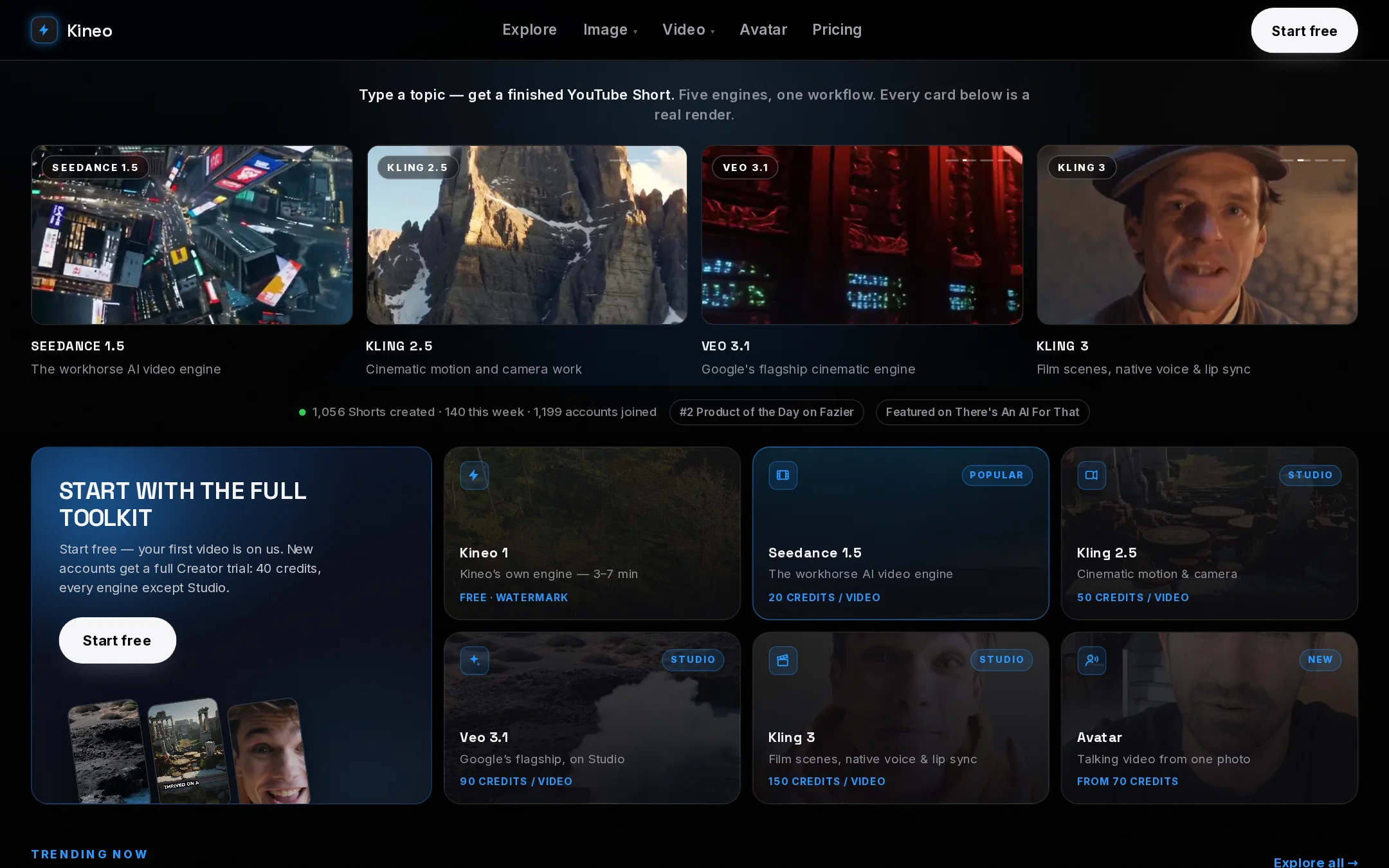
Eight AI video engines are on board, selectable per video: Kineo 1 (stock-based, fastest), Seedance 1.5, Kling 2.5, Veo 3.1, Kling 3 (film scenes with native voice and lip sync), MiniMax H3, and Omni Flash — Google's video model, ranked #1 in the August 2026 blind arena — plus an AI Presenter for avatar-led videos. There is also an AI image studio (6 engines), an audio/TTS studio, photo animation, AI thumbnails, and HD Enhance upscaling.
Every new account starts with a free trial: 25 credits, no card required — enough for one full Seedance film. Paid plans start at $7/month (Starter, 60 credits), with Creator at $15/140 credits and Studio at $29/320 credits. Videos on any plan are delivered as clean, watermark-free MP4s that you own and can monetize. Scripts can be used verbatim — word-for-word narration — or structured by the AI. No editing skills required.
- Ai Avatar Generator
- Thumbnail Generator
- Imagine Live
Best for
Short scenarios where Kineo tends to shine.
-
Launch a faceless Shorts channel — same host every episode.
Example outputs 1
Sample generations and before/after results for Kineo.
Access & connections
Where you can use Kineo.
Platforms
Capabilities
What this tool accepts, produces, and is strongest at.
Input
- Text
Output
- Video
Supported features
- Video Generation
- Text Generation
- TTS
- Video Avatars
- Image Edit
- Image Generation
- Social Media
- Search
- Automation
- Viral baseball trend
Pros & cons
Pros
- Generates video from scratch
- Animated photo generation
- Assistance in trending topics
- Option for provided script narration
- Delivers watermark-free MP4s
- User-owned content
- No prior editing skills required
- Generates the script
Show 37 more
- Identifies suitable footage
- Creates captions
- Content monetization tool
- Various pricing plans
- Built for different platforms
- Finds trending topics
- Not re-editing pre-existing videos
- 7-day money-back guarantee
- Provides growth and competition data
- Offers 'Viral Now' feature
- Provides niche finder tool
- Can animate a photo
- User-friendly interface
- Generates videos fast
- Finds and matches footage
- No per-minute caps
- Affordable starting price
- Interactive avatar creation
- Customizable video creation
- Quality video production
- Flexible script input options
- Auto-generates captions
- Creates lip-synced talking videos
- Helps build YouTube channels
- Offers 'Channel Builder' tool
- Flat monthly pricing
- Unlimited monthly videos
- Ability to cancel anytime
- Outputs ready-to-upload videos
- Works 24/7
- Supports multiple languages
- Integrates with social platforms
- Option for own script narration
- Assists in finding niches
- Good customer service
- User-friendly for beginners
- Caters to specific needs
Cons
- Free videos are watermarked
- Paid plans required for watermark-free videos
- Limited video generation per month
- No support for long videos
- Flagship AI engines cost more credits per film
- No on-site video editing
- Rendering takes a few minutes per video
Compare alternatives
Similar tools in the catalog — with a clear reason to open each one.

freebeat AI ✓
FreemiumTurn Music & Ideas into Viral Videos In One Click
Why look Typically cheaper
Full comparison
MagicLight ✓
FreemiumTransform text into captivating videos instantly.
Free + from $8.4/mo
Full comparison
Seedance ✓
FreemiumMulti-shot video generation from text and image.
Why look Stronger for image work
Full comparisonPeople also view
Tools that often show up alongside Kineo in collections and comparisons.
Seedance ✓
FreemiumMulti-shot video generation from text and image.
MagicLight ✓
FreemiumTransform text into captivating videos instantly.

Kaiber Superstudio ✓
Free TrialAI Video Generation

HeyGen ✓
FreemiumCreate AI spokesperson videos from text
freebeat AI ✓
FreemiumTurn Music & Ideas into Viral Videos In One Click

D-ID ✓
FreemiumCreate AI-generated videos with ease

ResearchMonkey AI | YouTube Summarizer ✓
Free TrialSave Hours of Research in Seconds with 40+ AI Tools

OutlierKit ✓
PaidEnter one channel, see the entire niche.
Releases 3
- New Engine Showcase homepage: pick from 5 real AI video engines (Seedance 1.5, Kling 2.5, Veo 3.1, Kling 3, Kineo 1) with real renders playing on every card
- Honest engine badges: every sample video shows the exact model that made it
- New Explore page with the 20 best community renders
- 20x faster video previews with cinematic crossfades
- Avatar mode: talking video from one photo
- Added B-roll Intelligence: Kineo now plans the footage scene by scene, so every shot matches what the narrator is actually saying instead of pulling generic stock.
- Added Character Lock: save a character once and the exact same face appears in every video, thumbnail, angle and outfit.
- Added AI Presenter: a talking AI host, lip-synced to your script with natural gestures.
- Added Viral Now: trending topics refreshed daily, and one click turns any of them into a finished Short.
- Fixed a delivery fault that could hold back a finished export on paid plans. Clean, watermark-free MP4s now deliver reliably.
Imported reviews 2
This is a product that seems geared specifically for producing content with nothing more than an idea. Thats just what i was looking for when I discovered it and for YouTube creators wanting reliable, reasonable cost, and decent quality shorts I was pleasantly surprised with this. It will not replace my toolbox by any means but it fills the role of a solid helper very well. I will continue testing this for other roles but for the right tasks it’s an excellent addition to my toolbox.
Very easy to follow instructions with lots of options
FAQ 12
How does Kineo generate YouTube Shorts from an idea?
What is the process that Kineo follows to create a Short?
Can Kineo help me find trending topics for my YouTube Short?
What additional features does Kineo provide besides video generation?
Can I provide my own script for Kineo to use?
What format are finished videos from Kineo delivered in?
🛠️ 1
tool
wrote:
Finished videos from Kineo are delivered in the universally compatible MP4 format. They are clean and watermark-free on the free Creator trial and on every paid plan, and are ready for immediate upload.
How does Kineo differ from other video editing tools?
What are the different pricing plans available for Kineo?
🛠️ 1
tool
wrote:
Kineo offers three subscription plans to accommodate various needs. These plans include the 'Starter' plan at $9.90 a month with 25 credits, the 'Creator' plan at $24.90 a month with 150 credits, and the 'Studio' plan at $37.90 a month with 200 credits. Regional pricing is available in 18 countries, every new account starts on a free Creator trial with no card required, and all plans are backed by a 7-day money-back guarantee.
Who owns the content generated by Kineo?
Do I need any prior editing skills to use Kineo?
Can I monetize the content created with Kineo?
Does Kineo include AI voiceover in the Short creation?
Related tools
Recommended

DeepSeek ✓
FreeUnravel the mystery of AGI with curiosity

ThumbnailCreator.com ✓
Free TrialCreate eye-catching YouTube thumbnails in seconds.

Vidu AI Video Generator ✓
FreemiumTransform text and images into high-quality AI videos.

Whacka ✓
Free TrialTurn ideas into real apps from your phone.

WebsitePublisher AI ✓
FreemiumYour AI builds a full app, right from your phone

WebZum ✓
Free TrialSite, Google ad, and a 15-second video ad. Five minutes.