

Test automation vv3
Keak ✓
AI-powered A/B testing for continuous website improvement
From $30 / mo
Verdict
A quick read before you dig into the full page.
- Best if
- You are marketing teams and need: Optimize website copy for higher conversion rates
- Skip if
- Limited customization of tests
- Pick this when
- Advanced A/B Testing
Considering Alumnium instead? Compare side by side
Overview
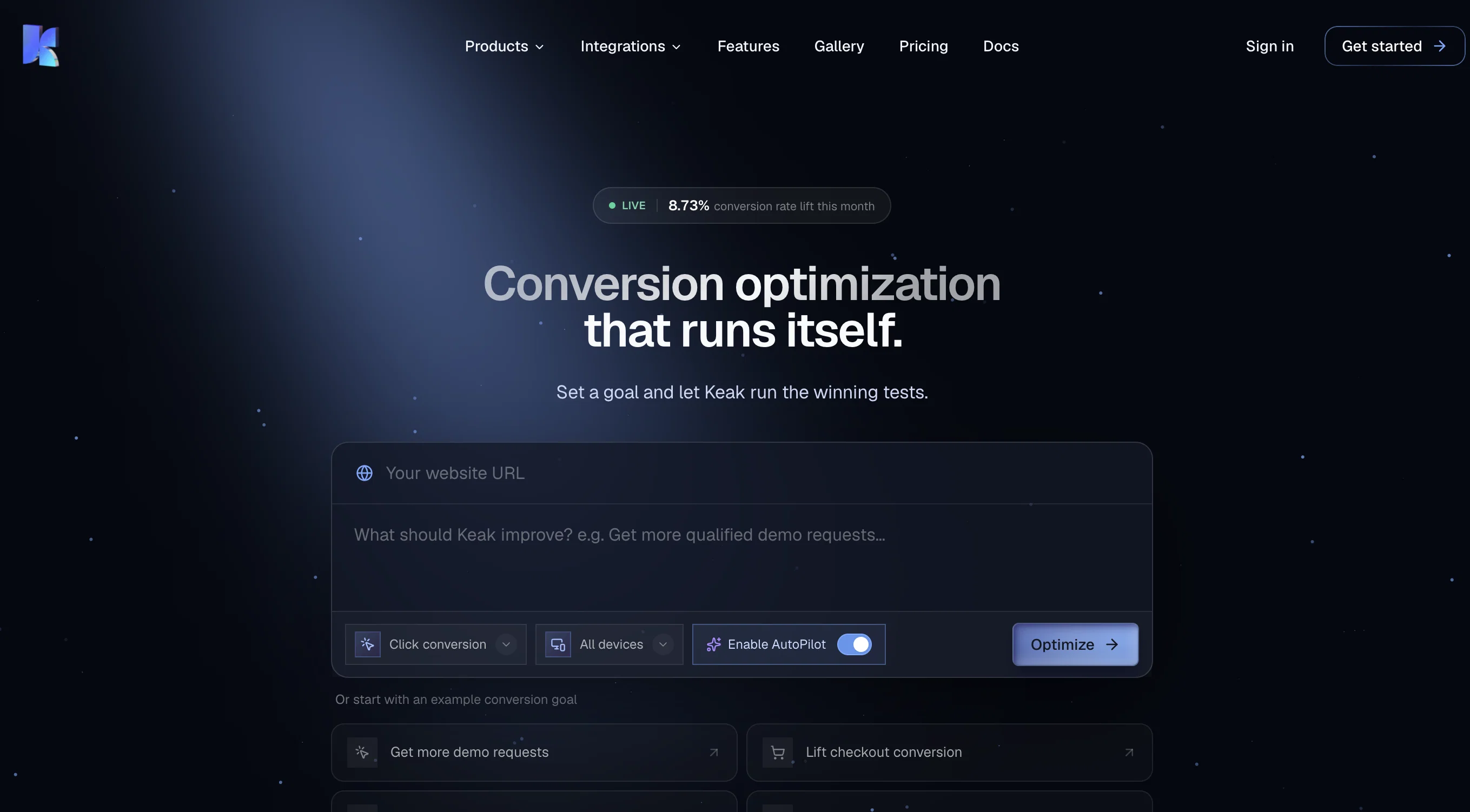
Keak is an Artificial Intelligence (AI) powered tool specialized in A/B testing for website optimization. It helps to streamline your testing and learning process by generating website variations and tracking their performance.
Keak functions by using an AI model that has been trained on thousands of A/B tests to create tailored solutions. Once generated, Keak automatically applies these changes and launches A/B tests.
This tool affords its users the opportunity to retrain the AI model when a test reaches statistical significance, using the accumulated data to refine the current model.
This process then repeats, suggesting a self-improvement cycle for both the website and the model. Keak's advanced feature includes the automation of A/B testing, alongside the manually selectable options.
For larger scale changes, Keak incorporates a URL split tester that redirects traffic to different pages to measure each page's outcome. Keak is compatible with all websites and is designed for effortless integration, keenly promoting user control and update notifications alongside its automated services.
Best for
Short scenarios where Keak tends to shine.
-
Optimize website copy for higher conversion rates
Best for Marketing teams
-
Improve button and call-to-action (CTA) performance
Best for Website owners
-
Enhance images and videos to attract more users
Best for E-commerce businesses
-
Personalize user experience based on browser, UTM parameters, location, and language
Best for Conversion rate optimization (CRO) specialists
-
URL Split Testing to test larger changes
Best for Digital agencies
Example outputs 1
Sample generations and before/after results for Keak.
Access & connections
Where you can use Keak.
Platforms
Capabilities
What this tool accepts, produces, and is strongest at.
Input
- API
- Tabular
Output
- Tabular
- API
Supported features
- QA Automation
Pros & cons
Pros
- Advanced A/B Testing
- Automatically applies changes
- Cycle of self-improvement
- Website variation generation
- URL split tester feature
- User control
- Accuracy-enhancing notification system
- Effortless website integration
Show 23 more
- Streamlined testing process
- Automatic test launch
- Performance tracking
- Click & Generate feature
- Supports text and button changes
- Autopilot for auto learning
- Test data accumulation
- Optional user control over tests
- Split traffic feature
- Compatibility with multiple websites
- Easy script placement
- Performance improvement over time
- Enhances conversion rate
- Keak works everywhere
- Easy extension use
- Efficient dashboard performance tracking
- Event manager feature
- Automates variation generation
- Frequent model refinement
- Allows for large-scale changes
- Manual selection options
- Capability to test images
- Generates multiple website variations
Cons
- May affect webpage load time
- Potential privacy concerns
- Accuracy of A/B tests
- Notifications may be annoying
- Requires periodic model retraining
- Might lead to layout issues
- Limited customization of tests
- Possible conflict with other scripts
Show 1 more
- Requires script installation
Compare alternatives
Similar tools in the catalog — with a clear reason to open each one.


Kane AI ✓
FreemiumWorld’s first end to end software testing agent built on modern LLMs
Why look Typically cheaper
Full comparison
Autonoma ✓
FreemiumAgentic testing with real browsers and devices.
Free + from $499/mo
Full comparisonPeople also view
Tools that often show up alongside Keak in collections and comparisons.

NotebookLM ✓
FreemiumAI-powered note-taking and research assistant

bolt.new ✓
FreemiumBuild web apps with AI prompts

Quell ✓
Free TrialAI agents that supercharge UAT and catch critical bugs faster.

QA.tech ✓
PaidOur AI tests your web apps and creates bug reports loved by developers.
Kane AI ✓
FreemiumWorld’s first end to end software testing agent built on modern LLMs

Bugzy AI ✓
Free TrialRelease faster with QA that keeps up

Veo ✓
PaidGenerate high-quality, cinematic videos with AI.

Pickle ✓
UnknownAI clones lip-sync to your voice in real-time calls.
Releases 3
LoRA fine-tuning on Meta’s Llama 3.1 8B Instruct model.
Specialization in Conversion Rate Optimization (CRO) and A/B Testing automation.
Full-Site Testing: Test headlines, CTAs, images, copy, layouts, colors, forms, and navigation for optimized user experience.
Shopify Integration: Seamless tracking of checkouts and ROI attribution directly within Shopify.
We have introduced a Chrome Extension designed to enhance website optimization directly from the browser.
FAQ 12
What is Keak?
How does Keak work?
Does Keak generate website variations automatically?
What's the advantage of retraining Keak's AI model?
Can Keak create larger scale changes for my website?
What type of tests does Keak create and launch?
Can I manually adjust options in Keak?
Does Keak offer a notification system?
What platforms is Keak compatible with?
How does the self-improvement cycle in Keak work?
Is Keak able to redirect traffic for URL split testing?
How does Keak integrate with my website?
Related tools
Recommended

AI Course Creator ✓
FreemiumAI-powered course creation in minutes.

APOB ✓
FreemiumEarn money by creating your own personalized AI influencer.
bolt.new ✓
FreemiumBuild web apps with AI prompts

VenturusAI ✓
FreemiumBusiness idea analysis and reporting.

Agentgpt ✓
FreemiumDeploy autonomous AI Agents effortlessly in your browser.

D-ID ✓
FreemiumCreate AI-generated videos with ease