

Document data extraction 2026 Rank: #1313
ImageToTable.ai ✓
Extract structured data from images and PDFs into usable tables with AI
Free + from $7.5/mo
Verdict
A quick read before you dig into the full page.
- Best if
- Extract structured data from images and PDFs into usable tables with AI
- Skip if
- Might struggle with complex handwriting
- Pick this when
- Ability to extract specific fields
Considering Lido Document Processing instead? Compare side by side
Overview
1. Product Positioning
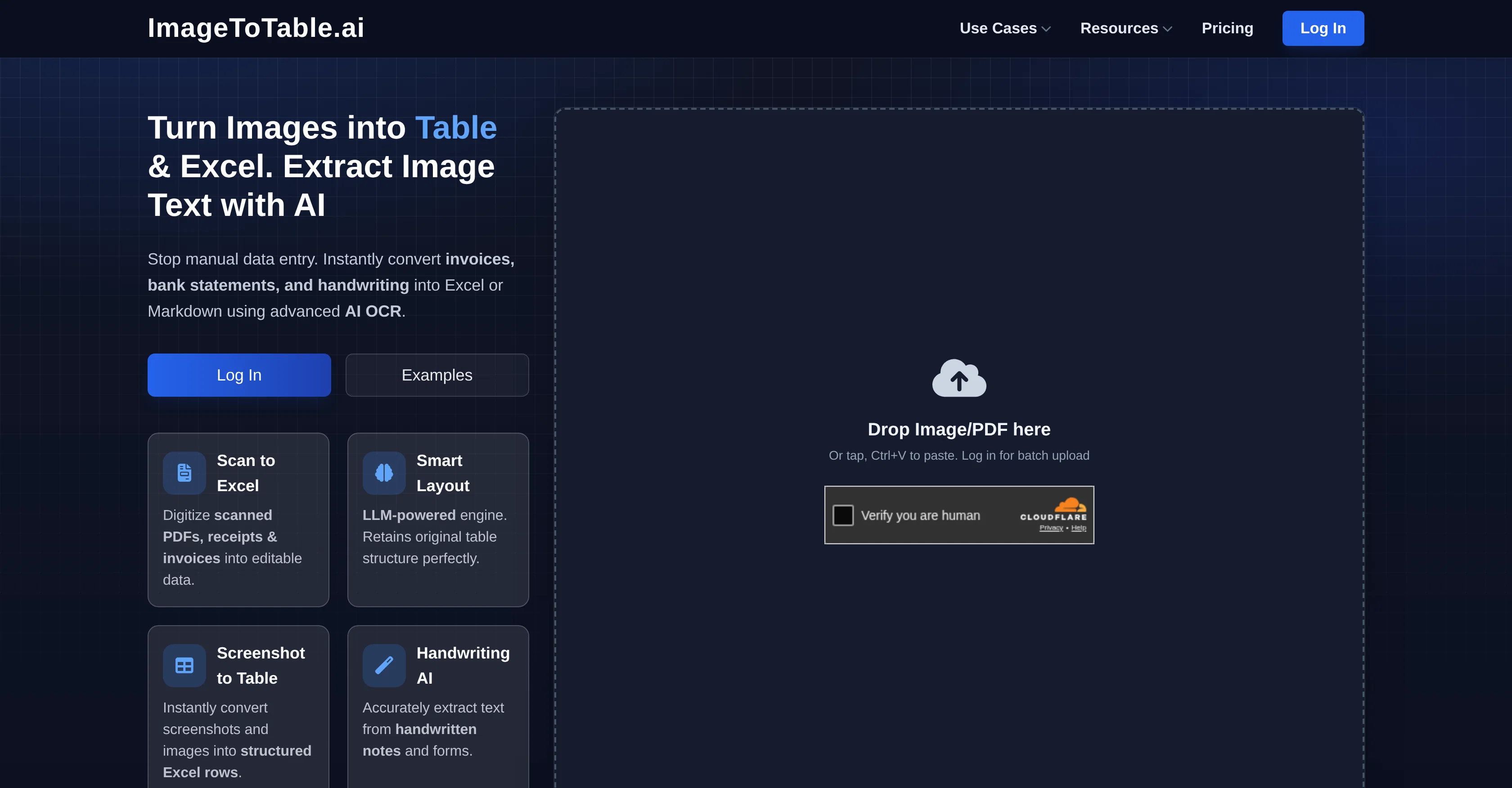
ImageToTable.ai is an AI-powered data extraction tool that converts images, PDFs and documents into structured Excel, CSV or JSON outputs with high accuracy, efficiency and security. Powered by advanced LLM OCR and visual understanding, it requires zero templates and enables fully flexible data extraction.
2. Core Differentiators
1) What you say is what you get — Natural Language Extraction
Extract data simply by describing what you need in plain language. No manual bounding boxes, templates or complex rules required. Fully flexible, conversational extraction for any field or structure.
2) Intelligent Layout Reconstruction
Restore original document layout, columns, tables and formatting. Preserve structure for bank statements, invoices, forms and multi-column documents. Output matches the original layout for high readability and reusability.
3) Visual Element Recognition
Detect and extract basic visual elements beyond text, such as headshots, portraits, avatars and logos. Support recognition of checkboxes, tables, handwritten content and printed text.
3. Key Capabilities
- High-accuracy handwritten text recognition
- One-click extraction from invoices, VAT/GST returns, IDs, tax forms, resumes and sales orders
- Structured, error-free output that replaces manual data entry
- Strong data security and compliance for business and enterprise use
4. Outstanding Cost-Effectiveness
- High cost-performance ratio: Achieve enterprise-level extraction accuracy at an affordable price.
- Greatly reduces labor costs: Replaces heavy manual data entry with one-click AI processing.
- Saves massive time: Processes a document in 20–30 seconds, compared to 3 minutes for manual input.
- Scalable for individuals & teams: Flexible plans suitable for freelancers, small businesses and enterprises.
5. Typical Use Cases
- Accounting & finance: expense reports, invoices, tax processing
- Recruitment: resume parsing and candidate info extraction
- Education: student ID and enrollment form processing
- Credit analysis & administration: document verification and data structuring
6. Core Value
- Eliminate manual data entry and reduce human error
- Save significant time and labor costs
- Deliver clean, structured data ready for immediate use
- Provide stable, secure and cost-effective AI automation for long-term business efficiency
- Natural Language-powered Extraction Library
- Customizable Output & Intelligent Format Validation
Access & connections
Where you can use ImageToTable.ai, and what it plugs into.
Platforms
Integrations
Capabilities
What this tool accepts, produces, and is strongest at.
Input
- Image
- Text
Output
- Tabular
- Text
- Image
Highlights
- API
- No Signup
Supported features
- API
- No Signup
- Crawling & Scrapping
Pros & cons
Pros
- Ability to extract specific fields
- Advanced LLM OCR technology
- Can extract data from images
- Multiple format support (Excel, CSV, JSON)
- Can handle bank statements
- Can process invoices and resumes
- Handwritten text recognition feature
- Zero box templates for extraction
Show 36 more
- Maintains data accuracy
- Ensures data security
- Eliminates manual data entry errors
- Handles VAT/GST returns extraction
- Can process student ID cards
- Works with sales order forms
- Handles tax forms
- Useful in various sectors
- Eliminates manual error
- Time-saving
- Supports batch processing
- Automatically fixes typos
- Standardizes units automatically
- Preserves complex layouts
- Superior precision when extracting handwritten texts
- Integrates API seamlessly
- Automates workflows
- OCR handwriting recognition
- Resume parser and CV parsing
- Crop student ID photos feature
- Processes PDF bank statements
- Reconcile accounts capability
- Automatic batch processing
- Merge data across files
- Supports natural language rules
- Intelligently recognizes signatures
- Photos can be converted to Excel
- Understands context for improved accuracy
- Detects ticks and marks
- Converts text to structured format
- Allows workflow customization
- Cost-effective
- Ability to extract vendor, customer info
- Extracts amounts and terms
- Supports all major document & image formats
- Auto understanding and mapping of context
Cons
- Limited to text-based data
- Might struggle with complex handwriting
- Unspecified efficiency with non-English content
- Depends on image quality
- Doesn't explicitly support multi-page documents
- Inconsistent data extraction across document types
- Potentially long processing for bulk data
- Limited customisation for data extraction
Show 2 more
- Doesn't mention support for encrypted files
- No information about version history
Compare alternatives
Similar tools in the catalog.

Lido Document Processing ✓
FreemiumAutomate PDF data extraction with AI
Free + from $19/mo
Full comparison
Molku ✓
Free TrialAutofill PDFs & Sheets instantly from any document.
Free + from $19/mo
Full comparison
TextMine ✓
UnknownAI-powered knowledge base for critical business documents.
No pricing
Full comparison


Releases 1
FAQ 12
What types of documents can ImageToTable.ai convert?
Can ImageToTable.ai convert handwritten texts?
Is ImageToTable.ai able to process bank statements?
Can ImageToTable.ai extract data from VAT/GST returns?
What sectors could potentially benefit from using ImageToTable.ai?
Does ImageToTable.ai maintain a high level of data security?
Is the extracted data by ImageToTable.ai in a structured format?
How does ImageToTable.ai help in eliminating manual data entry errors?
What are some of the unique use cases of ImageToTable.ai in different sectors?
Can ImageToTable.ai convert documents into Excel, CSV and JSON formats?
Does ImageToTable.ai require templates for extraction?
How is ImageToTable.ai saving users significant time?
Related tools
Recommended

remio: Your Personal ChatGPT ✓
FreemiumGet Tailored Answer with Your Personal ChatGPT

C2Story ✓
Free TrialTurn any idea into illustrated stories with AI.

Notis ✓
Free TrialThe first WhatsApp assistant that runs on your ChatGPT and Claude subscriptions

leania.ai ✓
Free TrialMRI scan for Businesses: Find What to Cut, Replace, Automate with AI

Supernormal App ✓
FreemiumThe AI assistant app that turns meetings into completed work

AI Image to Image.io ✓
FreemiumTransform images with simple text commands.