

HiClip AI ✓
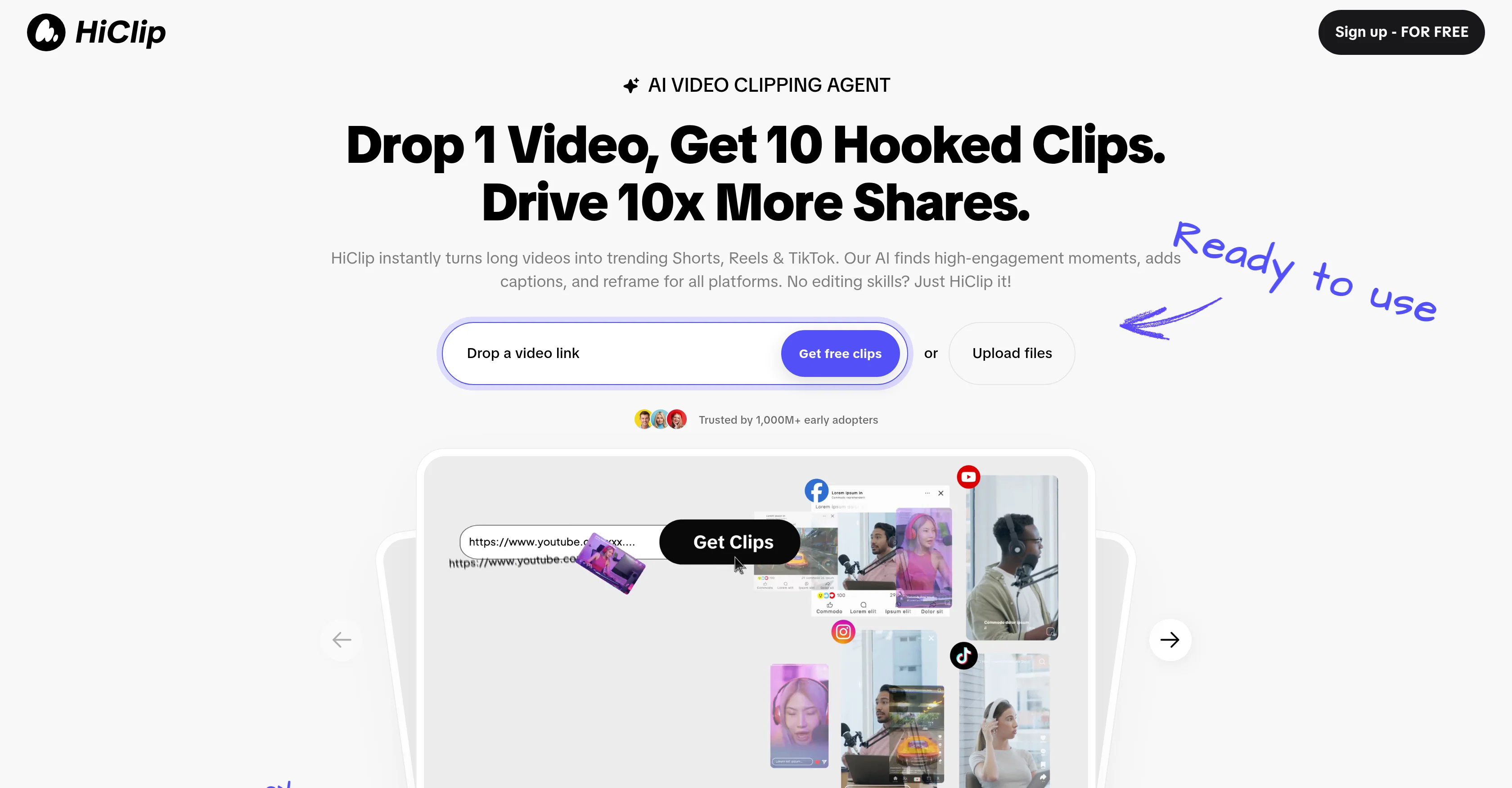
Drop 1 Video, Get 10 Hooked Clips.
Trial; then from $9/mo
Verdict
A quick read before you dig into the full page.
- Best if
- You are content creators and need: Generate high-converting short videos from long content in seconds
- Skip if
- Limited external source inputs
- Pick this when
- Automates video editing tasks
Considering Bytecap instead? Compare side by side
Overview
HiClip is an AI-driven tool designed to automate video editing tasks, including clipping, reframing, and captioning for multi-platform use. It is specifically geared towards creating shareable, short clips from longer videos, ideal for platforms such as TikTok, Instagram Reels, and YouTube Shorts.
The AI can identify high-engagement moments within a video and accentuate these parts by generating them into shorter clips, adding captions and reframing for any platform.
A notable feature HiClip provides is its Context-Aware Analysis, which gauges engagement signals from visual dynamics, audio cues, and semantic context of the video.
This deep video analysis enables the AI to extract scenes with potential high-engagement, and turn them into effective short clips. HiClip also allows users to easily repurpose YouTube videos for other platforms like Instagram Reels, and it supports various input sources and formats, including MP4, MOV, and video links from YouTube or Vimeo.
In terms of output, the tool can export in presets compatible with various popular platforms or user-defined custom resolutions. Overall, HiClip is a practical solution for creators looking to optimize their video content for maximum engagement, offering a time-saving alternative to manual editing.
Best for
Short scenarios where HiClip AI tends to shine.
-
Generate high-converting short videos from long content in seconds.
Best for Content creators
-
Repurpose YouTube videos for Instagram Reels with one-click conversion and auto-posting.
Best for Social media managers
-
Automatically edit videos for TikTok, including auto-cropping to 9:16 vertical ratio and generating captions with trending hashtag suggestions.
Best for Marketers
Example outputs 1
Sample generations and before/after results for HiClip AI.
Access & connections
Where you can use HiClip AI, and what it plugs into.
Platforms
Integrations
Capabilities
What this tool accepts, produces, and is strongest at.
Input
- Video
Output
- Video
Supported features
- Clipping
Pros & cons
Pros
- Automates video editing tasks
- Specializes in short clips
- Identifies high-engagement moments
- Reframes for any platform
- Provides Context-Aware Analysis
- Repurposes YouTube videos
- Supports various input sources
- Compatible with various formats
Show 20 more
- Exports in user-defined resolutions
- Optimizes video content
- Time-saving alternative to editing
- Generates multiple clips from one
- Visual Dynamics Analysis
- Tracks audio cues
- Semantic context understanding
- Supports MP4, MOV formats
- Video links supported
- Auto-crops for TikTok
- Generates captions with hashtags
- One-click YouTube-to-Reels mode
- Multi-platform reformatting in one click
- Presets for popular platforms
- Removes silence from videos
- Tracks scene changes
- Tracks on-screen text
- Considers keyword density
- Analyzes topic shifts
- Auto-posts clips for Instagram
Cons
- Limited editing features
- May miss nuanced moments
- Limited external source inputs
- No real-time editing
- No multi-clip merging
- No advanced caption styling
- Cannot manually adjust clips
- Potential context misunderstanding
Compare alternatives
Similar tools in the catalog — with a clear reason to open each one.

Opus Clip ✓
FreemiumAI-powered livestream studio for explosive growth
Free + from $14.5/mo
Full comparison
AI Video Cut ✓
Free TrialTransform long videos into viral shorts with AI.
Free + from $18/mo
Full comparison
Postless ✓
PaidAI-generated UGC videos on autopilot for viral marketing.
from $19.99/mo
Full comparison
Klap ✓
PaidGenerate viral short-form videos from YouTube content in one click.
Why look Better for writing
Full comparisonPeople also view
Tools that often show up alongside HiClip AI in collections and comparisons.

Shortmake ✓
PaidFast viral video generation and editing.
Postless ✓
PaidAI-generated UGC videos on autopilot for viral marketing.
Opus Clip ✓
FreemiumAI-powered livestream studio for explosive growth
Klap ✓
PaidGenerate viral short-form videos from YouTube content in one click.

Bytecap ✓
FreemiumEdit and publish clips 10x faster with AI
AI Video Cut ✓
Free TrialTransform long videos into viral shorts with AI.

HayNo AI Music Video Generator ✓
Free TrialUpload a song, describe the vibe, get a music video.

Froging AI ✓
FreemiumCreate images and videos with leading AI models in one workspace.
Releases 1
Imported reviews 3
its taking soooo long only for 30min, im still waiting and its been more than 1 hour
This is an excellent video editing software. It's the first time I've successfully cut a long video with it, and it can automatically generate highlight clips, which helps me redistribute my long video content for secondary use. Many thanks to the developers for creating such an efficient editing tool.
Very cool tool that gives me free hours to cut my videos into shorts. Wish to get more referral bonus hours. If it could deal the video faster that would be even better.👍🏻
FAQ 12
What is HiClip AI?
How does HiClip AI work in editing videos?
What is the 'Context-Aware Analysis' feature in HiClip?
What formats are supported by HiClip for input sources?
Can HiClip AI export in user-defined resolutions?
What platforms is HiClip AI optimized for?
Who can benefit from using HiClip AI?
How does HiClip AI identify high-engagement moments in a video?
Does HiClip AI offer presets for various platforms?
How is HiClip AI a time-saving solution?
Can HiClip AI be used to repurpose YouTube videos for Instagram Reels?
How does HiClip AI automate the process of reframing videos?
Related tools
Recommended

AI Dubbing.io ✓
FreeTurn videos into any language with AI dubbing.

Thea ✓
FreemiumAI study tools to master material, not just memorize it.

TheLibrarian.io ✓
Free TrialYour WhatsApp AI assistant for instant productivity.

Automateed ✓
Free TrialCreate eBooks effortlessly with Automateed, the AI-powered writing tool.

Suno ✓
FreemiumMake music at the speed of your ideas.

Notis ✓
Free TrialThe first WhatsApp assistant that runs on your ChatGPT and Claude subscriptions