

Exam cheating vv1.1.0 2026 Rank: #439
ScreenHelp ✓
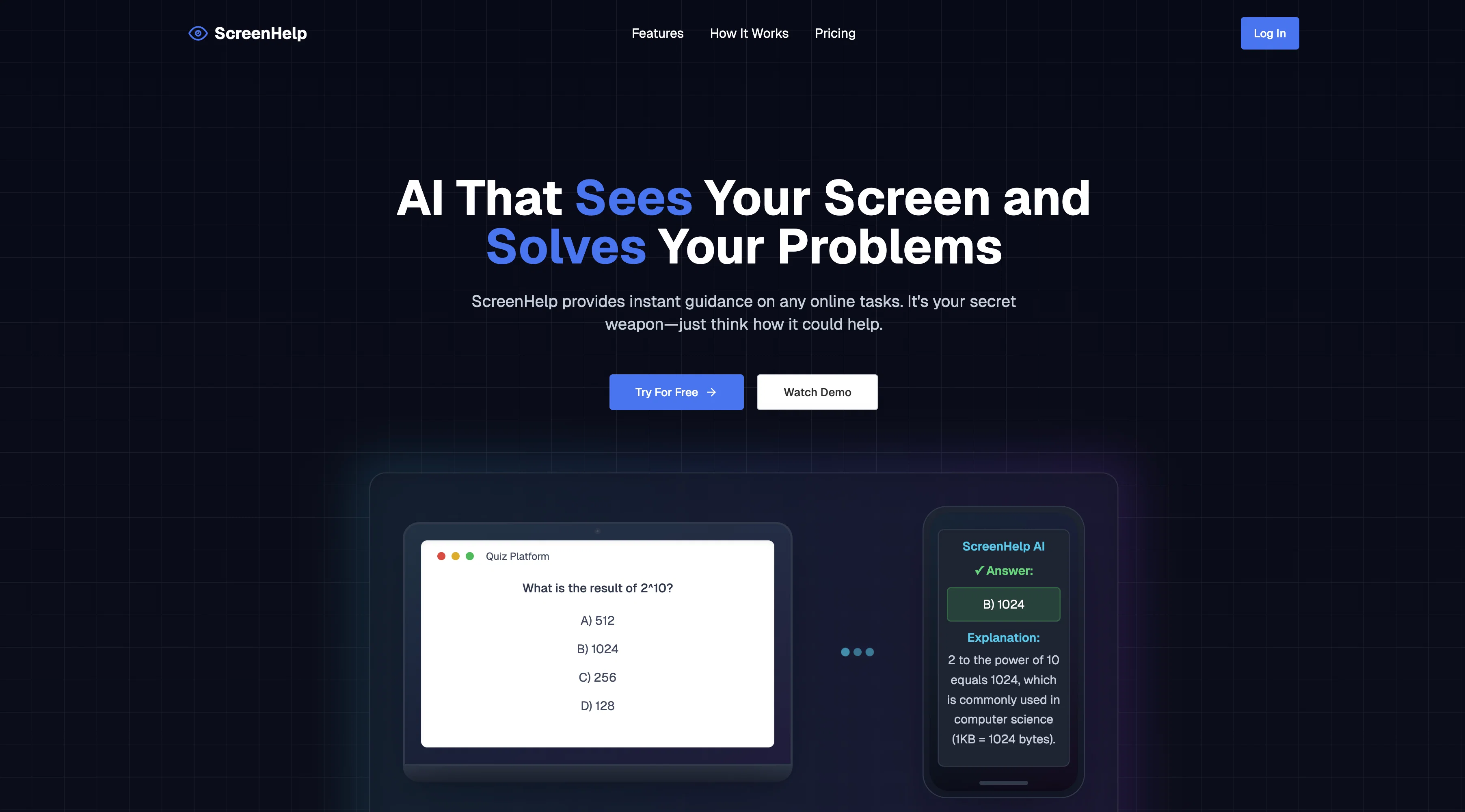
AI that sees your screen and solves your problems.
Verdict
A quick read before you dig into the full page.
- Best if
- AI that sees your screen and solves your problems
- Skip if
- Subscription model expensive
- Pick this when
- Screenshot analysis
Considering CheatGPT instead? Compare side by side
Overview


ScreenHelp is an AI-powered tool designed to provide instant assistance by analyzing screenshots of your screen. It works by sharing your screen virtually, capturing what youre working on when help is needed, and it's controlled through a custom keyboard shortcut.
The tool is equipped with a powerful AI that can understand anything displayed on your screen, such as quizzes, tests and coding challenges. It provides immediate, intelligent responses based on the content currently displayed on your screen.
This innovative tool functions within your web browser, alleviating the need for any downloads or installations. Also, it is designed to be unobtrusive, allowing the app window to be hidden and decoupled from the original screen.
If preferred, users can opt to get help information via a second screen or even a mobile device. ScreenHelp also offers distinct features like customized prompt setting for instant help and a browser extension for triggering help from anywhere.
This tool provides a free usage tier, along with a paid subscription tier for heavier usage. Importantly, it values user privacy, hence, it does not get in the way of what you're currently working on.
- Screen Analysis
- Exam Cheating
- Answers Shown On Phone Screen
- Keyboard Shortcuts
- Discreet Help
- Ai Exam Help
Best for
Short scenarios where ScreenHelp tends to shine.
-
AI that sees your screen and solves your problems.
Example outputs 1
Sample generations and before/after results for ScreenHelp.
Access & connections
Where you can use ScreenHelp.
Platforms
Capabilities
What this tool accepts, produces, and is strongest at.
Input
- Image
- Text
Output
- Text
Supported features
- Image Understanding
- Assistant
- Education
- Code Assistant
- Mobile Companion
- Web browsing
- Visual Creation
Pros & cons
Pros
- Screenshot analysis
- Works in browser
- No installations required
- Custom keyboard shortcut
- Unobtrusive design
- Help on second screen
- Mobile device support
- Customized prompt setting
Show 17 more
- Browser extension
- Freemium and subscription model
- Values user privacy
- Task-specific help
- Interacts with quizzes
- Assists with tests
- Coding challenge assistance
- Real-time guidance
- Hidden window feature
- Screen-sharing function
- Personlized responses
- Interactive troubleshooting
- Auto-solve capabilities
- Convenient interface
- Online learning support
- Customizable key combinations
- Detailed explanations
Cons
- Limited free usage
- Subscription model expensive
- No offline mode
- Requires constant screen sharing
- Privacy concerns despite assurances
- Reliant on good internet connection
- Can't analyze offline content
- Doesn't support all browsers
Show 2 more
- Custom keyboard shortcut conflicts
- Dependent on prompt customization
Compare alternatives
Similar tools in the catalog — with a clear reason to open each one.

CheatGPT ✓
FreemiumAI-powered study assistant for academic excellence
Why look Typically cheaper
Full comparison
EzSolve: AI Homework Helper ✓
FreemiumInstant Homework Help with Step-by-Step Explanations
Why look Typically cheaper
Full comparison
ReadCheck ✓
Free TrialTurn any reading into instant comprehension quizzes.
Why look Typically cheaper
Full comparison
HERON ✓
FreemiumAI tool that grades handwritten exams in seconds.
Why look Typically cheaper
Full comparisonPeople also view
Tools that often show up alongside ScreenHelp in collections and comparisons.

Thea ✓
FreemiumAI study tools to master material, not just memorize it.

ThesisAI ✓
PaidWrite 80 pages with just ONE prompt

Thesify ✓
Free TrialAI tools for students and scientists

Student AI ✓
FreemiumElevate your studies with AI-powered academic tools.

NotesToQuiz ✓
FreemiumTurn notes into quizzes instantly.

LoveStudy.ai ✓
Free TrialAI-powered learning tools that make studying effortless.

KardsAI - AI Flashcard Maker ✓
FreemiumInstantly convert your notes into flashcards with KardsAI

GrammarBot ✓
FreeAI-powered grammar checks and writing transformations.
Releases 2
- Added new languages: Czech, Danish, Dutch, English, Finnish, French, German, Italian, Korean, Norwegian Bokmål, Polish, Portuguese, Spanish, Swedish
- Improved performance
FAQ 12
What is ScreenHelp?
What kind of problems can ScreenHelp solve?
How does ScreenHelp interpret the content on my screen?
How can ScreenHelp assist with quizzes, tests, and coding challenges?
How does ScreenHelp work within the web browser?
Do I need to download or install anything to use ScreenHelp?
Can I use ScreenHelp on a second screen or mobile device?
Does ScreenHelp offer a free usage tier?
What benefits do I get with a paid subscription to ScreenHelp?
Does ScreenHelp value user privacy?
How can I hide the ScreenHelp app window?
Can I create a custom keyboard shortcut for ScreenHelp?
Related tools
Recommended

remio: Your Personal ChatGPT ✓
FreemiumGet Tailored Answer with Your Personal ChatGPT

Notis ✓
Free TrialThe first WhatsApp assistant that runs on your ChatGPT and Claude subscriptions
Thea ✓
FreemiumAI study tools to master material, not just memorize it.

freebeat AI ✓
FreemiumTurn Music & Ideas into Viral Videos In One Click

Trickle Magic Canvas ✓
FreemiumTurn your ideas into live apps and websites with AI.

TheLibrarian.io ✓
Free TrialYour WhatsApp AI assistant for instant productivity.