

GradeWrite ✓
Grade assignments 10x faster with AI
Free + from $24.99/mo
Verdict
A quick read before you dig into the full page.
- Best if
- Grade assignments 10x faster with AI
- Skip if
- Limited to 5000 words
- Pick this when
- Bulk assignment uploads
Considering GradingPal instead? Compare side by side
Overview
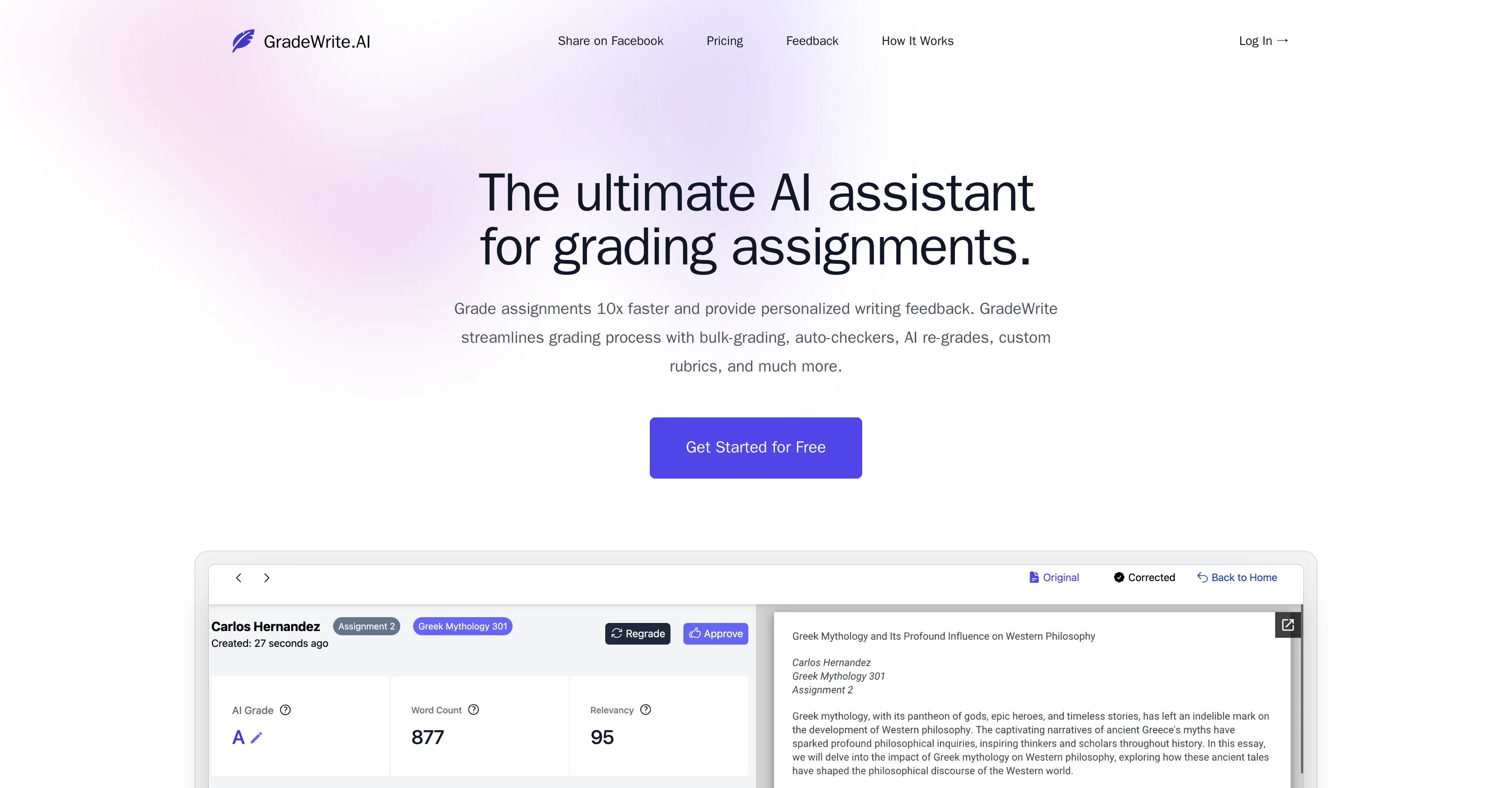
GradeWrite is an artificial intelligence (AI) tool designed to assist in grading assignments and essays. This tool is tailored for educators and offers the facility to upload bulk assignments, offering quick and efficient processing of multiple submissions.
It features auto-checkers that flag potential issues such as word count, rubric compliance and plagiarism, saving educators valuable time. The interactive grading experience offered by GradeWrite provides teachers with AI-suggested improvements and the flexibility to make manual edits.GradeWrite's AI is also designed to provide personalized and constructive feedback on students' writing, similar to human-like interaction.
Customization is a significant aspect of GradeWrite, allowing educators to create and apply their unique rubrics, ensuring tailored and accurate assessment.
The interface also enables side-by-side viewing of the original submission and AI-generated feedback, making the grading process seamless and efficient.The tool's grading process is driven by AI and aims to streamline grading.
GradeWrite analyses uploaded student assignments, generates automated feedback on each submission, and further offers initial review of AI-generated suggestions.
Educators can iterate, enhance and approve suggestions and feedback, aligning with their unique teaching style and standards.In addition to these capabilities, GradeWrite detects artificially generated content, provides a succinct summary of the assignment for quick verification, and enabled educators to easily compare the original submission with AI-generated feedback.
Its auto-summary feature offers a quick review of each assignment, and its automated grammar and spelling check feature ensures the quality of student submissions.
Custom rubrics can be created to teach the AI grading process according to specific criteria, making the assessment both consistent and personalized.
Access & connections
Where you can use GradeWrite, and what it plugs into.
Platforms
Integrations
Capabilities
What this tool accepts, produces, and is strongest at.
Input
- Tabular
- Text
Output
- Tabular
- Text
Pros & cons
Pros
- Bulk assignment uploads
- Quick processing of submissions
- Auto-checkers for potential issues
- Word count compliance
- Rubric compliance detection
- Plagiarism detection feature
- Interactive grading experience
- Manual edit capability
Show 32 more
- Personalized feedback
- Customizable rubrics
- Artificial content detection
- Generates assignment summary
- Assignment comparison feature
- Automated grammar and spelling checks
- Consistent and personalized assessment
- Quick overview feature for teachers
- Uploads support large files
- Facility for multiple files upload
- Human-like feedback generation
- Detailed feedback for each submission
- Flagging system for submissions
- Helps streamline the feedback process
- Echoes educators' unique teaching style
- Allows for manual refinement of feedback
- Provides clear, constructive guidance
- Grade assignments 10x faster
- Time saving tool for educators
- Auto-summaries of assignments
- Rubric adherence auto-checks
- Relevancy checks
- Supports large word limit
- Developed in collaboration with universities
- Sophisticated grading co-pilot feature
- Submission relevancy checks
- Comprehensive assignment analysis
- Refresh feedback option
- Seamless review process
- Improves students' writing skills
- Hosts original content and feedback side by side
- Auto-detection for word count
Cons
- No multilingual support
- Unspecified accuracy
- No mobile application
- Limited to 5000 words
- No offline functionality
- Dependent on internet connectivity
- No multi-platform support
- Potential issues with data privacy
Show 2 more
- No pricing transparency
- Beta version for grammar checks
Compare alternatives
Similar tools in the catalog — with a clear reason to open each one.

GradingPal ✓
FreemiumAI-powered grading for all K-12 subjects.
Why look Typically cheaper
Full comparison
GradingPen ✓
Free TrialGrade 30 essays in 10 minutes with AI.
Why look Typically cheaper
Full comparison
Edexia ✓
UnknownAI-powered assessment marking and grading for educators.
No pricing
Full comparison
MarkInMinutes ✓
PaidGrade students in minutes, not hours.
Why look Typically cheaper
Full comparison
Releases 1
FAQ 12
What is GradeWrite?
How does GradeWrite assist in grading assignments?
What are the main features of GradeWrite?
Does GradeWrite offer a feature to detect plagiarism?
Can GradeWrite flag issues like word count and rubric compliance?
How does the AI of GradeWrite provide feedback?
Can educators customize and apply their rubrics in GradeWrite?
How can I view the original submission and AI-generated feedback side by side in GradeWrite?
Does GradeWrite offer a summary of assignments?
How does GradeWrite detect artificially generated content?
Can educators approve AI-generated suggestions in GradeWrite?
Does GradeWrite offer plagiarism detection capability?
Related tools
Recommended

OpenRead ✓
FreemiumAI-powered interactive papers for faster, intuitive research

TutorAI ✓
FreemiumInstant knowledge on any topic

Stockimg AI ✓
PaidGenerated images and text for design ease.

Mindsmith ✓
FreemiumPlatform for building and sharing eLearning content

Transcript LOL ✓
FreemiumUnlimited transcripts, summaries, 99.8% accuracy, speaker recognition, superfast

Midjourney ✓
PaidExpand human imagination through AI-powered visuals.