

Grading 2026 Rank: #3051
GradingPen ✓
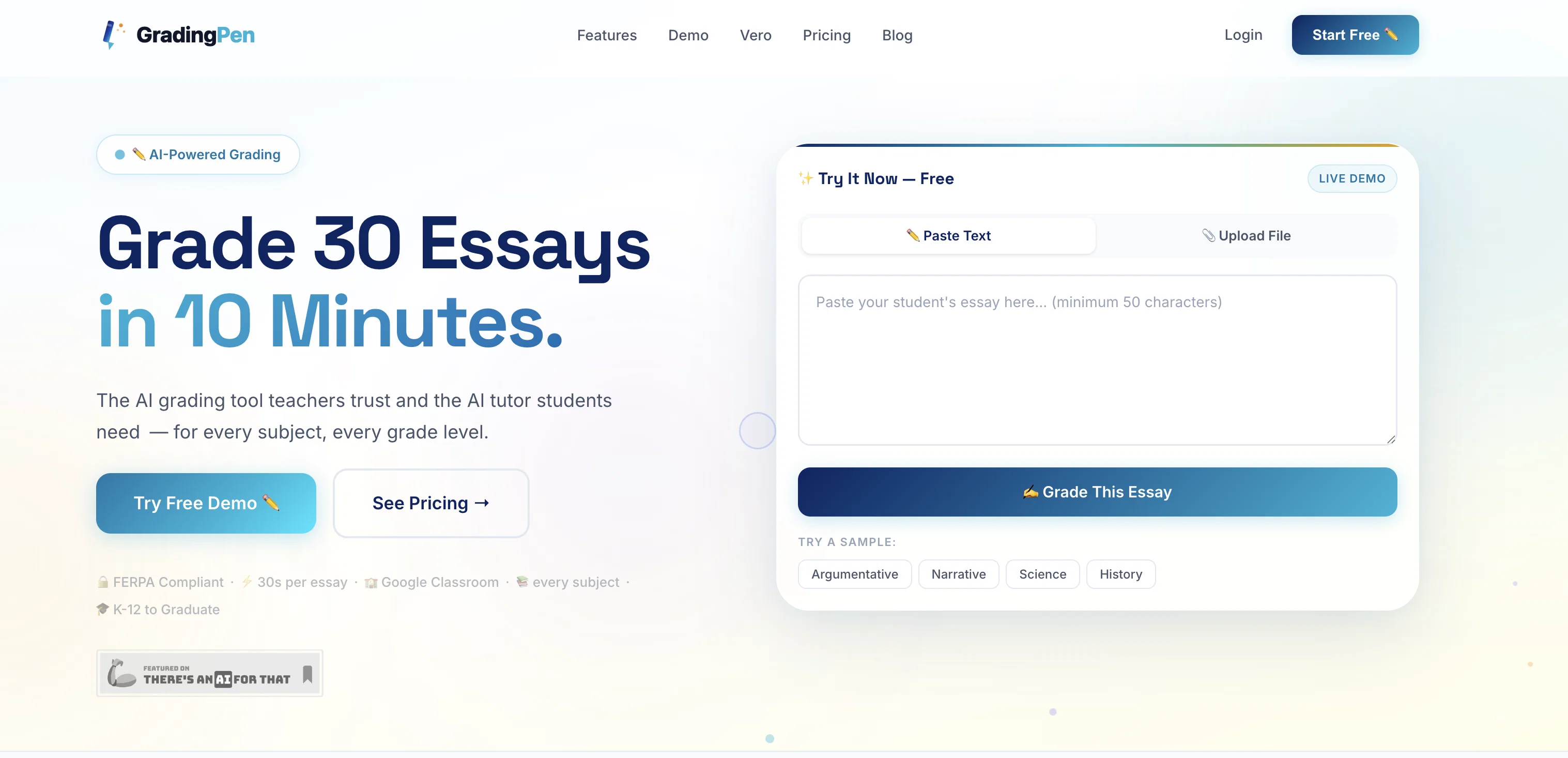
Grade 30 essays in 10 minutes with AI.
Trial; then from $7.99/mo
Verdict
A quick read before you dig into the full page.
- Best if
- Grade 30 essays in 10 minutes with AI
- Skip if
- Limited integrations
- Pick this when
- Grades 30 essays in 10mins
Considering GradingPal instead? Compare side by side
Overview
GradingPen is an AI-powered grading tool that assists teachers by automating the essay grading process and providing a personalized AI tutor for students.
As a result, it offers a significant reduction in the grading time spent by teachers. The AI analyzes essays regarding their content, structure, grammar, and strength of the argument in a fast and efficient manner.
It incorporates advanced language models and provides feedback with the depth that parallels experienced educators. Teachers can upload a class's essays at once in different formats, including images of handwritten works, letting GradingPen handle the rest.
Post-grading, teachers can review grades, make necessary alterations, and track class-wide academic trends. The tool also helps identify struggling students via its analytics dashboard.
Further features enable teachers to make data-driven instructional decisions, use or create custom rubrics, and flag essays that show signs of academic integrity violation.
It has integrations with various tools like Google Classroom, Canvas LMS, Schoology, Moodle, SEQTA Learn, Compass Education, and Google Drive allowing seamless addition into current teaching environments.
GradingPen complies with FERPA standards, ensuring strict privacy standards for student data. Its capacity also extends to grading essays in multiple languages making it appropriate for multilingual educational environments.
Access & connections
Where you can use GradingPen, and what it plugs into.
Platforms
Integrations
Capabilities
What this tool accepts, produces, and is strongest at.
Input
- API
- Image
- Text
Output
- API
- Text
Supported features
- Education
- Text Generation
- Image Understanding
- Docs
- Automation
- Integrations
Pros & cons
Pros
- Grades 30 essays in 10mins
- Real-time analytics
- Handwritten essay support
- Flags academic integrity violations
- Custom rubrics creation
- FERPA compliant
- Works with popular educational tools
- Future Microsoft Teams integration
Show 41 more
- Supports multiple languages
- Helps identify struggling students
- Reduces grading time
- Multilingual essay grading
- FERPA Compliance
- Google Classroom integration
- Integration with SEQTA Learn
- Supports grading in multiple languages
- Coming RM Unify SSO integration
- Google Drive integration
- Canvas LMS integration
- Schoology, Moodle, Compass Education integration
- Detailed feedback system
- Supports various upload formats
- Allows batch upload
- Personalized learning support
- Management tool integration
- Struggling students identification
- Detailed students performance analytics
- Data-driven instructional decisions
- Custom rubrics templates
- Suitable for all grades
- Feedback in seconds
- Real-time student progress tracking
- Consistent evaluations
- Automated grading system
- Academic integrity safeguards
- Subject and grade level versatility
- Instructional decision data
- Classroom integration options
- Various content format support
- Rubric creation feature
- Creation of custom rubrics
- Accessibility to API
- Emphasizes academic integrity
- Offers grading in Spanish, French, German, Mandarin
- Plugs into existing classroom setup
- Real-time student progress analytics
- Analytics dashboard
- Compatible with PowerSchool, Infinite Campus, Skyward
- Automatic essay import from Google Drive
Cons
- Limited integrations
- Handwritten essay reading imperfect
- Lacks broader subject support
- Requires manual adjustments
- No immediate Microsoft Teams integration
Compare alternatives
Similar tools in the catalog.





Releases 1
FAQ 12
What features does GradingPen offer?
How does GradingPen analyze essays?
What formats can I upload essays in to GradingPen?
Does GradingPen support grading in multiple languages?
What does it mean when GradingPen flags an essay?
How does GradingPen handle student data privacy?
Can GradingPen track student progress over time?
What is the purpose of GradingPen’s real-time analytics?
How does the custom rubrics creation in GradingPen work?
Can GradingPen grade for every subject and at every grade level?
Is GradingPen integrated with Google Classroom?
Does GradingPen offer compatibility with other educational tools?
Related tools
Recommended

claim.vet ✓
FreemiumAccess VA benefits faster with AI

Cloud Hero AI ✓
UnknownThe AI platform built for cloud teams

MagicSlides.app AI PPT Maker ✓
FreemiumCreate Stunning PPTs in Seconds with the AI PPT Maker

GetLogit ✓
FreemiumArtificial intelligence, available for everyone.

ChatGPT ✓
FreemiumAsk anything, create anything, and move from idea to action.

Automateed ✓
Free TrialCreate eBooks effortlessly with Automateed, the AI-powered writing tool.