

Finch 3D ✓
AI-powered building design optimization
Free + from $49/mo
Verdict
A quick read before you dig into the full page.
- Best if
- AI-powered building design optimization
- Skip if
- Limited to architectural design
- Pick this when
- Immediate performance feedback
Considering OpalAi instead? Compare side by side
Overview
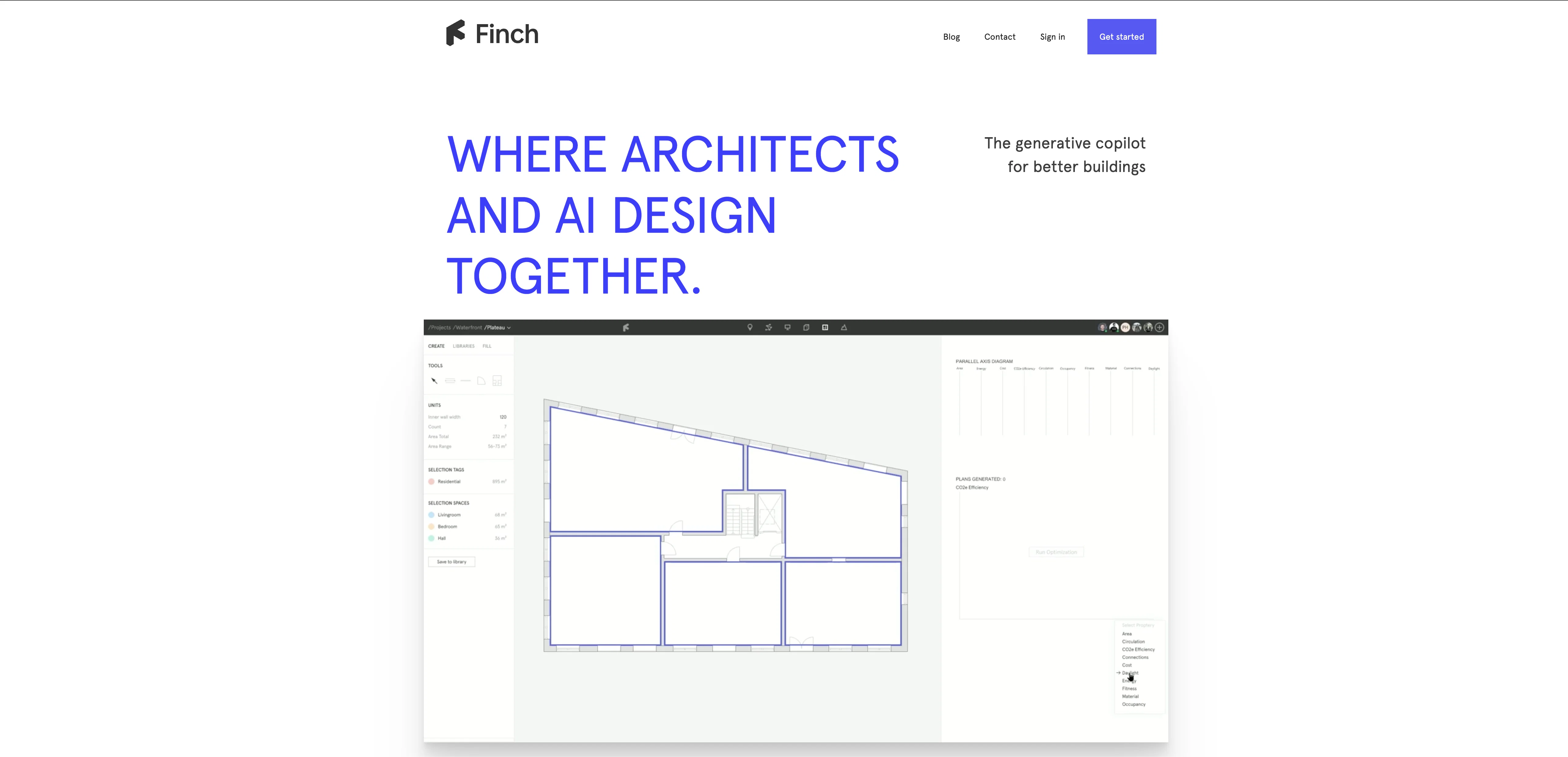
Finch is an AI tool focused on building design optimization, powered by graph technology. It provides immediate feedback on building performance, helps to detect errors, and offers optimal solutions at the early stages of design.
The tool allows users to iterate faster and explore multiple mass and program variants effortlessly. Finch can automatically fill in stories with plans, making it easier to compare different alternatives in seconds.
With Finch, architects don't have to spend time on Excel roundtrips to calculate key figures as the tool provides instant feedback on unit and area distribution, carbon footprint, daylight simulation, and other crucial features.
The tool also enables architects to break the right rules, thanks to an error prevention feature that ensures the designs are compliant with the rules of the firm, customer, and municipality.Finch has a built-in feature that allows users to share fully interactive 3D models with anyone via browser, making it easy to get immediate feedback on massing, plans, and objects in the design.
Additionally, Finch's designs can be saved to an organization library, where they can be infinitely reusable. The tool is designed to be simple, beautiful, and functional, with AI to assist and inspire architects, making it invaluable for architectural design.
Finch also supports bidirectional streaming of 3D data, enabling users to design the building mass in other software such as Revit, Rhino, and Grasshopper, while direct data feedback and changes are made in Finch.
Finch has over 12,000 individuals on their waiting list; interested users can sign up for early access.
Best for
Short scenarios where Finch 3D tends to shine.
-
AI-powered building design optimization
Example outputs 1
Sample generations and before/after results for Finch 3D.
Access & connections
Where you can use Finch 3D, and what it plugs into.
Platforms
Integrations
Capabilities
What this tool accepts, produces, and is strongest at.
Input
- 3D
- Tabular
- Text
Output
- 3D
- Tabular
- Text
Supported features
- Arhitecture & Interior design
Pros & cons
Pros
- Immediate performance feedback
- Error detection
- Optimal solution suggestions
- Fast iteration
- Explores mass and program variants
- Automatic filling stories with plans
- Instant key figure calculation
- Unit and area distribution feedback
Show 10 more
- Carbon footprint feedback
- Daylight simulation feature
- Error prevention feature
- Shares 3D models interactively
- Designs saved in library
- Bidirectional streaming of 3D data
- Supports Revit, Rhino, Grasshopper
- Direct data feedback
- Instant design changes
- Over 12,000 waiting list
Cons
- No offline capability
- Limited software integration
- Limited to architectural design
- Doesn't allow cross-platform use
- No direct customer support
- Waiting list for access
- No version controls
- No free trial option
Show 1 more
- Potential privacy issues with sharing
Compare alternatives
Similar tools in the catalog — with a clear reason to open each one.

OpalAi ✓
PaidScan spaces into 3D models with a simple walkthrough.
Why look Typically cheaper
Full comparison
Mappedin ✓
FreemiumCreate indoor maps in minutes with AI
Free + from $25 per map / mo
Full comparison
ZORY AI ✓
FreemiumAI Visual Commerce for Furniture & Real Estate
Why look Typically cheaper
Full comparisonPeople also view
Tools that often show up alongside Finch 3D in collections and comparisons.
ZORY AI ✓
FreemiumAI Visual Commerce for Furniture & Real Estate
OpalAi ✓
PaidScan spaces into 3D models with a simple walkthrough.
Mappedin ✓
FreemiumCreate indoor maps in minutes with AI

CamPlan AI ✓
FreemiumDesigned floor plans.

Home Design AI ✓
Free TrialRedesign any room or home with a single photo.

FloorAI ✓
Free TrialSketch to floor plan in seconds.

AutoGPT ✓
Free TrialRun AutoGPT in your browser for free

Architectgpt ✓
PaidAI-powered home design: Create your dream space.
Releases 1
FAQ 12
What is Finch 3D?
What is the main purpose of Finch?
How does Finch assist in building design optimization?
What key features does Finch offer for architects?
How does Finch automatically fill in stories with plans?
What kind of feedback does Finch provide on building performance?
Does Finch offer any error detection or prevention features?
Can Finch 3D models be shared with others?
Can Finch designs be saved and reused?
How does Finch support bidirectional streaming of 3D data?
What software is compatible with Finch for 3D data streaming?
How does Finch's AI technology assist architects?
Related tools
Recommended

ARCHITEChTURES ✓
FreemiumAI-powered design: Months to minutes for buildings.

Makeit.ai ✓
PaidGenerate thousands of architectural plans instantly.
Architectgpt ✓
PaidAI-powered home design: Create your dream space.

Getfloorplan ✓
PaidAI tool for 3D floor plans, renders, and virtual to

Swapp ✓
UnknownAI-powered construction documents in minutes.

LearningStudioAI ✓
Free TrialAI-powered authoring tool for effortless online course creation.